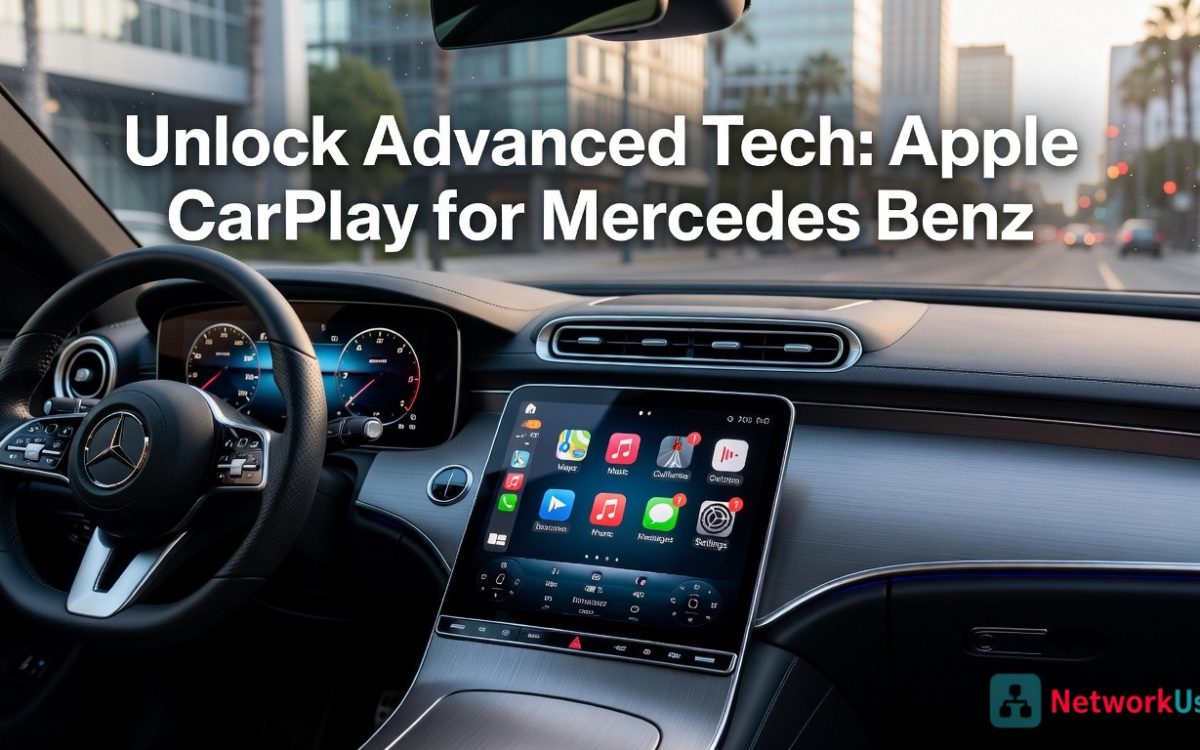
Today’s driver expects more than a powerful engine and a refined interior — they expect their car to feel like a natural extension of their digital life. Mercedes-Benz delivers on nearly every front, offering impeccable engineering, stunning design, and a cockpit that radiates luxury. Yet even the most discerning Mercedes owner can find themselves frustrated when a sophisticated infotainment system doesn’t quite keep pace with the intuitive experience of their iPhone.
That’s precisely where Apple CarPlay steps in. Rather than forcing you to learn an entirely new interface, CarPlay transforms your Mercedes-Benz display into a familiar, responsive mirror of your iPhone — bringing your apps, contacts, and content directly onto the vehicle’s screen. Whether your car features the sleek 12.3″ touchscreen or operates through the NTG (Next Generation Telematics) system, CarPlay integrates seamlessly, elevating the in-cabin experience without replacing what Mercedes has already built.
This guide is designed for tech-savvy Mercedes owners who want to get the most out of their vehicle’s technology. From understanding compatibility and walking through the setup process to maximizing daily usability, you’ll find everything you need to unlock this advanced feature — and genuinely transform the way you drive.
Understanding Apple CarPlay in Your Mercedes-Benz
Apple CarPlay is built around a simple but powerful idea: your iPhone already knows you better than any built-in car system ever could. Rather than asking drivers to learn a new interface from scratch, CarPlay projects a streamlined version of iOS directly onto the vehicle’s display, giving you access to the apps and features you already use — in a format optimized for driving. It’s not a replacement for your car’s native system; it’s a smarter layer on top of it.
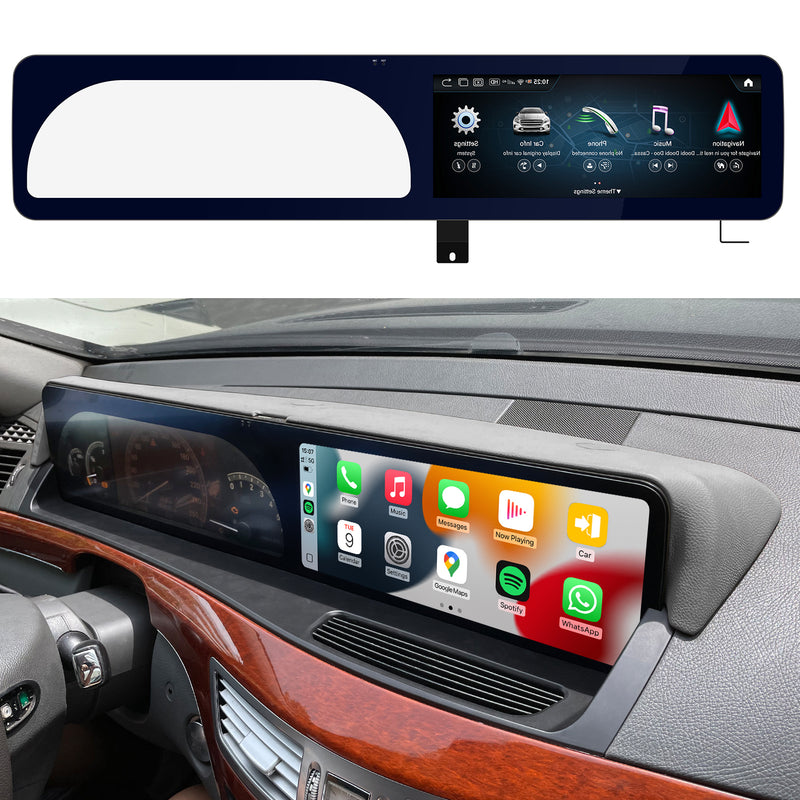
For Mercedes-Benz drivers, this distinction matters. Apple CarPlay Mercedes Benz works alongside the native MBUX (Mercedes-Benz User Experience) or the older COMAND-based NTG system, not against it. You can toggle freely between the CarPlay interface and your Mercedes’ native menus, meaning you never lose access to vehicle settings, ambient lighting controls, or climate management. The two systems coexist, each handling what it does best.
The practical benefits are immediate. Siri voice control lets you send messages, make calls, and get directions without ever taking your eyes off the road. Apple Maps and Waze deliver real-time traffic updates directly on screen, while your music, podcasts, and audiobooks play through the car’s premium audio system as if they were always part of it. Messages and Phone integrate cleanly, so incoming calls appear on-screen with a single tap to answer.
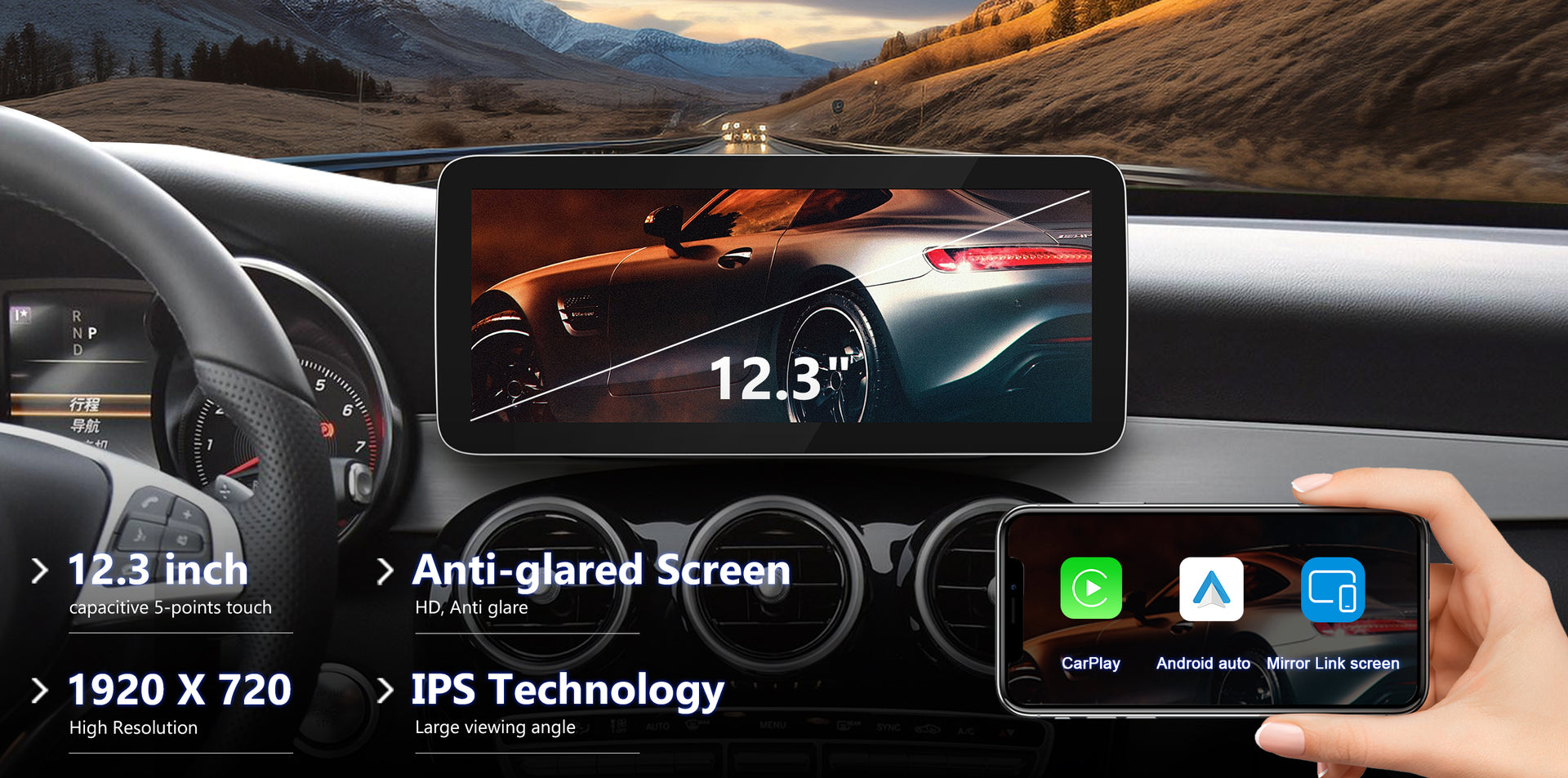
Where CarPlay truly shines in a Mercedes is on the expansive 12.3-inch touchscreen available across many modern models. The interface scales beautifully, icons are easy to tap while driving, and text remains legible at a glance. It transforms an already impressive display into something that feels genuinely personal — a connected cockpit that reflects your digital life as naturally as it reflects Mercedes-Benz engineering excellence.
Compatibility: Does Your Mercedes Support Apple CarPlay?
Before diving into setup, it’s worth confirming that your specific vehicle actually supports CarPlay. As a general rule, Mercedes-Benz models from around 2016 onward are equipped for it, though the exact availability depends less on the model year alone and more on the infotainment generation installed at the factory.
The key technical factor is your vehicle’s NTG (Next Generation Telematics) system version. NTG 5.1 and later — including NTG 5.5 and NTG 6 found in newer MBUX-equipped vehicles — support CarPlay natively. Older NTG 4-based systems, common in pre-2016 models, do not. Knowing your NTG version helps you quickly determine where your car stands without any guesswork.
There are three practical ways to verify compatibility. First, visit the official Mercedes-Benz website and use your 17-digit VIN to check your vehicle’s feature set. Second, look inside your car’s infotainment menu — navigate to Settings and look for a “Smartphone Integration” option; if it’s there, you’re in good shape. Third, your owner’s manual will list supported connectivity features under the COMAND or MBUX section.
One more distinction worth noting: wired CarPlay via USB has been available since the feature’s initial rollout on compatible models, while wireless CarPlay — which connects over Bluetooth and Wi-Fi without any cable — arrived later, typically with NTG 6 and select 2019-and-newer vehicles. If wireless convenience is a priority, it’s worth confirming your specific trim and model year support it before assuming it’s available. For older Mercedes models that lack native wireless support, aftermarket CarPlay adapters from specialists like PEMP Car Audio can bridge the gap, enabling wireless functionality without replacing the factory infotainment unit.
Mercedes Models and NTG Systems with CarPlay Support
CarPlay support spans most of Mercedes-Benz’s core lineup, but it arrived at different points depending on the model and its infotainment generation. The C-Class (W205, from 2016) and E-Class (W213, from 2016) were among the earlier adopters, running NTG 5.1 systems with wired CarPlay. The S-Class (W222 facelift, 2017 onward) followed with NTG 5.5. SUV models including the GLC (X253) and GLE (W166 facelift) gained support around the same period under similar NTG 5-series platforms. From 2019 onward, the updated GLE (V167), A-Class, and CLA introduced the MBUX system — built on NTG 6 — which brought wireless CarPlay capability alongside a more responsive, AI-driven interface. If your Mercedes falls into any of these generations, CarPlay is either already active or can be enabled through the settings menu.
Step-by-Step Guide: Setting Up Apple CarPlay
Initial Preparation and Wired Connection
Getting CarPlay running for the first time is straightforward, but a few preparation steps make the difference between a smooth setup and unnecessary frustration. Start by ensuring your iPhone is running the latest version of iOS — CarPlay performance and app compatibility improve with each update, and an outdated OS can cause recognition issues. Next, cable quality matters more than most drivers realize. Use an MFi-certified Lightning-to-USB cable rather than a generic third-party option; uncertified cables frequently trigger “accessory not supported” errors that have nothing to do with your car.
With your Mercedes running, plug the cable into the USB port located in the center console — typically marked with a smartphone or USB icon rather than the charging-only port. On your Mercedes screen, a prompt will appear asking whether to enable Smartphone Integration. Select “Apple CarPlay” and confirm. On your iPhone, you’ll be asked to grant permissions for CarPlay access — tap Allow. The CarPlay home screen will appear on your Mercedes display within seconds, and your iPhone screen will dim to indicate it’s now projecting.
Enabling Wireless Apple CarPlay
Wireless CarPlay eliminates the cable entirely, connecting through a combination of Bluetooth and Wi-Fi. Before starting, confirm both Bluetooth and Wi-Fi are active on your iPhone — CarPlay requires both simultaneously, even though the connection feels like a single pairing. On your Mercedes screen, navigate to Settings, then Smartphone Integration, and select “Connect New Device.” Choose Apple CarPlay from the list of connection types.
Your iPhone will display a pairing prompt with a confirmation code — verify it matches what appears on the car’s screen, then confirm on both devices. Once paired, enable the “Connect via Wi-Fi” toggle within the CarPlay settings on your phone to ensure the connection re-establishes automatically every time you enter the vehicle. From that point forward, simply getting into your Mercedes with your iPhone nearby is enough — CarPlay launches on its own within a few seconds of the engine starting.
Troubleshooting Common Connection Issues
If CarPlay doesn’t appear after connecting, the fastest fix is a simultaneous restart — reboot your iPhone and power-cycle the infotainment system by holding the volume knob or navigating to the system reset option. For wired connections, swap the cable first before assuming a deeper issue; a degraded Lightning connector is the most common culprit. If audio plays through CarPlay but sounds wrong or routes incorrectly, check the audio source setting within the NTG system’s media menu and manually select the CarPlay source. For wireless connections that drop intermittently, go to your iPhone’s Bluetooth settings, forget the Mercedes device entirely, and complete the pairing process fresh — this resolves most persistent dropout issues by clearing corrupted pairing data.
Maximizing Your Experience: Features and Benefits
Once CarPlay is running, the real payoff begins. On a Mercedes-Benz equipped with the 12.3-inch touchscreen, the CarPlay interface doesn’t just function well — it looks genuinely at home. Icons are proportioned for glancing rather than staring, text scales cleanly at highway speeds, and the touch response feels as polished as anything Mercedes has built natively. The hardware was made for an interface this refined, and CarPlay delivers exactly that.
Siri voice control is where CarPlay earns its safety credentials. Rather than tapping through menus while driving, a single press of the voice button lets you dictate a text, place a call, or reroute navigation without your eyes leaving the road. Siri understands natural language well enough that most commands work on the first attempt — “Navigate home avoiding tolls” or “Play my workout playlist” both execute cleanly through the car’s existing microphone and speaker system.
Navigation through Apple Maps or Waze brings real-time traffic data, incident alerts, and turn-by-turn guidance directly onto your Mercedes display. Both apps integrate with the car’s audio so directions are announced through the same speakers playing your music, with automatic volume ducking so nothing gets missed. For audio, CarPlay supports Spotify, Apple Music, Pocket Casts, Overcast, and Audible alongside native apps — meaning your entire listening library is accessible in one consistent interface.
Communication integrates just as smoothly. Incoming calls appear as a full-screen prompt with a single tap to answer, while Messages reads incoming texts aloud and lets you respond by voice without unlocking your phone. The result is a connected cockpit that feels less like a feature add-on and more like what the Mercedes-Benz luxury-tech experience was always building toward — seamless, intelligent, and entirely yours.
Apple CarPlay vs. Android Auto for Mercedes-Benz
Mercedes-Benz doesn’t force you to choose sides in the smartphone ecosystem debate — most modern models running NTG 5.1 and later support both Apple CarPlay and Android Auto simultaneously, letting each driver use whichever platform matches their phone. That said, the two systems aren’t identical, and understanding the differences helps you appreciate why CarPlay is the stronger choice for iPhone users specifically.
The interface philosophy differs in meaningful ways. CarPlay mirrors the familiar iOS layout — clean iconography, consistent typography, and Siri’s natural language processing at the center of every interaction. Android Auto takes a more card-based, Google Assistant-driven approach that feels native to Android users but can seem foreign to anyone embedded in Apple’s ecosystem. Neither is objectively superior; both are well-executed. The deciding factor is simply which smartphone you carry.
Ecosystem integration is where the gap widens. CarPlay connects directly with iCloud contacts, Apple Music, iMessage, and every iOS-native app you already rely on — no configuration required. Android Auto does the same for Google’s ecosystem. Switching platforms to gain a feature you’d use in your car rarely makes practical sense when both systems deliver equivalent core functionality through their respective native environments.
App availability is broadly comparable across both platforms, with major services like Spotify, Waze, WhatsApp, and Audible supporting both. Where CarPlay holds a specific advantage is in third-party app depth on iOS — developers have historically prioritized CarPlay integration on iPhone first. For the Mercedes owner who uses an iPhone daily, CarPlay isn’t just compatible with your digital life; it’s the most direct, seamless way to bring that life into the cabin.
Elevating Your Mercedes-Benz with Apple CarPlay
Apple CarPlay isn’t just a convenience feature — it’s a genuine upgrade to the way you experience your Mercedes-Benz every day. By bridging the gap between your iPhone and your vehicle’s sophisticated infotainment hardware, it transforms what could be a frustrating disconnect into one of the most intuitive in-cabin experiences available in any car at any price point.
The core value is straightforward: your NTG system or MBUX display — including the expansive 12.3-inch touchscreen found across many modern Mercedes models — becomes a live, responsive extension of the device you already know better than any built-in system could. Navigation with real-time traffic, hands-free communication through Siri, and seamless audio playback all work together through hardware that was designed to handle exactly this level of integration.
Whether you’re setting it up for the first time via a USB cable or pairing wirelessly for a completely cord-free experience, the process is well within reach for any tech-savvy driver. And once it’s running, the difference is felt immediately — less friction, fewer distractions, and a cockpit that genuinely reflects your digital life rather than asking you to leave it at the door.
Mercedes-Benz has already given you the engineering excellence. Apple CarPlay delivers the personal connectivity layer that completes it. Enabling this feature doesn’t modify your car — it unlocks what it was always capable of.