Network operations centers run on information. At any given moment, a team might be tracking uptime across a dozen systems, watching ticket queues climb, and monitoring alerts from three different tools simultaneously. Most of that data stays locked inside dashboards that only the person at a specific desk can see.
That gap creates real problems. When something goes wrong, awareness spreads slowly. A database going down might not surface until a developer notices an API failing. A ticket backlog might pile up for hours before a manager catches it. The data exists; it’s just not visible to the people who need it.
For teams trying to avoid maintaining custom display infrastructure, browser-managed display platforms are the more practical path. Rise Vision digital signage, for example, lets teams push content to screens across multiple locations from a single interface without dedicated hardware or developer involvement. Whether that’s a NOC wall, a break room monitor, or screens mounted throughout an office floor, the goal is the same: make operational data visible to the whole room, not just whoever checks the right tab.
What Gets Displayed and Why It Works
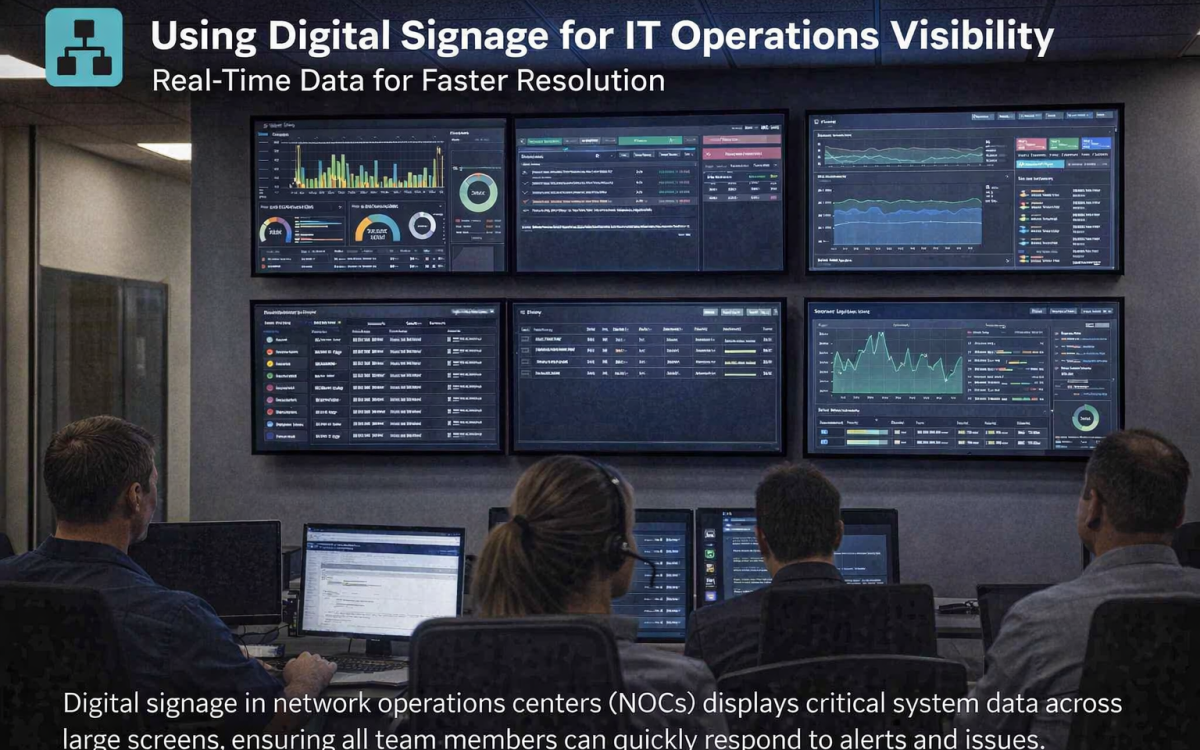
The most common use case is a network operations center display. Teams pull data from tools like Grafana, Datadog, or Zabbix and pipe it to screens arranged in a grid or rotation. Network uptime, latency charts, active alerts, and ticket counts all get surfaced in a format anyone in the room can scan at a glance.
The response time benefit is straightforward. When an alert is visible the moment it fires, teams don’t wait for someone to check a dashboard; they see the problem and move. Detection and response compress into the same moment.
Frameworks like NIST SP 800-137 emphasize continuous monitoring as a core component of information security operations, treating ongoing visibility into system state as something that needs to be actively maintained. Shared screens don’t replace monitoring tools, but they do make the output of those tools harder to miss.
Beyond the NOC
IT visibility tools aren’t just for dedicated operations centers. Plenty of teams use screen displays in standard office environments to surface status information that would otherwise require logging into a portal.
Help desk teams are a good example. A support team that displays live ticket backlog and SLA status on a screen in the work area gives every team member a shared read on queue health throughout the day. When volume spikes, the whole team sees it at the same time, which means someone can jump in before a backlog turns into an escalation rather than after.
CISA’sSituational Awareness and Incident Response program is built around the idea that enterprise security depends on teams having timely, shared awareness of what’s happening across their environment. Screen-based displays apply that same logic at the team level, without requiring a formal program to implement.
What to Think About Before Setting It Up
Data source integration is the first consideration. Your display system needs to pull from wherever your monitoring data lives. Some teams use direct API connections; others build dashboards in Grafana and display those on screen. Either works, but the simpler the pipeline, the easier it is to maintain.
Screen placement matters more than it sounds. A monitor facing a corner won’t get looked at. The best placements are where the team already looks during work: a wall behind standing workstations in a NOC or a screen above the helpdesk queue.
Keep content rotation disciplined. A display cycling through five views every 10 seconds trains people to ignore it. One or two focused metrics per view, updated in real time, tends to hold attention better than trying to surface everything at once.
A Note on Access Control
Displays pulling live data from monitoring systems are network-connected endpoints. Apply the same access control logic you’d apply to any other device on the network. Segment display hardware from production systems where possible, restrict credentials, and treat the content management backend the way you’d treat any other SaaS tool with access to operational data.
Worth planning for upfront rather than retrofitting later.
Where This Is Headed
Enterprise IT teams, managed service providers, and facilities teams running building management systems have been using screen-based operations displays for years. What’s shifted recently is the software overhead required to run them.
Earlier setups often required dedicated hardware or custom builds to get anything on screen. Cloud-managed display platforms have simplified that considerably. Teams can now push updates from a browser, build layouts without developer help, and manage screens across locations from one place. For IT teams that want better operational visibility without adding significant tooling complexity, it’s a practical option worth considering.