Apple MacBook Neo Review: Sleek Power for Everyday Use
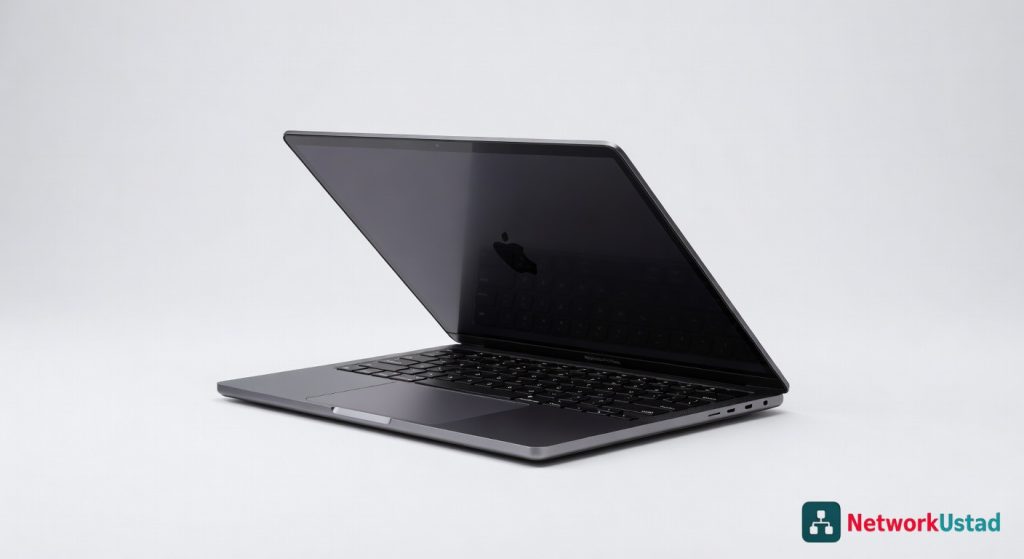
The Apple MacBook Neo is not the Chromebook competitor the marketing suggests — it is a fully managed macOS endpoint at $699 that carries the complete Apple security stack including Secure Enclave, FileVault encryption enabled by default in macOS Tahoe, Gatekeeper, XProtect, and Background Security Fixes. For IT teams dealing with BYOD sprawl, remote workers, and uncontrolled endpoint procurement, the MacBook Neo's arrival is a planning event. It integrates natively with [Jamf, Kandji, and MDM infrastructure](https://networkustad.com/reviews/) that enterprise teams already run. The 8GB RAM ceiling and no MagSafe are honest limitations. The security architecture is not limited at all. Read our full [enterprise Mac security guide on NetworkUstad](https://networkustad.com/) for MDM deployment context.
The Security Architecture: What IT Needs to Know
The most important thing to understand about the MacBook Neo from an enterprise security perspective is what it shares with more expensive Macs — and that is essentially everything that matters.
Both the MacBook Neo and MacBook Air include Apple’s full security stack: FileVault for full-disk encryption, Gatekeeper to verify apps before they run, XProtect for built-in malware scanning, sandboxing, on-device encryption, and a Secure Enclave baked directly into the A18 Pro chip. They receive the same macOS Tahoe security updates on the same schedule. The pricing difference between the two machines reflects display quality, port selection, MagSafe, and chip generation — not security capability.
With macOS Tahoe, Apple turned on FileVault by default. For IT teams deploying endpoints to remote workers or field staff, this default-on behaviour eliminates a configuration step that was previously a gap in self-provisioned Mac environments. A MacBook Neo purchased by an employee over the weekend and brought onto the corporate network still arrives with encrypted storage.
Three macOS Tahoe security improvements are particularly relevant for IT administrators. FileVault recovery keys are now stored in the Passwords app instead of iCloud — meaningful for environments where iCloud access is restricted. Background Security Fixes, implemented in macOS 26.1, allow Apple to deploy urgent security patches without waiting for the next full point release. Terminal paste protection, added in macOS Tahoe 26.4, warns users before executing pasted commands — closing a common social engineering vector where attackers instruct victims to paste malicious commands into Terminal.
Enterprise MDM: The Planning Conversation
The easy assumption on MacBook Neo is that Apple built a Chromebook. Affordable, colorful, aimed at students. That is not what this is. A $699 device that runs macOS, integrates natively with iPhone, ships with Apple Intelligence, and can serve as a client for cloud-hosted Mac infrastructure is an enterprise endpoint that happens to be affordable.
macOS Tahoe introduces several enterprise-relevant MDM improvements: organisations can use a new Network Extension URL filtering API for comprehensive privacy-preserving URL filtering across the entire system. FileVault can now be unlocked over SSH after a restart if Remote Login is enabled. Accessory security settings are applied from macOS to macOS Recovery, including the device management restriction for USB Restricted Mode.
New declarative configurations for Apple Intelligence, External Intelligence, Siri, and Keyboard settings are available in macOS Tahoe, replacing deprecated restrictions in the com.apple.applicationaccess profile. Enterprise IT teams managing Apple Intelligence policies — particularly in regulated industries where AI data handling requires governance — need to update MDM profiles before deploying MacBook Neo at scale.
The specific MDM consideration for MacBook Neo is chip architecture. MacBook Neo uses an A18 Pro rather than M-series. Both are Apple silicon, so disruption is minimal — but if your DevOps team has build scripts, CI agents, or automation tuned specifically for M-series, verify compatibility before Neo reaches your fleet.
Apple Intelligence Privacy Architecture for Regulated Environments
Apple Intelligence is designed to protect privacy at every step. It is integrated into the core of the Mac through on-device processing — aware of personal information without collecting personal information. With Private Cloud Compute, Apple Intelligence draws on larger server-based models running on Apple silicon to handle more complex requests while protecting privacy.
Most enterprise AI tools route requests through third-party servers where logging and data retention policies vary. Private Cloud Compute routes more complex Apple Intelligence requests through Apple’s own Apple silicon servers with no persistent data retention — a meaningfully different model from ChatGPT or Copilot integrations that matters for GDPR and regulated-industry compliance.
The 8GB RAM ceiling carries a specific AI implication worth planning around. Apple Intelligence will require an M3 chipset and at least 12GB of memory for the full feature set in macOS 27. A current MacBook Neo will not support these. Organisations building Apple Intelligence into workflow automation should plan MacBook Neo deployments for roles where the current feature set is sufficient, and deploy M-series hardware for staff requiring full future AI capability.
Performance in Context for IT Workloads
The A18 Pro delivers performance that positions the MacBook Neo against mid-range Windows laptops rather than the Chromebook market it is priced alongside. Single-core CPU performance matches AMD’s Ryzen 9 9950X3D. Storage speed runs at approximately 1.4 GB/s read and write on PCIe NVMe. The Neo delivers nearly twice the CPU performance of an M1 MacBook Air.
For typical IT professional workloads — SSH sessions, browser-based admin tools, Office productivity, light development, and video calls — the A18 Pro is not a limiting factor. The constraint appears in sustained heavy compile tasks, virtualisation workloads, and memory-intensive development environments where the 8GB ceiling becomes the bottleneck. Running Docker alongside a development environment alongside a browser with multiple tabs will pressure the memory allocation visibly.
The Repairability Factor for IT Asset Management
iFixit found that the MacBook Neo is Apple’s most repairable laptop in 14 years: a screwed-down battery tray, no parts pairing, screwed-down keyboard, and modular ports and speakers. The absence of parts pairing means replacement batteries, keyboards, and speakers can be installed without proprietary Apple service tools or authorisation. For IT asset managers running in-house repair operations, MacBook Neo units can be serviced through third-party authorised repair rather than exclusively through Apple’s official channels — combined with the $699 entry price, the total cost of ownership over a three-year deployment cycle looks different from previous Apple entry-level hardware.
Limitations That Matter for Enterprise Deployment
The missing Touch ID on the base $699 model is the most consequential security limitation for enterprise deployments. Touch ID is available only on the $799 model with Magic Keyboard with Touch ID. For organisations enforcing biometric authentication policies — increasingly standard in zero-trust environments — either the $799 configuration is required, or a hardware security key workflow needs to be established for $699 units.
The USB-C charging limitation at 20W with no fast charge creates a different kind of operational consideration. Field staff or remote workers who forget to charge overnight face a slow recovery window. The 16-hour rated battery makes this less acute in most real-world scenarios — daily charging overnight is usually sufficient — but the absence of MagSafe means accidental cable pulls disconnect power rather than detach safely, a minor but real physical consideration in shared environments.
How It Compares for Enterprise Procurement
Against the Dell Chromebook for Enterprise, the MacBook Neo wins on security architecture depth, full application compatibility, and MDM capability. ChromeOS provides strong browser-level security but limited native application support. The MacBook Neo runs the complete macOS application ecosystem under full enterprise MDM control.
Against the MacBook Air M5 ($1,099), the Neo loses on chip generation, port selection (two Thunderbolt versus Neo’s asymmetric USB 3 + USB 2), MagSafe, Touch ID inclusion, and upcoming macOS 27 full AI feature compatibility. For developer roles and power users, the Air M5 justifies the $400 premium. For administrative staff, helpdesk, and remote workers whose primary workloads are browser, Office, and communication tools, the Neo’s identical security stack at lower cost makes it the rational procurement choice.
Verdict
The Apple MacBook Neo is the first genuinely affordable entry point to the full macOS security stack — Secure Enclave, FileVault-by-default, Gatekeeper, XProtect, Background Security Fixes, and complete MDM compatibility with the tools enterprise IT already runs. At $699 after the June 2026 price increase, it is not cheap, but it is the cheapest Mac that delivers all of this without compromise.
The 8GB RAM ceiling, no Touch ID on base model, no MagSafe, and the known macOS 27 AI limitation are real constraints that procurement decisions need to account for. None of them affect the security architecture. For administrative staff, remote workers, and light development use cases in Mac-first organisations, the MacBook Neo closes the cost gap that previously pushed these users toward Windows or ChromeOS alternatives.
Rating: 4.1 / 5 — The most affordable entry into the full Apple security stack, with hardware repairability and MDM support that make it a serious enterprise endpoint consideration for the right roles.
Frequently Asked Questions
Is the Apple MacBook Neo secure enough for enterprise use?
Does the MacBook Neo support MDM and enterprise management?
What happened to the MacBook Neo price?
Can Apple Intelligence be disabled or controlled via MDM on MacBook Neo?
What are the MacBook Neo port limitations for IT professionals?
Will the MacBook Neo support future Apple Intelligence features in macOS 27?
How does the MacBook Neo compare to MacBook Air M5 for IT procurement?
Is the MacBook Neo repairable if hardware fails?
+Pros
- Complete Apple security stack — Secure Enclave, FileVault-default, Gatekeeper, XProtect, Background Security Fixes — none limited versus MacBook Air
- Full declarative MDM compatibility with macOS Tahoe means enterprise IT controls work identically to more expensive Macs
- Most repairable Apple laptop in 14 years per iFixit — meaningful for IT asset management and repair-in-field scenarios
- Private Cloud Compute routes Apple Intelligence server requests through Apple silicon with no data retained — stronger AI privacy than most enterprise AI tools
- 16-hour battery eliminates charger dependency for most field and remote work scenarios
−Cons
- 8GB RAM is not upgradeable — a hard ceiling that constrains developer workloads and heavy multitasking
- No MagSafe — first MacBook since 2019 without it, USB-C 20W charging only with no fast charge option
- Touch ID only on $799 model — the $699 base model ships without biometric authentication, which matters for security policy enforcement
- macOS 27 full Apple Intelligence suite requires M3 chip with 12GB minimum — MacBook Neo will not support next-generation on-device AI features
- Right USB-C port is USB 2.0 only — asymmetric port speeds create confusion and limit peripheral connectivity
- No backlit keyboard on any configuration — a genuine daily-use limitation for low-light environments