Producing video content at a professional level used to require assembling a stack of different tools — one for scripting, another for visual generation, a third for voiceover, something else for music, and an editor to pull it all together. For independent creators, small marketing teams, and anyone working without a full production budget, that fragmented workflow creates real friction. Time spent switching between platforms, managing exports, and troubleshooting compatibility is time not spent on the actual creative work. The demand for a more integrated solution has been growing alongside the explosion of AI-powered content tools.
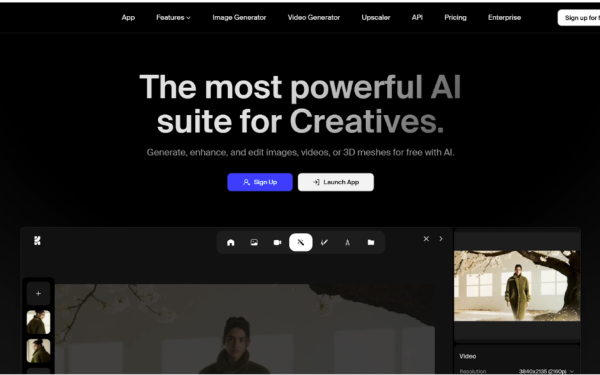
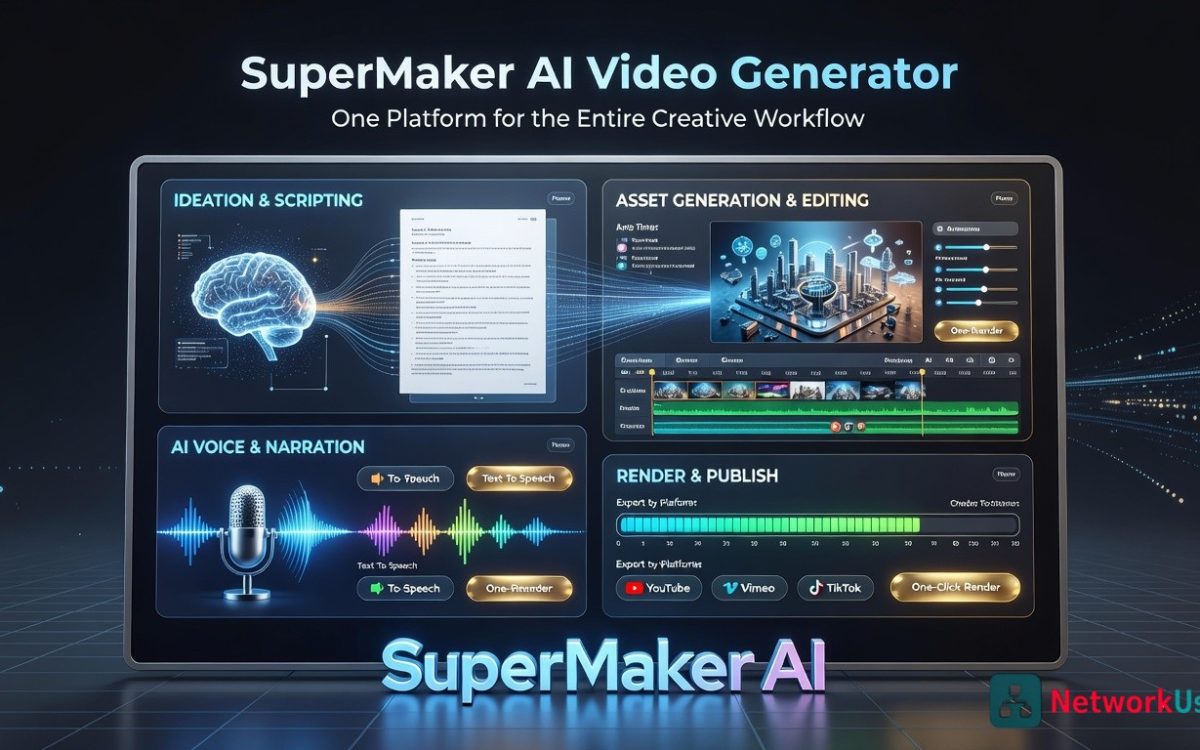
SuperMaker AI Video Maker addresses that problem directly. Rather than building a single-function generator, the platform was designed as a complete AI video creation ecosystem — one place where video, image, voice, and music generation all connect within the same workflow. Whether you’re producing a cinematic short, a social media ad, an explainer video, or a game soundtrack, SuperMaker AI video generator handles the full pipeline from first prompt to final export.
Key Features of SuperMaker AI Video Generator
Integrated Four-Tool Creative Suite
The core of SuperMaker is an interconnected set of four generation tools, each designed to support the others rather than operate in isolation.
-
The AI Video Maker is the central hub, supporting both Text-to-Video and Image-to-Video generation. You can generate scenes directly from text prompts, animate existing images, manage storyboards, and oversee the full production workflow from a single interface. It supports major generation models, including Veo 3.1 and Kling 3.0, giving users access to different visual styles and output qualities depending on the project.
-
The AI Image Maker feeds directly into the video workflow. Generate concept art, custom visuals, or scene-specific imagery from text descriptions, then import them into your video project seamlessly. Models like Nano Banana 2, Nano Banana Pro, and Seedream 5.0 offer different strengths for photorealism, illustration, and stylized output.
-
The AI Voice Maker handles voiceover production in multiple languages and styles, transforming written scripts into natural-sounding narration without requiring any recording setup. The AI Music Maker completes the audio layer, generating original royalty-free background music and soundtracks with controllable mood, genre, and tempo — matched to the emotional tone of your video content.
All four tools connect within the same platform. There is no import/export cycle between separate applications. The audio generated by the Voice Maker and Music Maker is synchronized directly to the video timeline, which eliminates one of the most time-consuming steps in traditional content production.
Chat Mode for Conversational Creation
SuperMaker includes a Chat Mode that lets users interact with the AI using natural language throughout the creation process. Instead of navigating complex settings menus or learning platform-specific syntax, you describe what you want in plain terms — and the AI interprets those instructions across video, image, music, and voice generation simultaneously. This makes the platform genuinely accessible to users without a technical background, while still giving experienced creators a fast way to iterate on complex projects.
Customizable AI Workflows
For teams or creators producing content at volume, SuperMaker’s customizable AI workflow system allows you to define and automate multi-step production sequences. A workflow might run: generate script → create scene visuals → produce voiceover → compose background music → assemble final video. Once defined, the platform executes these sequences with minimal manual intervention, making it practical to produce consistent content at scale without rebuilding the process from scratch each time.
Effects Library and Advanced Editing Tools
Beyond generation, SuperMaker provides a rich effects library covering visual filters, magic erase, smart uncrop, photo restoration, draw-to-video conversion, green screen removal, and image unpixelation. These editing capabilities mean you can refine and polish generated content within the same environment rather than exporting to a separate editing application.
Asset Management with Version Tracking
All generated content — videos, images, audio files, and scripts — is stored in a structured Assets Library with version tracking. This makes it straightforward to manage ongoing projects, reuse elements across multiple productions, and maintain an organized archive of creative work over time.
How to Use SuperMaker AI Video Generator
Step 1: Enter Your Prompt
Open the generator and type a text description of the video you want to create. This can be as detailed or as broad as your current stage of thinking allows — a complete scene description, a product scenario, a mood and genre, or a narrative concept. The platform offers quick-start hints like “Cinematic Product Ad,” “Travel Aerial Narrative,” and “Action/Sports” to help orient new users, but any original prompt works. The more specific you are about tone, visual style, and intended use, the more targeted the output will be.
Step 2: Generate and Build Your Scene
Once your prompt is submitted, the AI video generator translates it into visual scenes. If you want more control over the imagery, use the AI Image Maker first to generate custom visuals, then bring those assets into the video workflow for animation or scene composition. You can work with Text-to-Video for fully AI-generated scenes, or Image-to-Video for animating existing visuals — both pathways are supported within the same interface.
Step 3: Add Audio and Voiceover
With your visuals in place, layer in audio using the integrated tools. Generate a voiceover from your script using AI Voice Maker, selecting the language and vocal style that fits your content. Add background music through AI Music Maker, specifying the mood and genre you need. Sound effects and ambient audio can be incorporated and synchronized to visual events — all without leaving the platform or managing separate audio files.
Step 4: Refine and Export
Use the effects library and editing tools to polish individual frames, adjust color grading, apply filters, or remove unwanted elements. When the video is ready, export the final version for publishing. Generated content on paid plans comes with commercial usage rights, making it ready for client delivery, monetized platforms, or broadcast use immediately after export.
Who SuperMaker AI Video Generator Is Built For
Content Creators and Social Media Managers
For creators who need to maintain a consistent publishing schedule across YouTube, TikTok, Instagram, and other platforms, the ability to generate original video content quickly — complete with custom audio — removes the production bottleneck that typically limits output. The Chat Mode makes iteration fast, and the effects library provides enough post-generation control to match a specific visual style or brand aesthetic.
Marketers and Brand Teams
Marketing teams that produce product demos, social ads, explainer videos, and campaign content benefit significantly from having video, voice, music, and image generation in one place. The customizable workflow system is particularly valuable here — once a production process is defined for a specific content type, it can be repeated across campaigns without rebuilding from scratch. Commercial licensing on paid plans means generated content is ready for advertising use without additional clearance.
Indie Filmmakers and Storytellers
For independent filmmakers working with limited budgets, SuperMaker provides tools that were previously accessible only with significant production resources. Storyboarding, scene visualization, character consistency, cinematic scoring, and voiceover production are all available within the platform. The ability to generate multiple creative approaches to a scene — and compare them before committing — is particularly useful in pre-production planning.
Game Developers and Educators
Game developers can generate concept art, background scenes, character visuals, and short animated sequences to support world-building and narrative development. Educators building e-learning content can convert text-based materials into animated, narrated video lessons — a task that previously required either significant technical skill or outsourcing to a production team.
Conclusion
The AI video maker market has expanded rapidly, but most platforms still operate as single-function tools — they generate video from text and stop there. SuperMaker’s defining strength is integration: video, image, voice, and music generation built into one coherent workflow, supported by Chat Mode for natural language interaction, customizable automation for high-volume production, and a rich editing toolkit for post-generation refinement.
If you’re building any kind of video content workflow and want to evaluate what an all-in-one AI video generator can realistically deliver, SuperMaker’s free plan is a direct way to find out.