Did you know that the average smartphone user replaces their device every two years, leaving billions of gadgets gathering dust? Yet, your old Android phone or tablet holds untapped potential as a dedicated e-reader, offering a screen size and portability that rivals purpose-built devices like the Kindle. In this article, you’ll discover why repurposing your old Android as an e-reader saves money and reduces waste, plus step-by-step guidance on apps, setup, and optimization to make reading a seamless experience.
Why Repurpose Your Old Android as an E-Reader?
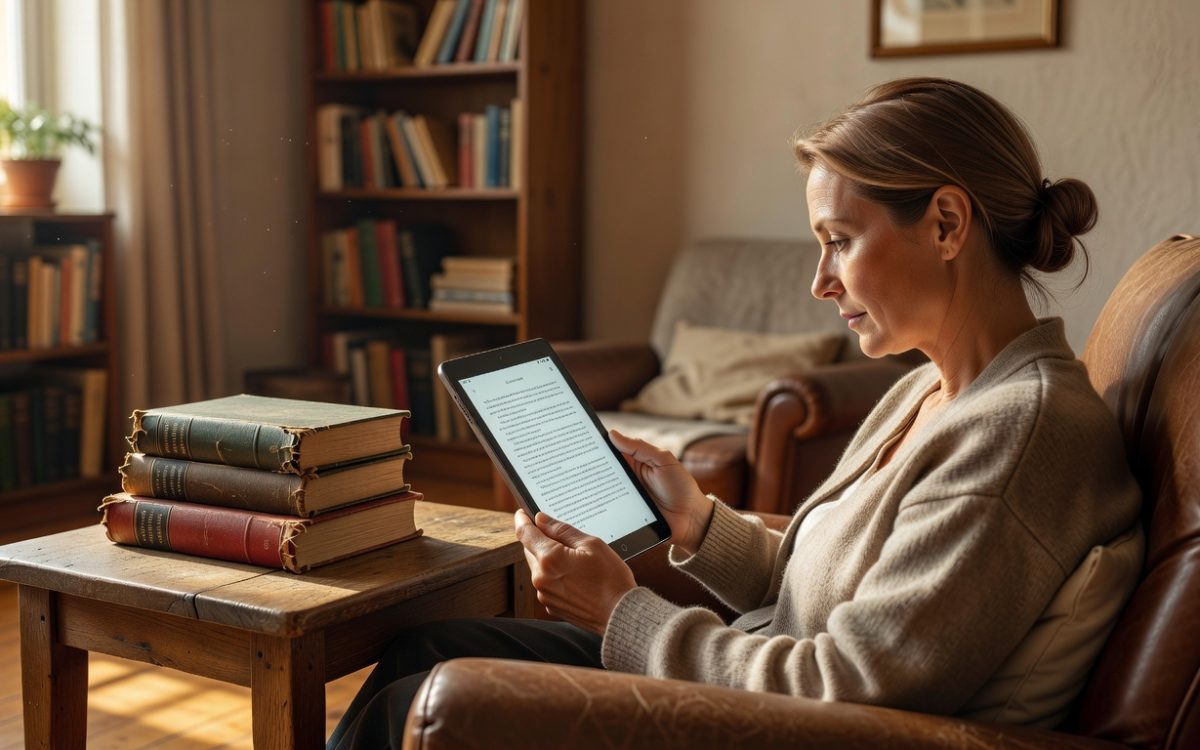
Old Android devices often come with larger screens than modern phones, making them ideal for immersive reading sessions. Tablets, in particular, provide a 7- to 10-inch display that’s closer to a paperback book, reducing eye strain compared to tiny phone screens. According to a 2022 Nielsen report, digital reading has surged 20% among adults, and using an existing device cuts costs—no need to spend $100+ on a new e-ink reader.
Moreover, Android’s flexibility allows customization that dedicated e-readers lack. You can adjust fonts, backgrounds, and even integrate audiobooks without hardware limitations. Real-world example: A user on Reddit shared how their 2018 Samsung Galaxy Tab A transformed into a bedtime reader, lasting weeks on a single charge during travel.
Environmental and Financial Benefits
Repurposing reduces e-waste; the UN estimates 50 million tons of electronic waste annually, much from discarded phones. Financially, it extends your investment—why buy new when your old Android handles EPUB, PDF, and MOBI formats effortlessly?
Transitioning to this setup also promotes sustainability. Pair it with eco-friendly apps that sync libraries across devices, ensuring your digital bookshelf travels with you.
Essential Apps to Enhance Your Old Android E-Reader
Google Play Store brims with free and premium apps tailored for reading on Android. Start with Librera Reader, a versatile app supporting over 20 formats with night mode and customizable margins. It’s lightweight, using under 50MB, perfect for older devices with limited RAM.
For a more integrated experience, try Google Play Books. It uploads your PDFs and scans for text-to-speech, turning your old Android into a multifunctional reader. Users report seamless syncing with purchased titles, ideal for commuters who switch from phone to tablet mid-journey.
Advanced Options for Audiobook Lovers
If you prefer listening, Smart Audiobook Player organizes files by chapters and supports Bluetooth headphones. On an old tablet, it consumes minimal battery—tests show 10 hours of playback from a 2016 model.
Don’t overlook FBReader, which handles comics and manga too. Customize themes to mimic paper, and import from sources like Project Gutenberg for free classics. These apps breathe new life into hardware that might otherwise sit idle.
Optimizing Display and Comfort for Extended Reading
Your old Android’s screen can be tweaked for better readability. Enable dark mode in settings to cut blue light exposure, which a Harvard study links to improved sleep. For tablets, prop it at a 45-degree angle using a simple stand—reduces neck strain during long sessions.
Adjust brightness dynamically: Most Android versions include adaptive settings that save power while maintaining clarity. Add a matte screen protector to diffuse glare, mimicking e-ink without the high cost.
Battery and Performance Tweaks
Close background apps to extend battery life; an old phone might last 8-12 hours on a full charge for reading alone. Use airplane mode to block notifications, creating a distraction-free zone.
For storage, clear cache regularly—apps like CCleaner help free up space for thousands of books. Real example: A tech blogger tested a 2015 Nexus 7, loading 500 ebooks without slowdowns after optimization.
Overcoming Common Challenges with Old Android Devices
Slower processors on devices pre-2018 can lag with heavy PDFs. Solution: Convert files to lighter EPUB using free tools like Calibre on your PC before transferring via USB.
Compatibility issues? Update to the latest supported Android version—many older models run Android 9 or 10, sufficient for modern apps. If security concerns arise, stick to offline reading to avoid risks.
Integrating with Your Digital Library
Sync with services like OverDrive for library loans or Pocket for articles. This turns your old Android tablet into a portable archive, accessible anywhere.
Accessibility features shine here: VoiceOver reads aloud for visually impaired users, making it inclusive. Test with sample books to fine-tune settings.
Practical Tips and Key Takeaways for Success
To get started, follow these actionable steps:
- Assess your device: Check battery health in settings; if over 80%, it’s e-reader ready.
- Download essentials: Install 2-3 apps like Librera and Google Play Books for variety.
- Organize content: Create folders for genres; use cloud storage like Google Drive for backups.
- Enhance ergonomics: Invest in a $10 case with a stand for hands-free use.
- Track usage: Set reading goals with app trackers to build habits.
Key takeaway: Start small—load 10 books and read for a week. You’ll likely find your old Android outperforms expectations, blending familiarity with fresh utility.
In summary, your old Android phone or tablet as an e-reader combines affordability, versatility, and eco-friendliness into a smart upgrade. Dust off that device today, install a reader app, and dive into your next book. Share your repurposing story in the comments—what old gadget will you revive next?