YouTube Music has become one of the most popular music streaming platforms in the world, offering millions of songs, official albums, remixes, live performances, and rare tracks that can’t be found elsewhere. However, one major limitation remains: YouTube Music does not allow users to download songs as MP3 files for offline use outside the app.
If you’ve ever wanted to listen to your favorite YouTube Music tracks on any device, transfer them to an MP3 player, use them for offline playback, or save them permanently, this guide is for you. In this article, we’ll show you how to download YouTube Music to MP3 safely and efficiently using ViWizard Streaming Audio Recorder, one of the most reliable tools available in 2026.
Why Download YouTube Music to MP3?
While YouTube Music Premium allows offline listening, downloads are restricted to the app and protected by DRM. Once your subscription ends, your offline content disappears. Converting YouTube Music to MP3 offers several advantages:
- Permanent offline access without subscription limits
- Play music on any device, including MP3 players, car stereos, smart TVs, and gaming consoles
- No internet required once files are downloaded
- Create personal music backups
- Edit, remix, or manage files freely
For users who value flexibility and long-term access, MP3 downloads are the best solution.
The Hidden Costs of “Free” YouTube to MP3 Converters
A quick Google search reveals hundreds of “free” online converters. At first glance, they appear convenient. In reality, they are a minefield. Most operate in legal grey zones and are frequently shut down. More concerning are the technical compromises:
- Abysmal Audio Quality: Many free tools cap output at 128kbps, stripping your music of its dynamic range .
- Security Risks: Pop-up ads, malware droppers, and phishing scripts are rampant on these sites .
- No Metadata: Your beautifully organized album arrives as “audio_123.mp3” with no artist, album art, or track title .
- Instability: These tools break constantly. As YouTube updates its backend code, free converters often stop working for weeks .
For the serious music listener, these trade-offs are unacceptable. This is why the conversation shifts from “free” to “professional.”
The Best Solution: ViWizard Streaming Audio Recorder
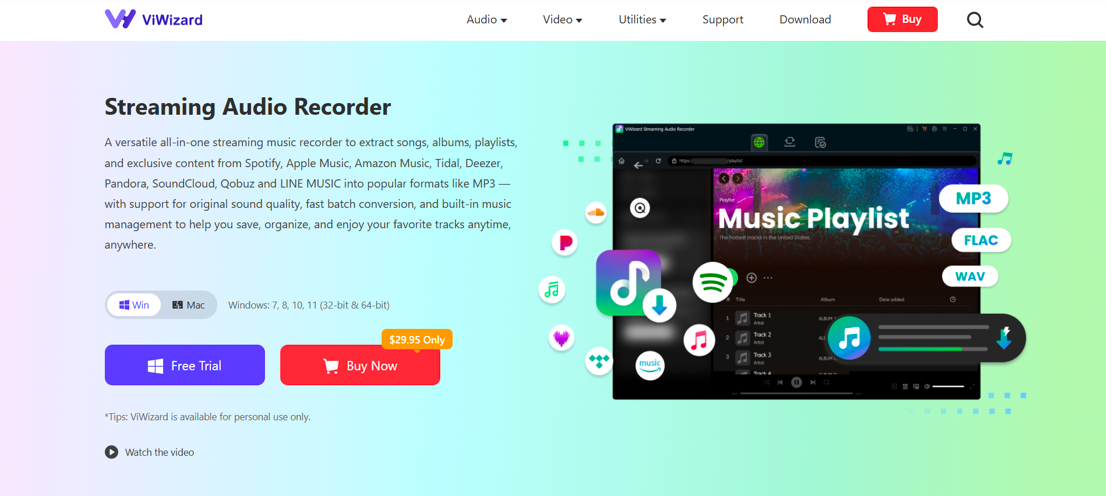
ViWizard Streaming Audio Recorder is a powerful desktop tool designed to record and convert streaming audio from popular platforms, including YouTube Music. It does not hack or steal streams. Instead, it operates as an intelligent audio recorder, capturing the bit-perfect digital stream directly from your sound card. The result is a pure, lossless capture of the original audio, saved directly to MP3 or other high-resolution formats.
Core Capabilities for YouTube Music Conversion
Lossless 320kbps MP3 Output: Captures the full richness of the original stream with zero compression artifacts .
Complete ID3 Tag Integration: Automatically fetches and embeds song title, artist, album, genre, and cover art. Your library stays immaculate .
Batch Processing at 15X Speed: Convert entire playlists or discographies in a fraction of the time it would take to record manually .
Multi-Format Flexibility: MP3 for maximum compatibility, FLAC for archival, or WAV for editing .
10+ Platform Support: While this guide focuses on YouTube Music, ViWizard also handles Spotify, Apple Music, Tidal, Amazon Music, Deezer, Pandora, Qobuz, and SoundCloud.
How to Download YouTube Music to MP3 with ViWizard (Step-by-Step)
Downloading YouTube Music to MP3 using ViWizard is simple, even for beginners.
Step 1: Download and Install ViWizard Streaming Audio Recorder
Install the software on your Windows or Mac computer. Once installed, launch the program.
Step 2: Select Output Format (MP3)
Click the Menu > Preferences icon and choose MP3 as the output format. You can also customize bitrate, sample rate, and audio channels for the best quality.
Step 3: Open YouTube Music
ViWizard will automatically open the YouTube Music web player. Sign in to your account and find the song, album, or playlist you want to download, then click the button Add to add it to ViWizard
Step 4: Start Downdoading
In the Converting panel, click the + button in the bottom right corner and ViWizard will start the download immediately. Just wait a moment and the download will complete.
Step 5: Save and Manage MP3 Files
Once downloading is complete, go to the panel Converted. Your YouTube Music tracks will be saved as MP3 files on your computer, ready for offline playback or transfer to other devices.
Beyond the Basics: Why ViWizard is the Superior Investment
There is, of course, an alternative: YouTube Music Premium. At approximately $10.99/month, it offers ad-free listening and app-locked downloads. But let us examine the long-term math.
YouTube Music Premium is a recurring liability. After three years, you have spent nearly $400—and you own zero files. If you cancel, your library evaporates. ViWizard, by contrast, requires a single investment. A one-month license is $29.95, a yearly plan is $79.95, and a lifetime license is $159.95 . After converting your first 500 songs, the tool has effectively paid for itself compared to maintaining a subscription you do not actually use for daily streaming.
Moreover, the quality gap is noticeable. Many users report that ViWizard’s 320kbps captures sound superior to YouTube Music’s standard streaming bitrate, offering tighter bass and clearer highs.
Final Thoughts
If you’re looking for a reliable way to download YouTube Music to MP3 in 2026, ViWizard Streaming Audio Recorder stands out as one of the best tools available. With high-quality audio output, easy operation, and broad platform support, it offers a long-term solution for enjoying your favorite music without limitations.
Say goodbye to buffering, subscription lock-ins, and unreliable converters. With ViWizard, your YouTube Music library is finally yours—anytime, anywhere.