DaVinci Resolve 21 Review: Pro Editing Power for All Levels
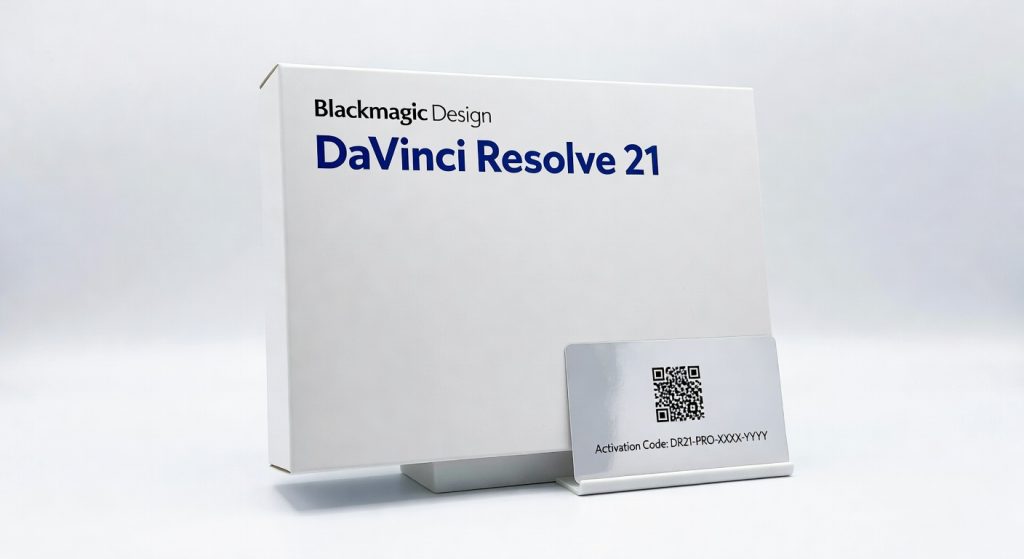
DaVinci Resolve 21 is the most significant update [Blackmagic Design](https://www.blackmagicdesign.com/) has shipped since integrating Fusion and [Fairlight](https://www.blackmagicdesign.com/products/davinciresolve/fairlight) into the platform. The new Photo page brings Hollywood-grade node-based color grading to still photography for the first time, directly challenging Adobe Lightroom on its own ground. Eight new AI tools, Krokodove integration in Fusion, and workflow improvements across every page make this a generational step forward — all available as a free update to existing users, with Studio at $295 for those who need advanced AI and multi-GPU support. ---
The Strategic Shift: Beyond Video
DaVinci Resolve 21 was announced on April 14, 2026 — days before NAB 2026 in Las Vegas — and went through a public beta period before the final release landed on June 3. The seven-week beta-to-release window was the fastest in Resolve’s history, a detail that drew some user concern about stability, though RedShark News noted that beta 4 addressed a significant number of reported bugs before the final build shipped.
The update signals something more significant than a feature list: Blackmagic Design is repositioning DaVinci Resolve as a complete creative platform rather than a post-production tool. The integration of Fusion and Fairlight in earlier versions extended Resolve from a colour grading application to a full NLE with built-in compositing and audio post. Version 21’s Photo page extends that logic further — Resolve now covers video editing, colour grading, VFX, audio post, and still photography inside a single application.
For professionals who already live in Resolve for video work, this is a genuine quality-of-life improvement. The same project, the same tools, the same node graph — now applicable to the still images that appear in a campaign alongside its video content. For photographers considering switching from Adobe’s ecosystem, the Lightroom Catalog import and Resolve’s perpetual Studio licence at $295 (versus Lightroom’s subscription) are meaningful entry points.
The Photo Page: Hollywood Colour Grading for Stills
The Photo page is the headline feature and, after hands-on testing, it delivers more than its announcement suggested. The core proposition is straightforward: Resolve’s node-based colour grading workflow — the same architecture used on major feature films and streaming productions — now applies to still images. Primary colour correction, curves, qualifiers, Power Window selections, and the full node editor all function on photographs at source resolution.
The practical implications are significant for colourists who already think in nodes. A photographer moving from Lightroom to Resolve’s Photo page is not gaining marginal improvements — they are accessing a fundamentally different model for image development. Nodes allow non-destructive, modular decisions that can be individually enabled, disabled, or recombined. A complex grade that would require multiple Lightroom adjustment layers or masking passes can be built as a clean node graph in Resolve, with each decision clearly visible and editable.
Album management supports tagging, ratings, favourites, and collection organisation. The LightBox view displays an entire album with grades applied, allowing quick comparisons and live grading across a collection. GPU-accelerated batch exports handle large libraries efficiently. Lightroom Catalog import means switching does not require starting from scratch — grades and metadata can carry over.
The Photo page is a version 1.0 product. Local adjustment brushes — a Lightroom staple — are not present in their traditional form, though Power Windows and qualifiers provide equivalent functionality for users willing to adopt node-based thinking. Photographers accustomed to Lightroom’s brush interface will face a learning curve before the workflow feels natural.
AI Tools: Eight New Additions Across the Platform
DaVinci Resolve 21 adds eight new AI-powered tools, the largest single AI expansion in Resolve’s history and a response to criticism that the platform had been slower than competing NLEs in integrating machine learning capabilities.
AI IntelliSearch is immediately useful for editors working with large media pools. It analyses clips and allows searching by person, object, or spoken keyword — finding a specific face, a specific prop, or a specific word spoken on camera without manually scrubbing through footage. Results populate directly in the media pool.
AI CineFocus allows focal point adjustment after capture. By analysing depth information in footage, CineFocus can shift where the viewer’s eye is directed with realistic bokeh rendering — a creative decision that was previously only possible with dedicated rack focus rigs or reshoots. This is a Studio-only feature.
AI Face Age Transformer enables ageing or de-ageing of faces in footage. The technology is similar to what major studios use for digital de-ageing effects, now available directly in Resolve’s timeline without third-party plugins. AI Face Reshaper, AI Blemish Removal, and the improved AI UltraSharpen round out the suite of portrait-focused tools.
AI SlateFinder and AI SlateID automate slate detection and metadata population — practical time-savers in multi-camera productions where identifying takes from raw footage is time-consuming. AI Motion Deblur removes common motion blur artefacts, and the improved AI UltraNR quality specifically targets UHD and higher-resolution timelines.
Fusion and Fairlight Updates
The Fusion page receives one of its most significant updates through the integration of Krokodove — a library of over 100 compositing tools and motion graphics templates that was previously a popular third-party addition. Having Krokodove built directly into Resolve eliminates the installation and version management friction that came with the standalone plugin, and ensures compatibility across future Resolve updates.
New Fairlight Animator modifier connects Fusion animations to audio tracks — an audio waveform can now drive visual animation parameters, opening up music-reactive motion graphics directly within Resolve’s native toolset. Support for Lottie format (2D animations) and OGraf format (HTML-based graphics) broadens the range of graphic assets Fusion can accept. Text+ and MultiText tools now support coloured fonts and emoji characters.
Fairlight itself gains folder tracks, which allow grouping of related audio tracks for organised mixing — a long-requested organisational feature for complex audio sessions. MultiMaster trim passes in the Edit page enable frame-accurate trimming across multiple clips simultaneously.
Workflow and Performance Improvements
Keyframing receives one of its most comprehensive overhauls. Four-point Bezier retime controls, curve editing across multiple selected clips simultaneously, ease options, loop, ping-pong, reverse, and stretch modes all arrive in version 21. Keyframing now extends to Fusion effects, generators, text, and edit effects — previously requiring workarounds to achieve the same result.
Blackmagic Cloud sync performance improves by up to 3× for file transfers, directly benefiting collaborative workflows that share project assets across teams. Final Cut Pro 12 FCPXML import and export support formalises cross-platform collaboration between Resolve and Apple’s NLE ecosystem.
The discontinuation of Intel Mac support is the sharpest breaking change. Resolve 21 requires Apple Silicon on macOS — M1, M2, M3, or M4 generation. Intel Mac users on existing installations can remain on Resolve 20.3.2, but cannot access version 21 features without hardware upgrade.
Verdict
DaVinci Resolve 21 is the version that expands Resolve’s scope beyond what any single category — NLE, colour grading tool, VFX application, or audio suite — can fully describe. The Photo page is a credible Lightroom alternative for colourists already working in Resolve’s node-based ecosystem. The eight new AI tools bring the platform meaningfully closer to competing software on machine learning capabilities. Krokodove integration is a practical win for motion graphics artists. The keyframing overhaul addresses one of the most long-standing friction points in Resolve’s workflow.
That all of this ships as a free update to existing users, with Studio remaining at a one-time $295 licence, makes the value calculus straightforward. DaVinci Resolve 21 is not just the best version of the software to date — it is arguably the most compelling argument yet for photographers and video professionals to consolidate their post-production workflow into a single application.
Rating: 4.7 / 5 — The most ambitious Resolve update in history, and the free version alone justifies the upgrade immediately.
Frequently Asked Questions
Is DaVinci Resolve 21 free?
Can I still use DaVinci Resolve 21 on an Intel Mac?
Will my DaVinci Resolve 20 projects open in version 21?
What is the Photo page and how does it compare to Adobe Lightroom?
What AI tools are new in DaVinci Resolve 21?
What is Krokodove and why is it significant?
Does DaVinci Resolve 21 support Final Cut Pro projects?
+Pros
- Core version is completely free — no subscription, no watermark, no resolution cap below Ultra HD
- Photo page brings professional node-based grading to still photography — a genuinely new capability
- Lightroom Catalog import lowers the barrier for photographers switching from Adobe
- Eight new AI tools in a single update — significant catch-up to competing NLEs
- AI IntelliSearch dramatically accelerates clip finding in large media pools
- AI CineFocus enables creative refocusing decisions in post — previously impossible without plate reshoots
- Krokodove integration gives Fusion users 100+ motion graphics tools without third-party installation
- Improved keyframing workflow is one of the most-requested long-term feature improvements
- Final Cut Pro 12 FCPXML support opens cross-platform collaboration workflows
- Studio licence is perpetual at $295 — no annual subscription
−Cons
- Intel Mac support dropped — existing Intel Mac users cannot upgrade without new hardware
- Projects saved in v21 are not backward-compatible with v20.3.2
- Most advanced AI tools (CineFocus, Face Age Transformer, Blemish Removal) require Studio licence
- Fastest beta-to-release cycle in Resolve history raised some user concerns about stability
- Photo page is version 1.0 — missing some features photographers expect (local adjustment brushes, advanced masking parity with Lightroom)
- Tethered camera support requires exclusive access — other camera apps must be closed
- Advanced AI tools require 16–32 GB RAM — older systems may struggle
- No HDR10+ support (longstanding omission)