The shift toward remote and hybrid work has made virtual offices a cornerstone of modern business operations. A virtual office allows employees to collaborate, communicate, and conduct business without being physically present in a traditional workspace. While the flexibility and convenience are unmatched, security remains a top concern. Setting up a secure virtual office is essential to protect sensitive company data, maintain regulatory compliance, and ensure uninterrupted business operations.
This article explores practical strategies and best practices for establishing a secure virtual office that supports productivity while safeguarding your business.
1. Choose Reliable and Secure Communication Tools
Communication is the backbone of any virtual office. Selecting secure communication platforms ensures that messages, calls, and video conferences remain confidential. Popular options like Zoom, Microsoft Teams, and Slack offer end-to-end encryption, multi-factor authentication, and administrative controls to safeguard sensitive discussions.
When evaluating tools, prioritize platforms that:
- Encrypt data in transit and at rest
- Offer granular user permissions and administrative oversight
- Regularly update security patches to address vulnerabilities
A secure communication framework reduces the risk of unauthorized access, data leaks, and phishing attacks.
2. Implement Strong Authentication Practices
Password management is critical in a virtual office. Weak or reused passwords are a primary target for cybercriminals. Implementing strong authentication practices such as multi-factor authentication (MFA) adds an extra layer of security.
MFA requires users to provide multiple forms of verification—typically a password plus a temporary code or biometric input—before accessing company systems. This significantly decreases the risk of account compromise, even if a password is exposed. Password managers can also help employees generate and securely store complex passwords.
3. Use Virtual Private Networks (VPNs)
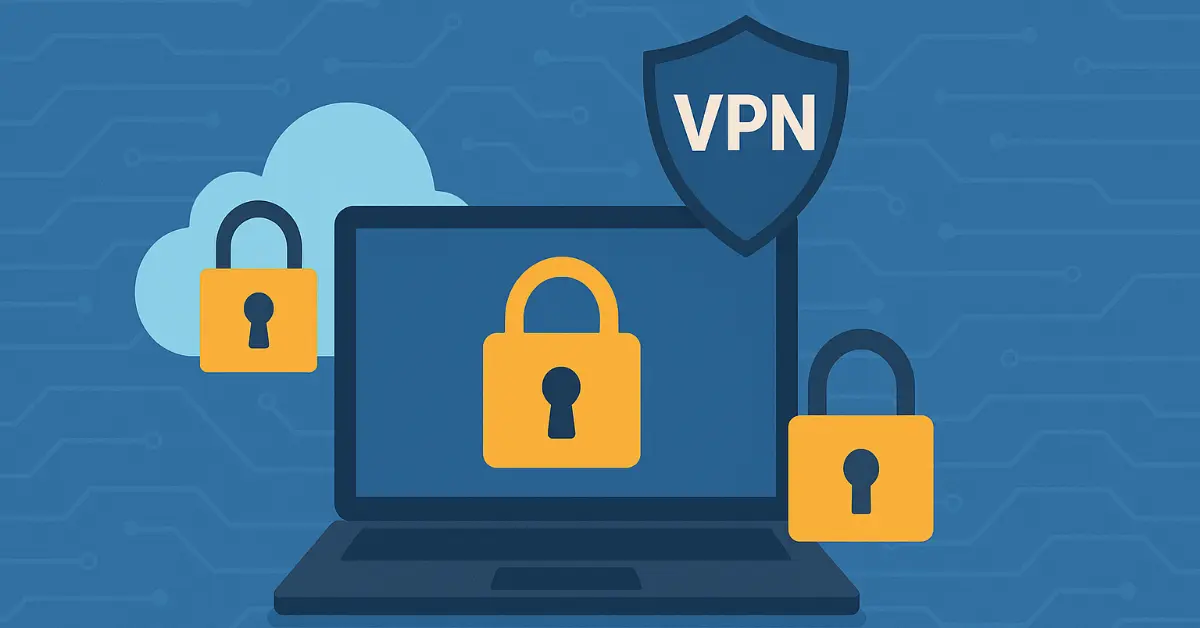
Employees working remotely often rely on public or home networks, which can be less secure than corporate infrastructure. A Virtual Private Network (VPN) encrypts internet traffic, protecting data from hackers and unauthorized surveillance.
VPNs mask IP addresses and route traffic through secure servers, ensuring that sensitive information like financial records, client data, and internal communications remain private. Companies should provide VPN access to all remote staff and educate them on safe usage practices.
4. Secure File Storage and Sharing
A secure virtual office requires proper management of digital documents and files. Cloud storage solutions such as Google Workspace, Dropbox Business, or Microsoft OneDrive allow teams to collaborate while maintaining robust security controls.
Key measures include:
- Restricting access based on user roles
- Enforcing strong encryption for files both in transit and at rest
- Implementing version control and audit trails to monitor changes
Secure file management prevents accidental leaks, ensures compliance with regulations like GDPR or HIPAA, and allows teams to collaborate safely.
5. Regularly Update Software and Systems
Cybersecurity threats evolve constantly, and outdated software can be a significant vulnerability. Regular updates and patches address known security flaws and strengthen your virtual office environment.
Ensure that:
- Operating systems, apps, and communication tools are updated automatically
- Security software like firewalls and antivirus programs are active and up-to-date
- Employees are trained to recognize suspicious downloads and phishing attempts
Proactive software maintenance reduces exposure to ransomware, malware, and other cyber threats.
6. Educate Employees on Security Best Practices
Even the most sophisticated security systems can be compromised if employees are unaware of potential risks. Security awareness training is essential in a virtual office setting.
Topics to cover include:
- Recognizing phishing emails and scams
- Using secure passwords and MFA
- Safely accessing company resources from remote locations
- Reporting suspicious activity promptly
Regular training builds a culture of security mindfulness, reducing the likelihood of human error leading to data breaches.
7. Control Access to Sensitive Information
Not all employees require access to every system or document. Role-based access control (RBAC) ensures that individuals only access information necessary for their job functions.
By limiting exposure to sensitive data:
- You reduce the risk of internal data leaks
- You simplify compliance with privacy regulations
- You maintain accountability by tracking who accesses what and when
RBAC combined with regular audits strengthens your virtual office security posture.
8. Backup Data Regularly
Data loss can cripple a virtual office. Regular backups safeguard your business against hardware failures, cyberattacks, or accidental deletion.
Best practices for backups include:
- Keeping multiple copies in separate locations (cloud and physical)
- Automating backup schedules
- Testing restoration processes periodically to ensure reliability
A comprehensive backup strategy ensures business continuity even in case of unexpected disruptions.
9. Protect Devices with Endpoint Security
Each employee device—laptops, smartphones, tablets—acts as a potential entry point for cyber threats. Endpoint security protects devices against malware, unauthorized access, and network breaches.
Consider:
- Installing antivirus and anti-malware software
- Enforcing device encryption
- Applying policies for lost or stolen devices
Strong endpoint security ensures that your virtual office remains resilient, even when devices are outside of direct corporate control.
10. Monitor and Audit Virtual Office Activities
Continuous monitoring and auditing allow organizations to detect and respond to suspicious activities promptly. Security logs, access records, and automated alerts help identify unauthorized attempts to breach systems.
Regular audits also:
- Verify compliance with internal policies and external regulations
- Highlight potential vulnerabilities before they become threats
- Provide management with insight into overall security health
Monitoring ensures your virtual office is both secure and accountable, providing peace of mind for stakeholders.
Conclusion
Setting up a secure virtual office is more than just a technical requirement—it’s a strategic investment in your company’s resilience, reputation, and operational efficiency. By combining secure communication tools, robust authentication, VPNs, proper file management, software updates, employee training, access control, backups, endpoint security, and monitoring, organizations can create a safe and productive virtual workspace.
A secure virtual office protects sensitive information, enhances employee confidence, and fosters seamless collaboration, enabling businesses to thrive in today’s digital-first environment.
With cyber threats increasing in sophistication, prioritizing security in your virtual office is essential. Companies that adopt a proactive, comprehensive approach to virtual office security gain a competitive edge while safeguarding their most valuable asset—their data.
FAQs
What are the most important steps to set up a secure virtual office?
Start with reliable encrypted tools (Zoom, Teams, Slack), enable MFA everywhere, deploy a business VPN, use role-based access in cloud storage, keep all software updated, train employees on phishing, and implement regular backups plus endpoint protection. These layered measures protect data, ensure compliance, and reduce breach risks in remote environments.
Which communication tools are safest for a virtual office?
Choose platforms with end-to-end encryption, multi-factor authentication, admin controls, and regular security patches—such as Microsoft Teams, Zoom (with meeting passwords), and Slack Enterprise. Avoid free consumer versions that lack granular permissions and audit logs.
Why is a VPN essential when setting up a secure virtual office?
A VPN encrypts all internet traffic, hides your IP address, and protects data on public or home networks. It prevents man-in-the-middle attacks and ensures sensitive business information stays private when employees work from cafés, hotels, or unsecured Wi-Fi.
How often should I back up data in a virtual office?
Follow the 3-2-1 rule: three copies, two different media, one offsite. Automate daily or hourly backups to secure cloud and local storage, then test restores quarterly. This protects against ransomware, accidental deletion, and hardware failure.
How do I control access to sensitive information in a virtual office?
Implement role-based access control (RBAC) so employees see only the data required for their role. Combine this with audit logs, regular permission reviews, and the principle of least privilege to minimize internal threats and simplify compliance.