
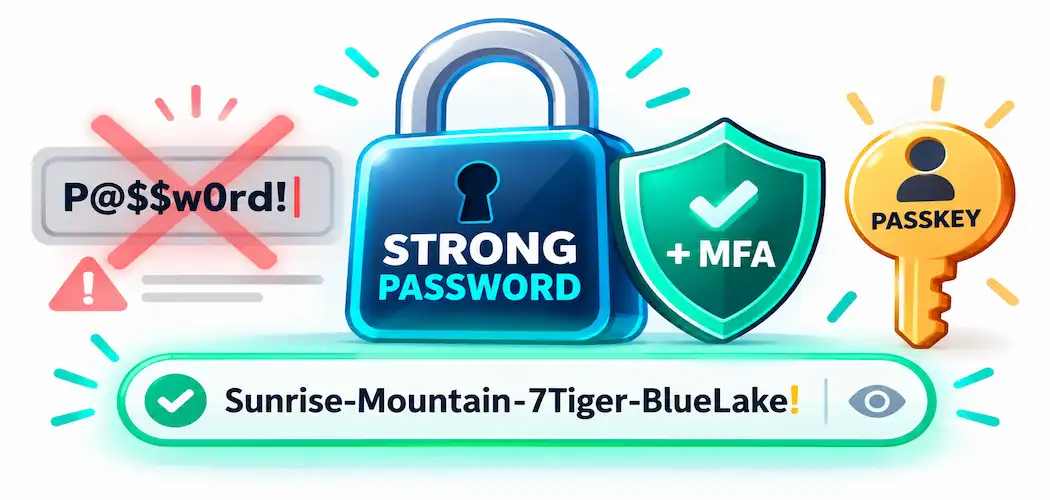
Most password advice floating around online is a decade out of date. “Use a mix of symbols, numbers, and capital letters” was the dominant guidance for years — and it’s not wrong, exactly, but it’s no longer what security researchers consider the most effective way to protect an account. The password rules many people still follow religiously were designed before anyone fully understood how attackers actually crack passwords at scale, and the advice hasn’t kept pace with the research.
Here’s what current best practice actually says, where common advice falls short, and how to think about password managers without turning the conversation into a product pitch.
Why Password Reuse Is the Real Problem
The single most damaging password habit isn’t a weak password — it’s reusing the same one across multiple accounts. When one site suffers a data breach (and large-scale breaches happen often enough that checking a service like Have I Been Pwned is worth doing periodically), attackers don’t need to guess anything. They simply try the exposed username-and-password combination against other popular sites, a technique called credential stuffing. A single reused password turns one breach into many.
This is why “strong” and “unique” are both necessary, and neither one substitutes for the other. A long, complex password reused across ten accounts is still only as safe as the weakest of those ten services.
What Actually Makes a Password Strong
Current guidance from NIST (the U.S. National Institute of Standards and Technology, whose password recommendations in Special Publication 800-63B are widely treated as the industry reference point) emphasizes length over complexity. A long passphrase built from several unrelated words is generally both easier to remember and harder to crack than a short password stuffed with symbols and substituted characters — “correcthorsebatterystaple”-style passphrases resist brute-force attacks better than something like “P@ssw0rd1!” specifically because of their length, not because of special characters.
NIST’s current recommendations also include:
- Favor length over forced complexity. Minimum lengths of 8 characters (ideally longer, with many organizations now pushing toward 15+) matter more than requiring a specific mix of character types.
- Don’t force composition rules. Mandatory rules like “must contain a symbol and a number” push people toward predictable patterns (capitalizing the first letter, adding “1!” at the end) that attackers already account for.
- Check new passwords against known-breach lists. Services and password managers increasingly screen new passwords against databases of previously breached credentials, rejecting anything that’s already been exposed — a layer of protection most casual advice never mentions.
- Don’t force periodic password changes without reason. Forcing frequent password resets with no indication of compromise tends to push users toward weaker, more predictable passwords rather than better security.
Writing Passwords Down Isn’t Automatically Reckless
A lot of older advice treats “never write your password down” as an absolute rule, and that’s an oversimplification. A password written on paper and kept somewhere physically secure — locked in a drawer or safe at home, for instance — isn’t inherently less safe than one stored only in your head, and for some people it’s considerably more reliable than relying on memory for dozens of accounts. What’s genuinely risky is a password left somewhere easily seen or photographed: a sticky note on a monitor, a note left in an unlocked desk, or a plain-text file on a shared computer.
The real takeaway isn’t “paper bad, digital good” — it’s that physical security matters for written passwords the same way digital security matters for stored ones.
Multi-Factor Authentication Matters More Than Password Strength Alone
This is the single most important thing missing from most password-advice articles, and it deserves top billing rather than an afterthought: multi-factor authentication (MFA) adds a second verification step beyond the password itself — a code from an authenticator app, a hardware security key, or a biometric check — so that a stolen or guessed password alone isn’t enough to get into an account.
Security research consistently points to MFA as one of the highest-impact steps an individual can take to protect their accounts, often more impactful than password complexity alone, because it blocks the vast majority of automated credential-stuffing and phishing attempts even when a password has been compromised. Where available, app-based or hardware-key MFA is generally considered more phishing-resistant than SMS-based codes, since SMS can be intercepted through SIM-swapping attacks — though SMS-based MFA is still meaningfully better than no MFA at all.
A newer option worth knowing about is passkeys — a passwordless authentication method built on public-key cryptography, supported by major platforms including Apple, Google, and Microsoft, that replaces the password-plus-MFA combination with a single cryptographic credential tied to your device. Passkeys are specifically designed to resist phishing in a way passwords fundamentally can’t, since there’s no password to trick someone into typing into a fake site.
Where Password Managers Actually Help
A password manager solves the practical problem at the center of all this: remembering a long, unique password for every single account is unrealistic without help. A password manager generates and stores strong, unique passwords for each site, auto-fills them, and typically flags reused or weak passwords across your accounts — all protected behind a single master password (ideally itself long and memorable, since it’s the one password you do need to remember) and, ideally, its own MFA.
Several established options exist, each with different strengths, and the right choice depends on platform, budget, and whether you want a cloud-synced or fully local option:
- 1Password — polished cross-platform experience with strong family/team sharing features; subscription-based.
- Bitwarden — open-source, with a genuinely usable free tier and paid plans for advanced features; popular for its transparency since the code is publicly auditable.
- Dashlane — similar feature set to 1Password, with built-in VPN and dark-web monitoring on higher tiers.
- KeePass (and compatible apps like KeePassXC) — a free, fully local, open-source option for anyone who prefers not to sync passwords to a company’s cloud at all, at the cost of a less polished setup experience.
No password manager is risk-free — a manager is itself a target, and its master password is a single point of failure if it’s weak or reused elsewhere. The protection comes from combining a strong, unique master password with MFA on the manager account itself, not from the manager alone. Independent review sites (such as PCMag or Wirecutter’s security coverage) and each product’s own security audit disclosures are a more reliable way to compare options than any single recommendation.
The Practical Checklist
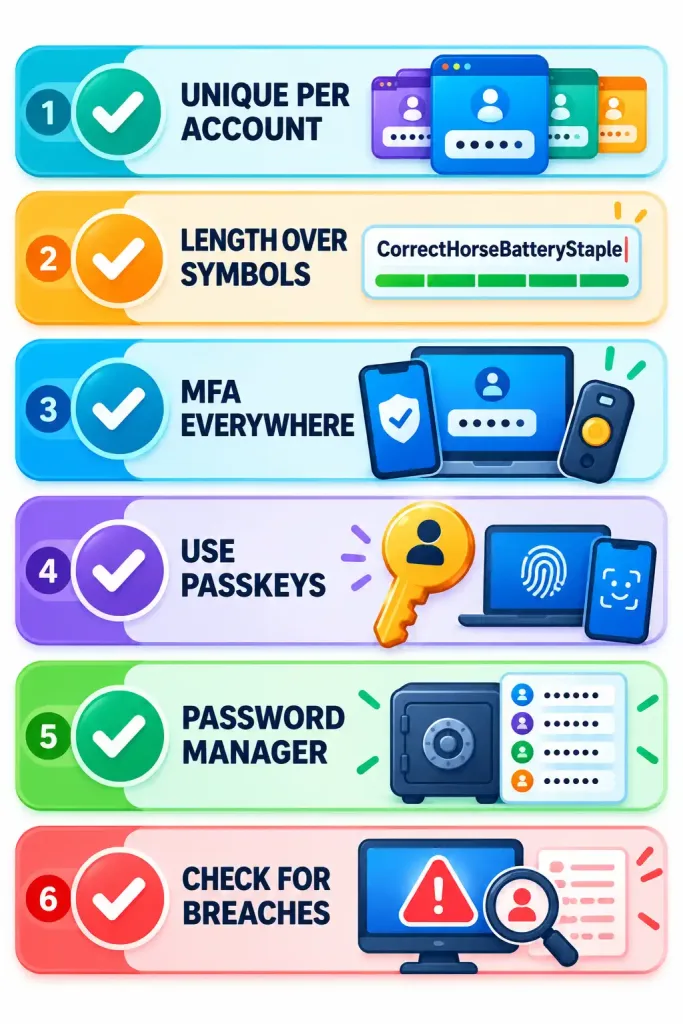
- Use a different password for every account that matters — financial, email, and anything tied to your identity, at minimum.
- Favor length (12+ characters, ideally a passphrase) over forced complexity.
- Turn on MFA everywhere it’s offered, preferring an authenticator app or hardware key over SMS where possible.
- Use passkeys where a service supports them.
- Use a password manager to make unique passwords for every account realistic to maintain.
- Periodically check whether your email or accounts have appeared in a known breach, and change any exposed password immediately, wherever it was reused.
Frequently Asked Questions
Is it safe to write passwords down on paper?
It’s safer than most advice suggests, as long as the paper itself is kept physically secure — a locked drawer or safe, not somewhere visible or easily accessed. The risk comes from poor physical security, not from the act of writing it down.
Do I still need symbols and numbers in my password?
Not as the main priority. Current guidance from NIST emphasizes length over forced character-type complexity — a long passphrase is generally both easier to remember and harder to crack than a short, symbol-heavy password.
Is a password manager actually safe to use?
Generally yes, when protected with a strong, unique master password and its own MFA. No tool is risk-free, but the alternative — reusing weak, memorable passwords across accounts because unique ones are hard to track — carries a much higher real-world risk.
What’s more important, a strong password or MFA?
They work together, but MFA closes a gap that password strength alone can’t: it blocks most attacks that rely on a stolen or guessed password, even a strong one. Security researchers generally consider MFA one of the highest-impact steps available to an individual account holder.



