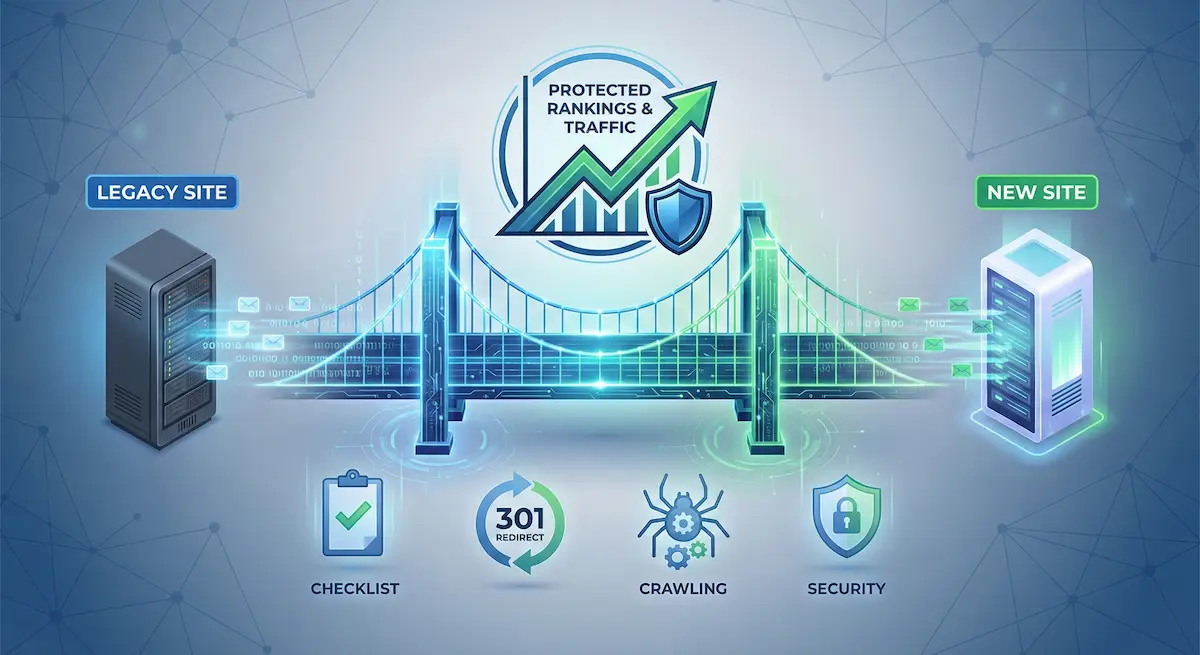
Do you fear that a single technical oversight during your site transfer could wipe out years of hard-earned organic traffic? That’s exactly why website migrations shouldn’t be handled by dev or IT alone. SEO experts need to be involved from day one to audit the setup, secure redirects, validate indexation, and protect rankings at every step.
For example, the Awilix agency supported Orisha on a large-scale SEO migration, consolidating 12 brands into a single group website with 5 subdomains, one per business unit.
Why Pre-Migration Planning Is Non-Negotiable
Most site migrations fail not during the move, but weeks before it even starts. If you want to understand how to migrate a website without losing rankings using an SEO migration checklist, you must accept that success depends entirely on what happens before the launch.
Setting Your Performance Benchmarks
You must record your current organic traffic, keyword rankings, and backlink profiles immediately. Use Google Search Console data as your primary source of truth. This creates an indisputable baseline for post-launch comparison. This data is your safety net.
Don’t just look at the dashboard; download specific reports now. Focus heavily on landing page performance and mobile versus desktop splits. These files are your insurance policy if things go south.
Without these hard numbers, you cannot prove the migration’s success later. It is about data-driven accountability for the dev team.
Key Takeaway: Don’t skip this step. You will regret it when traffic drops and you have no proof.
Securing Staging Site Access Early
SEOs need full access to the staging environment from day one. Developers often forget SEO requirements during the build phase. Early reviews prevent costly fixes later.
You want to avoid a disaster where rankings tank overnight. A solid SEO strategy requires testing the environment before it goes live.
- Check for noindex tags that shouldn’t be there.
- Make sure the staging site is password protected to avoid duplicate content.
Action Item: Talk to your project managers. Get your login credentials before the first sprint ends.
The Technical Blueprint for URL Integrity: Creating a Foolproof 1:1 Redirect Map
You cannot simply dump old traffic onto your homepage; that is a lazy move Google penalizes. Real 1:1 mapping means every single legacy URL finds its specific counterpart. This precision is the secret to how to migrate a website without losing rankings.
Example Redirect Mapping Table:
| Old URL | New URL | Status Code | Priority Level |
|---|---|---|---|
| /blog/old-post | /insights/new-post | 301 | High |
| /products/item-a | /shop/item-a | 301 | High |
| /about-us | /company/about | 301 | Medium |
- Avoid daisy-chaining redirects like the plague because they dilute link equity fast. Googlebot gives up after five hops, wasting your precious crawl budget.
- Run your list through Screaming Frog before going live to catch errors. One typo in a CSV file can break thousands of links instantly.
Handling Media Files and Image Alt Text
Most teams forget images, yet they drive significant traffic. Check that file paths redirect correctly or remain consistent. Keep your alt text identical to preserve those hard-earned image search rankings.
Developers often tweak folder structures without warning the SEO team. Always verify the new CMS has not quietly renamed your assets.
Image Migration Checklist:
- Check image file sizes to prevent bloat.
- Verify alt text migration matches the original source.
- Confirm lazy loading is active.
- Test image sitemaps thoroughly.
Broken images scream negligence to users. They also signal poor quality to Google’s crawlers.
Auditing The New Environment Before Launch
With the map ready, you need to verify that the new site’s technical foundation is actually solid—this is how to migrate a website without losing rankings using a proper checklist.
Metadata and Structured Data Integrity
Verify that all meta titles and descriptions migrated correctly. Missing tags lead to generic snippets in SERPs. This kills your click-through rate immediately.
Test your schema markup on the staging site. Use the Schema Validator to guarantee Rich Snippets won’t disappear. This includes Product, Article, and FAQ schema types.
Warning: Small errors in JSON-LD code can break everything. Double-check the syntax before the site goes live.
Robots.txt and XML Sitemap Configuration
Your robots.txt file must be updated for the new structure. Don’t accidentally block your most important pages. Check that the sitemap URL is correctly listed.
Generate a fresh XML sitemap containing only the new URLs. Remove any redirects or 404 pages from this file. Google needs a clean map.
Verify these elements are present and correct:
- List of disallowed paths
- Link to the new sitemap
- Specific crawl delay rules if necessary
A messy sitemap confuses bots. It slows down the indexing of your new content.
Post-Launch Monitoring and Recovery Expectations
The site is live, but the work is far from over. Now comes the critical monitoring phase.
Immediate Issue Resolution Protocols
Crawl the live site the moment it launches. This is the core of any how to migrate a website without losing rankings SEO migration checklist. Look for unexpected 404 errors or lingering 302 redirects. Every minute of downtime costs money.
Communicate clearly with the dev team. Use a shared tracker to centralize every bug found. Prioritize indexing issues over minor design tweaks during the first 48 hours.
You cannot afford to fly blind right now. Check these specific metrics immediately. They determine your site’s short-term survival:
- Check Search Console for crawl errors.
- Verify 301 redirect functionality.
- Monitor server response times.
- Update external social profiles.
Critical Point: Speed is non-negotiable here. Fix the big technical holes before Google re-indexes the whole site.
Managing Traffic Dips and Link Equity
- Expect a temporary traffic dip of 5% to 15%. This is normal as Google processes the changes. Recovery usually takes four to six weeks.
- To help link equity transfer, reach out to top-tier backlink sources. Ask them to update their links to your new URLs. It is tedious but worth it.
- Monitor your Core Web Vitals on the new platform. Slow loading times will hinder your recovery and frustrate users.
Final Advice: Stay calm and watch the data. If the dip lasts longer than two months, you have a deeper technical problem.
Conclusion
A successful migration relies on rigorous planning and constant monitoring. By securing your data and testing every redirect, you protect your traffic and SEO performance. Follow these steps to transform a technical challenge into a growth opportunity. Your digital visibility depends on this structured approach.