Samsung OLED Review: Stunning Picture Quality and Design
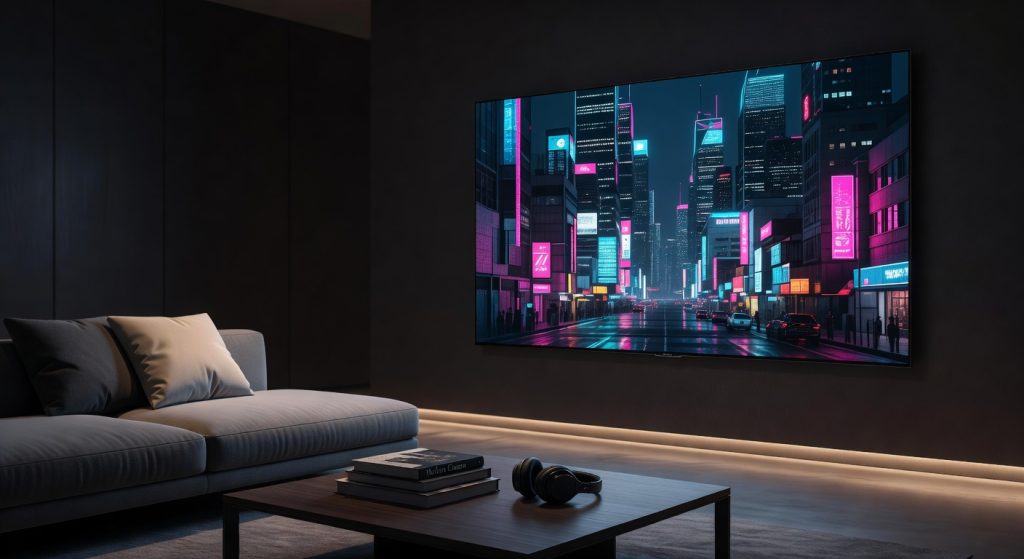
The Samsung OLED TV S95D delivers the most visually stunning display panel available in 2024, with its QD-OLED technology setting a new benchmark for color accuracy and brightness — but from a cybersecurity standpoint, it is a surveillance device first and a television second. IT teams considering this screen for boardrooms, digital signage, or corporate AV deployments should read our [smart TV security guide on NetworkUstad.com](https://networkustad.com/cybersecurity/) before connecting it to any enterprise network. The ACR tracking, Tizen OS vulnerabilities, and opaque data collection pipeline make this a high-risk endpoint if left unconfigured.
Samsung S95D Display Technology: What IT Teams Need to Know
The Samsung S95D uses second-generation QD-OLED panel technology — a hybrid architecture combining a blue OLED light source with quantum dot conversion layers to produce red and green subpixels. This results in a wider color gamut, higher sustained HDR brightness (up to 3,000 nits peak), and perfect per-pixel black levels compared to LCD-based displays. For corporate environments using this panel as a presentation screen, digital signage display, or conference room centerpiece, the visual performance is unmatched in its price bracket. The factory-applied OLED Glare Free matte coating — independently certified by UL Solutions — eliminates the mirror-like reflections that make traditional OLED panels problematic in brightly lit meeting rooms. From a pure AV and display engineering standpoint, the S95D is the most capable 4K OLED panel Samsung has released as of 2024. However, IT professionals must separate the display hardware from the Smart TV software stack — because that software stack introduces risks that no amount of picture quality can justify ignoring.
Tizen OS CVEs and Security Vulnerabilities
Tizen OS is Samsung’s Linux-based operating system powering every Samsung Smart TV since 2015, and the S95D ships with Tizen 8.0. Security researchers at Bishop Fox identified a confirmed vulnerability in Tizen OS through version 9.0 that allows arbitrary code execution at the OS level — meaning an attacker can run unauthorized commands directly on the television’s operating system. The attack requires developer mode to be enabled and proximity to the target IP address, but in a corporate environment where IT administrators routinely enable developer mode for app sideloading or enterprise customization, this is a non-trivial threat. Samsung maintains a Knox security layer that provides app sandboxing, malicious app blocking, and phishing site filtering, with security updates guaranteed for at least three years post-launch. However, patch cadence on Smart TVs is inconsistent compared to endpoint security standards, and most enterprise IT teams do not include televisions in their vulnerability management or patching workflows. For a network-connected device sitting in a boardroom or lobby, this is a significant oversight. IT teams should treat Samsung Smart TVs as unmanaged IoT endpoints and segment them behind a dedicated VLAN — network security best practices covered in our IoT network segmentation guide at NetworkUstad.com.
ACR Data Collection and the Privacy Enforcement Storm
The Samsung S95D’s most significant enterprise risk is not a CVE — it is the Automatic Content Recognition (ACR) system baked into Tizen’s Vision Information Services (VIS). ACR captures screenshots of the TV’s display every half-second and matches them against a cloud database to identify what is being watched — across every input, including HDMI-connected laptops, presentations, and video conferencing systems. University College London published research in November 2024 confirming that ACR data collection extends to content played through external devices connected via HDMI, not just native streaming apps. In a corporate boardroom scenario, this means sensitive presentations, unreleased product demos, or confidential video calls could theoretically be captured and transmitted to Samsung’s servers. The legal situation escalated in December 2025 when Texas Attorney General Ken Paxton filed suit against Samsung and four other TV manufacturers for unlawfully collecting and monetizing ACR viewing data, citing deceptive consent mechanisms and violations of the Texas Deceptive Trade Practices Act. A temporary restraining order was granted on January 5, 2026 — though Samsung successfully had it vacated the following day — and by February 26, 2026, Samsung had reached a formal agreement with the Texas AG requiring express consumer consent before any ACR data collection and mandating that consent screens be rewritten to be “clear and conspicuous.” The Texas case is resolved for Samsung, but a separate federal class action in New York remains active, alleging Samsung records and sells viewing data without informed consent in violation of the Video Privacy Protection Act. UCL researchers confirmed that opting out of ACR is “extremely complex, requiring users to opt out of several advertising and tracking settings with multiple clicks under different sub-settings” — and documented firmware updates silently re-enabling privacy toggles after being turned off. For enterprise deployments, the safest mitigation is to disable Viewing Information Services, Interest-Based Advertising, and Voice Recognition Services at setup, block Samsung’s telemetry domains at the firewall level, and re-audit these settings after every firmware update.
Enterprise AV and Digital Signage Deployment Considerations
Despite the security caveats, the Samsung S95D has genuine enterprise utility in specific deployment scenarios. Its One Connect external box centralizes all cable connections — HDMI, USB, network, antenna — in a separate unit connected to the display via a single thin cable. This simplifies wall-mounting in conference rooms and reduces cable clutter at the display face, which is a meaningful operational advantage for facilities managers and AV integrators. The four full-bandwidth HDMI 2.1 ports support enterprise presentation systems, video walls, and multi-source switching without bandwidth limitations. For digital signage applications, the QD-OLED’s self-emissive pixels enable pixel-level content rendering with no backlight uniformity issues — ideal for high-resolution product displays, lobby branding, and event screens. However, OLED burn-in risk remains a concern for static signage content. Samsung’s built-in Pixel Shift and Screen Saver features provide some mitigation, but for 24/7 static content deployments, commercial-grade displays from Samsung’s B2B line (such as the QH or QM series) are better suited. The S95D is optimized for dynamic, varied content environments rather than always-on single-image signage. Samsung’s SmartThings integration also enables remote monitoring and control via corporate MDM-adjacent workflows, though it lacks the full enterprise management capabilities of dedicated commercial display platforms.
Network Exposure and IT Security Hardening
Connecting a Samsung OLED TV to a corporate network without hardening is equivalent to adding an unmanaged Android device to your domain — except with more data collection surface area. The S95D makes outbound connections to Samsung’s ACR servers, ad platforms, app update services, and SmartThings cloud on a continuous basis. IT security teams should implement the following controls before any enterprise deployment: network-segment the TV on a dedicated IoT VLAN with no access to internal resources; block Samsung telemetry domains at the DNS or firewall level (samsungacr.com and related endpoints); disable developer mode at setup to eliminate the Tizen arbitrary code execution attack vector documented by Bishop Fox; disable all voice recognition features to prevent ambient audio capture; and ensure automatic software updates are enabled so that Samsung’s security patches — guaranteed for three years post-launch — are applied promptly. For organizations operating under GDPR, HIPAA, or sector-specific data governance frameworks, the ACR data pipeline and the ongoing Texas AG litigation against Samsung’s data practices introduce compliance risk that legal and security teams should formally assess before procurement.
Verdict
The Samsung OLED TV S95D is the most technically impressive consumer display panel available in 2024 — its QD-OLED picture quality, OLED Glare Free coating, and 4K@144Hz across all HDMI ports make it a genuine engineering achievement. But for IT professionals and enterprise buyers, the Samsung OLED TV arrives with a parallel security profile that demands serious attention: an OS-level code execution vulnerability in Tizen through version 9.0, frame-by-frame ACR surveillance that extends to HDMI-connected devices, and a data collection apparatus serious enough to trigger Texas AG enforcement action and a February 2026 settlement requiring Samsung to overhaul its consent mechanisms — with a New York federal class action still active. Deploy it hardened, segmented, and with full awareness of its data pipeline — or consider Samsung’s dedicated commercial display line for always-on enterprise environments where security posture cannot be compromised.
Rating: 3.8 / 5 — Visually unmatched, but the Tizen OS attack surface and ACR surveillance pipeline make it a high-risk endpoint without rigorous IT hardening.
Reviewed based on Bishop Fox Tizen OS CVE research (April 2026), IAPP ACR enforcement coverage (January 2026), UCL Smart TV ACR study (November 2024), TechRadar S95D Review, and DisplaySpecifications S95D specs — July 2026.
Frequently Asked Questions
What Tizen OS version does the Samsung S95D run?
Does the Samsung OLED TV collect data from HDMI-connected devices?
Is the Samsung S95D safe to deploy on a corporate network?
What is the ACR legal situation involving Samsung in 2025?
Does the Samsung S95D support Dolby Vision?
Is the Samsung OLED TV suitable for digital signage?
What is Samsung Knox and does it adequately protect the S95D?
How does the Samsung S95D compare to LG OLED for enterprise deployments?
+Pros
- Exceptional QD-OLED picture quality — best blacks and color volume in its class for 2024
- OLED Glare Free matte coating solves the biggest real-world OLED limitation without sacrificing color fidelity
- All four HDMI 2.1 ports support full 4K@144Hz — unlike competitors that restrict high-refresh to one port
- One Connect external box simplifies professional AV and digital signage cable management
- Samsung Knox hardware security layer provides enterprise-grade app sandboxing and anti-malware protection
−Cons
- ACR (Automatic Content Recognition) enabled by default — collects frame-by-frame viewing data across all inputs including HDMI-connected devices
- Tizen OS arbitrary code execution vulnerability (confirmed by Bishop Fox, through version 9.0) creates real attack surface on corporate networks
- Texas AG sued Samsung over ACR in December 2025; Samsung settled February 26, 2026, agreeing to require express consent before data collection — New York federal class action still active
- No native Dolby Vision support — a notable omission at this price point
- One Connect box introduced reliability concerns at launch — potential single point of failure for 24/7 signage deployments