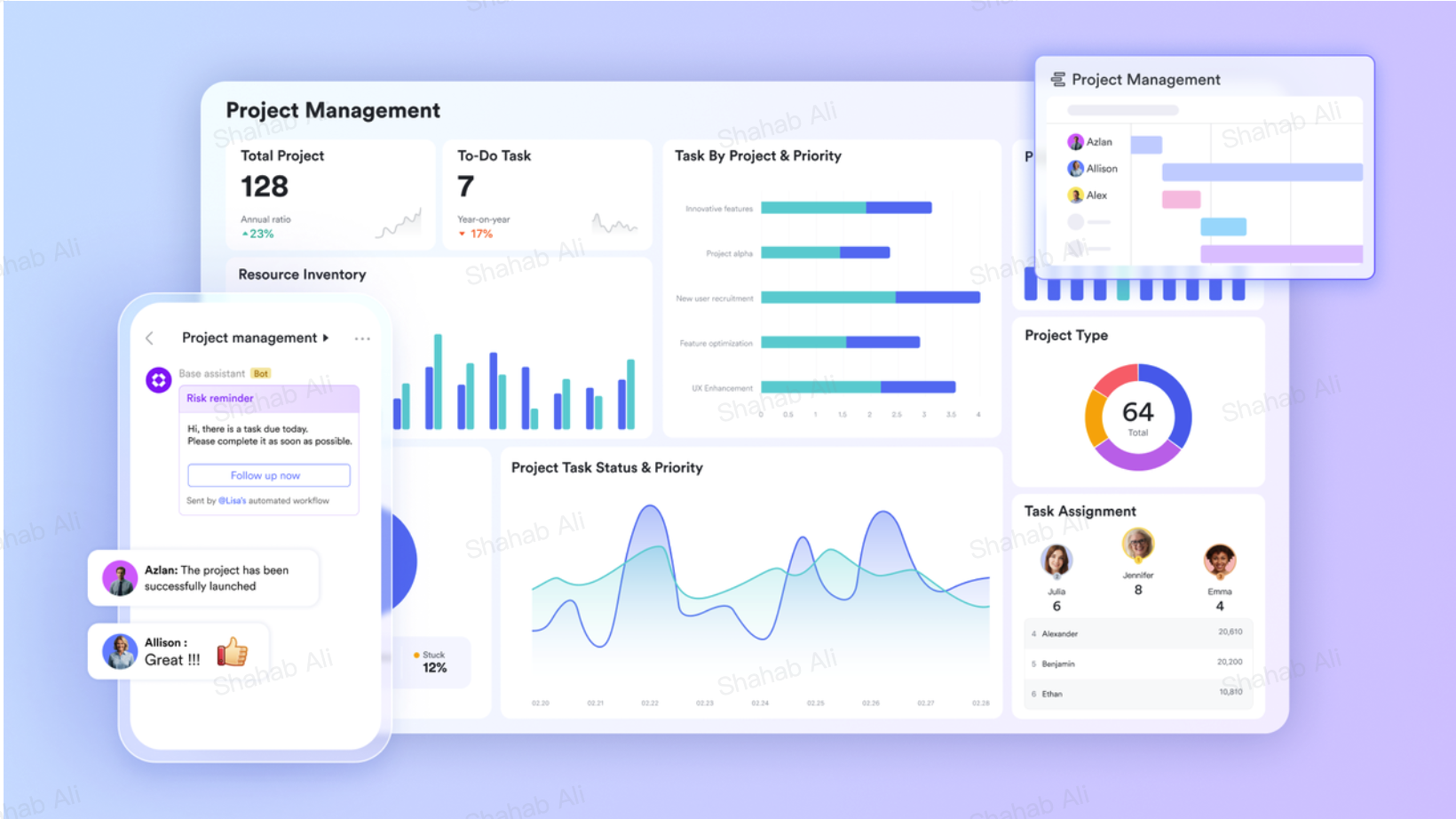
Most remote teams do not fail because their people lack motivation or skill. They fail because the infrastructure underneath them was never designed for distance. The tools were chosen one at a time, each solving a single problem in isolation, and the result is a workplace where information moves slowly, context gets lost between handoffs, and employees spend more time managing their tools than doing actual work. Fixing this is not about adding another app to the stack. It is about replacing the stack entirely with a connected environment where every product reinforces every other. The starting point is rethinking your project management tools and asking not just whether each one works, but whether they all work together as one coherent system.
Cutting through language barriers with Lark Messenger
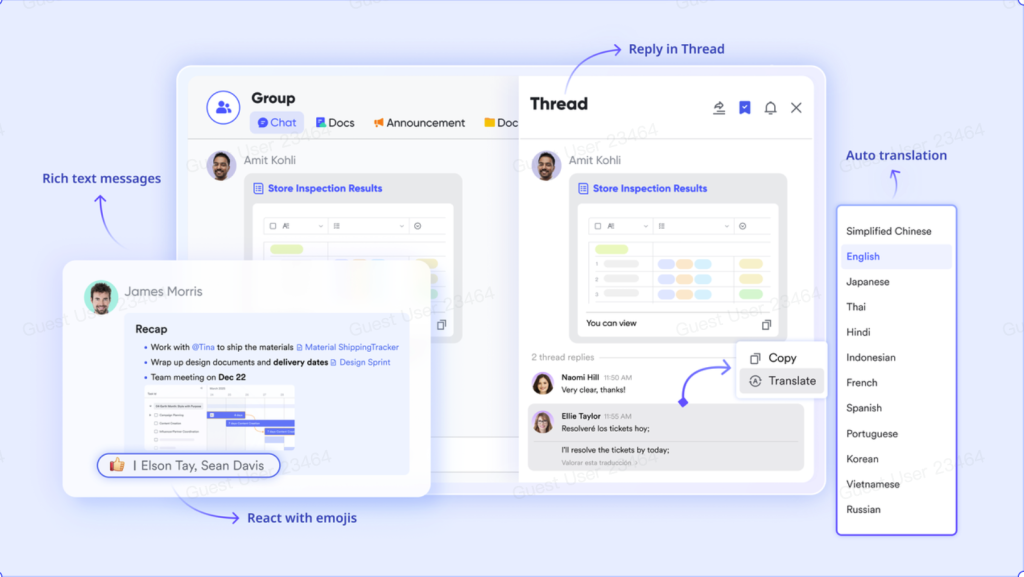
For remote teams spread across multiple countries, language is one of the most underestimated sources of disconnection. A message written in Thai by a team member in Bangkok may sit unread or misunderstood by a colleague in Berlin not because of any lack of effort, but because the friction of switching to a translation tool is just enough to break the communication loop. Lark Messenger “Real-time Auto Translation” removes that friction entirely by automatically converting messages into each recipient’s preferred language across 18 supported languages, so every teammate reads every message in their native tongue without any manual step.
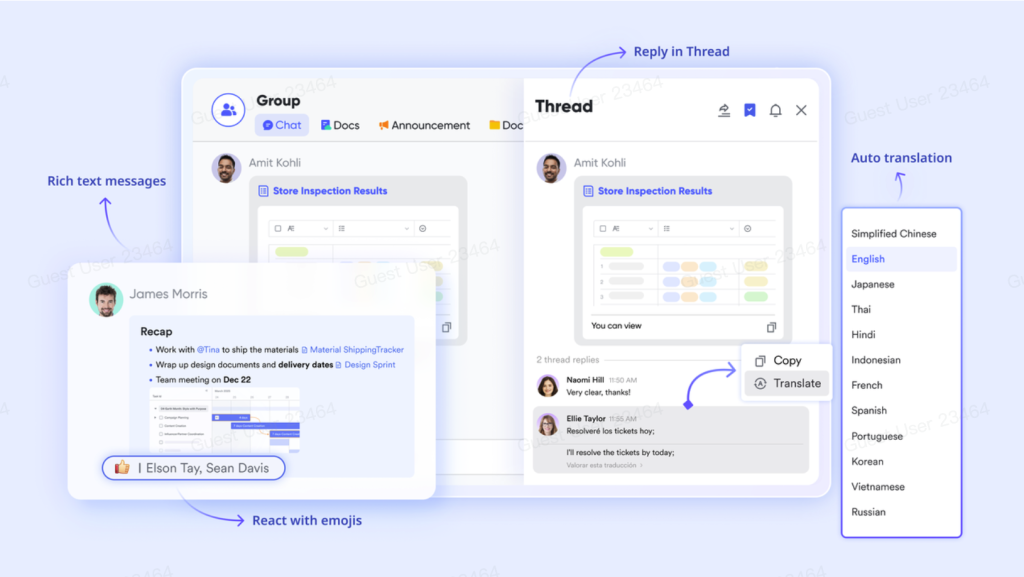
The “Rich Formatting” feature allows senders to add annotated screen captures directly inside a message, giving remote team members the visual context that would otherwise require a separate video call to explain. When a bug needs to be reported, a process needs to be demonstrated, or a design needs feedback, the combination of annotated visuals and rich text inside a single message keeps the conversation self-contained and immediately actionable.
Keeping knowledge current with Lark Docs
Remote teams tend to produce a lot of documents, but producing them is not the problem. Keeping them accurate and findable over time is. Lark Docs addresses this with “Version History,” which records every change made to a document so that any previous state can be viewed and restored without losing the current version. A team member who edited a policy document six weeks ago can pull up exactly what was written before the last update, giving teams a reliable audit trail without any manual version control system.
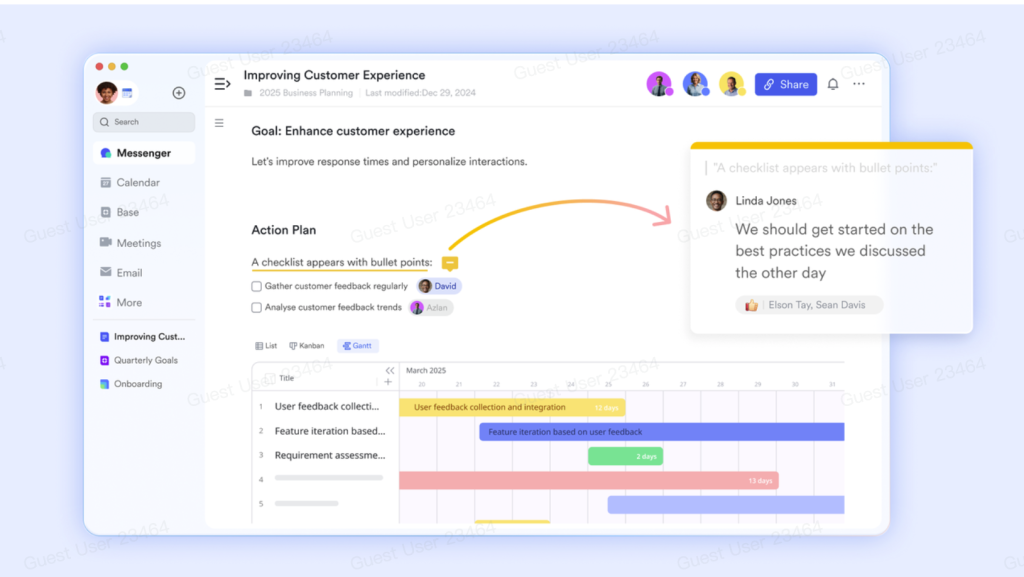
The “Comment” feature allows teammates to leave feedback directly on the document rather than in a separate thread, keeping all discussion tied to the content it refers to. Because every Lark Docs document carries its own comment history, a new team member joining a project mid-stream can read the document and its discussion in one place, getting full context without needing to ask anyone to reconstruct the background.
Making meetings usable for everyone with Lark Minutes
One of the most persistent sources of remote team disconnection is the meeting that only some people attend. Decisions get made, context gets established, and the people who were not in the room are left to piece together what happened from secondhand accounts. Lark Minutes solves this with “Interactive Transcripts,” which allow anyone who missed a session to read the full transcript and post comments or reactions on specific parts, so they can respond to particular moments in the conversation rather than submitting a generic reply.
For global teams working across language differences, the “Multilingual Collaboration” feature allows meeting minutes to be translated from one language to another with a single click, making the content of every session accessible to team members who work in a different language from the meeting’s primary participants. The “Recordings” feature adds another layer of flexibility by allowing playback at custom speeds with the ability to fast forward to content of interest and skip silent parts, meaning a 45-minute meeting can be reviewed in a fraction of the time.
Organizing collective knowledge with Lark Wiki
When remote teams grow, their internal knowledge tends to sprawl. Onboarding documents live in one folder, process guides in another, and product specifications in a third location that only the person who created them can reliably find. Lark Wiki consolidates this through its “Rich Content” capability, which allows teams to store documents, spreadsheets, mindmaps, and databases all within the same structured wiki rather than scattering them across separate tools.
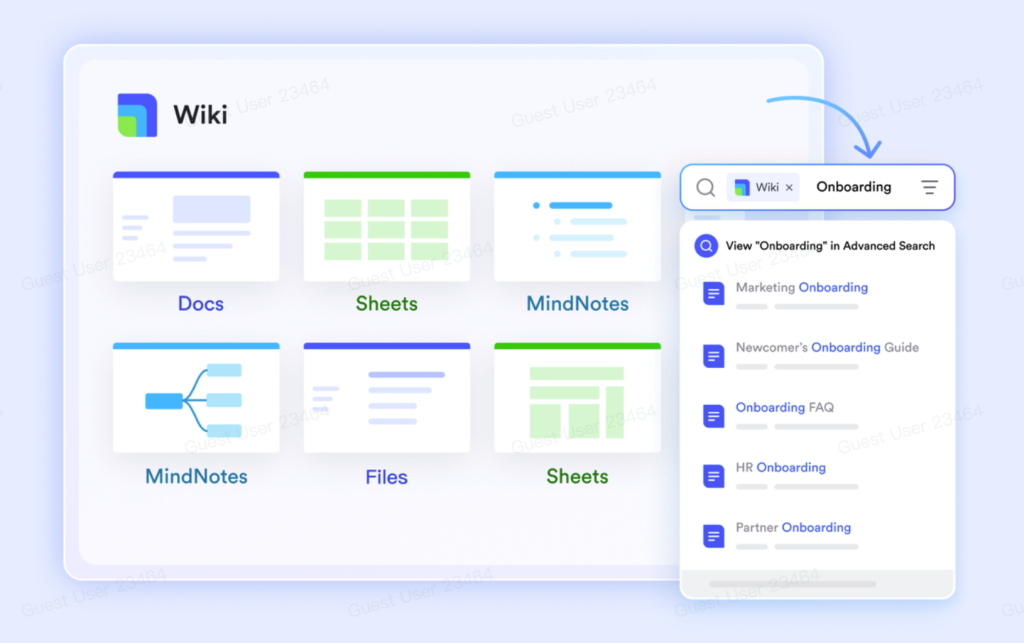
For teams migrating from existing systems, Lark Wiki “Migration” feature supports direct imports from Word, Excel, CSV, and XMind files, meaning existing documentation does not need to be rebuilt from scratch. Once content is in the wiki, the “Advanced Search” feature allows any team member to locate any document using powerful filters regardless of how deep in the hierarchy it sits, removing the familiar experience of knowing a document exists but being unable to find it.
Controlling access with Lark Approval
Remote teams often struggle with governance because traditional approval processes assume physical proximity. A manager needs to sign something, but they are in a different country. A regional lead needs to authorize a purchase, but the request is sitting in an email thread three layers deep. Lark Approval brings structure to these moments through “Conditional Branches,” which route each request along a different path automatically based on the conditions of the submission, so the right person is always notified without anyone having to manually redirect the workflow.
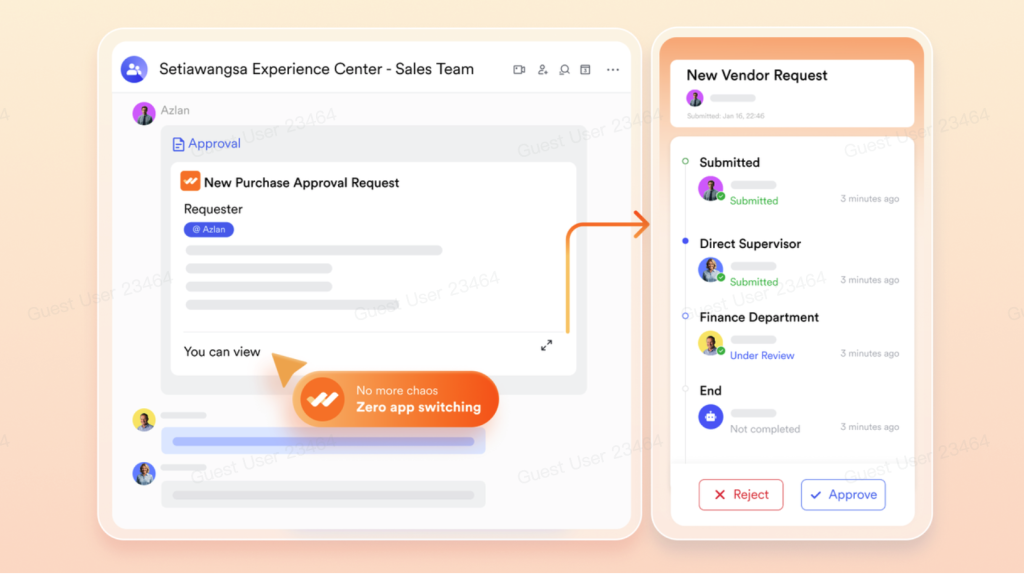
The “Approval Notifications” system ensures that every pending request surfaces to the right approver through their preferred channel, rather than requiring them to log in to a separate system to check for pending items. Every submission also carries a complete record of who reviewed it and when, giving remote teams the audit trail they need to demonstrate that governance processes were followed even when no one was physically present to witness them.
Bonus: Why the “just add another tool” approach keeps failing remote teams
Most remote teams experiencing disconnection reach for a new tool as the first solution. They revisit Google Workspace pricing to see what the base plan covers, then add Slack for chat, Zoom for calls, Notion for documentation, and Monday.com for task tracking. Each addition solves one symptom while creating a new one: another login, another notification stream, another tab switch, and another place where important information gets siloed from the rest of the team.
The compounding cost of a fragmented stack is not always visible in any single moment, but it accumulates across every working day. Lark eliminates this entirely by bringing messaging, video calls, documentation, knowledge management, and approval workflows into one workspace. New hires stop asking which tool holds which information because there is only one place to look. Decisions get documented where the conversation already lives. And the experience of being a remote team member shifts from constant navigation to genuine focus.
Conclusion
Remote team disconnection is not solved by culture initiatives or more frequent all-hands meetings. It is solved by building an environment where the tools themselves remove the barriers to communication, documentation, and decision-making that distance creates. When every team member can find information, leave feedback, attend meetings on their own schedule, and move approvals forward without waiting for someone to be online, the gap between remote and co-located closes substantially. That is what the right productivity tools make possible, not just a better workflow, but a fundamentally better experience of working together from anywhere.