If you’ve ever tapped an Instagram profile picture hoping it would enlarge, you’ve hit a wall — Instagram deliberately doesn’t let you zoom into or open a full-size version of someone’s profile photo. That limitation is exactly why a whole ecosystem of third-party “Instagram DP viewer” sites exists (InstaDP.net, InstaDP.io, and dozens of near-identical clones). People search for these constantly, usually for innocent reasons: a business checking out a potential collaborator, someone confirming an account is who it claims to be, or plain curiosity.
This guide answers that need honestly. But rather than cheerlead for one of these tools, it does something the typical “best InstaDP alternative” post won’t: it tells you the genuine risks of this category of site, how to use one as safely as possible if you choose to, and the important privacy and legal lines to stay on the right side of. If you take away one thing, let it be that these are unaffiliated third-party sites, not official Instagram tools — and that changes how much you should trust them.
Why you can’t see a full-size profile picture on Instagram directly
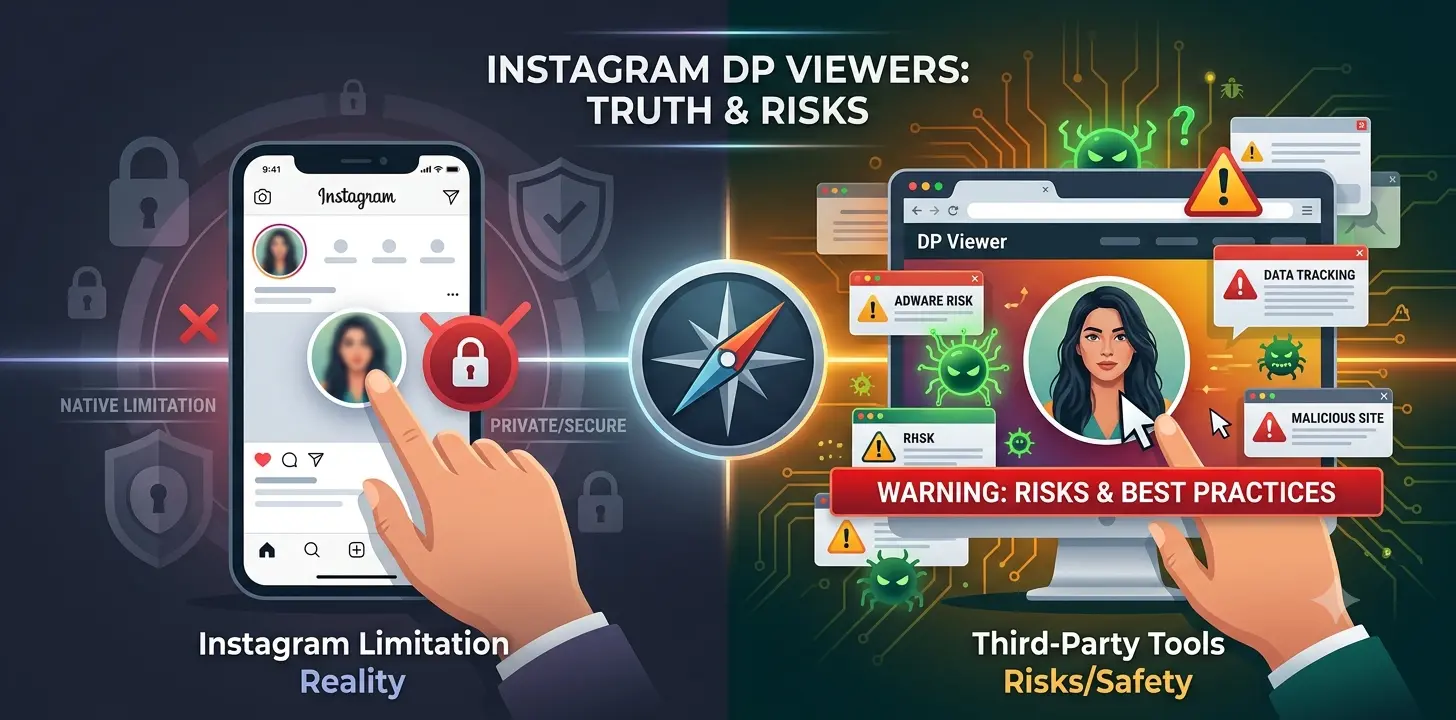
First, the simple reality: Instagram, by design, doesn’t provide a way to open or enlarge profile pictures in the app or on the website. Tapping a profile photo doesn’t expand it. This isn’t a bug you need to “unlock” — it’s an intentional product decision, partly tied to how Instagram handles user content and privacy. There’s no official setting that changes it. (For more on how the platforms and tools we use every day actually work, see our technology section.)
That’s the entire reason third-party viewer sites appear in search results. They work by pulling the publicly available profile image from a public account and displaying it at full resolution. Crucially, they can only do this for public accounts — a private account’s profile picture is hidden by Instagram’s privacy settings, and no legitimate tool can bypass that. Any site claiming it can show you a private account’s photos is either lying (to get your clicks), running a scam, or attempting something that violates both Instagram’s rules and, potentially, the account holder’s reasonable privacy expectations. Treat “view private profiles” claims as a bright-red warning sign and stay away.
The real risks of third-party “DP viewer” tools
Here’s what the promotional articles leave out, and it matters. These tools are convenient, but the category carries genuine, well-documented risks:
Malvertising and malware. Free tools that scrape social media monetise through the least-scrupulous ad networks, which makes many of these sites heavy with pop-ups, redirect chains, fake “download” buttons, and fake “update your player/verify you’re human” prompts. This is the same ad ecosystem that plagues pirate streaming sites, and it’s a leading way ordinary users pick up malware. A tool that just shows you a picture should not be triggering pop-ups and redirects — when it does, that’s the danger, not a nuisance to click through.
The site can log what you look up. You’re handing a third party the usernames you’re searching for. A viewer site can record those lookups, your IP address, and your browsing patterns. “It’s anonymous” refers only to the fact that Instagram isn’t notified — it says nothing about what the viewer site itself collects. Claims that a given site “doesn’t track or store any data” are unverifiable; you have no way to confirm them, so don’t rely on them.
Never enter your own Instagram login. No legitimate profile-picture viewer needs you to log in. If any tool asks for your Instagram username and password, or prompts you to “connect your account,” stop immediately — that’s a credential-phishing pattern, and handing it over can get your account stolen. A genuine public-DP viewer only needs the target’s public username, never your credentials.
Don’t install the “app” they push. Many of these sites nudge you to download a companion app or browser extension to “unlock more features.” Sideloaded apps and unvetted extensions are a common malware vector. You don’t need any install to view a public image in a browser.
The domains are disposable. This niche is a churn of interchangeable throwaway domains — .net, .io, .org, .com, .xyz — that appear, get abandoned, change owners, and sometimes turn malicious. A domain that was fine last year may be a different, worse site today. That’s precisely why this guide won’t crown one specific site as “the real one”: reputation offers little protection when the domains are this volatile.
It likely violates Instagram’s Terms of Service. Instagram’s terms generally prohibit automated scraping and third-party tools that access the platform outside its official interfaces. That rarely has consequences for a casual viewer, but it’s worth knowing you’re operating outside Instagram’s rules.
If you choose to use one, do it as safely as possible
Given all that, if you still want to view a public profile picture at full size through a third-party site, minimise your exposure:
Use it only for public accounts, and abandon any site that promises private-account access. Keep your browser and security software up to date, and run a reputable ad/script blocker — since malvertising is the main threat, blocking malicious ads removes much of the risk. Never enter your own Instagram credentials, and never “log in with Instagram” on these sites. Don’t install any app, extension, or “codec/update” the site offers. Ignore pop-ups and fake “verify”/”download” prompts, and if a site is buried in them, close it and don’t return. And don’t provide any personal information — a tool that shows a public image needs nothing from you but a public username.
Safer and more legitimate alternatives
Before reaching for a random viewer site, consider approaches that carry less risk:
Just ask, or look at their content. If you want to see someone more clearly for a legitimate reason (verifying a collaborator, say), their public posts and, where available, a verified badge tell you more than a zoomed profile thumbnail. For business collaborations, official channels — a website, a LinkedIn, a verified account — are more reliable than any DP viewer.
Use Instagram’s own features. Everything Instagram intends you to access is available in the app without third-party tools and without risk.
If you must use a viewer, prefer well-established, reputable sites over obscure ones — while remembering that even popular ones carry the ad/tracking caveats above, and that popularity today is no guarantee of safety tomorrow. There is no third-party tool that’s officially endorsed by or affiliated with Instagram; they all operate independently.
A note on privacy and respect
One thing worth saying plainly: just because a profile picture is technically public doesn’t mean every use of it is appropriate. Using these tools to repeatedly monitor a specific person — an ex, a coworker, someone who hasn’t consented to your attention — anonymously and without their knowledge drifts from curiosity into something closer to surveillance, even when the images are public. And profile pictures, like any photos, can be someone’s creative or personal work; saving or reusing them can raise copyright and personal-rights issues. Respect people’s privacy, don’t use anonymity as cover for unwanted monitoring, and don’t redistribute images that aren’t yours to share.
The bottom line
The honest answer to “how do I see a full-size Instagram profile picture?” is: Instagram doesn’t let you natively, and the third-party sites that fill that gap are a convenience wrapped in real trade-offs. They only ever work on public accounts, they operate outside Instagram’s rules, and the category is rife with malvertising, data-logging, and disposable domains. If you use one, treat it like any untrusted site — public accounts only, no logins, no installs, an ad blocker on, and no personal information. And weigh the mild convenience against both the security risk to you and the privacy of the person on the other end. For most legitimate needs, Instagram’s own tools and a person’s public, official channels are the safer and better answer. If you’d like to go deeper on protecting yourself online, our cybersecurity guides cover the malvertising and phishing risks discussed here in more detail.
This article is general information for safety and privacy awareness, not legal advice. It is not affiliated with Instagram or any third-party tool, and does not endorse any specific site. Third-party tools that access Instagram may violate its Terms of Service; use your own judgement and respect others’ privacy.