In 2026, Magento 2 (Adobe Commerce) remains a top choice for scalable e-commerce stores, powering thousands of mid-to-large businesses worldwide. However, relying solely on your Magento storefront limits growth potential. Integrating with eBay—one of the world’s largest marketplaces with 132+ million active buyers—can increase your reach, boost sales by 20-50%, and diversify revenue streams.
This comprehensive guide covers everything about Magento 2 eBay integration: benefits, top extensions (including comparisons), step-by-step setup, best practices, and troubleshooting. Whether you’re new to multi-channel selling or optimizing existing setups, you’ll learn how automated solutions like product feeds simplify the process.
Why Magento 2 eBay Integration is Essential in 2026
eBay’s trusted platform drives high-conversion traffic, especially for categories like electronics, fashion, home goods, and collectibles. Key advantages include:
- Expanded Audience: Access buyers who prefer marketplaces over direct sites.
- Higher Sales Volume: Many merchants report 30%+ revenue growth post-integration.
- Inventory Control: Real-time or scheduled sync prevents overselling.
- Automated Operations: Reduce manual work on listings, prices, and stock.
- Compliance Ready: Handle eBay’s GPSR (General Product Safety Regulation) and policy updates easily.
Without integration, managing separate inventories leads to errors, lost sales, and frustration. Modern extensions make it seamless.
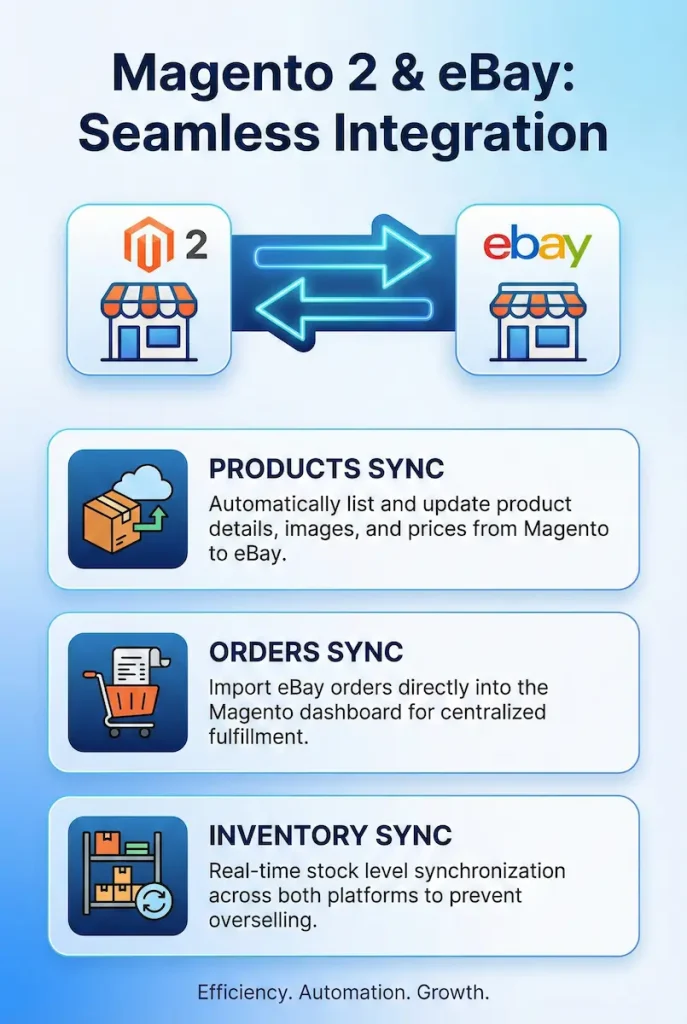
Top Methods for Magento 2 eBay Integration
Two primary approaches exist:
- Full API Connectors (e.g., M2E Pro, Webkul, CedCommerce): Real-time sync for products, orders, inventory, and listings across multiple accounts.
- Product Feed Extensions: Generate optimized XML/CSV feeds for eBay upload. Ideal for simpler setups focused on listing automation.
Feed-based tools offer easier setup, lower costs, and reliable scheduled updates—perfect for merchants prioritizing listing accuracy without complex order import.
Best Magento 2 eBay Extensions: 2026 Comparison
Here’s a comparison of leading options based on features, pricing, support, and user reviews (from Magento Marketplace, Trustpilot, and forums):
| Extension | Type | Key Features | Pricing (Approx.) | Best For | Rating |
|---|---|---|---|---|---|
| M2E Pro | Full API | Real-time sync, order import, multi-marketplace | Free + Premium | Advanced multi-channel | 4.8/5 |
| Webkul eBay Connector | Full API | Category mapping, order sync | $299+ | Custom needs | 4.6/5 |
| CedCommerce | Full API | Profile-based upload, bulk management | $199+ | Beginners | 4.7/5 |
| KnowBand | Full API | Simple sync, marketplace focus | $199 | Quick setup | 4.5/5 |
| Amasty eBay Product Feed | Feed-Based | Auto-feed generation, templates, cron sync | $199 | Listing-focused automation | 4.9/5 |
Amasty stands out for feed-based integration with intuitive templates and eBay-specific optimization.
A reliable eBay selling feed automates listing updates effortlessly.

How to Set Up Magento 2 eBay Integration with Amasty Product Feed
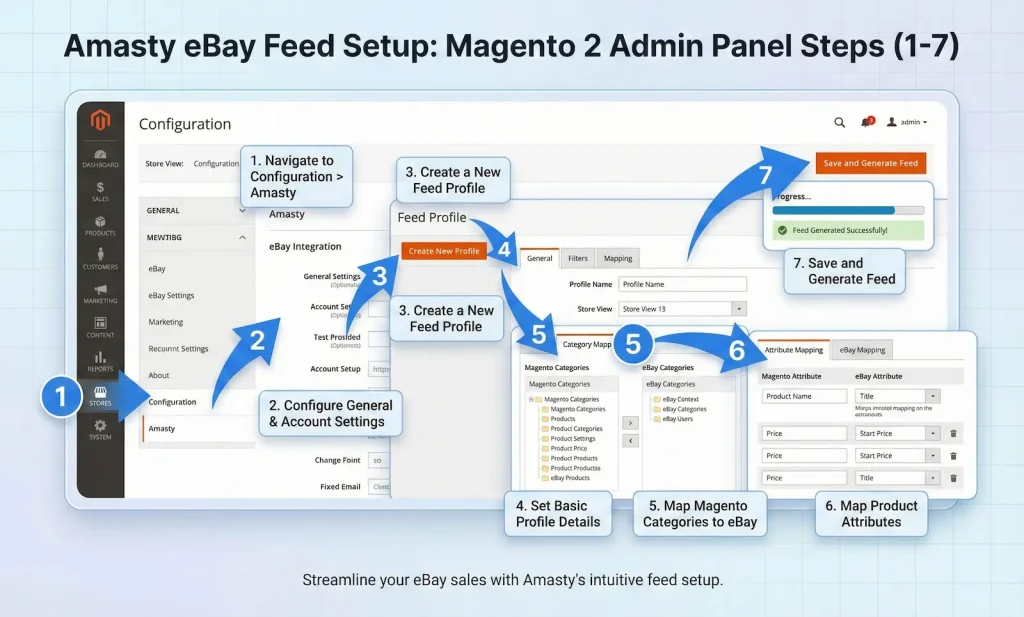
Amasty’s extension excels in simplicity and power. Here’s a detailed 2026 setup guide:
- Install the Extension Purchase and install via Composer or Magento Marketplace. Clear cache and run setup:upgrade.
- Configure eBay Account Go to Stores > Configuration > Amasty Extensions > eBay Feed. Enter eBay credentials (if needed for submission).
- Create Feed Profile Navigate to Catalog > Amasty Product Feed > Profiles. Add new profile, select eBay template.
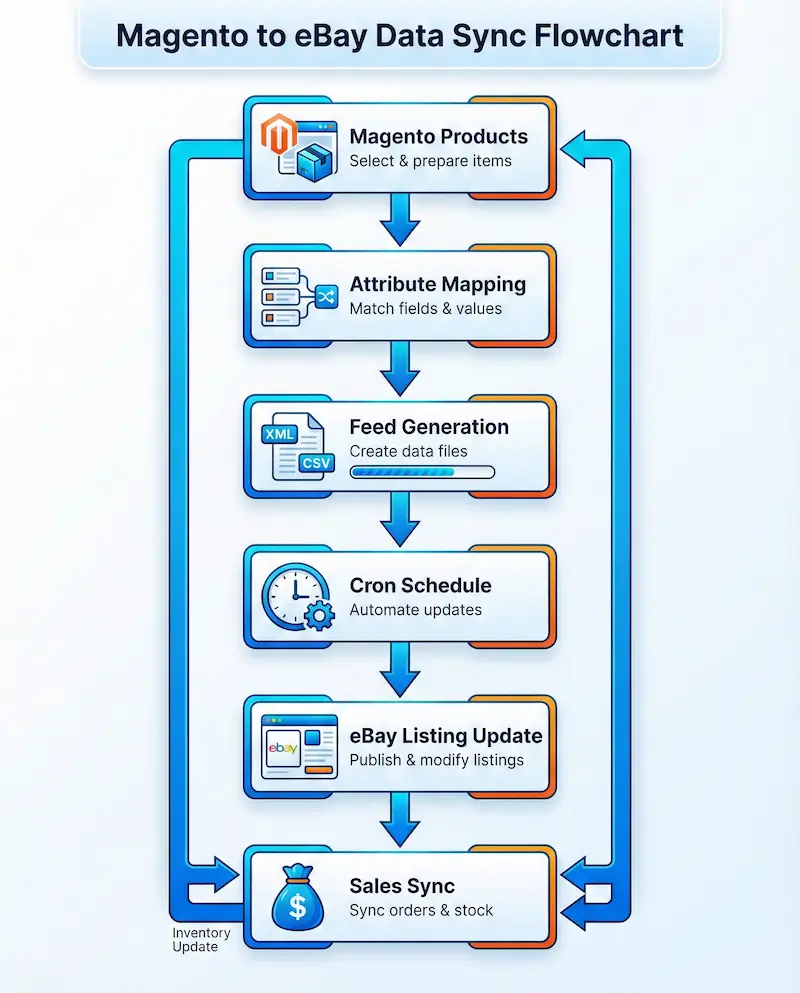
- Map Attributes & Categories Map Magento attributes (title, description, price, images) to eBay fields. Use dynamic variables for optimized titles.
- Customize Templates Enhance descriptions with HTML, variables, and conditions for better visibility.
- Generate & Schedule Feed Set cron jobs for automatic generation and FTP/SFTP upload to eBay.
- Monitor & Optimize View logs and reports. Update for price/stock changes instantly.
This setup takes under an hour and supports thousands of products.
Best Practices for Magento 2 eBay Success in 2026
- Optimize listings with keyword-rich titles (use tools like eBay Terapeak).
- Use high-quality images (up to 12 per listing).
- Set competitive pricing with dynamic rules.
- Comply with eBay’s GPSR and VeRO policies.
- Monitor performance via eBay Seller Hub and Magento analytics.
- Combine with other channels (Amazon, Google Shopping) using similar feed tools.
A robust eBay selling feed ensures compliance and efficiency.
Common Issues & Troubleshooting
- Feed Errors — Check attribute mapping and XML validation.
- Sync Delays — Verify cron jobs and server resources.
- Policy Violations — Use built-in filters in premium extensions.
- Inventory Conflicts — Prioritize real-time tools for high-volume stores.
Conclusion
Magento 2 eBay integration in 2026 is a game-changer for growth. While full connectors suit complex needs, feed-based solutions like Amasty’s eBay Product Feed offer the best balance of ease, reliability, and cost for most merchants.
FAQs
Q: Is Magento 2 eBay integration worth it in 2026?
A: Absolutely—marketplaces like eBay drive significant traffic amid rising acquisition costs.
Q: What’s the difference between feed-based and full API integration?
A: Feed-based (like Amasty) focuses on automated listings; full API adds order import and real-time sync.
Q: Can I use Amasty’s extension with multiple eBay accounts?
A: Yes, create separate profiles for each.
Q: Does it support eBay variations and bundles?
A: Fully—map configurable products seamlessly.
Q: How much does a good Magento 2 eBay extension cost?
A: $199–$499 one-time, with free options like M2E Pro basic.
Q: Will integration affect my Magento performance?
A: Minimal with optimized extensions; use caching and cron scheduling.