A digital catalog that features fifty pages of high-resolution product photography is basically a small website encapsulated in one experience. When it loads fast, customers scroll, click, and buy. When it slows down on page three, they just close the tab and probably won’t remember you.
Loading speed is the one technical aspect that distinguishes catalogs that succeed from those that do not, and most of the responsibility for slow catalogs actually lies with how the files are delivered rather than the files themselves. This is the point where content delivery networks enter the picture.
Retailers who operate catalogs without a suitable CDN, in most cases, are working against the odds without their knowledge. They are requiring every user to get images from one server no matter the user’s location. A CDN solves this situation in a very discreet manner, and the outcome can be very well seen in the engagement figures almost right away.
Why Catalog Speed Falls Apart Without a CDN
If your digital catalog is on one server, all visitors will access images and assets from that location only. A person in Berlin buying a catalog hosted in Virginia would experience waiting for the data to come from across the ocean. This waiting is increasing with every product image, animation, and zoom interaction.
It is usually okay for a normal website with a few large images. However, for a catalog with many high-resolution product photos, it is very frustrating. Each added megabyte of images contributes to the visible delay, and when the customer finally gets to the fifth page, he or she will have been waiting so long that they will be wondering if it is even worth it to browse further.
Mobile is exaggerating the situation. The majority of catalog browsing occurs on phones, which is usually over cellular networks that are not always operating at the full level of coverage. An arrangement that is acceptable on a desktop computer with a fiber optic internet connection may seem almost like a situation where the user experience has totally broken, especially on the phone of a person who is going to be riding a subway. Without a CDN, you are asking even the worst-performing connections to do the hardest job.
What a CDN Actually Does
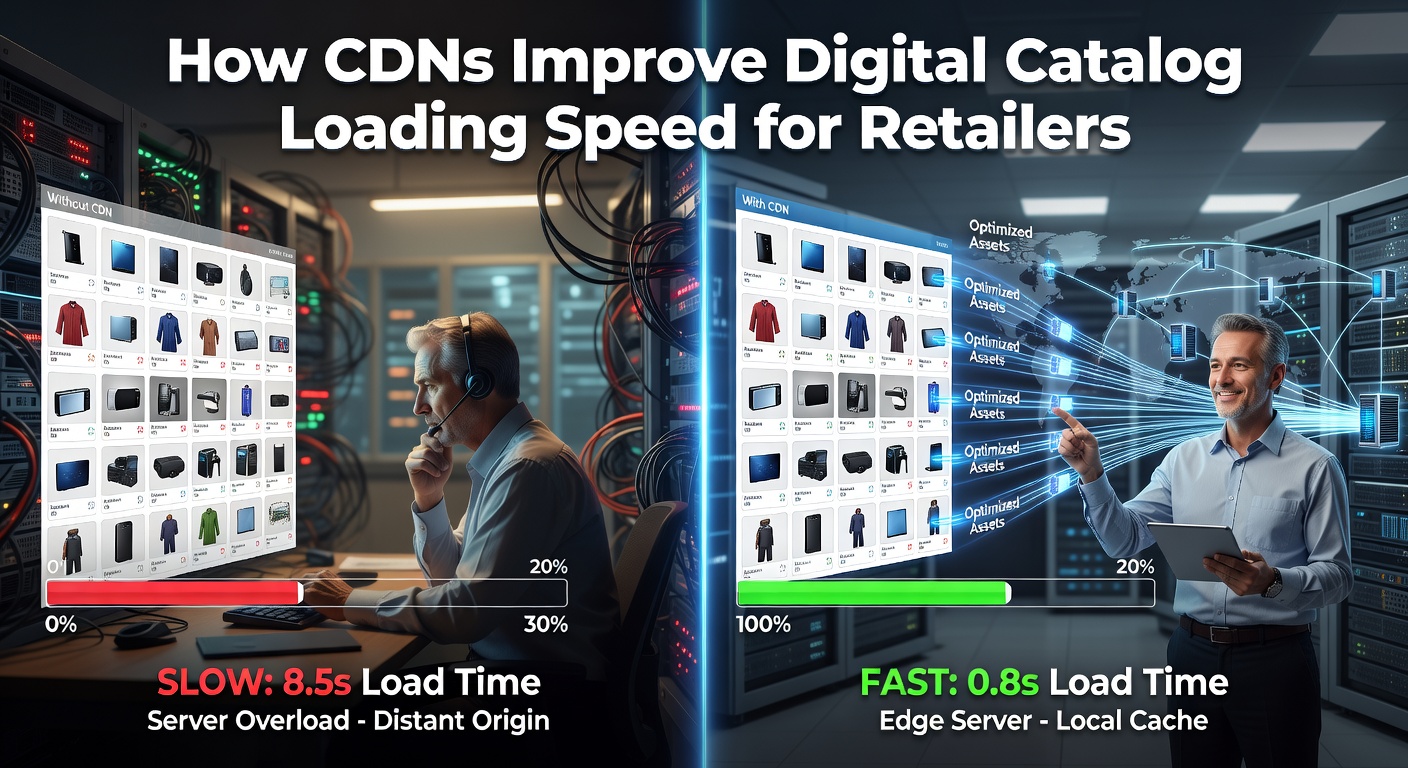
A content delivery network is a network of servers distributed worldwide, each containing a duplicate of your catalog’s files. When a customer accesses the catalog, the server closest to them is selected for delivery. Since the data has to move a shorter distance, it gets to the customer more quickly, making the whole experience almost instantaneous.
This may seem like a quite straightforward concept and is at the user interaction level. The major technical aspects are actually done behind the scenes, as the CDN determines which pieces of content to store, how long to keep them, and the best ways to handle request routing. A CDN that has been set up properly can provide a similarly fast and seamless experience to a Tokyo customer as well as to a Toronto customer, although the origin server might be physically located in a single city.
Equally important as distribution is the caching layer. After the first visitor from a geographic location accesses your catalog, the CDN creates a local copy of the content. So, when the following hundred visitors come from the same location, they won’t be kept waiting for their requests to be processed or for anything to fetch travel time. This is the reason why catalogues equipped with CDNs generally accelerate their performance with the increase in popularity, while those without a CDN typically suffer slowdowns when experiencing heavy traffic.
Image Optimization Is Where CDNs Earn Their Keep
Most CDNs nowadays are not merely relocating content from one place to another. They are also changing the content immediately, which is usually the main source of the largest speed increase.
There is no point in sending a product image uploaded at the highest resolution to a phone display in the same way. The CDN can identify the device, send the version that corresponds with the size of the device, and convert it to a current format like WebP or AVIF, which is only a small fraction of the size of the original JPEG. The buyer sees the same level of quality, but the file that travels across the network is substantially smaller.
Lazy loading also fits into this. Images that a shopper will see later do not have to be loaded until the shopper is actually about to scroll down to them. The catalog system that uses a CDN coordinates this in the background, fetching assets just in time for the viewport rather than loading everything at once.
The net result is quite large. Catalog, which under quite a simple setup might have consumed forty megabytes of data, can quite often be reduced to five or six without any visible quality loss. For a shopper who is on a slow connection, this means the difference between staying and leaving.
Tools built specifically for catalog publishing already handle this. An interactive product catalog built on a platform designed for retail typically comes with CDN delivery, automatic image optimization, and lazy loading configured out of the box, which means retailers don’t have to piece these systems together themselves.
The Real Business Impact on Retailers
The load time varies almost directly with the conversion rate, and each second of delay translates into a significant loss in revenue. For instance, a catalog that loads within two seconds will generally perform better than the same catalog loading in six seconds, often by a large margin. Customers who are delayed in their shopping experience don’t extend their waiting time. They simply leave and most likely won’t come back.
Bounce rates quite clearly reflect this situation. Disappointingly, visitors see very slow catalogs, bounce away before the cover gets even rendered. On the contrary, visitors dealing with fast catalogs are willing to scroll through multiple pages, which means longer sessions, more products viewed, and more items added to carts.
Search visibility also hinges on this matter. Google takes into account the page speed for rankings, and catalogs that can be loaded quickly from anywhere in the world tend to get more organic traffic over time than those that feel slow to testers from different regions due to the crawler. What appears to be an SEO issue is sometimes a delivery issue poorly disguised.
What to Look for in a CDN-Backed Catalog
A catalog published in Southeast Asia loads three times slower because the edge server is missing. Platforms don’t all deliver the same way – some just slap a CDN on top of cheap hosting, others design globally from day one with caching and image prep matched to real user behavior.
Performance numbers should be visible without digging through hidden tabs. Uptime stats, load time comparisons, and how many edge nodes serve different areas must be clear. Vague answers mean the system likely doesn’t support fast access during busy hours.
Edge points near Tokyo or Mexico City matter far more than total node numbers. One well-situated hub can beat twenty scattered ones in speed and reliability. For stores serving customers across Europe or Africa, look beyond flashy “global” claims – ask if local edges cover where people actually live and shop.
Speed as a Quiet Competitive Advantage
Usually, speed is considered a mere technical aspect that someone else has to deal with in the context of retail business. Yet, from the practical standpoint, it represents one of the clearest tools a retailer can use to enhance the performance of their catalog. A catalog that is able to bounce back in under two seconds is completely different from one that is just crawling. It is not about the content; rather, it is the way the content is made available to the audience that intends to see it.
Simply put, a content delivery network (CDN) won’t upgrade a substandard catalog. However, it will help an excellent catalog effectively reach the audience it is intended for. For the retailers that rely on the margins gotten from keeping customers’ attention long enough to make a sale, that audience reach is essentially the whole point.