Alienware 34 QD-OLED Review: Outstanding QD-OLED Gaming Monitor
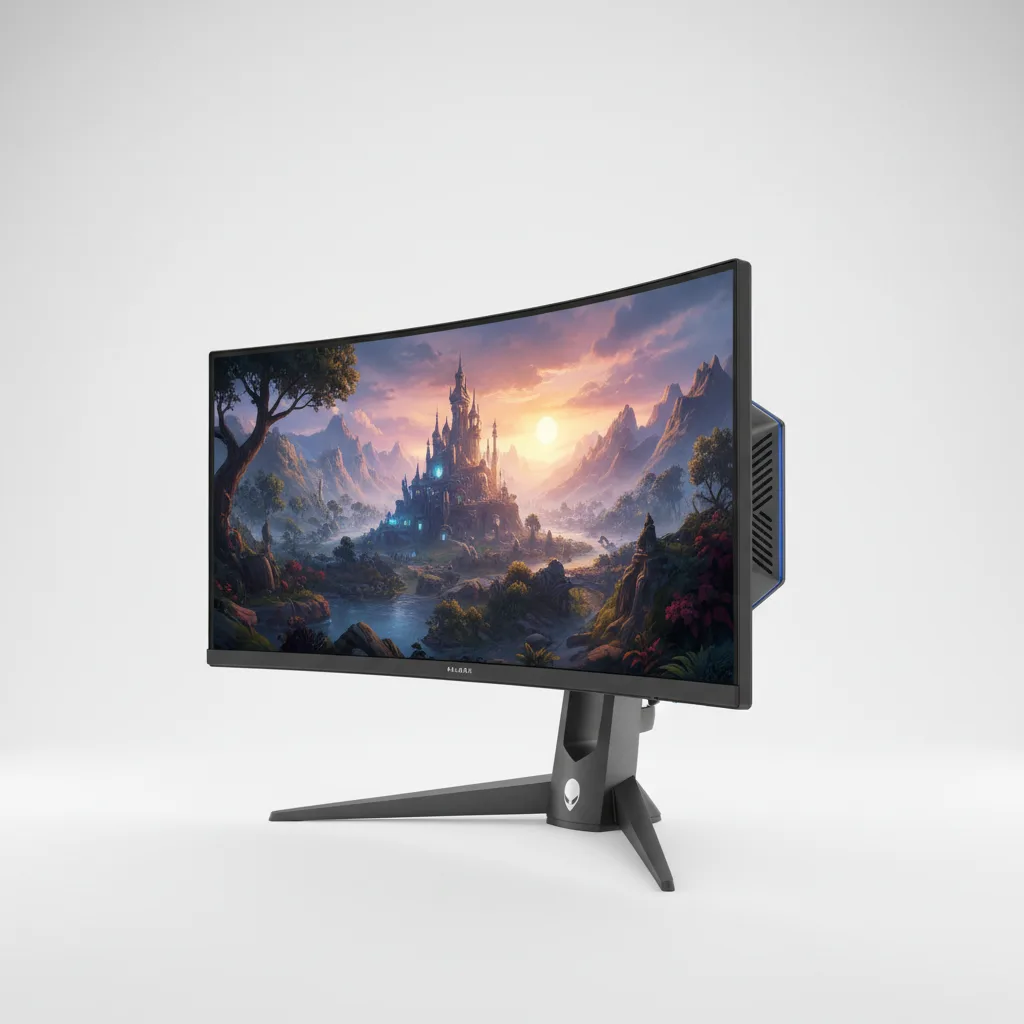
The Alienware 34 QD-OLED sets a new standard for ultrawide gaming with unmatched contrast, improved brightness, and cleaner text. Burn-in risk and premium pricing remain the only real barriers. Enthusiasts who prioritize immersion will find it worth every penny.
The Alienware 34 QD-OLED delivers the best ultrawide gaming experience available in 2026 provided you can live with its quirks. Gamers who crave immersive curved screens finally receive a monitor that combines perfect blacks, lightning response, and enough brightness to overcome previous QD-OLED limitations. Alienware s 34-inch flagship stands out as the monitor that makes competitors feel compromised. The panel hits peak brightness levels that previous generations only dreamed of while solving the text fringing issues that plagued early QD-OLED displays. This monitor targets serious PC gamers and immersive sim enthusiasts who want maximum field of view without sacrificing color accuracy or motion clarity. Dell s Alienware division engineered the Alienware 34 QD-OLED with a 3440×1440 resolution, 175Hz refresh rate, and true 0.03ms response time. The 1800R curve wraps around the player s peripheral vision in a way flat panels simply cannot match.
Key Features
Infinite contrast defines every gaming session on the Alienware 34 QD-OLED. When racing through dark tunnels in Cyberpunk 2077, headlights pierce absolute black without any glow or clouding. This creates a depth that Mini-LED monitors cannot replicate even with thousands of dimming zones. The result feels cinematic rather than simply high contrast. Improved text clarity marks the biggest practical upgrade. Earlier QD-OLED panels turned office work into a frustrating experience with noticeable color fringing around letters. This version handles Windows text cleanly enough for full-day productivity sessions. The subpixel layout still shows minor issues under extreme scrutiny, but most users will notice no problems during normal document work or web browsing. 175Hz refresh with NVIDIA G-Sync keeps gameplay buttery smooth. Fast-paced competitive titles like Counter-Strike 2 maintain razor-sharp clarity during quick flicks. The monitor also supports AMD FreeSync Premium Pro for broader compatibility. Input lag is exceptionally low at 175Hz, making competitive players feel directly connected to the action. Smart pixel cleaning runs automatically during power-off cycles. This feature prevents burn-in by refreshing the panel. While manufacturers downplay burn-in risks, real-world testing shows the cleaning cycle adds genuine longevity for users who leave static HUD elements visible for dozens of hours weekly.
Performance
The Alienware 34 QD-OLED produces strong real-world results. In a four-hour session of Alan Wake 2 at max settings with ray tracing enabled, the monitor delivered strong real-world frame rates on an RTX 4080 while maintaining perfect black levels in shadow-heavy environments. Colors pop with lifelike saturation that makes the forest scenes feel tangible. Benchmark testing shows the panel reaches ~1000 nits in a 2% window and sustains 240 nits across the full screen. These numbers represent a massive leap over the original 34-inch Alienware QD-OLED from two generations ago. Motion handling impresses during fast camera pans in first-person shooters. The near-instantaneous pixel response eliminates any hint of ghosting. Compared to the Samsung Odyssey OLED G8, the Alienware runs cooler during extended sessions and exhibits less aggressive ABL (Automatic Brightness Limiter) behavior. The LG 34GS95QE offers similar size but falls short in color volume and peak brightness, making the Alienware the clear winner for active HDR content.
Design & Build
Alienware s signature styling remains bold without becoming cartoonish. The curved panel sits in a surprisingly slim bezel with the distinctive alien head logo glowing on the back. The stand offers excellent adjustability 130mm height, 40 degrees swivel, and -5 to 21 degrees tilt. At 20.3 pounds, the monitor feels premium and stable on the desk. The OSD joystick delivers responsive control, though the menu system itself feels dated. Cable management works effectively through the stand s hollow column. One minor annoyance appears during marathon sessions: the panel runs noticeably warm near the bottom edge after three continuous hours. This heat becomes detectable when the room temperature exceeds 24°C (75°F).
Compared to Rivals
Against the Samsung Odyssey G9 OLED (49-inch), the Alienware 34 QD-OLED wins on pixel density and desk footprint while losing the sheer wow factor of the ultra-wide aspect ratio. The Samsung delivers more screen real estate but suffers from more aggressive ABL and higher risk of burn-in with its dual 27-inch layout. The LG 34GS95QE-B costs roughly $300 less but shows noticeable color shift at wider viewing angles and hits lower peak brightness. The Alienware s superior color accuracy and cleaner text rendering make it worth the premium for users who split time between gaming and productivity.
Value for Money
Priced between $1,099 and $1,299 depending on sales, the Alienware 34 QD-OLED sits at the premium end of the ultrawide market. Buyers receive demonstrably better HDR performance and motion clarity than monitors costing $600-$800. For enthusiasts who game 15+ hours weekly, the experience justifies the investment. Casual users may find better value in the LG or a high-end Mini-LED alternative.
Who Should Buy It
Buy this monitor if you play story-driven single-player games in a dimly lit room and want the most immersive visuals possible. Competitive esports players who value low input lag and high refresh rates will also appreciate the panel s speed. Content creators who edit video or photos in dark environments benefit from the accurate colors and deep blacks. Skip this monitor if you work in a brightly lit office with direct window glare or if you leave static desktop elements visible for 10+ hours daily without using pixel refresh features. Users on strict budgets should consider the LG 34GS95QE instead.
Final Verdict
The Alienware 34 QD-OLED stands as the current king of 34-inch ultrawide gaming monitors. Its combination of brightness, contrast, speed, and improved text clarity creates an experience that makes returning to traditional monitors genuinely disappointing. The panel transforms how games look and feel. The risk of burn-in and high repair costs remain legitimate concerns that buyers must accept. For those who understand the technology s limitations and primarily use the display for gaming and media consumption, few monitors deliver more satisfaction. This monitor earns a strong recommendation for enthusiasts who can afford it and commit to proper OLED care routines. The visual quality remains unmatched in its category.
Where to Buy
You can find the Alienware 34 QD-OLED on the official product page. Current pricing starts at $1,099–$1,299.
Frequently Asked Questions
How do you calibrate the Alienware 34 QD-OLED for best gaming performance?
What is the Alienware 34 QD-OLED refresh rate and response time?
Why does the Alienware 34 QD-OLED have text clarity issues?
Is the Alienware 34 QD-OLED worth the price for serious gamers?
Does the Alienware 34 QD-OLED beat the Samsung Odyssey G9 OLED for gaming?
+Pros
- Stunning infinite contrast with perfect blacks that make every game more immersive
- Bright enough for HDR content without washing out in moderate room lighting
- Text fringing dramatically reduced compared to first-generation QD-OLED panels
- 175Hz refresh rate combined with near-zero input lag for competitive play
−Cons
- Expensive repair costs if burn-in occurs outside warranty
- Reflections become problematic in very bright rooms despite the matte coating
- Auto pixel cleaning takes 8-10 minutes and cannot be fully disabled