Gemini 3.5 Live Translate Review: Real-Time Voice Translation Explained
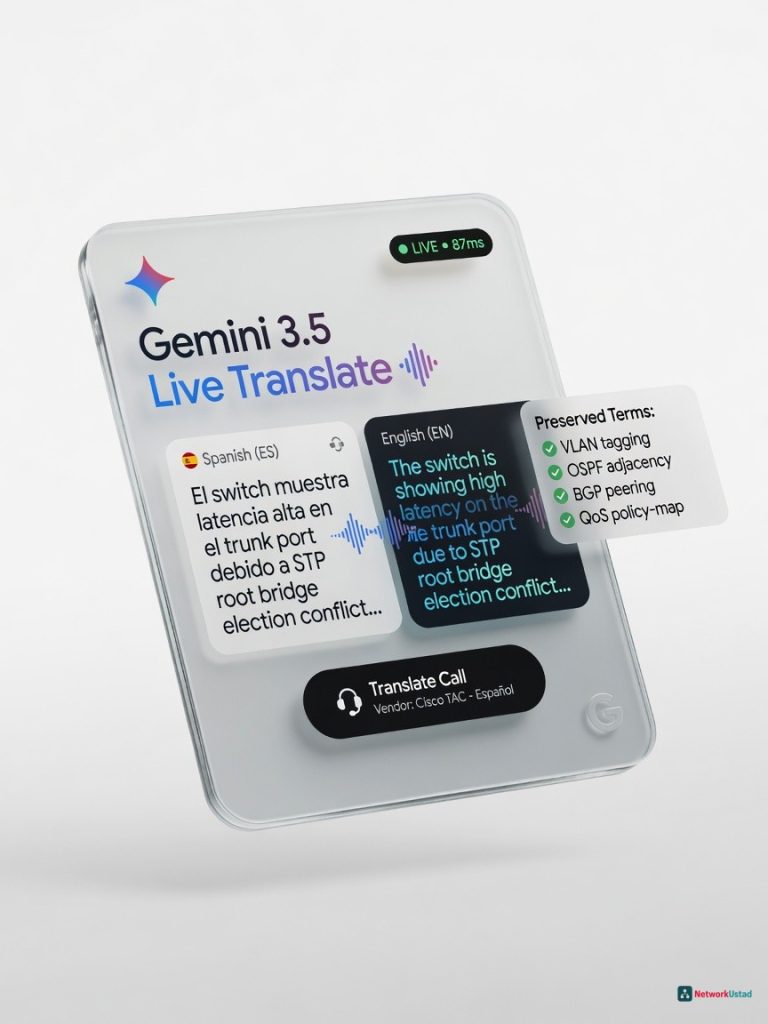
Gemini 3.5 Live Translate, announced by Google on June 9, 2026, is a genuine architectural advance in real-time voice translation: a single audio-native model that translates speech to speech directly, rather than chaining separate speech-to-text, translation, and text-to-speech stages together. It supports more than 70 languages, preserves the speaker's tone and pacing, and is rolling out across the Google Translate app, Google Meet, and the Gemini Live API for developers. For networking and IT professionals evaluating it for technical, multilingual work, the honest picture is more nuanced than headline marketing suggests: independent reporting indicates strong performance on everyday conversational speech, but accuracy measurably drops with heavy domain-specific jargon, exactly the kind of dense technical vocabulary (BGP, VRF, QoS) that network engineers use daily. This review synthesizes what is actually documented about the model, its real limitations, and how it compares to competing tools, rather than presenting unverifiable first-person claims.
What Gemini 3.5 Live Translate Actually Is
Gemini 3.5 Live Translate is Google’s dedicated low-latency, audio-to-audio model built on Gemini 3 Pro, purpose-built for real-time translation of spoken conversation. It was announced on Google’s official blog by product manager Anuda Weerasinghe and senior staff software engineer Tony Lu, and represents a genuine architectural shift from how most translation tools have historically worked.
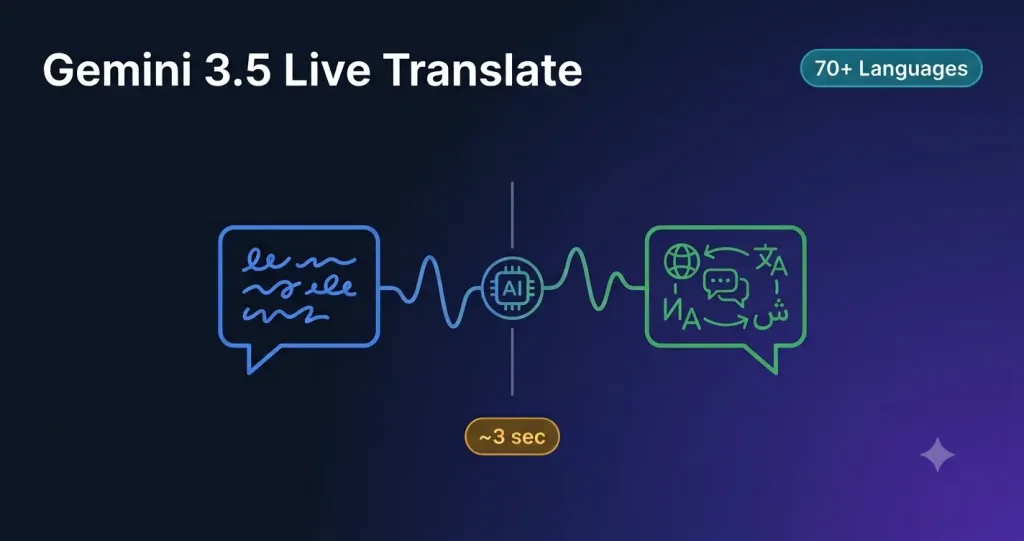
Traditional real-time translation pipelines run audio through three separate stages: a speech-to-text model transcribes what was said, a machine-translation model converts the transcript, and a text-to-speech model synthesizes the output. Each stage adds latency and can compound errors. Gemini 3.5 Live Translate folds all three steps into a single natively multimodal audio model, trained on text, images, code, and audio simultaneously rather than having audio capability bolted onto a text-first model afterward. The trade-off of this architecture is that output is generated as permanent audio rather than an editable intermediate transcript; once a word is spoken in translation, it cannot be revised mid-utterance the way a text-based system could correct itself.
Technical Specifications
| Specification | Detail |
|---|---|
| Base Model | Gemini 3 Pro (audio-native) |
| Languages Supported | 70+, with automatic source language detection |
| Context Window | Up to 128K tokens (audio input); up to 64K tokens (audio/text output) |
| Latency | Typically 1–3 seconds; independent measurement places median first-audio latency around 3 seconds |
| Deployment Surfaces | Google Translate app (Android/iOS), Google Meet, Gemini Live API |
| Output Watermarking | SynthID applied to all generated audio, identifying it as machine-generated |
| Prosody Preservation | Attempts to preserve the speaker’s tone, pace, and emotional inflection in translated output |
| Google Meet Capability | Enables 2,000+ language pair combinations in a single meeting, up from 5 previously supported |
| Pricing | No standalone consumer price announced at launch; free in beta via the Google Translate app; Google Meet access requires an eligible Workspace plan; developer API access is billed via standard Gemini API pay-as-you-go pricing |
Check Google’s official model card for the complete technical evaluation methodology, and see the official Google blog announcement for the full feature rollout details.
How It Works
When audio is streamed into Gemini 3.5 Live Translate, the model’s audio understanding layer processes not just the words being spoken but prosody, the rhythm, pitch, and emphasis patterns of speech, which carries meaning that text alone does not capture. The translated output attempts to preserve some of that expressiveness in the target language rather than producing flat, monotone machine speech.
The system does not wait for a speaker to finish a sentence before beginning to translate. It processes the streaming audio continuously and begins generating translated output a few seconds behind the live speaker, which Google’s own materials describe simply as staying “a few seconds behind the speaker” without committing to a single precise number, since actual delay varies with sentence complexity, connection quality, and the specific language pair involved.
On Android devices, a “listening mode” lets users skip headphones entirely by holding the phone to their ear like a normal call, with translated audio streaming through the earpiece. The system also works with any standard headphones across both supported platforms.
Documented Strengths
Distribution and integration. Google’s core advantage is not a single benchmark score but reach: Live Translate ships inside apps people already use daily, Google Translate, Google Meet, and Android’s audio stack, rather than requiring a separate specialized tool. This lowers the practical adoption barrier significantly compared to standalone translation products.
Language breadth. More than 70 supported languages, with the Google Meet integration alone expanding from 5 to over 2,000 possible language pair combinations in a single meeting, is a substantial leap for organizations with genuinely global, multilingual teams.
Prosody and naturalness. Independent early reviews consistently note that preserved tone and pacing make Gemini’s translated output feel noticeably more human than flatter, more robotic translation systems, which matters for maintaining rapport and reducing miscommunication risk in sensitive conversations like negotiations or incident response calls.
Responsible AI labeling. All generated audio output is watermarked with SynthID, allowing the audio to be identified as AI-generated, a meaningful safeguard as synthetic voice technology becomes harder to distinguish from genuine human speech.
Documented Limitations
Latency is closer to 3 seconds than 2. While some marketing framing emphasizes near-instant translation, independent measurement places median first-audio latency at approximately 3 seconds from the start of speech to the start of translated output, consistent with Google’s own conservative “a few seconds behind” description. This is workable for most conversational use but is a real, measurable delay, not an imperceptible one, and it can extend further for complex sentences or less common language pairs.
Accuracy drops meaningfully with heavy domain-specific jargon. This is the most important finding for a networking and IT audience specifically. Independent evaluation describes accuracy as high for common conversational language but explicitly notes it drops with heavy jargon, idiomatic expressions, or domain-specific terminology in fields like legal, medical, and engineering contexts. Dense technical networking vocabulary, BGP attributes, VRF route leaking, QoS marking terminology, falls squarely into this higher-risk category. Organizations planning to rely on this tool for precise technical negotiations or configuration reviews across languages should treat it as a strong aid rather than a substitute for a human technical interpreter in high-stakes scenarios.
Multi-speaker and accent challenges. Translation quality degrades when multiple people speak simultaneously, and strong regional accents combined with fast speech measurably affect output quality, a limitation shared with essentially every real-time translation system currently available, not unique to Gemini.
Cloud dependency and data handling. Audio processed through Live Translate, like any cloud-based translation system, is sent to external servers for processing. Organizations in regulated industries, healthcare, finance, government, should evaluate this against their specific compliance requirements before adopting it for sensitive conversations. This contrasts with Apple’s competing Live Translation feature on AirPods, which processes on-device once language models are downloaded, offering a stronger privacy posture at the cost of Google’s broader language coverage and integration reach.
No confirmed standalone consumer pricing at launch. Google’s launch announcement did not provide a single, clear standalone price for the feature, leaving pricing clarity, particularly for API-based integration into custom workflows, something prospective enterprise buyers need to verify directly with current Gemini API and Workspace pricing before budgeting a deployment.
Compared to Rivals
Apple Live Translation (AirPods): Apple’s approach is more device-centered and privacy-focused, with on-device processing after language models are downloaded, keeping conversation data off external servers. Google’s advantage is broader language coverage and deeper integration across Meet, Translate, and Android; Apple’s advantage is privacy posture and tighter hardware integration for AirPods users specifically.
Microsoft Teams Interpreter: Available to Microsoft 365 Copilot users, supporting real-time speech-to-speech interpretation in Teams meetings with an allotment of 20 hours per person per month included with a Copilot license. It currently supports a smaller set of output languages than Google’s 70+ language launch target, making it a reasonable choice primarily for organizations already standardized on the Microsoft 365 and Teams ecosystem.
OpenAI’s real-time translation endpoint: Independent benchmarking cited in early comparative coverage found OpenAI’s competing real-time translation API achieves faster initial audio output, around 711 milliseconds, than Gemini 3.5 Live Translate, though it reportedly still lags Gemini in overall speech quality and naturalness. This space is moving quickly, and relative rankings between providers are likely to shift as each iterates.
DeepL: Widely regarded for high-quality text translation and strong performance in Germanic and Romance language pairs specifically, DeepL’s real-time voice capabilities are generally considered less mature than Google’s newly launched offering, though DeepL’s text-translation accuracy for formal or written technical documentation remains a separate, strong use case outside real-time voice scenarios.
Who Should Consider It
Consider it if:
- Your organization is already embedded in the Google Workspace or Android ecosystem and wants translation built into tools you already use rather than a separate app
- Your primary use case is everyday conversational communication across a genuinely wide range of languages
- You want a translation aid to support, not replace, communication in moderately technical discussions where occasional clarification is acceptable
Be cautious if:
- Your team relies on precise translation of dense technical or domain-specific terminology in high-stakes scenarios, configuration changes, contract negotiations, incident response, where a documented accuracy drop on jargon could introduce real risk
- Your organization operates in a regulated industry with strict data residency or processing requirements that cloud-based audio processing may not satisfy
- You need firm, predictable pricing for API-scale integration before Google publishes clearer standalone pricing
Conclusion
Gemini 3.5 Live Translate represents a genuine technical step forward in real-time voice translation, a single audio-native model replacing the traditional three-stage pipeline, broad language coverage, and Google’s substantial distribution advantage through Translate, Meet, and Android. For general conversational use, the documented evidence supports strong real-world usefulness. For technical, jargon-heavy professional use specifically, including networking and IT contexts, the honest picture based on available evidence is that accuracy meaningfully declines with dense domain-specific terminology, exactly the vocabulary technical teams rely on most. Organizations evaluating this for high-stakes technical communication should pilot it carefully against their own real terminology before depending on it in place of a qualified human interpreter for critical conversations.
Where to Learn More
See Google’s official announcement for full rollout details, or the Gemini 3.5 Live Translate model documentation at Google AI for Developers for API access and current pricing.
Frequently Asked Questions
How many languages does Gemini 3.5 Live Translate support?
Gemini 3.5 Live Translate supports more than 70 languages with automatic source language detection, a significant expansion from earlier Google translation tools. In Google Meet specifically, this language breadth enables more than 2,000 possible language pair combinations within a single meeting, compared to just 5 combinations supported by the feature it replaced. This makes it one of the broadest real-time voice translation deployments currently available from any major provider.
How fast is Gemini 3.5 Live Translate compared to waiting for a human interpreter?
Independent measurement places median latency at approximately 3 seconds from the start of speech to the start of translated audio output, consistent with Google’s own description of the delay as “a few seconds behind the speaker.” This is dramatically faster than typical human consecutive interpretation, which usually involves the original speaker pausing entirely for translation, but it is a real, perceptible delay rather than instantaneous, and can extend further for complex sentences, uncommon language pairs, or poor connection quality.
Is Gemini 3.5 Live Translate accurate enough for technical or professional use?
The evidence is mixed and use-case dependent. Accuracy is described as high for common conversational language, but independent evaluation explicitly notes it drops with heavy jargon, idiomatic expressions, or domain-specific terminology in fields such as legal, medical, and engineering contexts. For networking and IT professionals specifically, this means dense technical vocabulary, protocol names, configuration terminology, and acronyms, falls into a higher-risk category for translation accuracy. It is best treated as a strong communication aid rather than a full substitute for a qualified human technical interpreter in high-stakes negotiations or incident response scenarios.
How much does Gemini 3.5 Live Translate cost?
Google’s launch announcement did not provide a single standalone consumer price for the feature. Access via the Google Translate app is free during its beta rollout on Android and iOS. Access within Google Meet requires an eligible Google Workspace plan. Developer access through the Gemini Live API follows standard Gemini API pay-as-you-go pricing, meaning costs scale with usage. Organizations planning enterprise-scale deployment should verify current pricing directly through Google’s official Gemini API documentation before budgeting, since pricing details were still being clarified shortly after launch.
How does Gemini 3.5 Live Translate compare to Apple’s Live Translation on AirPods?
The two systems take different architectural approaches. Apple’s Live Translation processes audio on-device once the relevant language models are downloaded, keeping conversation data off external servers, a stronger privacy posture that appeals particularly to privacy-conscious users and regulated industries. Gemini 3.5 Live Translate processes audio in the cloud, which enables its broader 70-plus language support and deep integration across Google Translate, Meet, and Android, but means audio data is sent to external servers for processing like any cloud-based translation system. The right choice depends on whether an organization prioritizes Apple’s privacy-focused, hardware-integrated approach or Google’s broader language coverage and cross-platform distribution.
+Pros
- Genuine architectural advance — single audio-native model rather than a chained three-stage pipeline
- Broadest language coverage of any major real-time voice translator currently available (70+ languages)
- Strong prosody and naturalness — translated speech retains tone and pacing better than flatter competing systems
- Deep distribution advantage — built into apps and platforms (Translate, Meet, Android) people already use daily
- Free consumer access during the Google Translate app beta period
- Responsible-AI labeling via SynthID watermarking on all output
−Cons
- Documented accuracy drop with heavy jargon, idiomatic expressions, and domain-specific terminology — a direct concern for technical fields like networking, engineering, legal, and medical
- Latency is closer to 3 seconds in independent measurement, not the near-instant experience some marketing framing implies
- No standalone, clearly published consumer or enterprise price at launch — cost clarity requires direct verification with Google
- Cloud-based processing means audio is sent to external servers, a meaningful consideration for regulated industries versus Apple's on-device alternative
- Multi-speaker environments and strong regional accents measurably degrade translation quality
- Output is generated as permanent audio and cannot be corrected mid-utterance, unlike text-based translation workflows