
A GPS tracker for a car does one job well: it tells you, or someone you’ve authorized, where that vehicle is. That sounds simple, but the category covers a wide range of devices — from a $20 plug-in unit that reports location to a phone app, to enterprise fleet-management hardware wired directly into a truck’s electrical system — and the differences between them matter more than most buying guides let on. This guide covers how the underlying GPS technology actually works, the real differences between tracker types, what features are worth paying for, and where the legal line sits, since that last part trips up more people than the technology does.
How GPS Tracking Actually Works
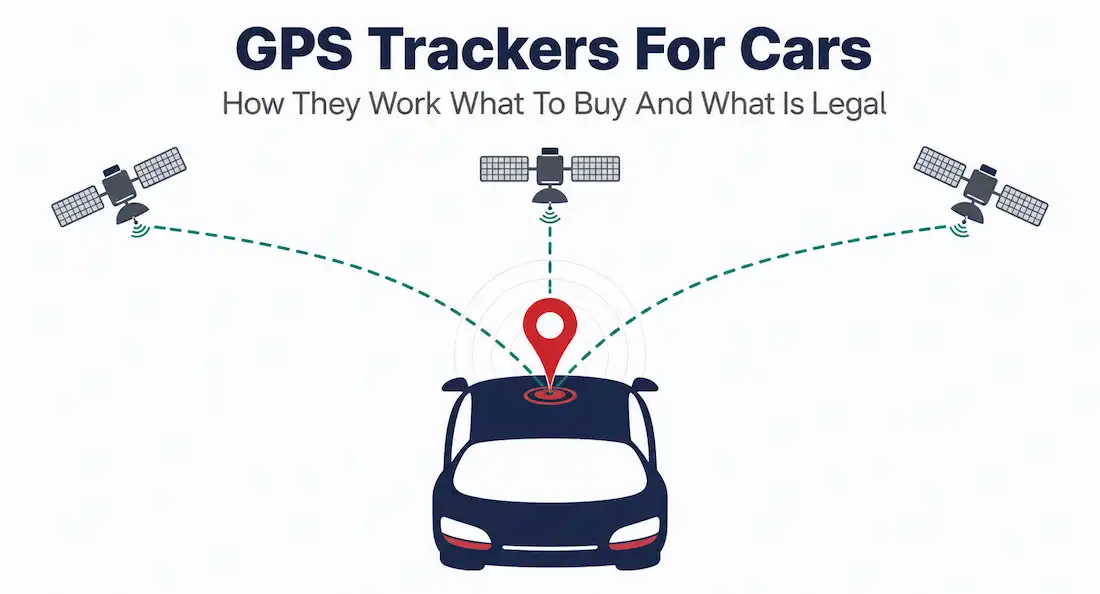
GPS — Global Positioning System — is a satellite-based navigation system operated by the U.S. Space Force, consisting of a constellation of orbiting satellites that continuously broadcast their exact position and the precise time each signal was sent. A GPS receiver, whether it’s in your phone, your car’s navigation system, or a dedicated tracker, picks up these signals and calculates its own position using a technique called trilateration (sometimes more precisely called multilateration when more than three satellites are involved).
Here’s the mechanism in plain terms: each satellite’s signal tells the receiver how far away that satellite is, based on how long the signal took to travel — radio waves move at the speed of light, so a longer travel time means a greater distance. One satellite’s distance narrows your position to the surface of a sphere. A second satellite narrows that to a circle where two spheres intersect. A third narrows it further to two possible points — one of which is usually an obviously wrong location, like deep underground or far out in space, letting the receiver discard it. In practice, GPS receivers need signals from at least four satellites, not three, because the fourth is required to correct for a small but significant error: the receiver’s onboard clock isn’t nearly as precise as the atomic clocks on the satellites, and that fourth measurement lets the receiver solve for its own clock error alongside its three-dimensional position. Modern receivers typically pick up signals from six or more satellites at once and combine them for better accuracy — under open sky, standard GPS accuracy runs around 5 to 10 meters.
A dedicated GPS tracker adds one more piece: after calculating its location, it transmits that data somewhere useful, typically over a cellular connection, to a server that your phone app or web dashboard then reads. This is the real distinction between a GPS tracker and your car’s built-in navigation system. A navigation system calculates its own position and gives you directions from it — the calculation stays local to the device. A tracker calculates its position and broadcasts it elsewhere, using the same kind of cellular data connection your phone uses to make calls or browse the web, so that someone other than the person in the vehicle can see where it is in real time.
Types of GPS Trackers for Cars
Not all car trackers work the same way, and the differences mostly come down to how they get power and how they attach to the vehicle.
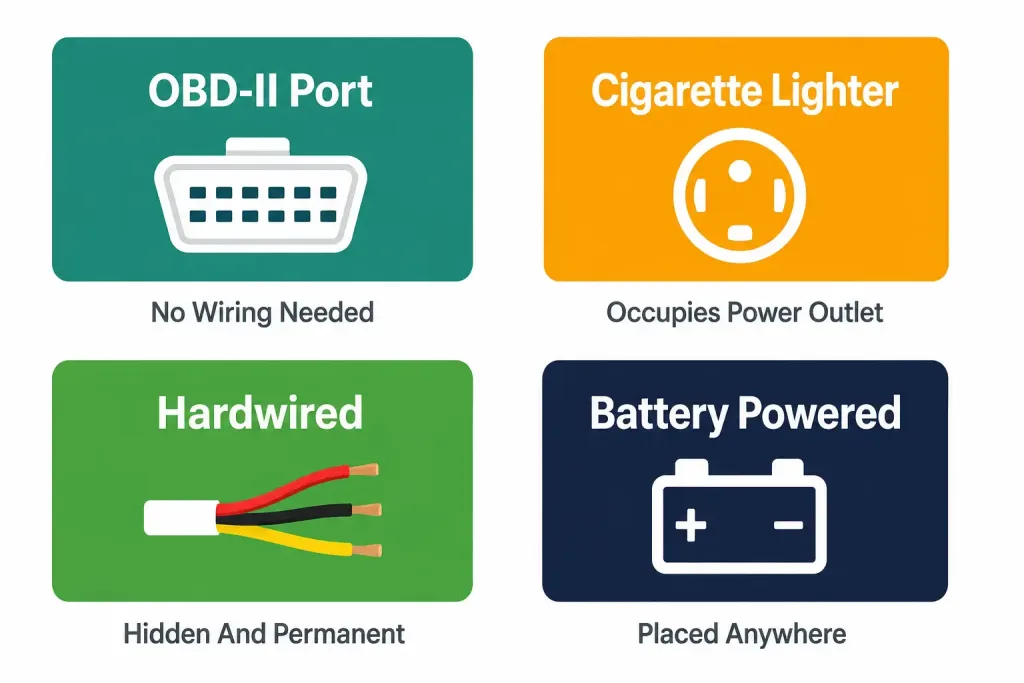
OBD-II port trackers plug directly into the onboard diagnostics port, standard on nearly every car built since 1996 and typically located under the dashboard near the driver’s legs. These trackers draw power straight from the vehicle’s electrical system through that port, which makes them simple to install — no wiring, no tools, just plug it in. If you’ve ever used a code reader to check a check-engine light, it’s the same physical connection. The tradeoff is visibility: since it plugs in where the OBD-II port already is, anyone who knows to look there can find and unplug it easily, which matters if the tracker’s purpose is theft recovery or covert monitoring rather than fleet management where visibility isn’t a concern.
Cigarette lighter / 12V accessory trackers plug into the same power outlet you’d use to charge a phone. They’re just as easy to install as OBD-II trackers, but they occupy a power outlet you might want for other things, and — more importantly — many of them continue drawing a small amount of power even when the car is off, which can drain the battery over time if the vehicle sits unused for extended periods. If you go this route, check the tracker’s specifications for parasitic draw and unplug it during long periods of storage.
Hardwired trackers connect directly to the vehicle’s wiring, usually tapped into a constant power source behind the dashboard or under a panel. This requires more effort to install — sometimes professional installation — but the tracker draws power reliably without occupying a visible outlet, and it can be hidden more effectively than a plug-in unit. This is the common choice for fleet vehicles and for owners who want a tracker that’s difficult to find and remove.
Battery-powered trackers have no connection to the vehicle’s electrical system at all, running entirely on an internal battery. This means they can be placed almost anywhere in or on the vehicle — including magnetically attached to the underside for covert tracking — but the battery needs periodic recharging or replacement, and battery life varies widely depending on how often the tracker reports its location. A tracker set to report every few seconds will drain its battery far faster than one reporting every few hours.
Real-Time vs. Passive (Data-Logging) Trackers
Separately from how a tracker gets power, trackers also split into two categories based on how they handle data:
Real-time trackers transmit location continuously (or at short, regular intervals) over a cellular connection, letting you see where the vehicle is right now on a live map. This is what most people mean when they picture a “GPS tracker” — the kind used for fleet dispatch, teen-driver monitoring, or tracking a delivery in progress. Real-time tracking requires an active cellular data plan, which usually means an ongoing subscription fee on top of the hardware cost.
Passive (data-logging) trackers record location data internally and store it on the device rather than transmitting it live. You retrieve the data later by physically connecting the device to a computer, typically after the vehicle returns from a trip. These are cheaper to run since they don’t need a cellular subscription, but they’re not useful for anything requiring real-time visibility — no live alerts, no “where is it right now” lookups. They’re mostly used for after-the-fact route verification, such as confirming mileage or driving routes for business reimbursement.
Key Features Worth Evaluating
Beyond the basic tracker type, a few features determine how useful a tracker actually is day to day:
- Update frequency. Real-time trackers vary in how often they report position — anywhere from every few seconds to every few minutes. More frequent updates give a smoother, more accurate picture of movement but drain battery faster on battery-powered units and can increase data costs.
- Geofencing. This lets you draw a virtual boundary on a map and receive an alert when the vehicle enters or leaves that area — useful for confirming a teen driver stayed within an agreed range, or that a company vehicle didn’t leave its assigned service territory.
- Speed alerts. Notifications when the vehicle exceeds a set speed threshold, useful for both teen-driver monitoring and fleet safety programs.
- Historical route playback. The ability to review where a vehicle has been over a past period, not just where it is now — useful for auditing routes, verifying mileage claims, or reconstructing what happened after an incident.
- Battery life and charging method, relevant specifically for battery-powered units — check the manufacturer’s stated battery life at your intended reporting frequency, since real-world battery life is usually shorter than best-case marketing figures.
- Subscription cost and contract length. Nearly all real-time trackers require an ongoing data plan, and costs vary significantly between providers — factor this into the total cost of ownership, not just the upfront hardware price, and check whether the plan requires a long-term contract or can be canceled month to month.
- App and platform quality. Since you’ll interact with the tracker primarily through its companion app or web dashboard, check reviews specifically for app reliability and interface quality, not just the hardware itself.
Practical Use Cases
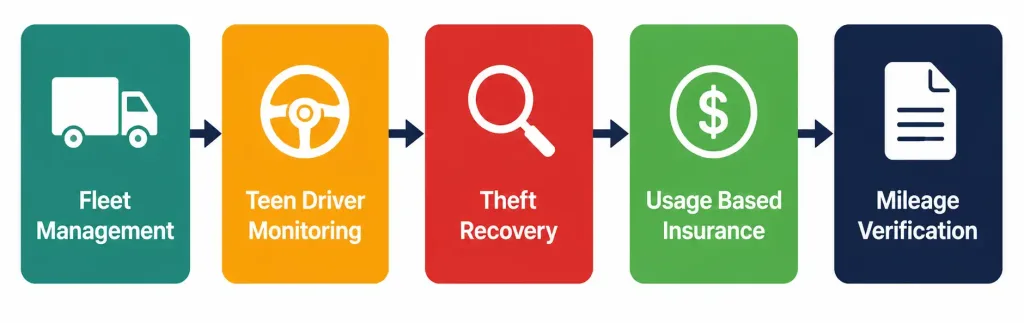
Fleet management. Businesses running delivery vehicles, service trucks, or rideshare fleets use GPS trackers to monitor routes, confirm on-time performance, and reduce unauthorized vehicle use. Real-time visibility across a fleet also supports dispatch decisions — routing the nearest available vehicle to a new job rather than guessing.
Teen and new-driver monitoring. Parents commonly use GPS trackers, or trackers built into telematics apps, to monitor a new driver’s location, speed, and driving habits. Combined with speed alerts and geofencing, this gives a parent visibility without needing to be in the car.
Theft recovery. A hidden, hardwired, or battery-powered tracker can help locate a stolen vehicle quickly, and many insurers offer modest discounts for vehicles equipped with tracking or anti-theft systems, though the discount and requirements vary by insurer and location.
Usage-based insurance and telematics. A growing number of insurers offer usage-based (telematics) insurance programs that track driving behavior — speed, braking patterns, mileage — through a plug-in device or smartphone app, in exchange for potential premium discounts for demonstrated safe driving. This is a related but distinct category from standalone consumer GPS trackers, usually operated directly by the insurance company.
Route and mileage verification. For freelancers, delivery contractors, or employees who log business mileage for reimbursement or tax purposes, passive data-logging trackers provide an objective record of routes driven, without the ongoing cost of a real-time subscription.
Installing a GPS Tracker: What to Expect
The exact process depends on the tracker type, but the general sequence is consistent:
- Choose the tracker type based on your priority. OBD-II for fast, tool-free installation; hardwired for a more permanent, hidden setup; battery-powered for flexible placement without touching the vehicle’s electrical system.
- Install the hardware. OBD-II and cigarette-lighter trackers simply plug in. Hardwired installation typically requires locating a constant-power wire and may be worth having a professional installer handle, particularly on newer vehicles with complex electrical systems.
- Register the device with its companion app or web platform, usually by scanning a QR code or entering a serial number, and set up your account.
- Configure alerts and geofences relevant to your use case — speed thresholds, boundary zones, or scheduled reporting intervals.
- Test the setup by taking a short drive and confirming the app reflects real-time or logged movement accurately before relying on it.
Is It Legal to Put a GPS Tracker on a Car?
This is the part of GPS tracking that generates the most confusion, and the honest answer is that it depends heavily on ownership and jurisdiction — this section is general information, not legal advice, and you should consult an attorney for guidance specific to your situation.
The general principle in most U.S. jurisdictions is ownership-based: if you own the vehicle, you can generally track it, including tracking a minor child’s car that’s registered in your name, or a company-owned vehicle used by an employee. Tracking a vehicle you don’t own, without the owner’s consent, is a different matter entirely and is illegal in most circumstances.
California is a useful, concrete example of how specific these laws can get. California Penal Code Section 637.7 makes it a misdemeanor to use an electronic tracking device to determine a person’s location or movement — but the law explicitly exempts situations where the registered owner, lessor, or lessee of the vehicle has consented to the tracking. A related 2023 law, AB-984, adds further restriction specifically for employers: it limits employee vehicle tracking to work hours and requires that tracking be strictly necessary for the employee’s job duties, even when the employer owns the vehicle. Other states have their own specific statutes, and the details — what counts as consent, whether notice is required, how the law treats family members tracking each other — vary enough that a rule that applies in one state may not hold in another.
Law enforcement faces a stricter standard than private individuals. In the landmark 2012 case United States v. Jones, the U.S. Supreme Court ruled unanimously that attaching a GPS tracking device to a suspect’s vehicle and using it to monitor movement constitutes a “search” under the Fourth Amendment, meaning police generally need a warrant before doing so. The case involved FBI agents who tracked a suspect’s vehicle for 28 days without a valid warrant; the resulting evidence was ultimately ruled inadmissible. This case remains the primary legal precedent governing law enforcement use of GPS trackers in the United States.
The bottom line for personal use: tracking your own vehicle, your minor child’s vehicle, or a vehicle your business owns is generally legal in most places, provided you’re the owner and — depending on your state — you meet any specific notice or consent requirements that apply. Tracking someone else’s vehicle without their knowledge or consent, including a spouse’s or partner’s personal vehicle even during a relationship, crosses into stalking and unauthorized-surveillance laws in most jurisdictions and can carry criminal penalties. If there’s any ambiguity about ownership or consent in your specific situation, that’s exactly the kind of question worth a short conversation with a lawyer before installing anything.
Choosing the Right Tracker for Your Situation
A few quick pairings based on common goals:
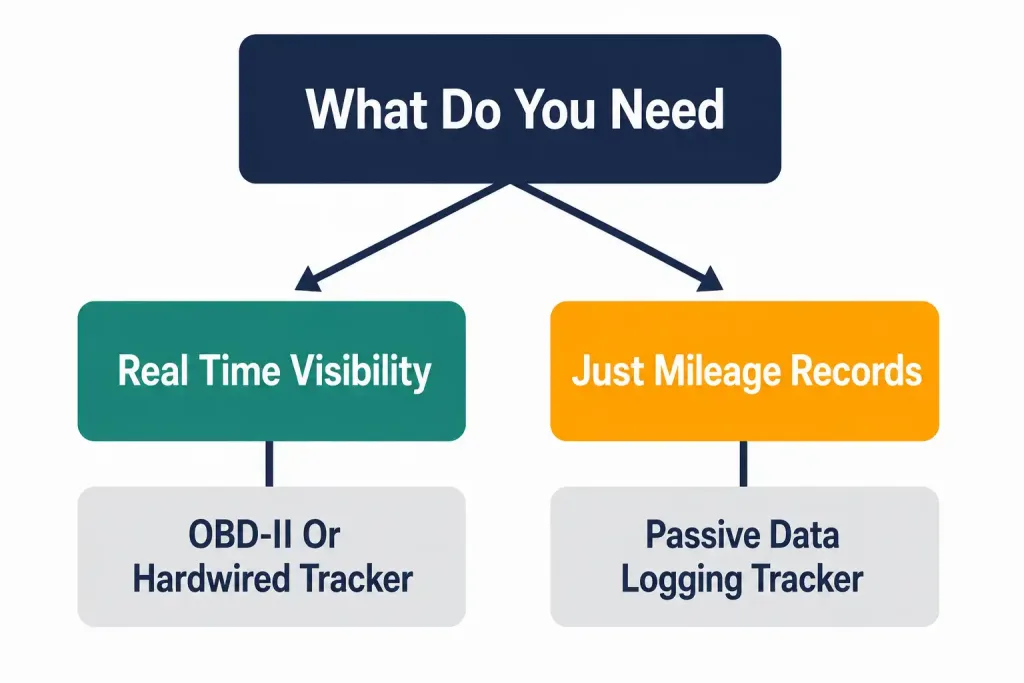
- Want the simplest possible setup for general monitoring? An OBD-II real-time tracker covers most needs without any wiring work.
- Want something hard to find or remove, for theft recovery or discreet monitoring? A hardwired or battery-powered tracker, placed out of obvious sight, is a better fit than a plug-in unit sitting visibly under the dash.
- Managing a fleet of vehicles? Look specifically at platforms built for fleet management rather than single-consumer trackers — they typically offer multi-vehicle dashboards, driver behavior scoring, and maintenance-schedule tracking that consumer-focused trackers don’t include.
- Just need mileage records for reimbursement or taxes, with no need for real-time visibility? A passive data-logging tracker avoids the ongoing subscription cost that real-time tracking requires.
Common Problems and How to Troubleshoot Them
Even a correctly installed tracker runs into predictable issues. A few of the most common:
Signal loss in parking garages, tunnels, or dense urban areas. GPS signals are radio waves traveling from satellites in orbit, and they don’t penetrate concrete, steel, or thick building material well. A tracker will typically lose its fix underground or deep inside a multi-level parking structure and reacquire it once the vehicle re-emerges into open sky. This is a physical limitation of GPS itself, not a defect in a specific tracker — if a tracker’s marketing claims perfect underground accuracy, treat that claim skeptically.
Delayed or “jumpy” location updates. If a tracker’s reported position seems to jump between distant points rather than moving smoothly, this is often a sign of a weak cellular signal delaying data transmission, rather than a GPS accuracy problem specifically — the device may have the correct location queued up but be unable to transmit it promptly. Areas with poor cellular coverage will show this more than GPS accuracy issues.
Battery drain on cigarette-lighter trackers. As mentioned earlier, some plug-in trackers continue drawing power from the vehicle’s 12V system even when the engine is off, which can drain a car battery over an extended period of inactivity — a real risk for a second vehicle, a boat trailer, or any vehicle that sits unused for weeks at a time. Check the specific tracker’s parasitic draw specifications, and consider unplugging it during long storage periods if this is a concern.
Subscription lapses causing silent tracking failure. Real-time trackers depend on an active cellular data plan tied to the device, separate from your own phone plan. If that subscription lapses — due to a missed payment, an expired trial period, or a canceled plan — the tracker typically stops transmitting without necessarily sending an obvious warning. If a tracker that previously worked suddenly shows no updates at all, checking the subscription status is a more likely first step than assuming a hardware failure.
False geofence alerts near boundary edges. GPS accuracy of a few meters means a vehicle parked right at the edge of a geofenced boundary can occasionally trigger false enter/exit alerts as the reported position drifts slightly across the line. Setting geofence boundaries with a reasonable buffer, rather than drawing them tightly against a real-world boundary like a driveway or property line, reduces this kind of false alert.
Frequently Asked Questions
Does a GPS tracker work without cell service? A tracker can still calculate its GPS position without cellular service, since GPS itself doesn’t require a phone network — only satellite signal. What it can’t do without cell service is transmit that position anywhere in real time. Passive data-logging trackers are built specifically around this limitation, storing location data locally until it can be retrieved directly from the device.
Can someone tell if a GPS tracker has been installed on their car? A visible OBD-II or cigarette-lighter tracker is easy to spot for anyone who checks those specific locations. Hardwired and battery-powered trackers placed out of sight are considerably harder to find without a deliberate physical inspection, which is part of why they’re the more common choice when discretion matters, such as theft-recovery setups.
How accurate is a typical consumer GPS tracker? Under open sky with a clear satellite view, standard GPS accuracy is generally in the 5-to-10-meter range. Accuracy degrades near tall buildings, under heavy tree cover, or in any environment that blocks or reflects satellite signals — this is a limitation of GPS technology broadly, not specific to any one tracker brand.
Do I need a subscription for every GPS tracker? Only real-time trackers require an ongoing data subscription, since that’s what pays for the cellular transmission of location data. Passive data-logging trackers generally don’t require a subscription, since they store data locally rather than transmitting it, though this trade-off means no live tracking capability.
Is it legal to track a company vehicle an employee drives? Generally yes, since the employer owns the vehicle, but the details matter and vary by state — California’s AB-984, for example, restricts employer tracking to work hours and requires that it be strictly necessary for the job, even on an employer-owned vehicle. Check your specific state’s requirements, and when employees are involved, providing clear notice of tracking policy is generally good practice regardless of the minimum legal requirement.
Conclusion
A GPS car tracker is a straightforward piece of technology — a receiver, a way to get power, and a way to transmit or store what it finds — but the right choice depends heavily on what problem you’re actually trying to solve. Real-time visibility costs more in ongoing subscription fees but gives you live location and alerts; passive logging is cheaper but only useful after the fact. Installation method affects both convenience and how easily the device can be found and removed. And before installing anything on a vehicle you don’t personally own, it’s worth confirming exactly where your jurisdiction draws the line, since that line is narrower — and more specific — than most casual assumptions about “it’s fine if it’s for a good reason.”



