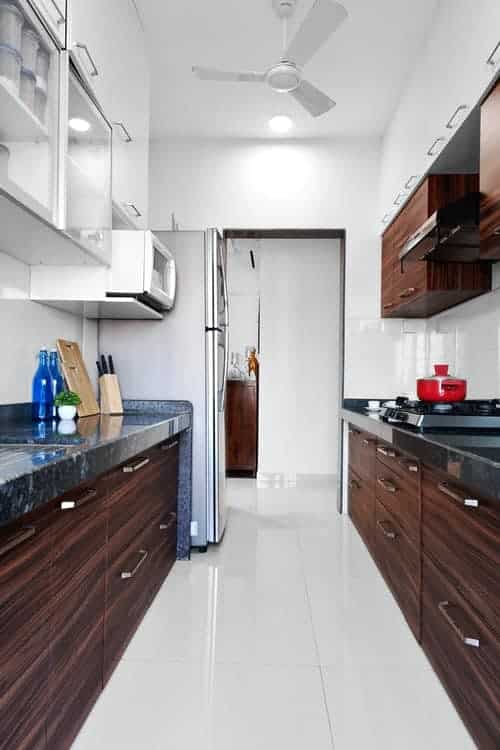
The kitchen has become one of the most network-intensive rooms in any modern home or commercial facility, yet most IT professionals still treat it as an afterthought in their LAN design. Smart refrigerators, Wi-Fi-enabled ovens, connected dishwashers, and voice-controlled assistants now share the same broadcast domain as critical workstations and servers. In a 2026 survey by Parks Associates, the average connected kitchen contained 7.3 IoT devices, and that number is projected to exceed 12 by 2028. For network engineers, this presents a challenge that standard flat-network configurations cannot solve.
How Smart Kitchen Appliances Change Home Network Design
The shift from isolated appliances to interconnected kitchen ecosystems has fundamentally altered how networks must be architected. A standard residential gateway with 16 DHCP leases no longer suffices when a kitchen alone demands eight or more static IP reservations for refrigerators, ovens, coffee machines, and sous-vide circulators.
Commercial kitchens face even steeper demands. A quick-service restaurant chain operating 200 locations may have over 1,400 connected kitchen endpoints across its fleet. Each point-of-sale terminal, temperature sensor, and automated cooking system requires consistent low-latency connectivity. The same flat subnet that worked for a single office VLAN now creates collision domains and broadcast storms that degrade performance for every device on the segment.
Network architects must begin treating the kitchen as a distinct network zone rather than an undifferentiated part of the LAN. This means planning for dedicated subnets, appropriate QoS policies, and separate SSIDs for kitchen-bound traffic.
VLAN Segmentation for Kitchen IoT Devices
The single most impactful change a network engineer can make for kitchen connectivity is implementing VLAN segmentation. Placing all kitchen IoT devices on their own VLAN isolates their broadcast traffic from user workstations, servers, and security cameras. A Cisco Catalyst 9300 configuration for a kitchen IoT VLAN might look like this:
interface Vlan50
description Kitchen-IoT
ip address 192.168.50.1 255.255.255.0
no shutdown
interface GigabitEthernet1/0/1
switchport mode access
switchport access vlan 50
spanning-tree portfast
This approach prevents a malfunctioning smart refrigerator from flooding ARP requests across the entire network. It also simplifies ACL enforcement: the kitchen VLAN can be restricted to internet access only, with no lateral movement permitted to corporate resources.
For environments using Cisco Meraki or Fortinet SD-WAN appliances, the same principle applies through policy-based segmentation. A 2025 study from the SANS Institute found that organizations using VLAN segmentation for IoT devices reduced the blast radius of malware infections by 73% compared to flat-network deployments.
Why VLAN Hopping Protection Matters in Kitchens
Kitchen IoT devices frequently ship with outdated firmware and weak default credentials. Attackers target these devices as entry points for VLAN hopping attacks. Configuring switchport nonegotiate and disabling Dynamic Trunking Protocol on kitchen access ports eliminates the most common VLAN hopping vector. For Cisco switches, adding switchport port-security maximum 1 further restricts the port to a single MAC address, preventing rogue device insertion.
Bandwidth Demands of Modern Kitchen Technology
The bandwidth requirements of connected kitchen devices vary dramatically by type and function. A Wi-Fi-enabled espresso machine may transmit only 50 KB per day in status updates. A smart oven with internal cameras streaming live video to a mobile app can consume 2-4 Mbps continuously during operation. When multiple such devices operate simultaneously, cumulative demand can exceed 30 Mbps on a single access point.
| Device Type | Typical Bandwidth Per Unit | Peak Bandwidth | Latency Sensitivity |
|---|---|---|---|
| Smart refrigerator | 0.5-1 Mbps | 5 Mbps (firmware update) | Low |
| Wi-Fi oven with camera | 2-4 Mbps | 8 Mbps | Medium |
| Voice assistant (kitchen) | 0.1-0.5 Mbps | 2 Mbps | High |
| Connected dishwasher | 0.2-0.8 Mbps | 3 Mbps | Low |
The implication for network engineers is clear: a single 2.4 GHz access point cannot support a fully equipped smart kitchen while also servicing streaming video and video calls in adjacent rooms. Deploying dual-band or tri-band access points with band steering configured to push kitchen IoT devices to 5 GHz (or 6 GHz for Wi-Fi 6E) preserves 2.4 GHz capacity for legacy device compatibility.
Security Risks Hiding in Connected Kitchen Appliances
Kitchen IoT devices represent one of the most overlooked attack surfaces in modern networks. Many smart appliances run stripped-down Linux distributions that never receive security patches after the first year of deployment. A 2026 analysis by Claroty’s Team82 identified 14 critical vulnerabilities in smart refrigerator models from three major manufacturers, all of which lacked automatic update mechanisms.
For enterprise environments with break rooms or demonstration kitchens, the risk escalates. A compromised kitchen device can serve as a pivot point into the corporate network. In one documented incident from 2025, attackers used a smart coffee maker in a law firm’s break room to exfiltrate 2.3 GB of document data over six months before detection.
Enforcing Device Authentication and Network Access Control
Deploying 802.1X authentication across all network ports, including those in kitchen areas, prevents unauthorized devices from connecting. For devices that do not support 802.1X supplicants — which includes most kitchen appliances — MAC Authentication Bypass (MAB) serves as a fallback. Cisco ISE or Aruba ClearPass can manage these policies, placing authenticated kitchen devices into a restricted VLAN with minimal access rights.
The addition of IPSG (IP Source Guard) and DAI (Dynamic ARP Inspection) on kitchen VLANs further prevents spoofing and man-in-the-middle attacks. These features, enabled through ip verify source and arp inspection vlan 50 commands on Cisco switches, block devices that attempt to use unauthorized IP addresses or send fraudulent ARP replies.
For those considering a broader kitchen upgrade, understanding the smart kitchen remodel cost ideas can help align budget with security and infrastructure needs.
Practical Network Troubleshooting for Kitchen Connectivity
Kitchen environments present unique troubleshooting challenges. Metal appliances, tile backsplashes, and dense cabinetry create RF obstacles that degrade Wi-Fi signal strength. A standard site survey conducted before cabinetry installation often proves inaccurate once the kitchen is fully equipped.
Engineers should perform a post-installation spectrum analysis using tools such as Ekahau Sidekick or NetAlly AirCheck. Common issues include:
- Microwave ovens operating at 2.45 GHz causing intermittent interference on 2.4 GHz channels 6-11
- Metal refrigerator bodies creating Faraday-cage effects that block Wi-Fi signals to devices inside drawers
- Multiple Bluetooth devices (scales, thermometers, speakers) competing for the 2.4 GHz ISM band
For commercial kitchens, where appliances include three-phase power equipment and induction cooktops, electrical noise on power lines can affect Power over Ethernet (PoE) camera and access point reliability. Installing ferrite chokes on PoE cables and using shielded Cat6a cabling mitigates this interference.
Future-Proofing the Kitchen Network Infrastructure
The kitchen network of the future will demand more than just VLAN segmentation and adequate bandwidth. Emerging trends point toward edge computing within the kitchen itself, where local processing reduces latency for time-sensitive applications such as automated cooking systems and food safety monitoring.
Wi-Fi 7 (IEEE 802.11be) will bring deterministic latency below 1 ms, making real-time kitchen automation feasible. The first Wi-Fi 7-enabled smart ovens are expected in production kitchens by late 2026. For network engineers, this means planning for 320 MHz channels and 6 GHz spectrum availability. Upgrading to Wi-Fi 6E access points today positions the infrastructure for a smooth transition to Wi-Fi 7 without requiring a full forklift upgrade.
Another consideration is the convergence of kitchen and building management networks. Many smart kitchens now integrate with HVAC, lighting, and security systems through BACnet or MQTT gateways. Rather than managing these as separate silos, engineers should design a unified IP fabric with policy-based routing (PBR) to prioritize kitchen safety traffic — such as gas leak detection alerts — over lower-priority data streams.
Avoiding common layout pitfalls is also critical. Reviewing the kitchen organizing mistakes to avoid can prevent deployment errors that compromise both network performance and user experience.
Planning for Power and Cable Management
Kitchen remodels are expensive, and retrofitting network cabling after completion is cost-prohibitive. During any kitchen remodel contractors in Seattle or elsewhere, specifying at least two Cat6a drops to the kitchen island and one to the pantry area ensures adequate wired connectivity for future devices. Running conduit with pull strings allows future upgrades to fiber or higher-category copper without opening walls.
For wireless access points, ceiling-mounting in the kitchen hallway rather than inside the kitchen itself avoids the interference penalties from metal appliances while still providing coverage through open doorways.
The best kitchen tools for network diagnostics include a handheld spectrum analyzer and a PoE tester — both of which pay for themselves in the first troubleshooting session.
The kitchen is no longer a passive room in the network design. It is a dense IoT environment with distinct security, bandwidth, and interference characteristics that demand deliberate engineering. Treating it as such — with dedicated VLANs, proper QoS, and future-proofed cabling — separates the networks that perform from those that merely connect.