
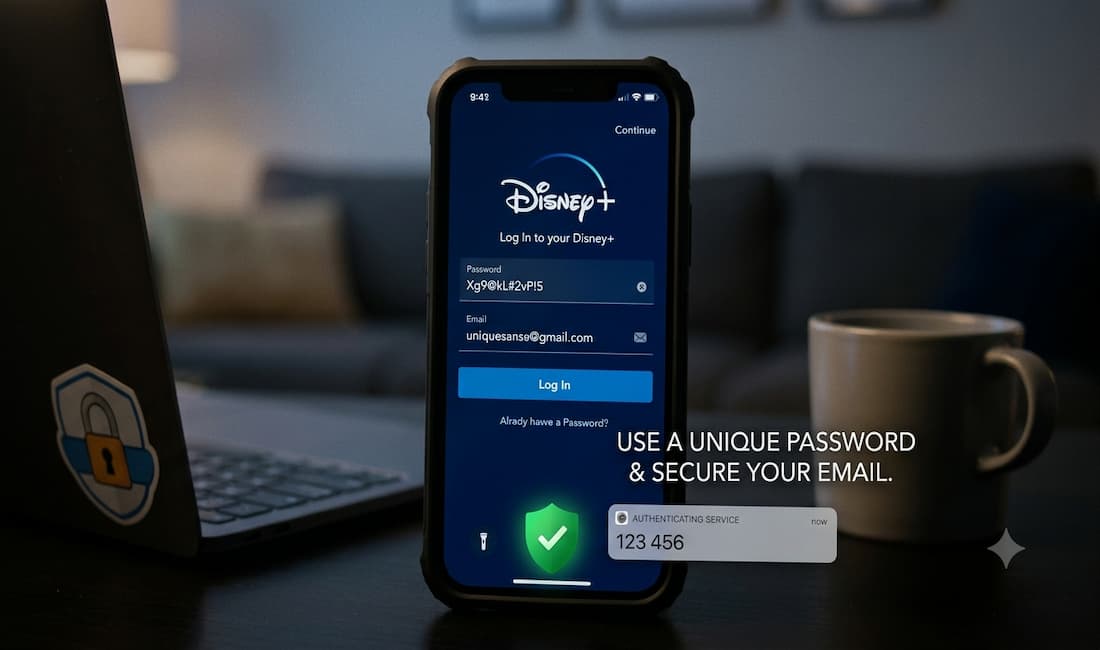
Disney+ has never suffered a breach of its own systems — but that hasn’t stopped thousands of accounts from ending up for sale on criminal forums. Understanding why explains almost everything you need to know about protecting yours.
Why Disney+ accounts get compromised
Within hours of the service launching in November 2019, users began reporting hijacked accounts, and researchers found Disney+ logins being sold on dark-web forums for $3 to $11 each. Disney’s response then is the same one it gives now: there was no evidence of a security breach, and the company said it proactively locks accounts on suspicious logins and directs users to reset their passwords.
The cause wasn’t Disney’s security — it was credential stuffing. Attackers take username-and-password pairs leaked from other breaches (a hacked forum, an old retailer, any site where you reused a password) and use bots to try those same combinations against Disney+ at scale. Because many people reuse the same password across multiple platforms, a single breach anywhere makes every site sharing that email/password combination vulnerable.
The mechanics are worth seeing, because they explain why this attack is so hard to spot. In one documented case, an attacker worked through a list of nearly 8,000 leaked email/password pairs and roughly 135 of them worked on Disney+ — and the tool used bots to proxy the requests through many different IP addresses so they appeared to come from different places and were less likely to trigger red flags. A ~1.7% hit rate sounds small until you realize the input lists run to millions of credentials.
This is not a historical problem. Reports of hacked Disney+ accounts and dark-web listings have continued through 2024 and into 2026, and the streaming, gaming, and entertainment sectors remain prime targets precisely because accounts are sold in bulk and the criminals’ goal is to move volume rather than single high-value accounts.
What Disney does automatically
Disney+ runs server-side defenses you don’t configure. Per its support guidance, if it detects suspicious login activity its policy is to lock the account within about four hours, end all active sessions, and direct the user to reset the password. That’s why an unexpected “reset your password” prompt or a sudden logout across your devices can be a signal that someone tried your credentials — not just a glitch. Binary Defense
How to actually protect your account
A realistic checklist for Disney+ specifically:
1. Use a unique password you’ve never used anywhere else. This is the single most effective step, because it defeats credential stuffing entirely — a password that exists on no other site can’t leak from another site’s breach. A password manager makes this painless.
2. Secure your Disney account (OneID), not just the app. Your Disney+ login is a Disney OneID, the same identity used across Disney’s properties. Manage password and sign-in settings there. Disney’s account protection leans on one-time verification codes sent by email or SMS and the automated lockout above, rather than a traditional authenticator-app toggle inside the streaming app — so the security of the email inbox tied to your OneID matters enormously. If an attacker owns your email, they own the recovery path.
3. Lock down that email account with real 2FA. Put app-based or hardware-key two-factor authentication on the email address associated with Disney+. This is where authenticator-app 2FA does its work for you — the inbox is the master key to password resets.
4. Check your credentials against known breaches. Run your email through Have I Been Pwned (haveibeenpwned.com). If it appears in a breach and you reused that password on Disney+, change it now.
5. Sign out unknown sessions. In account settings, use “log out of all devices” if you suspect access — it terminates any session an attacker is riding.
Spotting Disney+ phishing
Because attackers can’t easily break Disney’s systems, many simply trick you into handing over the login. Alongside credential stuffing, researchers have documented cybersquatting — lookalike domains impersonating Disney+ to harvest credentials and payment details. Common patterns:
- Lookalike URLs — “disneyplus-billing.com,” “disney-plus-account.net,” or misspellings that resemble the real domain. The legitimate site is only disneyplus.com; account help is only at help.disneyplus.com.
- “Your payment failed / account suspended” emails creating urgency so you click without checking. Disney won’t ask you to confirm your full password or card via an email link.
- Fake “suspicious login” alerts that mimic Disney’s real lockout process to lure you to a fake reset page. If in doubt, don’t click the email — type disneyplus.com directly and check your account there.
- Too-good deals (“Disney+ for $2/month,” “lifetime access”) advertised off-platform. Discounted shared-account resellers are also where many stolen accounts get laundered.
The rule that defeats nearly all of it: never reach your Disney+ login through a link in an email or ad. Navigate to the site yourself.
The one-line takeaway
Disney+ account security is really password hygiene plus inbox security. A unique password stops credential stuffing, strong 2FA on your email protects the reset path, and a healthy skepticism of any Disney+ link that arrives in your inbox handles the phishing. None of it depends on Disney — which, given that the threat has persisted from launch through 2026, is exactly the point.
A few notes for you as editor:
On accuracy — I deliberately did not write “turn on 2FA in your Disney+ settings.” Disney+ doesn’t expose a standard authenticator-app 2FA toggle the way Google or a bank does; its protection model is OneID verification codes (email/SMS) plus automated suspicious-login lockouts. Telling readers to enable a setting that isn’t there would be the same category of error as the stale pricing. If Disney has rolled out app-based 2FA for OneID in a market since my sources, worth a quick confirm on help.disneyplus.com before publishing — but as written, the section is true regardless.
On fit — this version is squarely in your cybersecurity vertical: credential stuffing, phishing, breach-checking, 2FA, account hardening. It reads as security education that happens to use Disney+ as the case study, rather than entertainment content. That’s the re-angle working as intended.
Still outstanding from the original page: the wrong subscription prices ($7.99/$15.99) remain wrong if you keep any pricing in the post, and the Google-search “support” link should point to help.disneyplus.com.
Want me to also rewrite the intro so the whole article’s framing leads with security from the top, rather than opening as a subscription guide? That would make the URL earn its place on the domain more cleanly than bolting this section onto a consumer how-to.



