
On a test order, the new storefront takes payment and sends a confirmation. Everything looks fine until the warehouse tries to print a label. The order arrived without the product variant, so the picker can’t tell which item to ship. Catching that problem before launch gives the team time to fix a mapping. Catching it after launch can mean opening every order by hand.
Ecommerce replatforming is the process of moving an online store from one commerce platform to another. The work goes beyond rebuilding pages. It includes carrying over the records your business needs, reconnecting the systems that fulfil orders, preserving useful URLs, and deciding how to recover if launch goes wrong. Use this checklist to give each of those tasks an owner and a test.
Start With the Problem Ecommerce Replatforming Should Solve
Write down what the current store struggles to do. A retailer may need stock levels to agree across several locations. A wholesaler may need different prices for customers with negotiated terms. Another store may have a checkout that fails for a particular mix of products. State the problem in a way you can test on both platforms.
Ask whether the current system can handle the problem with a smaller change. If one integration is unreliable, fixing or replacing it may solve the immediate issue. If the business needs several capabilities the platform can’t support, compare what a move would cost with the time and expense of operating the existing store.
Have each shortlisted platform demonstrate the same order from start to finish. Use a real workflow with sample data, such as a customer ordering two sizes, qualifying for a shipping discount, and returning one item. Ask which steps need a paid app or separate system. Record who will maintain those connections and what happens if one stops working.
Inventory and Reconcile the Data
List the records you need in the new store and the records you only need to retain for reference. Products, variants, prices, inventory, customers, and orders often have different import requirements. Also check gift cards, store credit, loyalty balances, subscriptions, and returns if the business uses them. Some information may need a different migration path or may need to stay in a separate archive.
| Data or setting | What to verify before launch |
|---|---|
| Products and variants | SKU, options, images, price, tax treatment, and stock status match the source. |
| Inventory | Quantities match by location at the agreed cutoff, with recent sales and returns accounted for. |
| Customers and accounts | Required records and preferences transfer correctly, and the account activation or reset flow works. |
| Orders and returns | Staff can locate open orders and know which system to use for refunds or returns. |
| Gift cards and subscriptions | The business can honour balances and identify any steps customers must take to continue service. |
| Shipping, discounts, and taxes | Rules give expected results for representative baskets and destinations. |
Run a trial import. Compare totals by product, customer, and order status, then open a sample of individual records. Totals alone won’t tell you whether a photograph moved to the wrong variant or an order lost a shipment reference. Include examples with unusual options, sale prices, or stock spread across warehouses. NetworkUstad’s guide to effective ecommerce product listings can help you review what customers need to see on migrated product pages.
Agree on how you’ll capture changes made after the trial import. If the old store keeps taking orders, you’ll need to account for the orders, returns, stock changes, and customer updates that happen before cutover. Decide whether to pause changes briefly or run a final incremental import. Afterward, compare the records at the same cutoff time so you can explain any difference.
Give Customer Service a Plan for Older Orders
Decide what a support agent should do when a customer asks about an order placed before the move. Walk through an example in which a customer returns one item from an older purchase and orders a replacement through the new store. Confirm where the agent finds the original payment, which system issues the refund, and where the replacement will appear.
If some records stay in an archive, check who can reach it and whether lookup works with the references on old confirmation emails. Give staff a short set of instructions and run the test with someone who did not take part in the migration.
Test Checkout Through Fulfilment and Refunds
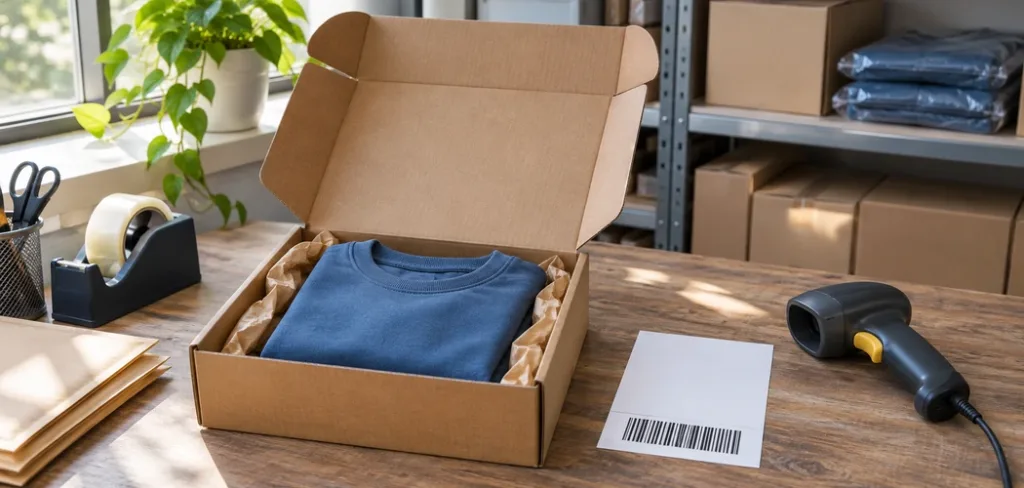
Ask people from customer service, fulfilment, and finance to participate. Let each team use the tools it will use after launch. The web team may see a successful checkout while finance has no way to match the payout or the warehouse receives the wrong item code.
Use a test mode and sample accounts where possible. Complete an order on a phone and on a desktop. Test a failed payment, a discount, different shipping destinations, and a refund. If the store handles pickup, recurring payments, or international orders, test those workflows separately. Make sure confirmation messages give customers accurate information about price, shipping, and what happens next.
Follow the order into the warehouse and accounting systems. Check that the right stock was reserved, the order can be shipped, and the refund reaches the appropriate record. Try an integration failure as well. If the warehouse system is unavailable, someone should know where the order waits and how to retry without creating a duplicate.
Protect Search Traffic When URLs Change
Export existing product, collection, and content URLs. Include pages that attract search traffic or have useful inbound links, even if they aren’t prominent in the current menu. Build a mapping that shows where each old address should lead. Keep existing URLs where the new platform supports them. Where a URL changes, send people to the closest relevant new page.
Google Search Central’s site move guidance explains URL mapping, redirects, and post-move checks. Test permanent redirects before exposing the new storefront where your setup allows it. Spot-check that old product URLs go directly to the correct destination and that internal links use the new addresses. Check for redirect loops or chains and account for products that have no replacement.
Review canonical tags, robots directives, and the sitemap. A staging environment may have blocked indexing while the store was being built. Verify that the pages intended for search can be crawled and indexed after launch, and that the sitemap lists the intended live URLs. After launch, submit the updated sitemap in Search Console and watch for unexpected errors or changes in traffic to important pages.
Decide What Will Stop the Launch
Write down the conditions the team needs to meet before directing shoppers to the new store. Assign an owner and a person who can make the final decision. For example, you might require a successful test purchase and refund, stock totals within an agreed tolerance, and working redirects for important landing pages.
Pick the failures that trigger a pause or rollback. If a payment can be captured but the order never arrives in fulfilment, stop and investigate. If a small batch of secondary product photos is missing, you may be able to proceed and repair the issue afterward. Agree on those distinctions before anyone is working under pressure.
Plan what happens to orders and payments created in the new store if you switch back. Returning traffic to the old platform does not move those records. Decide how to preserve and reconcile them, prevent fulfilment duplicates, and inform support staff. Check who can change routing or storefront settings during the launch window and how the team will reach that person.
Monitor the First Trading Days
Put customer service, fulfilment, finance, and the technical team on the same review schedule. Check whether orders are arriving at the expected rate and whether declines, errors, or stock differences cluster around a particular payment method, product, or device. Compare the new store with a representative period before launch. Note promotions or seasonal traffic that could affect the comparison.
Give each issue a named owner. If a customer reports a confirmation email with the wrong pickup location, record the order type and the conditions that produced it. Test the correction on the same workflow before closing the issue. Keep the old system or its approved archive available as agreed so staff can answer questions about earlier sales.
Finish the initial review when the team can take orders, fulfil them, and reconcile the money without unexplained gaps. Keep a list of improvements for later. The first job of the new platform is to support a normal day of trading, including the orders that need a refund, a return, or a second look.
<div role=”note” style=”background:#edf5fc;color:#17354f;border-left:4px solid #316fa5;border-radius:6px;padding:1rem 1.2rem;margin:1.5rem 0;”> <strong>Migration note</strong> <p style=”margin:.45rem 0 0;”>Confirm data portability, payment testing, privacy requirements, and rollback procedures for your specific platforms before making production changes.</p> </div>