
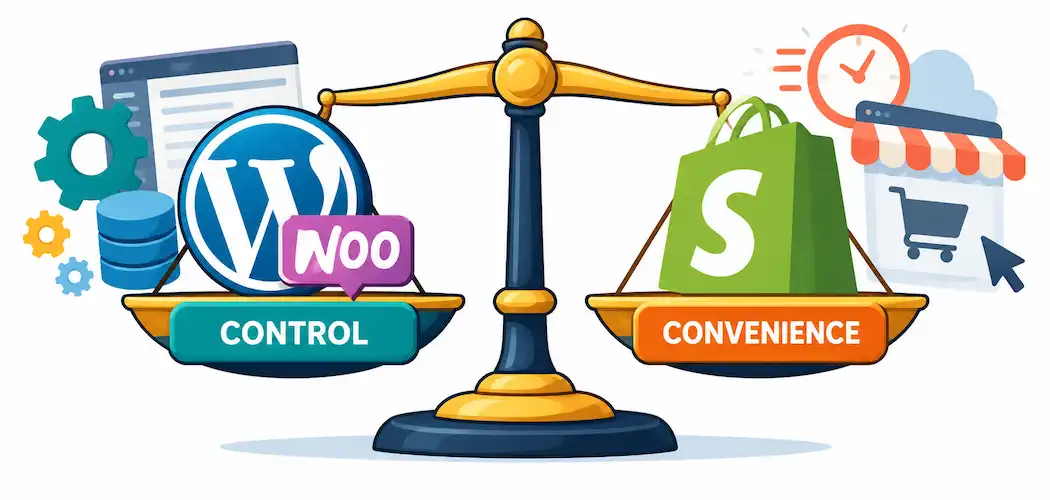
“Should I move from WooCommerce to Shopify?” isn’t a question with one right answer — it’s a question about which tradeoffs you’d rather live with. Both platforms run a huge share of the world’s online stores, and both are genuinely capable. The honest answer depends on how much control you want over your store’s code and hosting, how comfortable you are managing technical maintenance yourself, and what your budget actually looks like once you account for more than the sticker price. Here’s a balanced comparison instead of a one-sided pitch for either platform.
What You’re Actually Comparing
WooCommerce is a free, open-source plugin that turns a self-hosted WordPress site into a store. You own the code, choose your own hosting provider, and can customize essentially anything — but you’re also responsible for that hosting, for applying security updates, and for making sure your various plugins stay compatible with each other as WordPress and WooCommerce update over time.
Shopify is a fully hosted platform: you pay a monthly subscription and Shopify handles hosting, security patching, and uptime for you. You get less low-level control over the underlying code in exchange for a platform that’s managed, maintained, and generally easier to keep running without a developer on staff.
Neither model is objectively better — they’re built for different priorities.
Ease of Use and Day-to-Day Management
Shopify’s admin interface is purpose-built for store management and is generally easier for a non-technical owner to pick up quickly — adding products, managing orders, and adjusting a theme through Shopify’s editor doesn’t require touching code. WooCommerce’s learning curve is steeper specifically because it inherits WordPress’s broader plugin ecosystem: more flexible, but more moving parts to understand, and more potential for a plugin conflict or update issue to require troubleshooting.
If you want to spend minimal time on platform maintenance and more time on the actual business, Shopify’s managed model genuinely saves time. If you want granular control — custom checkout logic, specific plugin combinations, full ownership of your content and data outside a vendor’s platform — WooCommerce’s flexibility is the real advantage, not a downside to work around.
Security: Different Models, Different Responsibilities
Shopify handles SSL, PCI compliance, and platform-level security patching as part of your subscription — you’re not responsible for applying security updates yourself. WooCommerce’s security depends entirely on your own hosting provider, how promptly you apply WordPress core and plugin updates, and which security plugins or practices you put in place. This isn’t a WooCommerce weakness so much as a different division of responsibility: self-hosted platforms give you more control, but that control comes with more ongoing security responsibility landing on you (or whoever manages your site) rather than on the platform.
Costs: Look Past the Sticker Price
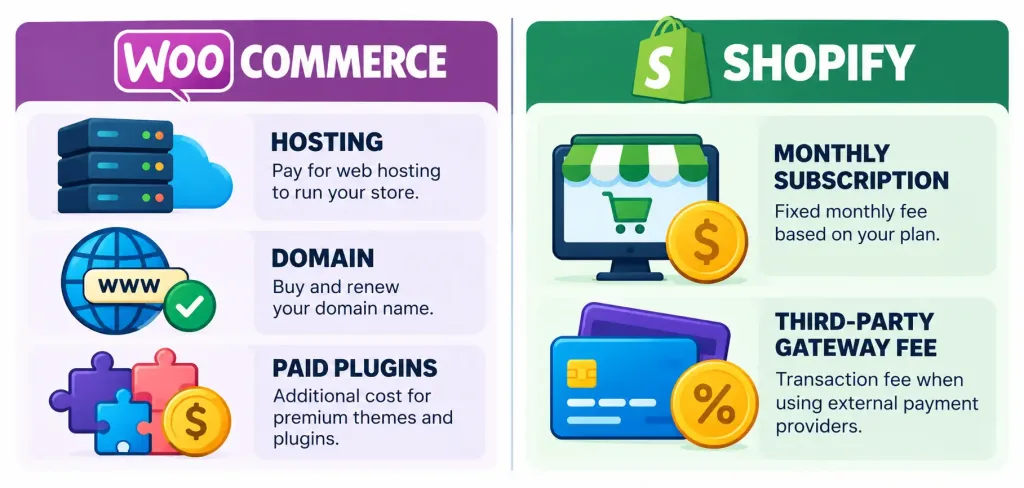
WooCommerce itself is free, but that’s not the full cost picture — you’re paying for hosting, SSL (often bundled with hosting now), a domain, and typically some paid extensions for features Shopify includes natively (advanced shipping rules, certain payment options, abandoned-cart recovery). Total cost varies widely based on your hosting choice and how many premium extensions you need.
Shopify’s cost is more predictable: a monthly subscription fee across tiered plans (Basic, Shopify, Advanced, and higher enterprise tiers), which scales with features like reporting depth and staff accounts. One cost worth knowing specifically: Shopify charges an additional transaction fee on orders processed through third-party payment gateways instead of its own Shopify Payments — historically on the order of 2% on the Basic plan, dropping on higher tiers, though you should confirm current rates directly on Shopify’s pricing page since these figures do get adjusted. If you plan to use a specific payment processor Shopify doesn’t offer as its native option, that fee is a real ongoing cost to factor in, not a footnote.
Features: Built-In vs. Plugin-Dependent
Shopify ships with a strong built-in feature set out of the box — abandoned cart recovery, inventory tracking, and native integrations for selling on Facebook, Instagram, and Pinterest, plus connectors for Amazon and eBay listings. WooCommerce can match most of this functionality, but typically through additional plugins (some free, some paid) rather than built-in — which means more setup work, but also more choice over exactly which tool handles which job.
Neither platform has a monopoly on functionality here; the real difference is whether you want features bundled by default (Shopify) or assembled from a wider, more customizable plugin ecosystem (WooCommerce).
Scalability: Both Handle Growth, Differently
Shopify’s hosting infrastructure is built to absorb traffic spikes without the store owner needing to manage server capacity — that’s part of what the subscription pays for. WooCommerce can scale just as well for high-traffic stores, but it depends on your hosting provider and configuration; a cheap shared-hosting plan will struggle under heavy traffic in a way that better (and typically pricier) managed WordPress hosting won’t. Neither platform has a hard ceiling that makes the other the only option for growth — the real variable is how much hosting management you’re willing to take on versus pay someone else to handle.
SEO: Control vs. Convenience
Shopify provides solid SEO fundamentals — customizable meta titles, descriptions, and URL structures — and has closed most of the gaps it was once criticized for. WooCommerce, running on WordPress, generally offers deeper SEO control through the broader WordPress plugin ecosystem (Yoast, Rank Math, and similar tools give fine-grained control over structured data, redirects, and technical SEO elements). Both platforms can rank well; WooCommerce’s advantage here is depth of control for anyone who wants to get technical about it, not a fundamental capability Shopify lacks.
Support
Shopify includes 24/7 platform support as part of your subscription. WooCommerce, being open-source and self-hosted, doesn’t come with a single built-in support line — you’re relying on your hosting provider’s support, the WooCommerce/WordPress community, paid plugin vendors’ support, or a developer you hire. This is a genuine Shopify advantage for anyone who wants a direct support channel rather than piecing support together from multiple sources.
If You Do Decide to Migrate
A platform migration carries real risk if it’s handled carelessly — product data, customer records, and order history all need to transfer accurately, and URL structure changes can hurt your search rankings if redirects aren’t set up correctly from old WooCommerce URLs to new Shopify ones. Any migration (whether you do it yourself with Shopify’s import tools, a migration app, or a paid development partner) should include a 301-redirect plan for your existing URLs and a full backup of your WooCommerce store before you start — “zero risk” isn’t a realistic promise from any migration path, and a credible partner or tool will tell you that honestly rather than guaranteeing a flawless transfer.
The Bottom Line
Migrate to Shopify if you want a managed platform with predictable costs, built-in security maintenance, and a direct support line, and you’re willing to trade some low-level control and a per-transaction fee (on non-Shopify payment gateways) for that convenience. Stay with (or choose) WooCommerce if you want maximum control over your code, hosting, and SEO setup, and you’re comfortable managing — or paying someone to manage — your own technical maintenance. Neither choice is wrong; it’s a question of which set of responsibilities you’d rather own.
Frequently Asked Questions
Is Shopify really easier to use than WooCommerce?
For day-to-day store management without touching code, generally yes — Shopify’s interface is purpose-built for that. WooCommerce’s broader flexibility comes with a steeper learning curve, since it inherits WordPress’s wider plugin ecosystem and the maintenance that comes with it.
Is WooCommerce actually free?
The plugin itself is, but you still pay for hosting, a domain, and typically some paid extensions for features Shopify includes by default. The total cost depends heavily on your hosting choice and how many premium plugins you need.
Does Shopify charge extra fees beyond the monthly subscription?
Yes, if you use a third-party payment gateway instead of Shopify Payments, an additional transaction fee applies on top of your subscription — the exact percentage varies by plan tier, so check Shopify’s current pricing page before assuming a figure.
Will I lose my search rankings if I migrate from WooCommerce to Shopify?
Not if the migration is handled correctly, with 301 redirects mapping your old URLs to the new Shopify URLs. A rushed migration without a redirect plan absolutely can hurt rankings, so this is a real risk to manage, not something any migration path can honestly guarantee away entirely.
Which platform has better SEO capabilities?
Both can rank well. WooCommerce generally offers deeper, more granular SEO control through WordPress’s plugin ecosystem; Shopify provides solid, more streamlined SEO fundamentals without requiring plugin-level configuration.



