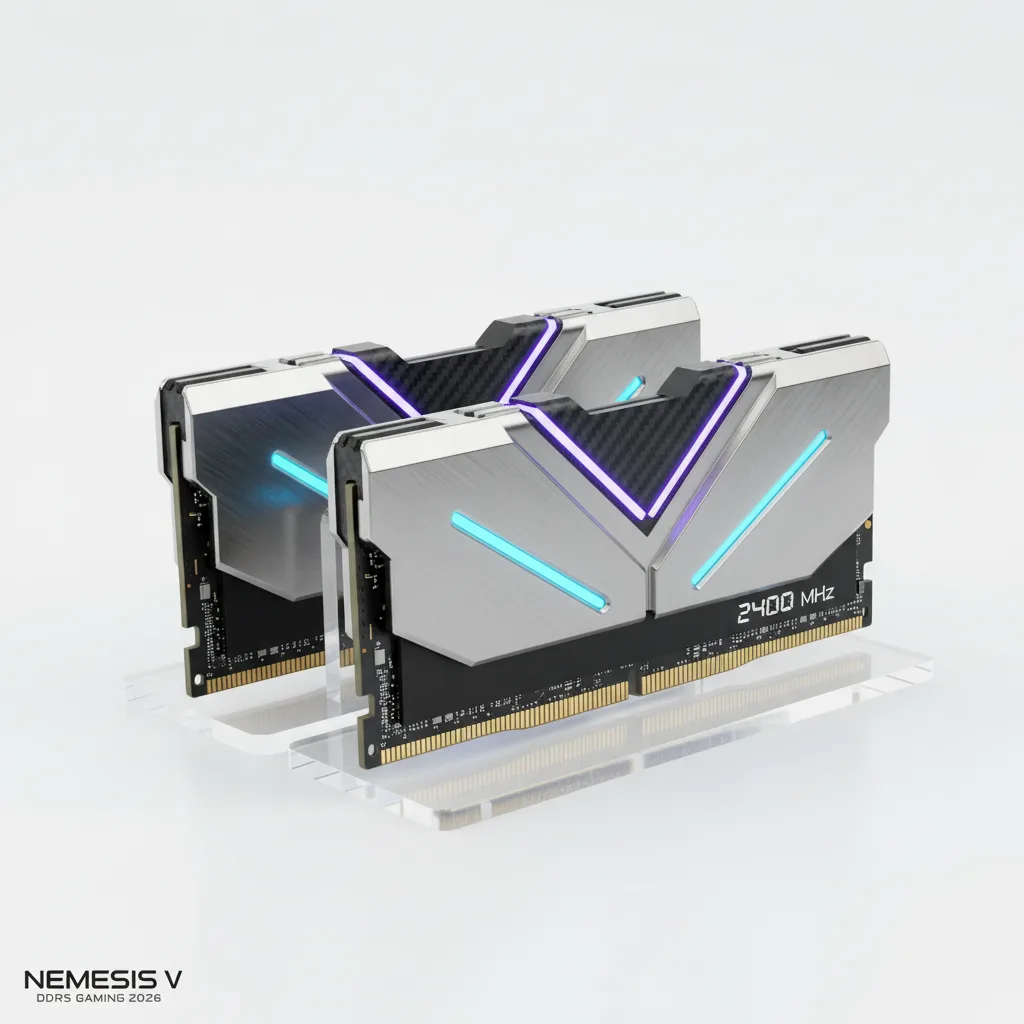
DDR5 is no longer the “next-gen” memory standard — it’s simply the standard for any gaming PC built in 2026. DDR4 is effectively end-of-life for new builds, and the market has matured enough that picking the right kit comes down to three decisions: speed, capacity, and platform compatibility. This guide cuts through the spec-sheet confusion and tells you exactly what to buy.
Why DDR5 Matters for Gaming
DDR5 launched back in 2021, and five years on, the ecosystem has fully caught up. Every current-generation CPU platform — Intel Core Ultra 200/300 Series (Arrow Lake, Panther Lake) and AMD Ryzen 7000/9000 Series — is built around it.
The practical benefit isn’t raw clock speed for its own sake. DDR4 effectively topped out around 3600–4000 MHz at consumer voltages. DDR5 kits at 6000–7200 MHz are now mainstream, and at those speeds the latency gap that used to favor DDR4 closes — or reverses — once you look at real-world timings instead of just the headline CAS Latency (CL) number.
Modern open-world games routinely push past 12GB of VRAM usage while leaning on system RAM for shader compilation and asset streaming. Add a browser, Discord, and a background recording tool, and 16GB starts showing its ceiling fast. That’s the real argument for DDR5: it’s not about bragging rights, it’s about keeping up with what games actually demand now.
Speed and Latency: What Actually Matters
Two numbers define a RAM kit: speed (measured in MT/s) and latency (CAS Latency, or CL). A higher speed number is only meaningful if the latency doesn’t scale up just as fast — a kit that trades a small frequency gain for noticeably looser timings can end up performing worse in CPU-bound scenarios.
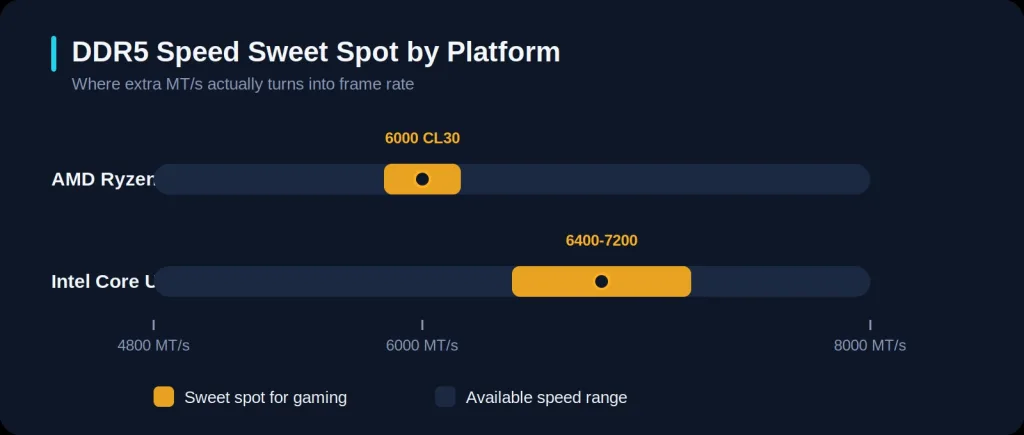
For AMD Ryzen 9000 builds: the sweet spot is DDR5-6000 CL30. AMD’s Infinity Fabric runs at a 1:1 ratio with memory at 6000 MT/s, which is what actually maximizes bandwidth to the CPU. Pushing past DDR5-6000 on AMD yields diminishing returns for gaming — you’re paying more for a number that doesn’t translate into meaningfully higher frame rates.
For Intel Core Ultra builds: the platform benefits from a bit more headroom. DDR5-6400 to DDR5-7200 gives a genuine, if modest, edge on Arrow Lake. Intel’s memory controller handles the extra frequency more gracefully than AMD’s does, so if you’re building on Intel, it’s worth paying for the faster kit.
Don’t lose sleep over CL30 vs CL36 — the real-world difference in CPU-bound games is typically 1–3 FPS, and it disappears entirely once the GPU becomes the bottleneck (which, for most gaming resolutions, it will).
EXPO vs XMP: The One Setting Everyone Forgets
XMP 3.0 (Intel’s Extreme Memory Profile) and EXPO (AMD’s Expanded Memory Profile) are both one-click overclocking profiles baked into the RAM’s SPD chip. They exist because RAM, out of the box, defaults to a conservative JEDEC speed — often far below what the kit is actually rated for.
This is the single most common reason a new build feels slower than expected. After installing your RAM, go into your BIOS and enable the appropriate profile (XMP on Intel, EXPO on AMD). Most quality kits ship with both profiles built in, so they work on either platform — but it’s worth confirming before you buy, especially on budget kits that sometimes carry XMP only.
How Much Capacity Do You Actually Need?
32GB (2x16GB) is the standard gaming configuration in 2026 and comfortably handles every current title with room for background applications, streaming software, and the inevitable pile of browser tabs.
64GB only earns its keep in specific scenarios: heavy video editing, 3D rendering, running large local AI models, or gaming while simultaneously recording/streaming at a high bitrate. For pure gaming with nothing else running, no game in 2026 uses more than 24GB even at maximum settings — 64GB adds nothing you’ll notice.
One buying rule that matters regardless of capacity: always buy a matched 2-stick kit, not four sticks filling every slot. Two sticks in dual-channel configuration deliver meaningfully better memory bandwidth than four sticks at the same total capacity, and leave your motherboard’s signal integrity in better shape.
Top Picks for 2026
Pricing reflects June 2026 market conditions — memory pricing has been volatile due to AI/data-center demand pulling fabrication capacity away from consumer DRAM, so treat these as a snapshot and check current listings before buying.
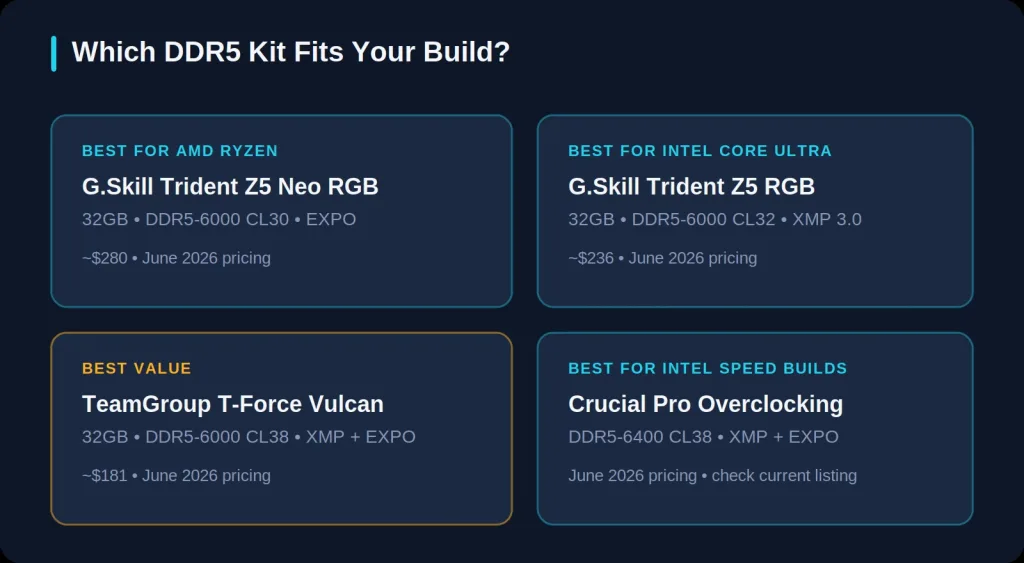
Best for AMD Ryzen builds: G.Skill Trident Z5 Neo RGB — 32GB DDR5-6000 CL30
The “Neo” designation means this kit is specifically validated for AMD’s EXPO profile, which matters more than it sounds — it’s the difference between a kit that trains reliably at its rated speed on Ryzen versus one that needs manual tuning. This has been the go-to recommendation for Ryzen 7000 and 9000 builds and remains the gold standard for AM5 gaming rigs in 2026.
Best for Intel builds: G.Skill Trident Z5 RGB — 32GB DDR5-6000 CL32
Tighter CL32 timings tuned for Intel’s LGA1851 platform, with a full XMP 3.0 profile. A dependable pick if you’re building on Arrow Lake or Panther Lake and want a kit that just works without fuss.
Best value: TeamGroup T-Force Vulcan — 32GB DDR5-6000 CL38
Hits the DDR5-6000 mark with both XMP and EXPO support at the lowest price point in this category. The looser CL38 timing costs a small amount of CPU-bound performance, but for most gamers the difference is not something you’ll perceive during actual play.
Best for Intel speed builds: Crucial Pro Overclocking — DDR5-6400 CL38
Runs DDR5-6400 in its primary profile with a secondary DDR5-6000 profile at tighter timings, supporting both XMP 3.0 and EXPO. A solid match for Arrow Lake and Zen 5 builders who want a bit of extra frequency headroom without committing to an extreme overclocker kit.