It’s Tuesday morning, and the kitchen is already a battleground. Someone missed a dentist appointment that was scrawled on a sticky note now buried under a pile of mail. The milk expired two days ago, and nobody noticed. A school permission slip that needed signing last Friday is still sitting untouched on the counter. Sound familiar? For most busy families, this isn’t an occasional bad morning—it’s the default setting.
Traditional paper calendars and color-coded sticky notes served a purpose once, but they simply can’t keep pace with the complexity of modern family life. Schedules shift in real time, family members are constantly on the move, and important information gets lost in the noise. The result is a communication breakdown that costs time, money, and no small amount of stress.
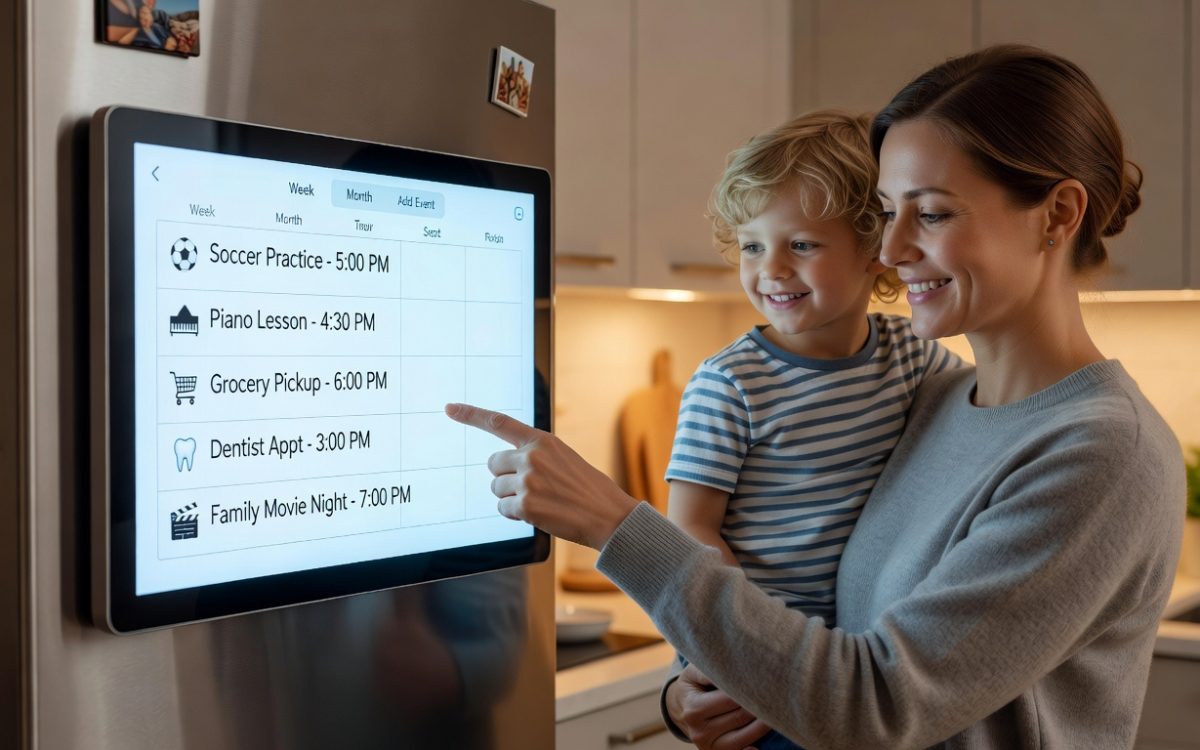
Enter the digital refrigerator calendar—a smart display or tablet mounted right in the heart of the home that merges the physical familiarity of a kitchen hub with genuine digital intelligence. It centralizes everything: shared schedules, meal plans, grocery lists, and important documents, all updated in real time and visible to every family member the moment they walk into the kitchen. Beyond scheduling, it actively helps reduce food waste by tracking what’s in your fridge and reminding you to use it. For tech-savvy parents ready to replace household chaos with genuine coordination, this tool isn’t just a gadget—it’s a smarter way to run a home.
What is a Digital Refrigerator Calendar and Why Your Family Needs One
A digital refrigerator calendar is exactly what it sounds like: a smart display, repurposed tablet, or dedicated touchscreen device mounted in your kitchen that functions as the household’s central command center. Unlike a paper calendar pinned to the wall or a whiteboard covered in dry-erase scribbles, this system is dynamic. It updates the moment someone makes a change, pulls information from multiple sources simultaneously, and displays everything in a clean, always-visible format that every family member encounters naturally throughout the day.
The contrast with analog methods is stark. A paper calendar can only show what someone physically wrote on it—and only if that person remembered to write it. It can’t notify you when a schedule changes, can’t sync with your phone, and certainly can’t remind you that the chicken you bought on Monday expires on Thursday. Sticky notes get buried, whiteboards get erased by accident, and printed schedules become outdated the moment anything shifts. For families juggling school pickups, work deadlines, extracurricular activities, and meal planning, these limitations aren’t minor inconveniences—they’re the source of daily friction.
A digital refrigerator calendar solves this by becoming the single, authoritative source for everything that keeps the household running. Need to know who has soccer practice Wednesday? It’s on the display. Wondering what’s for dinner Thursday? The meal plan is right there. Forgot whether you signed the permission slip? It’s stored and viewable in seconds. The core features that make this possible—real-time syncing across all family devices, interactive touchscreen displays, document storage integration, and food inventory tracking—work together to replace scattered, unreliable systems with one coherent hub. The kitchen is already where the family naturally gathers; this tool simply makes that space work harder for everyone.
Achieve Seamless Coordination with Real-Time Updates and Document Sync
The single biggest source of household miscommunication isn’t bad intentions—it’s fragmented information. One parent updates a calendar on their phone, another checks a paper schedule on the wall, and the kids have no visibility into either. A digital refrigerator calendar breaks this cycle by connecting every family member’s device to one shared, always-current source of truth. The moment someone adds a dentist appointment, reschedules a practice, or notes that Thursday’s dinner plans changed, that update appears on the kitchen display and on everyone’s personal devices simultaneously. Nobody can reasonably claim they didn’t know.
Beyond scheduling, document sync is where this system genuinely earns its place in the household. Instead of hunting for a permission slip buried in a backpack or a sports schedule photocopied at the beginning of the season, you can upload those documents directly to the display. School forms, pediatric vaccination records, team rosters, and even weekly recipe PDFs become instantly accessible to anyone in the kitchen. The display becomes a living filing cabinet that doesn’t require anyone to remember where they put something.
Step-by-Step: Implementing Your Family’s Sync System
Getting this system running is straightforward if you approach it in stages. Start by choosing a calendar platform that your whole family will actually use—Google Calendar works well for Android-heavy households, while Apple Family Sharing suits those deep in the iOS ecosystem. Dedicated apps like Cozi or TimeTree offer family-specific features like color-coding by member and built-in shopping lists if you prefer a purpose-built tool. Platforms like Everblog also cater specifically to household coordination, offering display-optimized layouts designed with kitchen screens in mind.
Once you’ve chosen a platform, create a shared family calendar and grant edit permissions to every adult in the household, with view-only access for younger children. Next, select and configure your central display device—a repurposed tablet mounted with an adhesive wall bracket works well, as does a dedicated smart frame or a small touchscreen monitor. Install your calendar app on it and set it to display mode so the screen stays on throughout the day.
Integrate a cloud document storage service—Google Drive or iCloud both sync seamlessly with their respective calendar platforms. Create a dedicated “Family Documents” folder and establish the habit of uploading anything important the moment it arrives. Finally, set clear household rules: all events must be added digitally within 24 hours, and no paper-only scheduling is permitted. Consistency here is what separates a useful system from one that quietly gets abandoned after two weeks.
Leveraging Your Smart Display for Maximum Efficiency
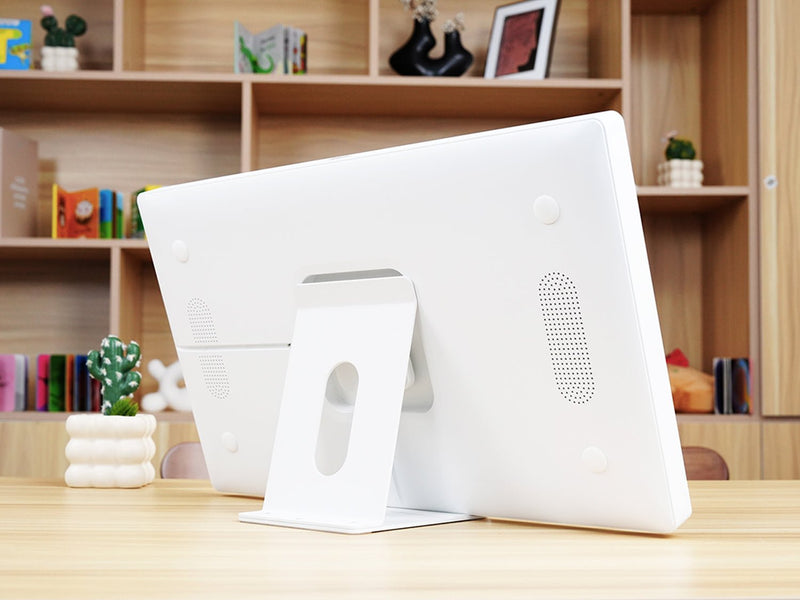
Choosing the right hardware shapes how well your kitchen hub actually performs. Dedicated smart frames like the Google Nest Hub or Amazon Echo Show are purpose-built for always-on display use, with optimized brightness and low power consumption. Repurposed Android tablets mounted with a wall bracket are a budget-friendly alternative that offer more app flexibility. For families who want a larger, more prominent display, a small touchscreen monitor connected to a Raspberry Pi or mini PC gives you full control over what runs on screen. Each option works—what matters most is that the display stays visible, stays on, and stays accessible to everyone from the tallest adult to the youngest child who can read.
Voice assistant integration is where the smart display earns its “smart” label in daily practice. With Google Assistant or Alexa connected, any family member can add an event, set a reminder, or check tomorrow’s schedule without touching the screen—hands covered in flour, carrying a laundry basket, or rushing out the door. A quick “Hey Google, add swim practice Saturday at 10 AM to the family calendar” takes three seconds and eliminates the excuse of not having time to update the system.
Visual meal planning adds another layer of practical value. Displaying a photo-based weekly meal plan—actual images of planned dishes rather than just text—makes dinner decisions concrete and reduces the nightly “what are we eating?” loop. Pair this with interactive to-do lists that family members can check off directly on the touchscreen, and the display shifts from passive information board to an active coordination tool. Chores get assigned and marked done. Grocery items get ticked off in real time. The always-on, always-visible nature of a kitchen display means information isn’t buried in a phone notification—it’s simply there, unavoidable and useful, every time someone walks in to grab a glass of water.
Practical Solutions for Waste Reduction Through Smarter Organization
Food waste is a quiet budget drain that most families underestimate. The average household throws away hundreds of dollars worth of groceries each year—not because people are careless, but because there’s no reliable system connecting what’s in the fridge to what’s on the dinner table. A digital refrigerator calendar closes that gap by making meal planning and inventory management part of the same visible, always-accessible hub where the family already manages their schedule.
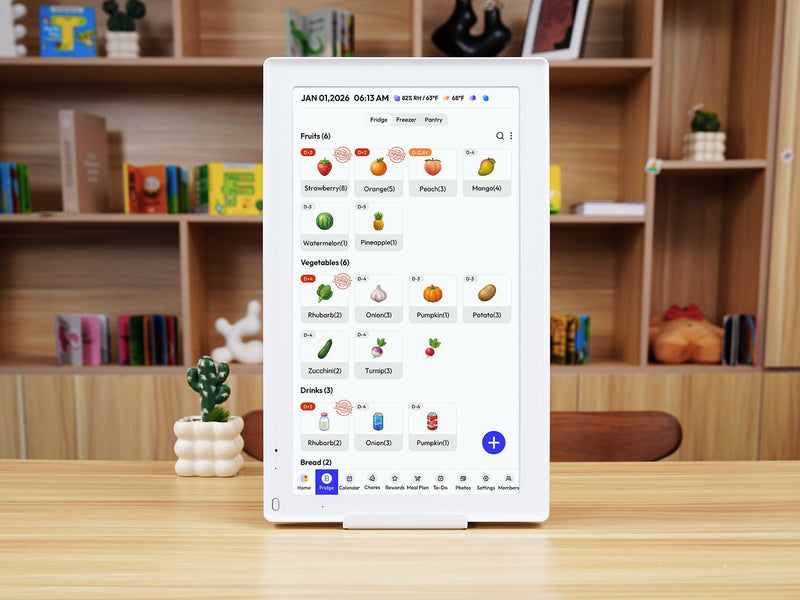
The approach starts with dedicating a section of your kitchen display specifically to meals and food inventory. Most family calendar apps support custom calendar categories, so creating a “Meal Plan” layer that overlays your weekly schedule takes minutes. When Thursday shows soccer practice at 6 PM, you can immediately see that a slow-cooker meal needs to be planned—not a 45-minute stovetop recipe. The calendar doesn’t just tell you what’s happening; it informs what you should be cooking around it.
Inventory tracking is where the waste-reduction impact becomes tangible. When you return from grocery shopping, log perishable items—chicken breasts, leafy greens, fresh herbs, dairy—along with their expiration dates directly into your calendar or a linked app like Grocy or OurGroceries. Set a reminder two days before anything expires. That notification on the kitchen display becomes a prompt to build Tuesday’s dinner around the spinach that won’t last until Thursday, rather than discovering it wilted at the back of the crisper drawer on Friday.
The financial and environmental benefits compound quickly. Families who plan meals in advance buy more deliberately, waste less, and make fewer last-minute takeout decisions. A shared shopping list synced to the display—built directly from the week’s planned meals—means whoever heads to the store buys exactly what’s needed, nothing more. Over time, this system doesn’t just reduce waste; it builds a household culture of intentional consumption that benefits both the budget and the planet.
Your Action Plan: From Chaos to a Waste-Reducing Kitchen
Start with a full pantry and refrigerator audit. Pull everything out, discard what’s expired, and note what you actually have on hand. This baseline inventory becomes the foundation for your first week of planned meals—and often reveals duplicates you’ve been buying unnecessarily.
Next, build a weekly meal planning template directly on your digital calendar. Block out seven dinner slots every Sunday, accounting for busy evenings where only quick meals are realistic. Use recurring events for staple meals your family rotates regularly—this reduces the mental load of planning from scratch each week.
Connect a shopping list app that syncs with your display. OurGroceries, AnyList, and the built-in list features in Cozi all update in real time across devices, so any family member can add items from anywhere. The list should populate automatically as you plan meals, with ingredients pulled directly from your recipe notes.
Designate one night per week—Friday works well for many families—as a “use-it-up” meal. Mark it on the calendar and treat it as a creative constraint: dinner is built from whatever perishables need to be used before the weekend shopping trip. This single habit can eliminate a significant portion of weekly food waste on its own.
Finally, schedule a brief monthly family review. Spend ten minutes checking what’s working, which meals nobody liked, and whether the inventory system is being maintained. Adjust the template accordingly. Systems that get revisited stay relevant; systems that don’t get quietly abandoned.
From Kitchen Chaos to Coordinated Family Living
The Tuesday morning chaos described at the start of this article isn’t inevitable—it’s a systems problem, and systems problems have solutions. A digital refrigerator calendar directly addresses the two pain points that drain the most energy from busy family life: the communication gaps that leave everyone working from different information, and the organizational failures that turn groceries into landfill and evenings into guesswork.
The pillars that make this work are straightforward. A smart display mounted in the kitchen creates a physical hub that nobody can ignore—information lives where the family already gathers, not buried in a notification on a phone that’s face-down on a counter. Real-time synchronization ensures that one person’s update becomes everyone’s update instantly, eliminating the fragmented, version-controlled chaos of paper and memory. And intentional meal planning tied directly to inventory tracking transforms grocery shopping from reactive guessing into deliberate, waste-conscious decision-making.
What makes this tool genuinely powerful isn’t any single feature—it’s the combination of digital intelligence with physical presence at the center of home life. When technology meets the natural rhythms of where your family already spends its time, adoption becomes effortless and the benefits compound daily. Start with one section of the system, build the habit, and expand from there. A more coordinated, efficient, and intentional family life is less a matter of discipline than of having the right infrastructure in place.