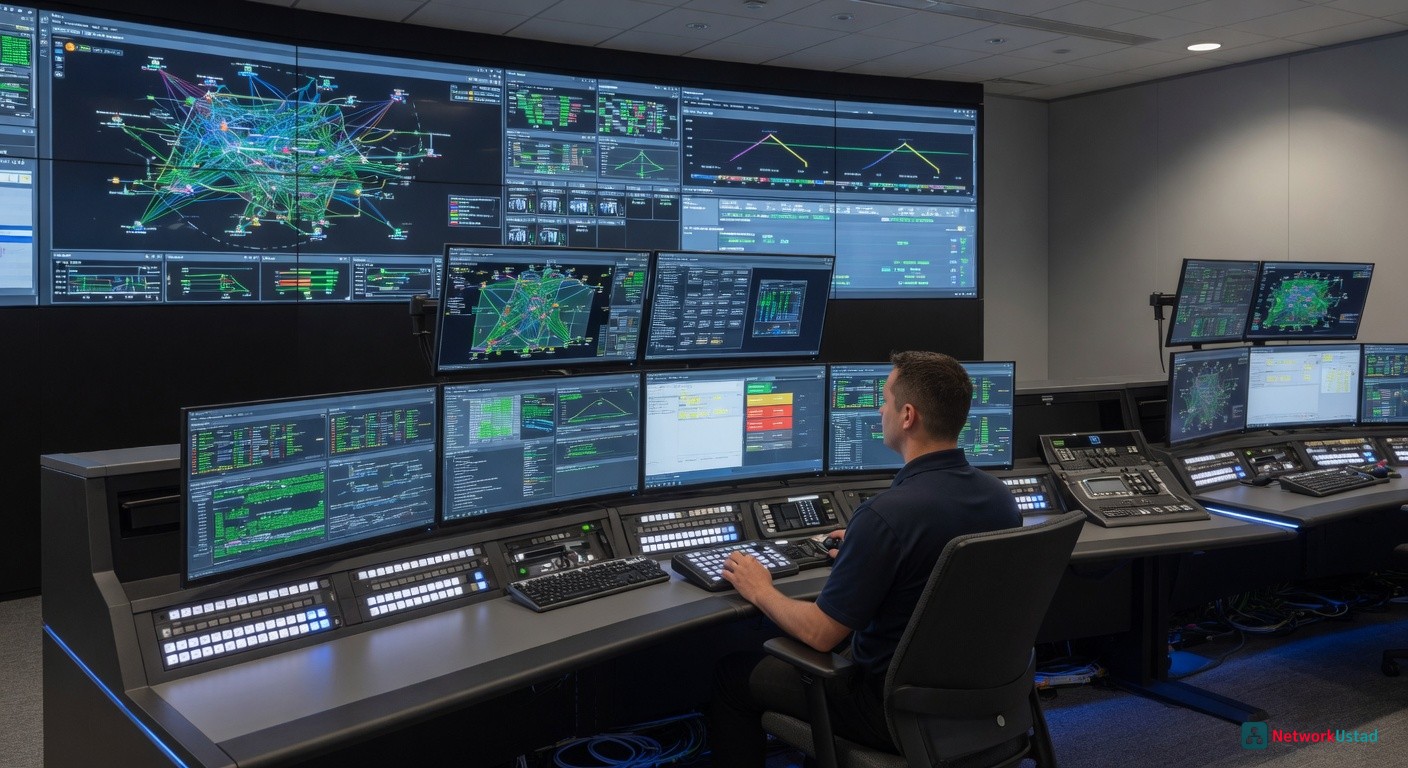
Network operations centers are, without question, the beating heart of modern IT. Everything flows through them: threat detection, incident triage, and real-time decision-making. And yet, the physical environment operators work in? Often an afterthought. Network operations center consoles have come a long way from glorified desks with mismatched monitors.
Today, they’re purpose-engineered systems built around uptime, security, and human performance. As network complexity scales, NOC furniture and advanced console systems have crossed the line from “nice to have” into flat-out operational necessity.
So what’s actually driving that shift? Let’s get into it.
The Modern NOC: Mounting Pressure, Real Stakes
The scope of what NOC teams manage today would’ve seemed unimaginable a decade ago. More endpoints. More cloud environments. More data streams are running simultaneously, all demanding attention at once.
Responsibilities Have Expanded Well Beyond Traffic Monitoring
Modern NOC operators aren’t just watching dashboards. They’re coordinating with security teams mid-incident, managing hybrid cloud infrastructure, and making judgment calls that affect entire organizations. Control room workstations need to support that expanded reality, not fight against it.
Ergonomics Aren’t Soft — They’re Operational
Here’s a number worth pausing on: nearly 30% of the American workforce operates outside a standard daytime shift. NOC staff are firmly in that group. Poor ergonomic conditions accelerate fatigue, impair focus, and introduce real risk in environments where sharp decision-making isn’t optional.
What Happens Without the Right Setup
Without purpose-built network operations center consoles, teams deal with tangled cabling, monitors at the wrong height, and layouts that create friction instead of removing it. Standard office furniture was never designed for 24/7 multi-screen workflows, and the gaps show.
The pressure is real. The workarounds are costly. So what does a truly capable console system actually look like?
How AEGIS Consoles Raise the Bar
Not every manufacturer builds for mission-critical environments. Tresco Consoles does, and the AEGIS line reflects exactly that kind of purpose-driven engineering.
Configurability That Actually Fits Your Operation
The AEGIS platform offers ground-up customization, dimensions, monitor configurations, finishes, and accessory mounts. Every detail can be tailored to a specific NOC layout and workflow. That matters when no two facilities are identical.
Built to Last Through Continuous Operation
Materials and construction in AEGIS consoles are chosen for 24/7 operational cycles. Replacement cycles stretch significantly beyond what standard office furniture delivers, a meaningful long-term cost consideration.
Cable Management That Holds Up Under Pressure
Integrated routing channels and structured device housing keep workspaces clean and accessible. During a live incident, the last thing an operator needs is a cable management puzzle.
Designed for Secure, Compliance-Sensitive Environments
Many NOCs handle sensitive infrastructure data. A console design that supports physical access control and organized equipment housing contributes directly to a facility’s compliance posture.
What Operators Actually Report
Teams that have transitioned to purpose-built network operations center consoles consistently report reduced physical fatigue and improved focus across extended shifts. That feedback aligns directly with what the ergonomic research predicts.
What Advanced Console Systems Actually Deliver
A well-designed console isn’t just a surface to put monitors on. It structures the entire operator experience around speed, endurance, and clarity.
Technology That’s Built In, Not Bolted On
Quality NOC furniture integrates cable routing, power management, and device housing directly into the console frame. Cleaner workspace. Faster troubleshooting. Less time hunting for the right cable during a critical incident.
Scalability That Doesn’t Require Starting Over
Modular control room workstations let NOCs grow without tearing out existing infrastructure. New operator positions, expanded display arrays, updated hardware, all manageable when the console architecture was designed with growth in mind from day one.
Broader Situational Awareness Through Display Integration
Large-format and multi-monitor configurations are standard in advanced consoles. The cognitive load of tracking multiple data streams drops significantly when operators aren’t constantly toggling between cramped displays.
The Business Case: What You’re Actually Investing In
| Benefit | Standard Consoles | Advanced Console Systems |
|---|---|---|
| Ergonomic adjustability | Minimal | Full sit-stand, monitor positioning |
| Cable management | Exposed/basic | Integrated routing |
| Scalability | Limited | Modular expansion |
| Operator fatigue mitigation | Low | High |
| Long-term durability | Moderate | Industrial-grade |
Faster Incident Response
Clean, logical console design removes friction from the workflows that matter most. When operators aren’t fighting awkward layouts, response times improve, sometimes dramatically.
Retention Is a Real Financial Factor
Ergonomic control room workstations signal to staff that their health is taken seriously. In a competitive hiring environment for skilled NOC technicians, that matters more than most organizations realize until someone walks out the door.
Smarter Use of Floor Space
Purpose-built NOC furniture uses space efficiently, often supporting more operator positions than improvised arrangements without feeling crowded or chaotic.
What to Evaluate Before You Commit
Map Your Actual Workflow Gaps
Measure the space. Involve your operators in the evaluation; they know where the real friction points are. A configuration that works beautifully in one NOC can create bottlenecks in another.
Confirm Technology Compatibility
Ensure new advanced console systems work with existing display hardware, KVM switches, and power infrastructure. A console upgrade shouldn’t trigger a full technology overhaul.
Ask Hard Questions About Support and Warranties
Lead times, installation support, what warranty coverage actually includes, get specifics. A console that ships in six months won’t solve a capacity problem that’s happening right now.
Sustainable Manufacturing Matters More Than It Used To
Responsible material sourcing is increasingly part of procurement decisions. North American-made consoles generally carry stronger environmental accountability than offshore alternatives.
Where Console Design Is Heading Next
IoT and Environmental Monitoring Built In
Emerging consoles incorporate sensors that track temperature, humidity, and ambient light, feeding data to facility management systems and automatically adjusting operator environments.
AI-Driven Predictive Maintenance
AI integration into control room workstations is already emerging, identifying hardware anomalies and unusual usage patterns before they escalate into full incidents.
Touchless Interfaces
Voice and gesture-based controls reduce surface contamination risks while keeping operator attention exactly where it belongs: on the displays.
Hybrid NOC Support
Distributed teams are growing. Consoles with integrated cameras, audio, and shared display feeds support remote collaboration without sacrificing situational awareness.
AEGIS consoles are already built with this trajectory in mind, which means investing now doesn’t mean retrofitting later.
Final Take: This Is Infrastructure, Not Office Furniture
Network operations center consoles establish the operational foundation that everything else builds on, from routine monitoring to high-pressure incident response. The right advanced console systems pay dividends in operator health, faster response times, and real long-term cost efficiency.
Take an honest look at your current NOC furniture setup. If it wasn’t designed for mission-critical, 24/7 operations, it’s costing you more than you think. The right console infrastructure isn’t overhead. It’s a genuine competitive advantage.
Ready to See the Difference?
– Request a personalized demo of AEGIS consoles and evaluate purpose-built design firsthand
– Download the layout optimization guide for control room workstations
– Connect with NOC furniture specialists to identify the right configuration for your specific operation
FAQs
1. How do I know when my NOC has outgrown standard office furniture?
If operators are constantly adjusting monitors, dealing with cluttered equipment, improvising cable fixes, or struggling to stay comfortable during long shifts, the space has likely outgrown standard furniture. Another sign is when adding new screens, devices, or operators creates more disruption than improvement. A purpose-built console system helps turn those workarounds into a structured, reliable setup.
2. Will upgrading NOC consoles disrupt day-to-day operations?
A console upgrade does require planning, but it does not have to interrupt critical operations. The best approach is to map workflows, identify essential equipment, and schedule installation in phases or during lower-traffic windows. Working with a console provider that understands mission-critical environments can help minimize downtime and keep teams operational throughout the transition.
3. Are advanced NOC consoles only worth it for large organizations?
No. Smaller NOCs often benefit just as much because every operator position carries more responsibility. When teams are lean, poor workstation design can create even more pressure. Advanced consoles help smaller facilities make better use of space, reduce operator fatigue, and prepare for future growth without needing a full redesign later.