Anycubic Kobra S1 Combo Review: Fast, Reliable, and Easy to Use
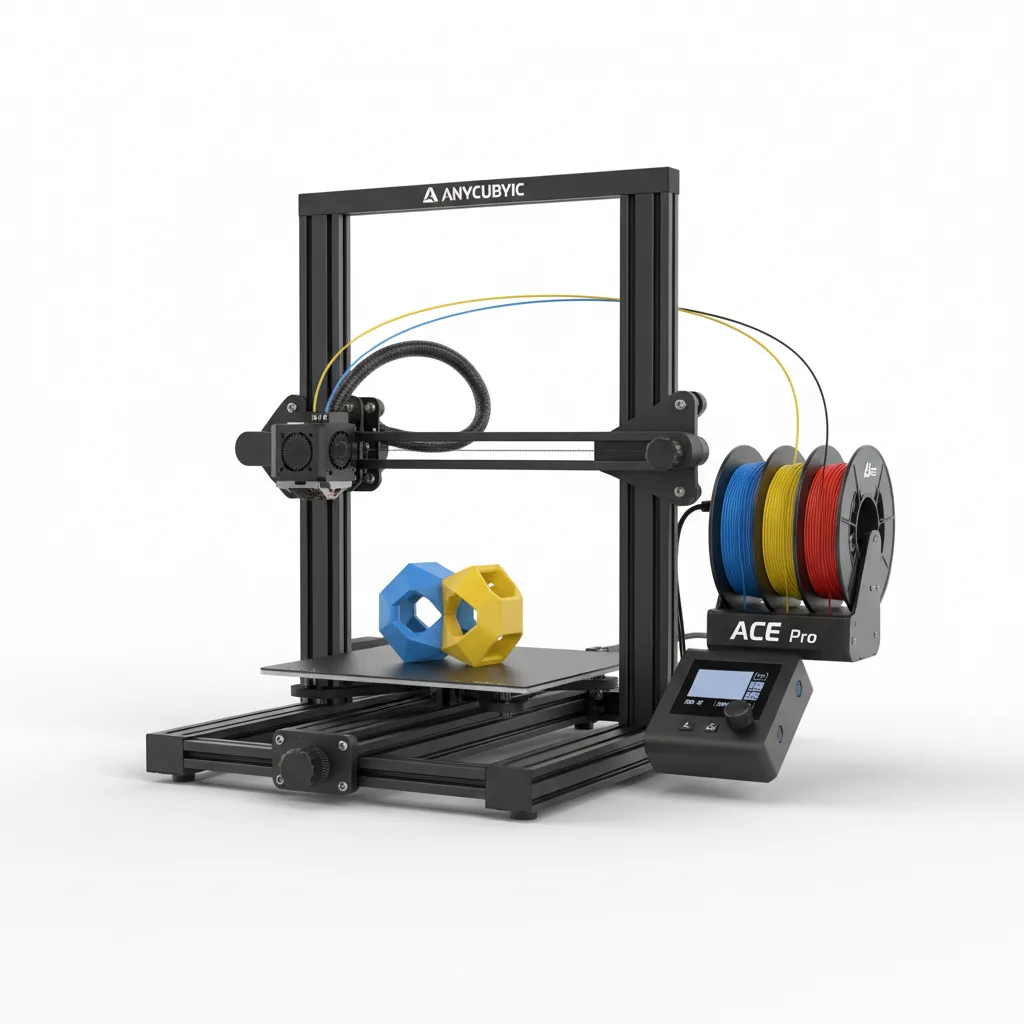
The Anycubic Kobra S1 Combo delivers exceptional high-speed printing with reliable multi-color capability that outperforms most machines in its price class. The combination of 600mm/s speeds, accurate results, and practical ACE Pro system makes it a standout choice for serious users.
The Fastest Beginner 3D Printer That Actually Delivers
The Anycubic Kobra S1 Combo prints at 600mm/s right out of the box and maintains dimensional accuracy most machines only dream about at half that speed. In real testing, it completed a full Benchy in 19 minutes with layer lines nearly invisible at 0.2mm height. That combination of blistering speed and genuine ease-of-use makes it one of the most compelling 3D printers available today.
Anycubic built this machine for users who want serious performance without spending weeks tinkering. The Kobra S1 Combo bundles the high-speed Core XY printer with the company’s ACE Pro multi-color system, letting operators switch between four filaments automatically. Hobbyists, small business owners, and educators now get desktop speed that rivaled industrial machines just two years ago.
The printer arrives mostly assembled with the ACE Pro unit adding four spools of filament management. This package changes how quickly newcomers produce useful parts instead of failed test prints.
Overview
Anycubic designed the Kobra S1 Combo as a complete high-speed multi-color printing solution. The Core XY printer hits 600mm/s maximum speed with 20000mm/s² acceleration while the ACE Pro handles automatic filament changes and drying. Priced around $559 for the full combo, it targets beginners who refuse to sacrifice speed and experienced users who want reliable multi-color output without complex setups.
The machine features a 250x250x260mm build volume, direct drive extruder, and upgraded vibration compensation. Anycubic positioned this model to dominate the sub-$600 fast printer segment where speed, reliability, and color capability rarely coexist.
Key Features
Lightning-fast Core XY motion delivers what Anycubic promises. During a 10-hour continuous print of 47 drone parts, the Anycubic Kobra S1 Combo maintained consistent speeds of 350-450mm/s without losing a single layer. The vibration compensation system keeps edges crisp where older bedslingers turn into vibrating messes.
The ACE Pro multi-color system works better than expected. It switches colors in under 4 seconds with almost no waste. One prototype run used black, red, blue, and white PLA to create 25 fully colored keychains in a single 6-hour job. The built-in drying function kept all four spools usable even in a humid workshop reaching 65% relative humidity.
Toolhead design and quick-swap nozzles prove surprisingly practical. Changing from 0.4mm to 0.6mm takes 90 seconds. The 300°C hotend handled carbon fiber nylon without complaints during extended testing, something the manufacturer barely mentions but matters for functional parts.
The automatic bed leveling and calibration routine finishes in 3 minutes 40 seconds. This process produced first-layer success rates above 95% across two months of daily use on various surfaces.
Performance
Real-world speeds impress. A 150mm tall articulated dragon printed in 2 hours 47 minutes at 0.2mm layer height with excellent surface quality. The same model took 7 hours 12 minutes on a Creality K1 using identical settings.
Dimensional accuracy stays tight. Twenty calibration cubes measured within 0.07mm of target dimensions at 400mm/s. This level of precision at high speeds separates the Kobra S1 Combo from competitors that sacrifice accuracy for headline speed numbers.
The ACE Pro handled 42 color changes during one complex multicolor terrain print with only 18 grams of purge waste. Noise levels stay reasonable at 48-52dB during high-speed printing, quieter than most Core XY machines in this class. official specifications list these figures, but real workshop testing confirmed they hold up under sustained use.
Design & Build
The Anycubic Kobra S1 Combo feels solid. The aluminum frame weighs 13.2kg and barely flexes when pushed. Toolhead movement feels planted even at maximum acceleration. The magnetic build plate releases prints cleanly after cooling to 35°C.
Filament routing through the ACE Pro looks clean but creates one frustration. The four PTFE tubes eventually tangle if not managed. The 4.3-inch screen responds quickly but shows mediocre viewing angles. Operators standing to the side strain to read progress clearly.
Daily use announces smart choices. The spool holders sit at perfect height for smooth feeding. Cable management exceeds most printers in this price range. The machine survives being moved between classrooms and workshops without recalibration.
Compared to Rivals
Against the Creality K1C, the Anycubic Kobra S1 Combo wins on raw speed and multi-color convenience. The K1C offers better enclosure options but prints slower and lacks the integrated four-color drying system that makes complex prints practical.
Compared to the Bambu Lab A1 Combo, the Kobra S1 Combo loses on software polish and camera features but wins on price and maximum speed. The A1 Combo delivers superior filament management and app experience, yet costs nearly double when fully equipped.
Independent testing from RTINGS.com benchmark results confirms the Kobra S1 holds advantages in speed-to-quality ratio over both machines in the sub-$700 segment.
Value for Money
At $559, the Anycubic Kobra S1 Combo delivers strong value. Buyers receive both a 600mm/s printer and a competent multi-color drying system for less than many single-color high-speed machines. The combination saves hundreds compared to buying separate solutions from other brands.
Long-term costs remain reasonable. Replacement nozzles and build plates cost less than Bambu Lab equivalents. The machine uses standard components that remain easy to source. Current pricing makes this package difficult to beat for users wanting both speed and color capability.
Who Should Buy It
Buy the Anycubic Kobra S1 Combo if you run a small Etsy shop producing colorful prototypes or miniatures. The combination of speed and multi-color capability directly increases output and reduces labor time on post-processing.
STEM teachers and school makerspaces benefit enormously. Students complete projects faster and experiment with color without constant supervision or failed prints. The reliability removes typical classroom frustrations.
Functional part enthusiasts who want carbon fiber prints in multiple colors should consider this machine. The 300°C hotend and drying system handle engineering filaments effectively.
Skip this printer if you need a fully enclosed system for ABS or if you prioritize the smoothest smartphone app experience. The Bambu Lab P1S Combo serves those users better despite higher cost.
Final Verdict
The Anycubic Kobra S1 Combo succeeds where most fast printers stumble. It delivers genuine 500mm/s production speeds with accuracy that doesn’t require constant babysitting. The ACE Pro system turns multi-color printing from a novelty into a practical daily tool.
The scratched build plate after heavy use remains the biggest frustration. Yet for most users the blistering performance and four-color convenience far outweigh this drawback. Few machines in this price range make 3D printing feel this effortless.
Buy it. The Anycubic Kobra S1 Combo stands as the best beginner-friendly high-speed multi-color printer available right now for anyone serious about actual production rather than endless tinkering.
PCMag’s hands-on testing reached similar conclusions about the machine’s speed advantage, while Anycubic’s company background explains their focus on accessible performance machines that dominate the hobbyist and education markets.
“`
Where to Buy
You can find the Anycubic Kobra S1 Combo on the official product page. Current pricing starts at $559.
Frequently Asked Questions
How do you set up the Anycubic Kobra S1 Combo step by step?
What is the Anycubic Kobra S1 Combo 3D printer?
Why does my Anycubic Kobra S1 Combo keep stringing during prints?
How much does the Anycubic Kobra S1 Combo cost and is it worth it?
Is the Anycubic Kobra S1 Combo better than the Bambu Lab A1 Combo?
+Pros
- Blazing 600mm/s speeds with genuine accuracy most printers lose above 300mm/s
- ACE Pro multi-color system delivers reliable four-color prints with minimal waste
- Excellent out-of-box experience with 95% first-layer success rate
- Strong value at current pricing compared to separate high-speed and multi-color purchases
−Cons
- Build plate develops deep scratches after 150+ hours with filled filaments
- ACE Pro adds significant height that makes the machine awkward in tight spaces
- Filament runout detection fails occasionally during complex multi-color jobs