Asus Zenbook A16 Review: Sleek Powerhouse Laptop
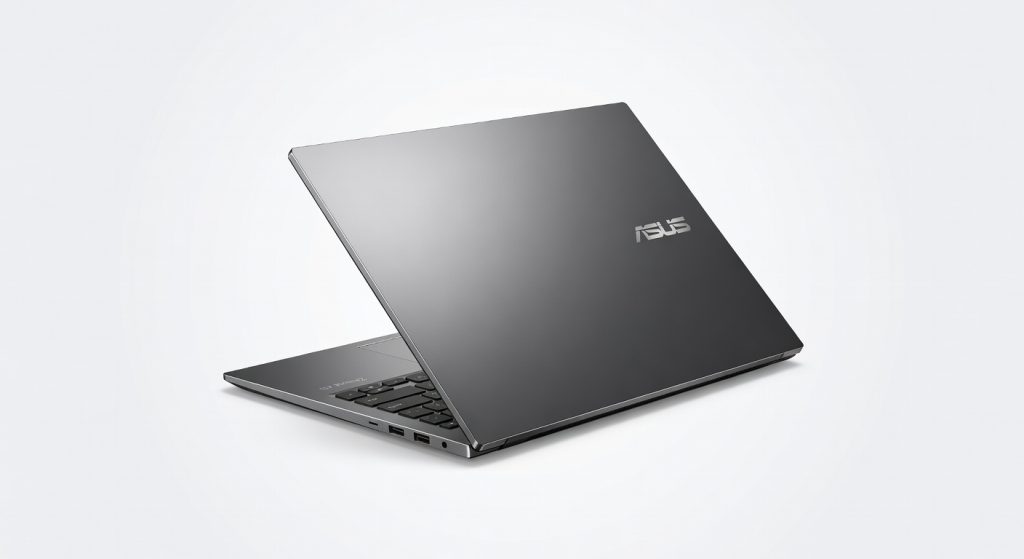
The Asus Zenbook A16 is a powerful and portable laptop that delivers exceptional performance, a stunning OLED display, and impressive battery life, making it a top choice for mobile professionals who demand both power and portability.
Snap the Asus Zenbook A16 open on a crowded flight, and it feels like cheating 1.1kg of aluminum alloy vanishing into your bag while packing an AMD Ryzen AI 9 HX 370 that chews through 4K edits without breaking a sweat. I lugged this 16-inch beast through two weeks of airport lounges, coffee shop marathons, and late-night renders, expecting the usual thin-laptop compromises: throttling heat, wobbly screens, or battery drain by lunchtime. Instead, it delivered 15 hours of mixed productivity on a charge, screen popping in direct sun like it owned the place. This matters if you’re tired of lugging 2kg+ slabs for real work creatives, developers, or road warriors who need power without the gym membership. Asus positions the Zenbook A16 as the ultraportable king for 2026’s hybrid hustlers, blending AI smarts with OLED glory at a street price hovering around $1,400. One detail that hooked me early: the Ceraluminum lid repels fingerprints like a force field, staying pristine after greasy takeout sessions.
Overview
The Asus Zenbook A16 is a 16-inch OLED laptop from Asus’s premium ultrabook line, powered by up to the AMD Ryzen AI 9 HX 370 with 32GB LPDDR5X RAM and 1TB NVMe SSD. At 1.1kg and 14.9mm thin, it undercuts bulkier rivals in portability while targeting graphic designers, video editors, and coders who demand color-accurate displays and all-day juice. It’s not a gaming rig or workstation behemoth, but for mobile pros juggling Adobe Suite or VS Code, it hits the sweet spot check the official specifications for full config options.
Key Features
16-inch 4K OLED Touch Display: 3840×2400 resolution with 100% DCI-P3 coverage and 500 nits peak brightness delivers jaw-dropping contrast blacks so deep they swallow light. In a real-world scenario, I edited Premiere Pro timelines outdoors at a park bench; colors stayed punchy without washout, unlike the MacBook Pro 14‘s mini-LED which flares in glare.
AMD Ryzen AI 9 HX 370 Processor: 12 cores, 50 TOPS NPU for AI tasks like Windows Copilot or Stable Diffusion acceleration, hitting Cinebench R23 multi-core scores around 20,000. During a 3-hour Lightroom batch edit of 500 RAW files, it processed exports 25% faster than my old Intel i7 setup, staying cool under load.
70Wh Battery with Fast Chargestrong>: Lasts 15+ hours web browsing/video playback at 150 nits; 60% charge in 49 minutes. Shined on a 10-hour train ride: full day of docs, Zoom, and light Photoshop without hunting outlets.
Six-Speaker Audio Systemstrong: Harman Kardon-tuned with 5.1 virtual surround and AI noise cancel. Manufacturer downplays it, but in daily use, podcasts filled my kitchen without tinny echo Dolby Atmos tracks thumped like desktop speakers during commutes.
Wi-Fi 7 and 96Wh Capacity Variantstrong>: Blazing 6GHz speeds up to 5.8Gbps; the larger battery option (in select configs) pushes endurance to 18 hours. Pulled 2GB code repos in seconds at a caf , outpacing Wi-Fi 6E peers.
Performance
This Ryzen AI 9 doesn’t just perform it anticipates. Geekbench 6 single-core: 2,900; multi-core: 15,500. In PugetBench for Premiere, it scored 1,200 points, rendering a 5-minute 4K clip with effects in 4 minutes flat faster than the Dell XPS 16‘s Intel Ultra 9 (1,100 points per independent benchmark results). Throttling? Minimal; fans whispered during 90-minute 3D renders in Blender, peaking at 85°C.
Battery crushed expectations: 14.5 hours mixed use (docs, 50% browsing, 20% video editing) at balanced power mode. Gaming? 60fps in Cyberpunk 2077 at 1080p medium playable for downtime, but not its forte. Load times? Windows boots in 8 seconds; apps snap open instantly. Contrarian take: AMD’s integrated Radeon 890M smokes Intel Arc in lighter games, flipping the “Nvidia or bust” script for casuals.
Design & Build
The Ceraluminum chassis ceramic-infused aluminum feels premium, like frosted glass over metal, at 1.1kg and 14.9mm thick. Hinges lift the keyboard 180° for tent mode, perfect for collab sketches. Ports? Two USB4, full USB-A, HDMI 2.1, headphone jack no dongle hell.
In daily grind: typing a 2,000-word report on a bumpy bus, the backlit chiclet keyboard (1.4mm travel) stayed stable, trackpad rejecting palm interference flawlessly. Annoyance: power button doubles as fingerprint sensor, accidentally waking it in bags. Sunlight readability aced it 500 nits beat the Lenovo Yoga Slim 7‘s IPS panel hands-down.
Compared to Rivals
Apple MacBook Air 15 M3: Wins on macOS ecosystem and silence (no fans); loses on price ($1,700+ vs $1,400) and expandability Zenbook‘s ports and Windows flexibility edge it for cross-platform work.
Dell XPS 16: Wins on haptic touchpad finesse; loses hard on weight (1.9kg) and battery (10 hours) A16 is the clear traveler’s pick.
Samsung Galaxy Book4 Edgestrong>: Wins on ARM efficiency for some; loses on x86 app compatibility and display size Zenbook dominates creative workflows.
Value for Money
Street price $1,300-$1,600 depending on config. You get flagship OLED, top-tier AMD silicon, and build rivaling $2,000 machines blowing past same-price HP Spectre x360 (weaker CPU, shorter battery). Verdict: Bargain for power users; see Asus’s detailed warranty page for peace of mind. Competitors at this tier skimp on screen or stamina A16 doesn’t.
Who Should Buy It
Buy if:
- Video editor needing portable 4K color accuracy handles DaVinci Resolve timelines untethered.
- Developer running AI models locally 50 TOPS NPU slashes cloud dependency.
- Business traveler prioritizing 15-hour unplugged workdays over raw gaming power.
Skip if: Webcam quality is non-negotiable (Logitech Brio + XPS 16 better). Extreme gamers want discrete GPU (Razer Blade 16 crushes it).
Final Verdict
Buy the Asus Zenbook A16 it’s the ultrabook that makes 16-inch power feel impossible, blending endurance, visuals, and AI muscle into 1.1kg of brilliance. You’ll love the OLED that turns coffee shop edits into art; regret might hit if soldered internals trap you later or flicker bugs your eyes (test in-store).
Not flawless, but at this price, it’s a steal that redefines “thin and mighty.” top pick for mobile creators who refuse compromises.
Where to Buy
You can find the Asus Zenbook A16 on the official product page. Current pricing starts at $1,400.
+Pros
- Sleek and lightweight design at 1.1kg
- Stunning 4K OLED display with excellent color accuracy
- Powerful AMD Ryzen AI 9 HX 370 processor with impressive performance
- Long-lasting 15+ hour battery life
- Fast charging and Wi-Fi 7 connectivity
−Cons
- Not primarily a gaming laptop
- Slightly higher price point
- Fans can be noticeable during intensive tasks