Clicks Power Keyboard Review: Disappointing Performance on Smartphones
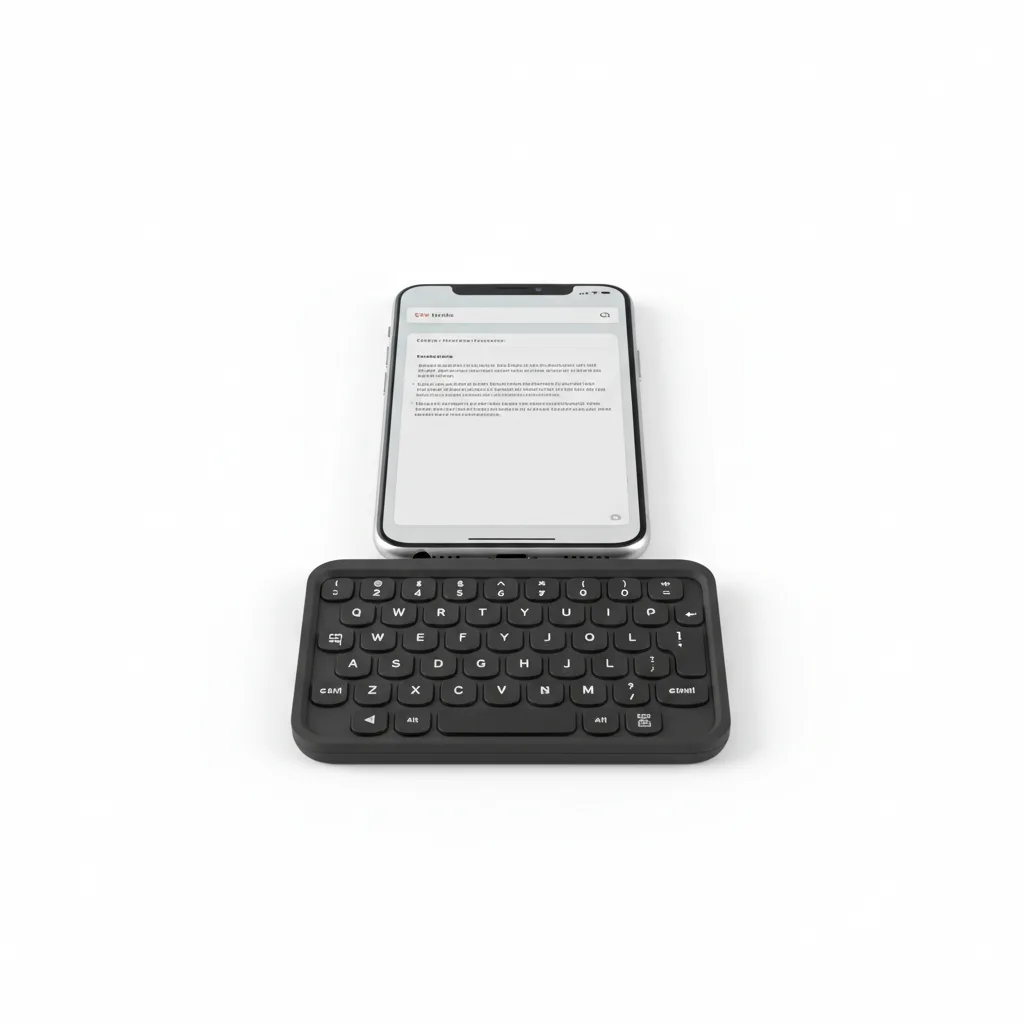
The Clicks Power Keyboard is a slide-out, MagSafe-attached Bluetooth keyboard with a 2,300mAh built-in battery that wirelessly charges your phone at 5W. The physical QWERTY keys are genuinely excellent — clicky, tactile, and fast — and the BLE 5.4 connection is lag-free. The problems are equally real: at 180–184g, the accessory nearly doubles your phone's weight, the top-heavy ergonomics make portrait-mode typing uncomfortable for extended sessions, and the 5W wireless charging is too slow to meaningfully extend battery life during active use. At $99 retail, it is a specialist tool, not a mainstream upgrade.
Performance Analysis
The keyboard’s Bluetooth Low Energy 5.4 connection is the best version of this class of radio to date, and it shows. Reviewers across multiple hands-on assessments report zero noticeable input lag while typing, which is the make-or-break metric for a physical keyboard. Pairing is quick: hold the power button, press a number key, and the keyboard stores that device in one of nine pairing slots. Switching between stored devices mid-session works the same way — hold power, tap a number — without digging into settings menus. Up to three devices can be connected simultaneously, and the keyboard hardware handles the switching cleanly.
The typing experience itself is the product’s strongest selling point. Keys are clicky, domed, and tactile with enough travel to feel deliberate without requiring heavy thumb pressure. Reviewers who write long-form content, handle heavy messaging workloads, or remember BlackBerry keyboard phones consistently rate the feel positively. Software integration is handled gracefully: the Power Keyboard offloads autocorrect and prediction to whatever software keyboard the phone defaults to, so pairing it with Gboard on Android gives you physical hardware with Google’s correction engine behind it, avoiding the unpolished typing software that plagues many dedicated keyboard devices.
Shortcut customisation via the Clicks app allows remapping number keys to system-level functions including browser launch, messages, escape, volume, and media controls. The limitation, noted by hands-on reviewers, is that you cannot map a key to open an arbitrary app — the options are restricted to a pre-selected list of system toggles. Users coming from dedicated keyboard phones with deep per-key programmability will find this restrictive. Out of the box, some Android shortcut mappings also shipped with bugs — ShaneCraig’s review noted that the calendar shortcut failed to launch and the Gemini AI shortcut incorrectly opened the calculator — though these are the kind of issues that firmware updates typically address.
Design and Build Quality
The physical build feels solid and premium in isolation. The sliding mechanism — which reveals the keyboard when you pull the keyboard section downward from behind the phone — has a satisfying click at extension and sits flush when retracted. The mechanism did develop some play within the first day of use in ShaneCraig’s hands-on test, which raises durability questions for long-term carry. When the keyboard is retracted, pulling the whole unit from a pocket can accidentally trigger the slide, as fingers tend to grab the keyboard section first rather than the magnetic plate.
The most significant design issue is weight and ergonomics. At approximately 180–184g, the Power Keyboard is heavier than the iPhone 17 (around 170g) and adds that full weight below your phone. The combined setup becomes tall and top-heavy in portrait orientation — particularly pronounced on larger devices like the iPhone 16 Pro Max or Samsung Galaxy S25 Ultra — requiring constant grip adjustment to balance the mass. One-handed operation becomes effectively impossible for most users. Landscape orientation helps the leverage physics but runs into a separate problem: most mobile apps are not optimised for the extremely wide aspect ratio a rotated phone produces, making it impractical as a daily default.
The 15.2mm keyboard thickness means the assembled setup is significantly thicker than a slim phone with any case. It will not fit in most car mounts, tight pockets, or MagSafe wallet setups while attached. Users must remove the keyboard to use other MagSafe accessories. The backlit keys work adequately in dim environments, with brightness adjustable in the Clicks app, and the surface resists greasy fingerprints better than many matte plastics.
Software and User Experience
The Clicks companion app covers the core configuration needs: backlight brightness on/off, wireless charging toggle, battery reserve adjustment, and number key shortcut mapping. The interface is clean and functional, though the shortcut library is deliberately constrained to system-level actions — volume, media, escape, browser, messages — rather than offering fully open app launching. This is the most common complaint from power users expecting BlackBerry-level key programmability.
Cross-platform compatibility is one of the Power Keyboard’s strongest arguments over Clicks’ original case. Because it connects via Bluetooth and attaches magnetically, it works with iPhones (12 and later), Qi2-compatible Android devices, iPads, smart TVs, AR/VR headsets including the Apple Vision Pro, and any other Bluetooth-keyboard-supporting device. The nine-device pairing memory with number-key switching is a genuinely useful system for users who move across a phone, tablet, and TV setup throughout the day.
Foldable phone compatibility is officially noted on the Clicks page (Samsung Galaxy Fold is listed as tested), though reviews from foldable users note that the top-heavy weight issue is even more pronounced on thicker, heavier foldables, making permanent attachment impractical. For desks and stationary writing sessions, pairing the keyboard with an opened foldable’s large inner display produced a notably positive experience in ShaneCraig’s review — the full inner screen unobstructed by a software keyboard creates a surprisingly capable writing setup.
Battery Life
The 2,300mAh battery serves two functions: keeping the keyboard’s backlighting and BLE radio powered, and providing 5W Qi wireless top-up charging for the attached phone. By default, 500mAh is reserved for keyboard use, leaving approximately 1,800mAh theoretically available to charge the phone — but at 5W output, the delivery is extremely slow and the conversion losses from wireless charging reduce actual usable capacity further. The Fly Through Wires review estimated that accounting for 20–30% wireless charging loss plus the keyboard’s own reserve, users may receive as little as 1,000mAh of effective phone charge — negligible compared to a dedicated 10,000mAh power bank.
When wireless charging is disabled entirely via the app, the keyboard’s own battery life is not precisely specified by Clicks, but reviewers suggest it can run for extended periods — potentially weeks of intermittent use — when not tasked with charging the phone. For users who treat it primarily as a keyboard and disable the phone-charging feature, battery anxiety largely disappears. The USB-C port at the bottom charges the keyboard itself and doubles as a passthrough connection point; the keyboard charges quickly via USB-C despite its slow Qi output.
Value for Money and Competition
The Clicks Power Keyboard retails at $99, with pre-order pricing at $79 during its launch window. At this price it is competing against both dedicated accessories and hybrid alternatives. The Logitech Keys-To-Go 2 at $79.99 is a flat, slim Bluetooth keyboard designed for tablet and phone use that weighs considerably less and folds flat for travel — it has no battery or MagSafe attachment, but for users primarily interested in clean typing on a desk or in a café, it is a lighter, more pocketable option. It has no backlight and is not rechargeable.
For pure battery extension, a standard MagSafe power bank such as the Anker MagGo 5000 ($35–$45) delivers 5,000mAh at up to 7.5W with MagSafe snap — roughly 2× the battery at less than half the price and a fraction of the weight. It does not type.
The closest single-device competitor is the Clicks Communicator ($199–$499), a dedicated Android phone with an integrated keyboard — essentially a modern BlackBerry that runs Android 16. For users who want the physical keyboard experience daily, the Communicator solves the ergonomic and integration problems that the Power Keyboard cannot, at a much higher price.
If tactile phone typing is your primary goal and budget is the constraint, the Power Keyboard at $99 is the most affordable credible option in 2026 — but it asks for significant ergonomic compromise in exchange. For broader reading on the mid-range smartphone accessories landscape, see our MagSafe Accessories guide on NetworkUstad and our Galaxy Book 6 Ultra review for context on where physical keyboards fit into the broader input device picture.
Verdict
The Clicks Power Keyboard solves the right problem — physical keyboard typing on modern smartphones — in a way that creates new problems of similar magnitude. The keys themselves are among the best you will find on any phone accessory, and the universal MagSafe/Qi2 attachment combined with nine-device Bluetooth pairing is a genuinely clever system. But 180g of added weight, a slow 5W wireless charging rate, and ergonomics that become uncomfortable during sustained portrait-mode use mean most casual buyers will find the trade-offs too steep.
The product makes the most sense for a specific user: someone who regularly writes long emails or documents on a phone, carries a slim standard-size device rather than a large or foldable one, and understands from the start that they are buying a specialist typing accessory with an emergency battery bonus — not a battery pack that also has keys. For that user, $99 is a reasonable price for a tactile experience that genuinely outperforms glass. Everyone else will likely find the keyboard spending more time in a bag than on a phone.
Check the current price for the Clicks Power Keyboard before ordering, and confirm your phone’s MagSafe or Qi2 compatibility, as the attachment experience varies significantly between device models.
Rating: 3.0 / 5 — Outstanding keys trapped in a product that is too heavy for most daily workflows.
Sources: Clicks Power Keyboard Official Page | website, Clicks Technical Specs | website, Thinborne — Clicks Power Keyboard Features & Specs | website, Cybernews Clicks Power Keyboard Review | website, AndroGuider Hands-On Review | website, ShaneCraig.Tech In-Depth Review | website, Fly Through Wires Review | website, Tech Advisor CES Hands-On | website, GlobeNewswire Official Announcement | website — August 2026
Sources: Clicks Power Keyboard Official Product Page, Clicks Power Keyboard u2014 Buy / Full Specs, Thinborne u2014 Clicks Power Keyboard with MagSafe: Features & Specs, Cybernews u2014 Clicks Power Keyboard Review 2026, AndroGuider u2014 Clicks Power Keyboard Review: BlackBerry Typing Is Back for $99, ShaneCraig.Tech u2014 I Wanted to Like This: Clicks Power Keyboard Review, Fly Through Wires u2014 Clicks Power Keyboard Review: Nostalgic Idea, Unforgiving Ecosystem, Tech Advisor u2014 Clicks Power Keyboard Hands-On CES 2026, GlobeNewswire u2014 Clicks Debuts Power Keyboard Official Announcement — August 2026
Frequently Asked Questions
Is the Clicks Power Keyboard worth buying in 2026?
How does the Clicks Power Keyboard attach to a phone?
Does the Clicks Power Keyboard effectively charge your phone?
What phones is the Clicks Power Keyboard compatible with?
How many devices can the Clicks Power Keyboard pair with?
How does the Clicks Power Keyboard compare to the original Clicks Keyboard Case?
+Pros
- Physical keys are genuinely excellent — clicky, tactile, domed, with no noticeable Bluetooth lag via BLE 5.4
- Universal MagSafe/Qi2 attachment and Bluetooth compatibility works across phones, tablets, TVs, and AR/VR headsets — no longer locked to one device model
- Nine-device pairing memory with one-button switching is practical for multi-device workflows
- Slide-out design keeps screen fully unobstructed when keyboard is retracted — a real improvement over the first-gen case
- Backlit keys adjustable via app enable comfortable typing in dark environments
- Works particularly well as a detached TV input or desk writing tool
−Cons
- ~180–184g of added weight nearly doubles total carry weight; top-heavy portrait ergonomics make one-handed use impractical
- 5W Qi wireless charging is too slow to meaningfully extend battery life during active phone use
- Slide mechanism develops play with use; accidental deployment when removing from pocket is a recurring complaint
- Shortcut customisation is limited to a pre-selected list — you cannot map keys to open arbitrary apps
- Blocks MagSafe wallets, car mounts, and other MagSafe accessories while attached
- At 15.2mm thick, the combined setup will not fit in most car mounts or tight pockets