CorelDRAW Graphics Suite Review: Robust Design Tools
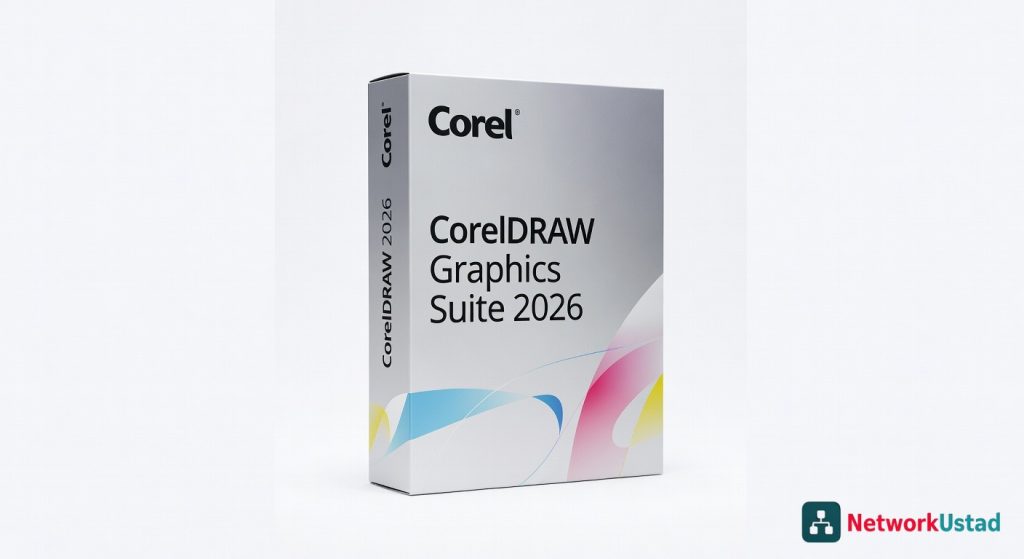
CorelDRAW Graphics Suite 2026 is a professional-grade design toolkit that stands out for IT and procurement teams because of its perpetual licensing model — a key security and budget advantage over subscription-only competitors. Its AI features introduce cloud-processing risks that enterprise IT teams must assess, though business licenses do allow administrators to disable generative AI entirely at deployment. For organizations covered in our software asset management guide on NetworkUstad.com, CorelDRAW offers strong value but requires deliberate security configuration before enterprise rollout.
CorelDRAW Licensing Models: Perpetual vs Subscription Security Analysis
For enterprise IT and procurement teams, the licensing structure of CorelDRAW Graphics Suite 2026 is one of its most important differentiators from a security and software asset management standpoint. Corel offers two primary purchase paths: a perpetual license at $549 USD with optional CorelSure Maintenance, and an annual subscription at $269 USD per year. For regulated industries or organizations operating under strict data governance frameworks, the perpetual license is the more defensible choice because it keeps software operation entirely local — no cloud dependency for core functionality and no renewal-linked access revocation risk.
Enterprise licenses include CorelSure Maintenance, which is the only path to software deployment support. This means IT teams managing multi-seat rollouts at scale should factor maintenance costs into procurement planning. Authentication is mandatory for all license types — users must sign in with Corel Account credentials — but corporate administrators can control online content access during network deployment. This is a critical detail for air-gapped or restrictive network environments. For more context on enterprise software licensing risk frameworks, see our cybersecurity coverage at NetworkUstad.com.
AI Features and Cloud Data Privacy Risks
CorelDRAW Graphics Suite 2026 introduces its most significant AI expansion to date under the “Artist Intelligence” branding. The new AI Generate tool allows designers to create images from text prompts using Flux Schnell, Stable Diffusion 3.5, and Nano Banana models — all of which are accessed via cloud-based processing. Each generation consumes AI credits, with subscribers receiving 2,000 credits per month. This cloud-dependency is a significant security consideration for enterprise customers handling confidential brand assets, unreleased product designs, or client-sensitive creative work.
According to Corel's official AI FAQ, organizations that do not permit AI usage can disable generative AI features entirely via a setup option available in deployment installation files for Business and Education licenses — Corel’s exact wording: “a setup option during the administrative installation to disable generative AI features in the installed applications.” This is an important enterprise control — but it is not available in standard single-user perpetual licenses. IT security teams evaluating CorelDRAW should verify that the design data sent to third-party AI model providers — including Stability AI for Stable Diffusion — is not retained for model training. Corel has not published explicit data retention terms for AI-generated content as of July 2026, which remains an open risk for due diligence processes.
CDR File Format Security: The Overlooked Attack Surface
The CDR file format — CorelDRAW’s proprietary native format — represents a file security consideration that most enterprise security assessments overlook. Unlike Microsoft OOXML formats (DOCX, PPTX, XLSX), which are covered by NSA and NIST Inspection and Sanitization Guidance, CDR is a closed proprietary format with no publicly documented sanitization standard. This means that Content Disarm and Reconstruction (CDR-the-technology, not CDR-the-format) tools — which government agencies now mandate for file security — typically do not include CorelDRAW’s CDR format in their sanitization pipelines.
For enterprises receiving CDR files from external vendors, partners, or contractors, this creates a meaningful gap. Security operations teams cannot apply the same zero-trust file sanitization workflow to CDR files that they would apply to PDF or Office documents. The practical mitigation for most enterprise environments is to enforce a policy requiring all external design file transfers to use PDF/X, SVG, or EPS formats rather than native CDR. CorelDRAW 2026 exports to all these formats natively, so this is an operationally achievable control without requiring tool replacement.
Enterprise Creative Workflow Security and Software Asset Management
From a Software Asset Management (SAM) perspective, CorelDRAW’s licensing structure is relatively clean compared to Adobe Creative Cloud. With CorelSure Maintenance on Enterprise licenses, IT asset managers can track seat counts centrally and allocate AI credits per user through Corel’s Team Products admin panel. The authentication requirement — while sometimes viewed as friction — provides a built-in license usage audit trail that supports SAM compliance reporting.
The suite’s non-destructive design workflow also has a security-relevant benefit: design files maintain clean structural separations between elements, which reduces the likelihood of embedded object abuse that is common in bloated creative files. CorelDRAW 2026’s application launch speed improvements (up to 3× faster) reduce the incentive for end users to keep applications running continuously in the background, which has indirect endpoint security benefits. Enterprises with creative teams should also note that CorelDRAW’s offline perpetual mode removes any concern about upstream service outages disrupting design operations — a real-world continuity risk in fully cloud-dependent creative suites.
CorelDRAW vs Adobe Creative Cloud: Licensing and Privacy Comparison
Adobe Creative Cloud for enterprise carries a mandatory subscription model with no perpetual license option, making it a fundamentally different risk profile from a SAM and data governance standpoint. Adobe’s AI tools — particularly Adobe Firefly — are deeply integrated into Creative Cloud and have their own data processing policies. Adobe has committed that Firefly is trained on licensed and public domain content, and enterprise customers under Adobe’s ETLA (Enterprise Term License Agreement) receive additional data processing commitments. However, Adobe’s subscription-only model means that license termination results in immediate loss of access to all software — a business continuity risk that CorelDRAW’s perpetual option avoids.
On pricing, CorelDRAW’s annual subscription at $269 USD is significantly lower than Adobe Creative Cloud All Apps at approximately $600 USD per year per user. For enterprises with large creative teams focused primarily on vector illustration, print layout, and branding — rather than video production or motion graphics — CorelDRAW offers a substantially more cost-effective licensing posture. The integrated Pantone Color Libraries in CorelDRAW’s license also eliminate a recurring cost that Adobe users must absorb through a separate Pantone Connect subscription, making the total cost comparison even more favorable for print-heavy workflows.
Verdict
CorelDRAW Graphics Suite 2026 is a genuinely capable enterprise design platform that earns its place in IT-managed creative environments, particularly for organizations that need a perpetual license option, centralized AI controls, and a lower cost of ownership compared to Adobe Creative Cloud. The addition of AI Generate and Remix Image tools accelerates creative workflows, but these features introduce cloud data exposure risks that require deliberate enterprise configuration — specifically, enabling the AI disable option during deployment for sensitive environments. The CDR file format’s absence from standard sanitization frameworks is a real but addressable gap through file transfer policy rather than tooling changes.
Rating: 4.0 / 5 — A strong Adobe alternative with solid enterprise licensing controls, offset by AI privacy gaps and CDR format security blind spots that IT teams must proactively address.
Frequently Asked Questions
Q1. Can enterprise IT admins disable AI features in CorelDRAW?
Q2. Does CorelDRAW offer a perpetual license in 2026?
Q3. What are the data privacy risks of CorelDRAW's AI tools?
Q4. Is the CDR file format safe to receive from external parties?
Q5. How does CorelDRAW's enterprise licensing compare to Adobe Creative Cloud for business?
Q6. What system requirements does CorelDRAW 2026 need for enterprise deployment?
Q7. Does CorelDRAW support software deployment and centralized license management?
Q8. How does CorelDRAW 2026 handle authentication and license validation?
+Pros
- Perpetual license option eliminates subscription lock-in and reduces long-term licensing risk for enterprises
- Enterprise and Education licenses include administrative deployment with option to fully disable generative AI features
- Integrated Pantone Color Libraries included in license — no separate paid subscription required
- Applications launch up to 3× faster in the 2026 release compared to prior versions
- Significantly lower total cost of ownership versus Adobe Creative Cloud for design-focused enterprise teams
−Cons
- CDR native file format lacks publicly available NIST/NSA sanitization guidance, creating file security blind spots for security operations teams
- AI image generation tools require internet connectivity and send prompts to cloud-hosted third-party AI models, which creates data exposure risk for confidential design projects
- Perpetual license excludes key features available only to subscribers, including AI credits and latest cloud-synced content
- macOS users do not get access to CAPTURE application despite paying the same price as Windows users
- Smaller ecosystem and fewer third-party integrations compared to Adobe Creative Cloud's 40+ application portfolio