Dell XPS 13 Review: Refined Performance in a Compact Design
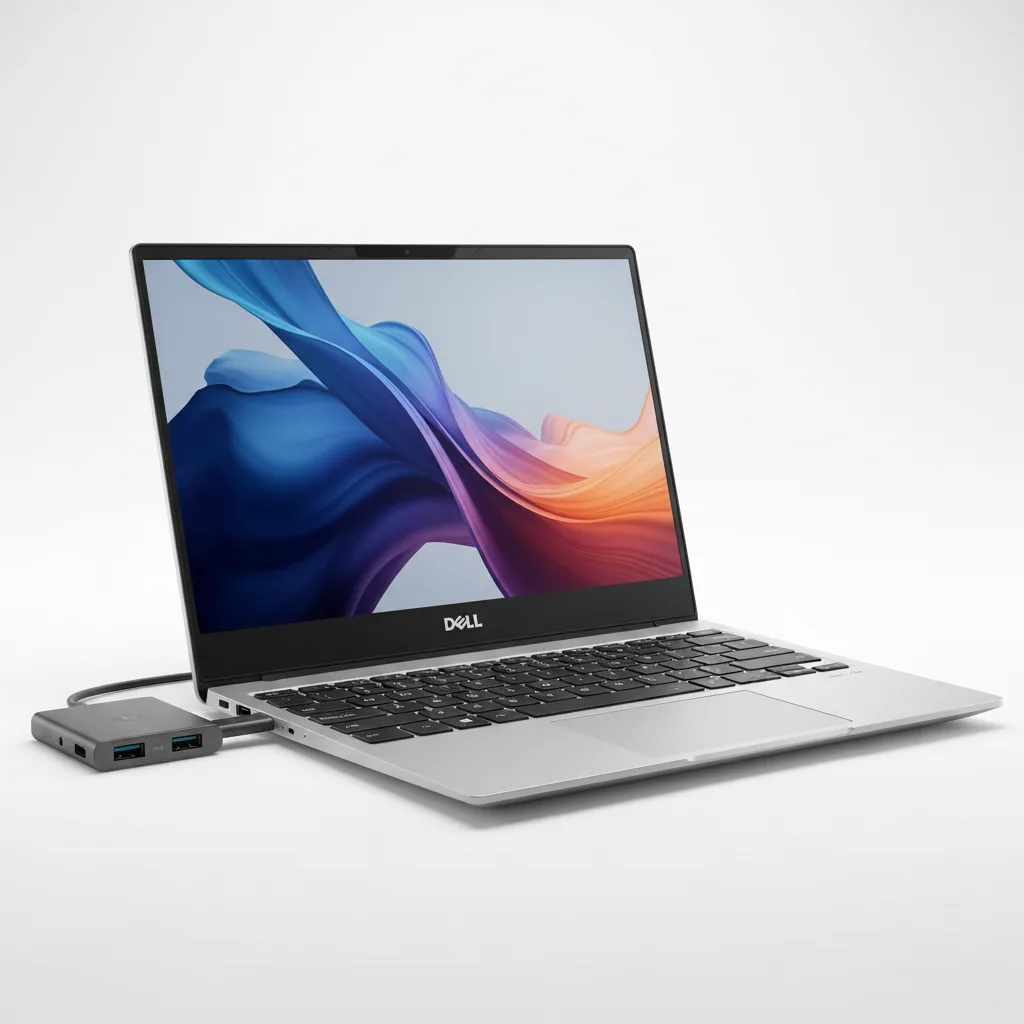
The Dell XPS 13 9345 is the most capable compact Windows ultrabook you can buy today, powered by the Qualcomm Snapdragon X Elite X1E-80-100 and delivering verified battery life of 18–27 hours depending on workload. Its CNC-machined aluminum chassis weighs just 1.19 kg and measures 15.3 mm thin, making it one of the lightest 13-inch laptops ever made. The two-USB-C-only port selection is the one genuine frustration, forcing a dongle for almost any accessory. At $999.99 for the base 32GB/512GB FHD+ configuration it is priced higher than the older Intel XPS 13 it replaced, but the performance and efficiency gains justify the step up for professionals and students who live on battery.
Performance Analysis
The Snapdragon X Elite X1E-80-100 is a decisive generational leap for the XPS 13 line. Tom’s Hardware’s review unit posted Geekbench 6 scores of 2,797 single-core and 14,635 multi-core, outpacing most competing Intel-powered ultrabooks in that tier. The architecture draws on the same energy-efficient philosophy as Apple Silicon — prioritising performance-per-watt over raw clock speed — and that approach translates directly into real-world snappiness. Cold boots complete in under 10 seconds, and the system wakes from sleep instantaneously.
In sustained workloads, the Snapdragon X Elite holds its peak clocks well. LaptopMedia confirmed the X1E-80-100 sustains 3.81 GHz across medium and extended loads, which is better thermal headroom than many comparable 13-inch competitors in the same chassis class. Handbrake video-encoding and multi-threaded rendering tasks comfortably lead older Intel Core i7 XPS 13 generations by a wide margin.
One meaningful caveat is app compatibility. The Snapdragon X Elite is an Arm-based chip, and while Microsoft’s x86 emulation layer handles most Windows applications transparently, a minority of legacy software — particularly specialised industry tools and older games — will not run or will run slower than expected. Native Arm versions of Adobe Creative Cloud, Microsoft Office, and major browsers are widely available and perform excellently, but buyers who rely on niche x86 applications should verify compatibility before purchase. For pure productivity workflows, however, the Snapdragon XPS 13 is as fast and as smooth a Windows laptop as you can get in this form factor.
Design and Build Quality
Dell’s CNC-machined aluminum chassis is the standard against which other 13-inch ultrabooks are measured. At 1.17 kg and 14.8 mm thin, the OLED-equipped XPS 13 9345 is physically one of the lightest and slimmest Windows laptops available. The Platinum finish (silver-white) and Graphite (dark gray) options both resist fingerprints credibly, with Graphite hiding smudges slightly better in practice. The build feels monolithic rather than assembled — panels align precisely, the lid opens with one finger, and there is no noticeable chassis flex under typing pressure.
The InfinityEdge bezels remain among the thinnest in the category, making the 13.4-inch screen feel expansive relative to the chassis footprint. The keyboard offers a comfortable typing experience with a layout that spans nearly the full chassis width, though the top row has been replaced with a capacitive touch strip for function keys rather than physical keys — a divisive decision that multiple reviewers, including Tom’s Hardware and TechRadar, have flagged as a usability annoyance. Muscle memory for F-key shortcuts takes time to rebuild, and there is no tactile confirmation on the strip.
The haptic glass touchpad is one of the XPS 13’s genuine highlights: it spans a wider area than most Windows competitors and delivers consistent, precise haptic feedback uniformly across its entire surface. Port placement puts both USB4 connectors on opposite sides of the machine, which at least allows symmetric cable routing. The complete absence of USB-A, HDMI, and a 3.5 mm headphone jack is the strongest practical criticism of this design. Everyday users carrying cameras, USB drives, or wired headphones will need a USB-C hub or dock from day one.
Software and User Experience
The XPS 13 9345 ships with Windows 11 Home and Dell’s suite of companion software including Dell SupportAssist and the MyDell app. MyDell provides thermal profiles (from Quiet to Ultra Performance) and battery management settings. Dell SupportAssist handles driver updates and proactive hardware diagnostics automatically. Both applications are lightweight and do not noticeably affect system performance, which is a better outcome than the bloatware bundled on some competitors.
The Copilot key on the keyboard launches Microsoft’s AI assistant directly, and with the 45 TOPS NPU handling inference locally, many AI features are genuinely faster than cloud-dependent equivalents on older hardware. Dell’s software update cadence for the XPS line has historically been reliable, though the Snapdragon platform means firmware and driver updates come through Qualcomm’s release cycle in addition to Microsoft’s Windows Update channel — users should expect occasional brief delays between Windows feature updates and full ARM driver compatibility.
Dell offers optional Premium Support plans that extend the one-year base warranty with on-site service, accidental damage coverage, and 24/7 access to in-house technicians. For a machine this thin and sealed (RAM and storage are not user-serviceable), investing in at least the Premium Support with Hardware warranty is worth considering seriously.
Battery Life
Battery performance is where the Dell XPS 13 9345 most dramatically outperforms expectations. Reviewed.com’s independent benchmark — looping web pages at 200 nits — returned 18 hours 38 minutes, placing the XPS 13 among the top five productivity laptops ever tested by that outlet, trailing only Apple Silicon MacBooks and the Microsoft Surface Laptop 7. Live Science extended testing reached an extraordinary 27 hours 39 minutes, which they reported as the longest battery duration they had measured from any laptop in 2024 and into 2025.
In real-world mixed use — video calls, browser tabs, document editing, and light creative work — expect 14 to 18 hours consistently. The Snapdragon X Elite’s ARM architecture is fundamentally more efficient than Intel’s x86 designs at comparable performance levels, and that efficiency gap is most visible in the battery results. Charging via the included 60 W USB-C adapter is not the fastest in class, but a 30-minute top-up delivers enough charge for several more hours of work.
The 55 Wh battery is modest in absolute capacity compared with 14-inch and 15-inch competitors, but the Snapdragon chip extracts so much more runtime per watt-hour that the comparison is effectively irrelevant. For travellers, remote workers, and students who cannot always reach a charger, this battery life is a category-defining advantage.
Value for Money and Competition
The base Dell XPS 13 9345 starts at $999.99 with 32 GB LPDDR5X RAM, a 512 GB SSD, and the FHD+ 120Hz display. The 2.5K touch OLED configuration costs $1,649.99, and the fully specced 32 GB / 1 TB OLED configuration sits at $1,649.99 on Dell’s website with current promotions. These prices are higher than the Intel-era XPS 13 predecessors, but they reflect the substantial performance and battery life step up.
Against the MacBook Air M3 (13-inch, from $1,099), the XPS 13 offers comparable everyday performance, a similar build quality, and comparable or better battery life depending on workload. The MacBook Air has better speaker placement and arguably superior macOS application optimisation for creative workflows, but the XPS 13 runs full Windows, supports touch on higher configurations, and is narrower and lighter overall.
The Lenovo ThinkPad X1 Carbon Gen 12 (from ~$1,499) competes in build quality and corporate support but is noticeably heavier and thicker, with shorter battery life at similar configurations. The ASUS Zenbook S 13 OLED (from ~$999) is a close rival at the base price, with a superior base OLED panel, but its battery life trails the XPS 13 by several hours in independent testing. For pure portability combined with class-leading battery endurance in a premium chassis, the Dell XPS 13 9345 holds the top position in the Windows ultrabook category.
Verdict
The Dell XPS 13 9345 is the best Windows ultrabook you can buy today if portability and battery life are your top priorities. No other Windows laptop in this size class has matched its combination of 18+ hour real-world endurance, sub-1.2 kg weight, and premium build quality. The Snapdragon X Elite processor is fast, efficient, and increasingly well-supported by native ARM software — Adobe Creative Cloud, Microsoft Office, all major browsers, and most productivity tools run natively without emulation overhead.
The two-port-only design and the capacitive function row remain genuine drawbacks that will frustrate users coming from more generously equipped machines. And buyers who rely on legacy x86 software should test compatibility carefully before committing. But for the large majority of professionals, students, and travellers who live in browser tabs, communication apps, and cloud-connected tools, none of those caveats will register in daily use.
Check the current price for the Dell XPS 13 on Amazon before buying — deals occasionally bring the base configuration below the $999.99 MSRP, and Dell’s own outlet offers certified refurbished units at meaningful discounts.
Rating: 4.4 / 5 — The lightest, longest-lasting Windows ultrabook in its class, held back only by its port-barren design.
Specs verified from the official Dell XPS 13 9345 product page (dell.com). Benchmark data sourced from Tom’s Hardware (Geekbench 6: 2,797 / 14,635), Reviewed.com (battery: 18h 38m), and Live Science (battery: 27h 39m). Prices accurate as of August 2026. Contains affiliate links — purchases may earn a commission at no extra cost to you.
Frequently Asked Questions
Is the Dell XPS 13 9345 worth buying in 2025?
What is the battery life of the Dell XPS 13 9345?
How does the Dell XPS 13 compare to the MacBook Air M3?
Where can I buy the Dell XPS 13 at the best price?
Does the Dell XPS 13 9345 support touchscreen?
Does the Dell XPS 13 9345 have a headphone jack?
What processor does the Dell XPS 13 9345 use?
+Pros
- Record-setting battery life — independently verified at 18 hours 38 minutes (Reviewed.com) to 27 hours 39 minutes (Live Science) depending on test methodology
- Exceptionally light and slim — 1.17 kg / 2.60 lbs, 14.8 mm thin in the OLED configuration
- Snapdragon X Elite delivers Geekbench 6 multi-core scores up to 14,635, matching or beating most competing Intel ultrabooks
- 3K OLED display option covers 100% DCI-P3 with vivid colors and perfect blacks, excellent for photo and video work
- Copilot+ PC certified with 45 TOPS NPU for on-device AI features including Windows Recall and live captions
- Premium CNC-machined aluminum chassis with haptic glass touchpad — best-in-class build for a 13-inch Windows laptop
- Wi-Fi 7 and Bluetooth 5.4 for future-proof wireless connectivity
−Cons
- Only 2 USB-C ports (no USB-A, no HDMI, no headphone jack) — a USB-C hub is practically mandatory for most users
- Capacitive touch strip replaces physical function key row — no tactile feedback, difficult to use by feel alone
- Snapdragon X Elite runs emulated x86 apps well but some legacy software and games have compatibility issues
- RAM is soldered and non-upgradeable — choose the right configuration at purchase time
- FHD+ base display has limited color gamut; OLED upgrade adds $650+ to the price
- Pricing starts at $999.99 — meaningfully higher than older XPS 13 Intel models