HP Omnibook Ultra 14 Review: Slim, Powerful and Refined
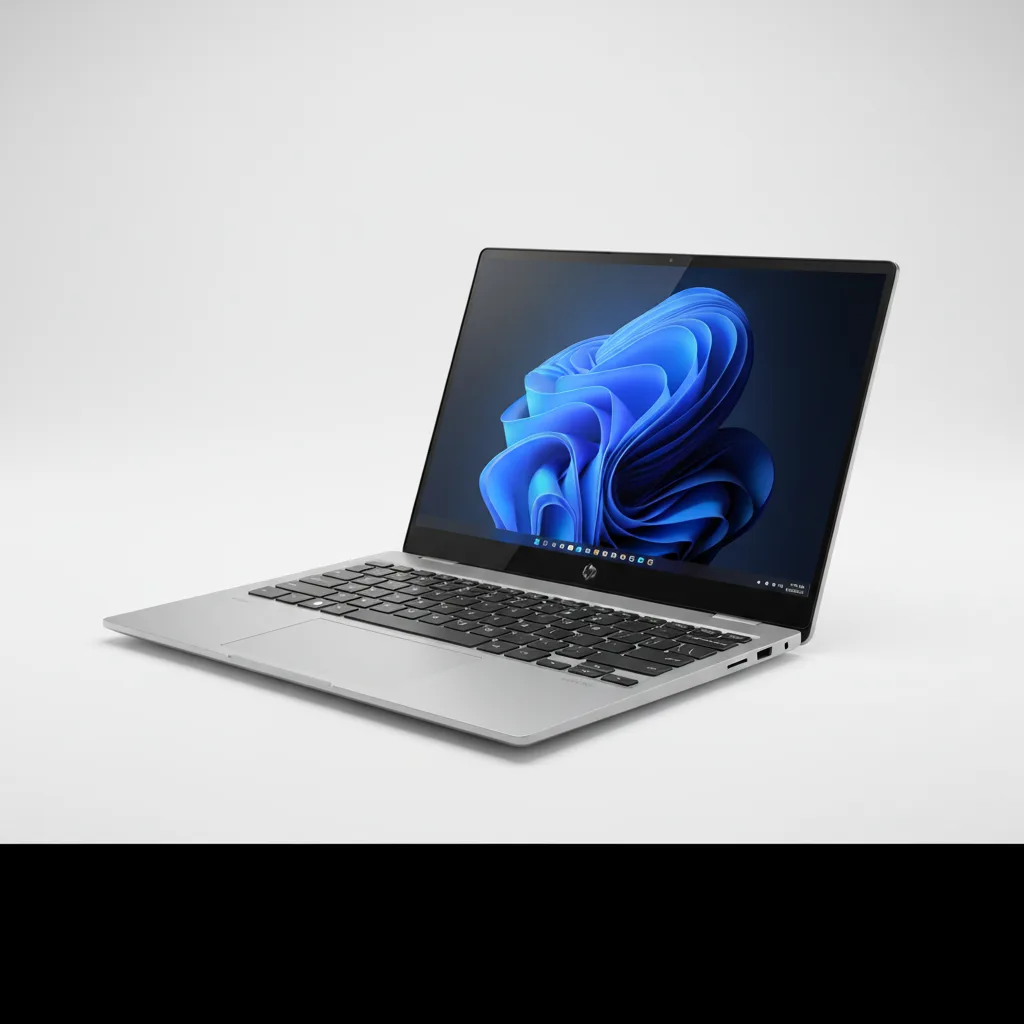
The HP OmniBook Ultra 14 (2026) is HP's strongest ultrabook to date, powered by the Qualcomm Snapdragon X2 Elite with 18 cores and up to 5.0 GHz boost, paired with a brilliant 3K 120Hz OLED touchscreen and a 70Wh battery delivering 13 hours 27 minutes in independent testing (Tom's Hardware). Multi-core performance of 20,075 in Geekbench 6 puts it well ahead of most Intel competitors, though single-core still trails Apple's M5. The main drawbacks are the absence of USB-A ports, a mediocre webcam at this price point, and ARM compatibility gaps that still affect certain legacy Windows software. Starting at $1,249.99 for the base Snapdragon X2 Plus configuration and $2,399 for the flagship X2 Elite with 32GB RAM and 1TB SSD, this laptop is the premier choice for professionals who demand all-day Windows computing without sacrificing portability or performance.
Performance Analysis
The 2026 HP OmniBook Ultra 14 uses Qualcomm’s brand-new Snapdragon X2 Elite (X2E-90-100) — an 18-core ARM chip boosting to 5.0 GHz — making this one of the first premium Windows ultrabooks to ship with the X2 generation. In Tom’s Hardware’s Geekbench 6 testing, the OmniBook Ultra 14 scored 3,942 single-core and 20,075 multi-core. For context, the ASUS ZenBook A16 using the same X2 Elite chip led multi-core with 22,733, while the MacBook Air M5 topped single-core at 4,168 — roughly 6% ahead. The OmniBook Ultra’s multi-core score is a substantial leap over the previous Ryzen AI 9 HX 375-equipped OmniBook, which scored only 14,838 multi-core.
Where the Snapdragon X2 Elite pulls decisively ahead is in sustained, multi-threaded workloads. Tom’s Hardware’s Handbrake 4K-to-1080p video transcode completed in 2 minutes and 11 seconds on the OmniBook Ultra — compared to over 4 minutes for AMD-based alternatives and the MacBook Air M5. The PCIe Gen 5 SSD posted sequential reads of 10,407 MB/s and writes of 7,225 MB/s (Memeburn / Tom’s Hardware), with a 25GB file transfer completing at 2,620 MB/s — nearly 700 MB/s faster than the MacBook Air in that test. For productivity users dealing with large media files or complex data workflows, these numbers are class-leading for a sub-3-pound laptop.
The HP-exclusive NPU variant deserves separate mention. While most Snapdragon X2 Elite laptops ship with 80 TOPS from the Hexagon NPU, HP negotiated an 85 TOPS variant — the highest available in any current consumer laptop. This matters for Copilot+ workloads such as Recall, real-time Live Captions translation, and on-device AI inference in creative tools. The Intel-configured OmniBook Ultra 14 tops out at 50 TOPS from its Intel AI NPU, which remains below the threshold for the full Copilot+ feature set. One tradeoff for the Snapdragon model: it uses USB4 ports (40Gbps, DisplayPort 1.4, USB PD 3.1) rather than Intel Thunderbolt 4 — functionally equivalent in most real-world usage, but the branding distinction matters for professional docking setups that require certified Thunderbolt accessories. PCWorld’s Intel-configured review unit did include three full Thunderbolt 4 ports.
Design and Build Quality
HP gave the 2026 OmniBook Ultra 14 an entirely new design language compared to the 2024 Ryzen model. The forged aluminum-alloy chassis arrives in three colorways — Stone Blue (Snapdragon), Eclipse Gray, and Silk Sand (both Intel only) — with highly polished mirror-finish edges that signal premium intent. Build quality is excellent: the lid resists flex, the hinge is precisely tuned to open one-handed, and the bottom panel requires only four screws to remove for SSD access. The machine weighs 2.81 pounds (1.27 kg) per Tom’s Hardware testing, marginally heavier than the 13-inch MacBook Air at 2.7 pounds but noticeably lighter than many 14-inch Intel-class competitors.
One transparency point HP’s own marketing glosses over: the stated 0.42-inch (10.7mm) thickness figure omits the rubber feet. As PCWorld noted when measuring the Intel configuration, the laptop actually sits at about 0.65 inches (16.5mm) when placed on a desk — thin, but not exceptionally so. The OmniBook’s lattice-free keyboard provides ample key travel with a firm, decisive bottoming action; Tom’s Hardware’s reviewer posted 87 WPM at 97% accuracy. The haptic touchpad measures a generous 5.4 × 3.4 inches with adjustable feedback intensity — one of the largest and most responsive trackpads in the Windows ultrabook category.
Port placement is clean: one USB4-C port on the left alongside the 3.5mm jack, and two USB4-C ports on the right. The trade-off is absolute: there is no USB-A port, no SD card reader, and no HDMI-out. Users with legacy peripherals, camera memory cards, or displays that require HDMI will need adapters or a USB-C dock. HP ships the machine with a compact 65W GaN USB-C adapter — roughly half the physical size of adapters bundled with most competitor laptops — which is a genuine travel-quality benefit. The 20 MIL-STD-810H certifications cover drop, vibration, shock, and extreme temperature conditions, making this a chassis credibly engineered for road warriors rather than just desk workers.
Software and User Experience
The OmniBook Ultra 14 ships with Windows 11 Home and qualifies as a Copilot+ PC, unlocking Microsoft’s full suite of on-device AI features: Recall (screenshot-based activity indexing), Co-Creator in Paint, Live Captions with real-time translation, and Windows Studio Effects for webcam enhancement. These features rely on the dedicated 85 TOPS Hexagon NPU, which handles AI inference without touching the CPU or GPU — a meaningful battery life benefit when Copilot+ workloads are active.
On the software preload side, HP’s approach draws criticism from reviewers. Tom’s Hardware catalogued an HP app, HP Documentation, HP Energy Star, HP Privacy Settings, HP System Event Utility, HP TV+, and Find My HP by Absolute — in addition to the usual Windows bloatware and McAfee antivirus. None of this software meaningfully enhances the experience, and most users will spend time uninstalling it on first setup. HP does not currently include a sound equalizer application despite the quad-speaker system, which limits audio customization.
ARM-based Windows compatibility has improved substantially since the first Snapdragon X Elite laptops in 2024. Microsoft reports 90% of users run ARM-native apps. However, the remaining 10% covers workflows that matter disproportionately to power users — including anti-cheat software for competitive games, some GPU-accelerated creative tools, and enterprise VPN clients. Organizations running specialized legacy x86 software should verify compatibility before committing to the Snapdragon configuration. HP provides a 1-year manufacturer’s warranty; extended care pack coverage is available via HP.com.
Battery Life
Tom’s Hardware’s controlled battery rundown test — combining web browsing, video streaming, and WebGL tasks at 150 nits — extracted 13 hours and 27 minutes from the OmniBook Ultra 14’s 70Wh cell. That figure exceeded the ASUS ZenBook A16 (which uses the identical Snapdragon X2 Elite chip) by a full three hours, suggesting HP’s vapor chamber thermal management and power profile tuning contribute meaningfully beyond the silicon alone. The machine also outlasted its 2024 Ryzen AI 9 predecessor by over 30 minutes despite the new display’s higher resolution.
The MacBook Air M5 remains the battery life benchmark at 15 hours 28 minutes in Tom’s Hardware’s testing — roughly two hours ahead of the OmniBook Ultra. Within the Windows laptop category, 13+ hours from a device with a 3K OLED at 120Hz is exceptional. PCWorld’s Intel-configured review unit (Core Ultra X9 388H) showed over 18 hours in their looped video battery test, indicating the Intel variant offers significantly longer endurance — a key differentiator for buyers choosing between the two chip platforms in this chassis. Charging via the bundled 65W GaN adapter restores 50% in approximately 45 minutes, matching HP’s stated specification.
Value for Money and Competition
The HP OmniBook Ultra 14’s pricing structure is complex. The base Snapdragon X2 Plus model starts at $1,249.99 (HP.com); the 32GB RAM + 1TB SSD Snapdragon X2 Elite configuration costs $2,399 directly from HP, while Best Buy carries a 32GB/1TB X2 Elite unit for $2,049.99. The fully configured 64GB/2TB review unit Tom’s Hardware tested is available as a custom order at $2,879.99. The Intel Core Ultra X9 388H configuration with 32GB RAM and 1TB SSD runs approximately $2,199.99 at Best Buy — meaningfully more for hardware that loses out in multi-core performance and battery life to the Snapdragon model.
The primary competition comes from three machines. The ASUS ZenBook A16 uses the same Snapdragon X2 Elite chip and actually scores higher in multi-core Geekbench (22,733 vs 20,075), but the OmniBook Ultra outlasts it by three hours on battery — a significant day-to-day advantage for mobile workers. The Apple MacBook Air M5 starts at $1,099 for 16GB RAM — substantially cheaper for a comparable spec — and leads in single-core performance and battery life, though the OmniBook wins on multi-core throughput, display HDR brightness, and native Windows ecosystem access. The Dell XPS 14 carries a premium price with similar or lower battery life and less display brightness in HDR mode per Notebookcheck comparison testing. Anyone considering the OmniBook Ultra should also note that HP is planning OmniBook Ultra 16 and OmniBook X 14 variants with NVIDIA RTX Spark (Blackwell) graphics for fall 2026, which may render the current Snapdragon-only GPU a more significant limitation for creative users.
Verdict
The HP OmniBook Ultra 14 (2026) is the most complete Windows ultrabook HP has shipped to date, and one of the best arguments yet that ARM-based Windows can genuinely compete with Apple silicon on the metrics that matter for business professionals. Verified benchmark results place it at the top of multi-core performance among 14-inch ultrabooks, while its 13-hour battery life makes it the Windows leader for OLED-display endurance. The design is premium, the keyboard is excellent, and the display covers every color accuracy standard that creative professionals require.
The areas where it falls short are real but mostly predictable for this platform: no USB-A, no SD reader, some ARM software compatibility gaps, and a webcam that lags behind competitors at this price. Buyers who live in web apps, Microsoft 365, modern creative tools, and cloud-based workflows will encounter essentially none of the ARM friction. Those who depend on legacy x86-only applications, competitive gaming with anti-cheat, or external GPU docks should verify compatibility carefully before purchasing. The Intel-configured variant resolves the compatibility concern but at a cost in battery life and multi-core performance.
Check the current price for the HP OmniBook Ultra 14 on HP.com or find deals at Best Buy. If you want related context for your buying decision, our guide to the best Windows laptops for mobile professionals and our look at laptops with complete coverage trends for 2026 cover the broader competitive landscape. For most professionals choosing a premium Windows ultrabook in 2026, the Snapdragon X2 Elite OmniBook Ultra 14 is the strongest recommendation available today.
Rating: 4.3 / 5 — The best Windows ultrabook for all-day productivity in 2026, with verified performance to match its premium price.
Sources: HP OmniBook Ultra 14 Official Store | website, Tom's Hardware Review — HP OmniBook Ultra 14 Snapdragon X2 Elite | website, PCWorld Review — HP OmniBook Ultra 14 OLED Performance | website, Memeburn — HP OmniBook Ultra 14 Specs, Price, and Benchmarks | website — August 2026.
Sources: HP OmniBook Ultra 14 Official Store, Tom's Hardware u2014 HP OmniBook Ultra 14 Snapdragon X2 Elite 2026 Review, PCWorld u2014 HP OmniBook Ultra 14 Review: OLED Display, Flagship Performance, Memeburn u2014 HP OmniBook Ultra 14 Specs, Price, and Benchmarks, Notebookcheck u2014 New HP OmniBook Ultra 14 vs Dell XPS 14 Comparison, ITPro u2014 HP OmniBook Ultra 14 Review — August 2026
Frequently Asked Questions
Is the HP OmniBook Ultra 14 worth buying in 2026?
What is the battery life of the HP OmniBook Ultra 14?
How does the HP OmniBook Ultra 14 compare to the MacBook Air M5?
Where can I buy the HP OmniBook Ultra 14 at the best price?
Does the HP OmniBook Ultra 14 have USB-A ports?
What processor does the HP OmniBook Ultra 14 use?
+Pros
- Snapdragon X2 Elite delivers class-leading multi-core performance (20,075 Geekbench 6 multi-core, per Tom's Hardware)
- 13 hours 27 minutes of independent battery life — best in class for a 3K OLED Windows ultrabook
- Stunning 3K OLED 120Hz touchscreen with 1,100 nits HDR peak and Calman Verified color accuracy
- HP-exclusive 85 TOPS NPU — highest available in any current consumer laptop
- Exceptionally fast PCIe Gen 5 SSD (10,407 MB/s sequential reads)
- Premium forged aluminum chassis with 20 MIL-STD-810H certifications and vapor chamber cooling
- Compact 65W GaN charger bundled in the box
−Cons
- No USB-A port or SD card reader — adapters required for most existing peripherals
- Webcam quality is average for a premium laptop approaching $2,000–$3,000
- Windows-on-ARM compatibility gaps remain for competitive gaming and some specialized enterprise software
- Glossy OLED display has no anti-reflective coating option
- Heavy bloatware preload from HP requires time-consuming cleanup
- Apple MacBook Air M5 leads in single-core performance and battery life at a lower entry price