Insightly CRM Review: Solid Choice for Small Teams
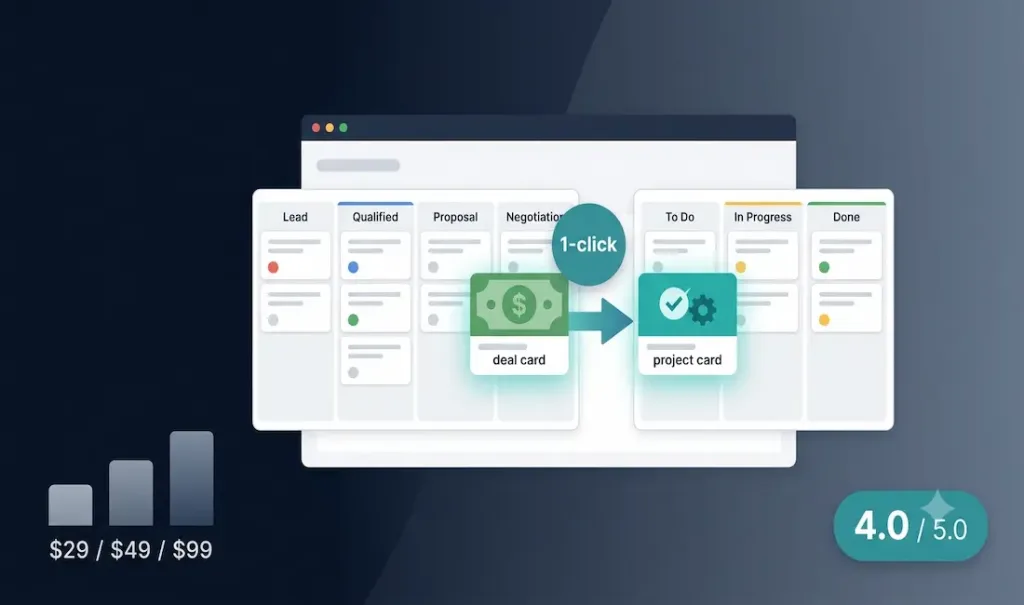
Insightly is the only mainstream CRM that bridges sales and project delivery in a single platform. Win a deal and convert it to a project with one click, tasks, milestones, and deliverables all carry over without switching tools or re-entering data. The hybrid approach means neither the CRM nor the project management side matches best-in-class dedicated tools, but for service businesses, agencies, and consultancies where sales and delivery overlap, the integration advantage is real and meaningful. Starting at $29/user/month, it is accessible without being cheap.
Technical Specifications
| Field | Detail |
|---|---|
| Free Trial | Yes, 14 days |
| Free Plan | Verify current availability directly with Insightly — some 2026 sources indicate Insightly no longer offers a permanent free tier, only the 14-day trial, while others reference a legacy free option for up to 2 users; confirm before assuming either applies to your account |
| Plus Plan | $29/user/month (billed annually) |
| Professional Plan | $49/user/month (billed annually) |
| Enterprise Plan | $99/user/month (billed annually) |
| Reporting | Professional plan minimum ($49/user/mo) |
| Workflow Automation | Professional plan minimum |
| Email Integration | Gmail and Outlook (all paid plans) |
| Mobile App | iOS and Android (core features) |
| Integrations | 250+ apps including QuickBooks, Slack, Mailchimp, Xero, Zoom |
| API | Yes — custom integration support |
| Security | SOC 2 Type 2, EU-US Privacy Shield |
| Best For | Small agencies (5-25 people), service businesses, consultancies |
| Founded | 2009, San Francisco |
See the official Insightly website for current plan details and pricing before subscribing.
The CRM-PM Hybrid: Who It’s Actually For
Most CRMs have a well-defined stopping point: the deal is won. What happens next, project kickoff, task assignment, milestone tracking, client delivery, is handed off to a separate tool. This creates a data gap that anyone who has worked in a service business will recognise: the context that lives in the CRM (client history, deal notes, email threads) does not automatically travel into the project management system.
Insightly closes that gap. When a deal is marked as won, it can be converted to a project with a single click. The contacts, notes, and activity history carry over. Tasks and milestones can be assigned immediately. The same team member who tracked the lead can manage the delivery without logging into a different platform or re-entering client information.
Independent software review site Softabase summarises the trade-off this way: you’re getting roughly 70% of a dedicated CRM and 70% of a dedicated PM tool combined into one platform, a genuinely strong fit for some teams and, for others, effectively two half-solutions. The key question for any buyer is whether the integration between sales and delivery is worth accepting somewhat less capability on each side. For small agencies of 5-25 people running both sales and delivery from the same team, the answer is often yes. For teams that need best-in-class CRM features or best-in-class project management independently, dedicated tools remain the stronger choice.
CRM Capabilities: Solid Fundamentals, Some Age Showing
Insightly’s contact and organisation management gives each record a complete activity timeline, emails, calls, meetings, tasks, and notes all visible in one view. Relationship linking allows mapping of connections between contacts, organisations, and opportunities, which is particularly useful in B2B contexts where decisions involve multiple stakeholders across multiple organisations.
The sales pipeline is visual and drag-and-drop, with customisable stages. Lead tracking and opportunity management cover the core of a small business sales workflow. Workflow automation on the Professional tier allows trigger-based sequences, automatic task creation, email sending, and record updates based on defined conditions.
Where Insightly shows its age is in the interface design. Multiple reviewers on Gartner Peer Insights and G2 note that the visual design has not kept pace with current standards compared to HubSpot or Pipedrive. Navigation requires more clicks than modern alternatives. Advanced features like AI-driven lead scoring, guided selling, and predictive analytics are absent or underdeveloped, capabilities that competing platforms now include at comparable price points.
Project Management: Functional, Not Best-in-Class
The project management side of Insightly covers task creation and assignment, milestone tracking, Kanban board views, and deadline management. For a service team managing client deliverables that flow from a won deal, these capabilities are sufficient.
The gap versus dedicated project management tools is meaningful. There is no Gantt chart view, no advanced resource management, no time tracking beyond basic task logging, and no sprint or agile workflow support. Asana, ClickUp, and Monday.com all provide significantly deeper project management functionality. Insightly’s project management is best understood as delivery tracking for CRM-originated work, comprehensive enough for that purpose, not a standalone replacement for dedicated PM software.
Reporting: The Paid-Tier Limitation
Reporting is one of the more significant limitations of Insightly’s pricing structure. Basic activity tracking is available on the Plus plan, but custom dashboards, advanced analytics, and business intelligence reporting require the Professional tier at $49/user/month. For teams that specifically need reporting to monitor sales performance, pipeline health, or project profitability, the entry-level $29 plan is insufficient.
Even at Professional tier, multiple reviewers and Gartner Peer Insights feedback note that reporting capabilities lag behind dedicated CRM analytics tools. Standard reports are functional; highly customised dashboards and predictive reporting are not Insightly’s strengths.
Verdict
Insightly earns its place in the market by solving a specific problem that no other mainstream CRM addresses as cleanly: the transition from winning a deal to delivering on it. For service businesses, agencies, and consultancies where the same team handles both sales and delivery, the deal-to-project conversion workflow is a genuine operational advantage over tools that stop at the sale.
The limitations are real, a dated interface, reporting locked behind higher tiers, and project management that does not match dedicated tools. But at $29/user/month, Insightly offers a practical, accessible path to eliminating the data gap between sales and delivery for the teams it is designed for.
Rating: 4.0 / 5 — The best CRM option for service businesses that need sales and project delivery in one platform, without managing two separate tool subscriptions.
Frequently Asked Questions
Does Insightly have a free plan?
Availability of a permanent free tier is worth confirming directly with Insightly before assuming it applies to your account. Insightly has historically offered a limited free plan for up to 2 users, but some current sources indicate the company may have moved to a 14-day free trial only, with no ongoing free tier. Reporting, workflow automation, and advanced integrations require a paid plan starting at $29/user/month (Plus, billed annually) regardless of which free option, if any, is currently available.
What makes Insightly different from HubSpot or Salesforce?
The primary differentiator is built-in project management with deal-to-project conversion. HubSpot and Salesforce are more powerful CRM platforms with deeper analytics, AI features, and ecosystem breadth, but neither includes native project management that connects directly to the CRM pipeline. Insightly is better described as a CRM-plus-PM hybrid designed for smaller service businesses, while HubSpot and Salesforce scale to enterprise use cases that Insightly does not target.
Is Insightly good for freelancers or solo consultants?
The contact management, pipeline, and basic task tracking cover the core needs of a solo consultant managing a client pipeline and project delivery. The main gap for freelancers is the reporting and automation features, both of which require the Professional plan at $49/user/month, a significant cost increase for a single-user setup, so it’s worth evaluating during the 14-day trial whether the Plus tier alone meets your needs before committing.
What integrations does Insightly support?
Insightly integrates with over 250 apps on the Plus plan. Key integrations include Gmail, Microsoft Outlook, Google Drive, Google Calendar, Slack, QuickBooks Online, Xero, Mailchimp, PandaDoc, DocuSign, Zoom, and Zapier. Zapier connectivity extends Insightly’s reach to thousands of additional applications. An open API is available for custom integration development.
Does Insightly support workflow automation?
Yes, but only on the Professional plan ($49/user/month) and above. Workflow automation allows trigger-based sequences, for example, automatically creating a follow-up task when a deal reaches a specific pipeline stage, or sending an email notification when a project milestone is completed. The automation capabilities are functional for common business processes but are less sophisticated than dedicated automation tools like HubSpot’s workflows or Zapier’s multi-step automation.
+Pros
- Deal-to-project conversion is a genuinely unique feature — eliminates data re-entry at the sales-to-delivery handoff
- Relationship linking between contacts, organisations, and opportunities provides complete account context
- Clean, intuitive interface that non-technical users pick up quickly
- Gmail and Outlook integration is deep — emails log automatically without manual entry
- 250+ app integrations on the Plus plan covers most common business tools
- Business card scanning via mobile app speeds up contact creation on the go
- SOC 2 Type 2 compliance provides enterprise-grade security assurance
- Responsive customer support consistently praised in user reviews
- Priced competitively for a CRM-plus-PM hybrid
−Cons
- Interface feels dated compared to modern CRMs like HubSpot or Pipedrive
- Reporting and custom dashboards locked behind Professional tier ($49/user/month)
- Advanced AI features, guided selling, and predictive analytics are underdeveloped or absent
- Project management capabilities less powerful than dedicated tools like Asana or ClickUp
- CRM features less advanced than dedicated CRM platforms like Salesforce or HubSpot
- Mobile app covers core functions but lacks depth of the desktop experience
- Occasional performance issues with larger datasets — some users report slowdowns
- Limited customisation options at lower tiers
- Some users report inconsistent customer support quality on technical or billing issues
- Setup and configuration can be time-consuming for teams with complex workflows