LG C2 OLED TV Review: Stunning Picture Quality
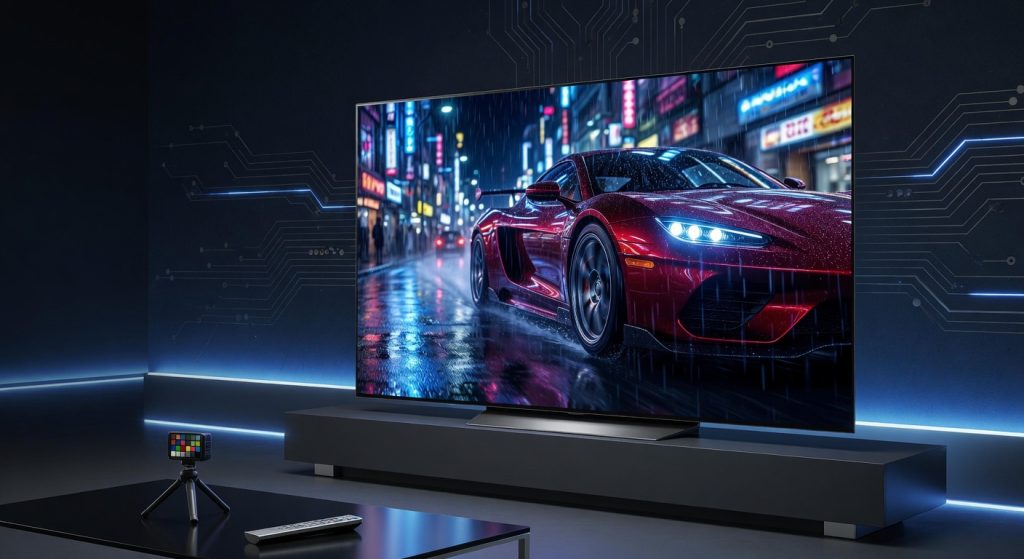
The LG C2 OLED TV is widely regarded as the best-value OLED television of 2022, combining OLED Evo picture quality, Dolby Vision IQ, and four full-bandwidth HDMI 2.1 ports into a package that set the benchmark for home theater and gaming displays. For IT professionals and enterprise buyers considering the LG C2 OLED TV for boardrooms, conference rooms, or digital signage, however, the picture is more complicated — LG's Live Plus ACR system collects frame-by-frame viewing data via third-party Alphonso, and the Texas AG included LG in its December 2025 smart TV surveillance lawsuit.
LG C2 OLED Evo Display Technology: The IT Professional’s View
The LG C2 uses a W-OLED (White OLED) panel with LG’s Brightness Booster technology — an evolution of the OLED Evo process first introduced in the LG G1. Unlike Samsung’s QD-OLED approach, LG’s W-OLED uses a white sub-pixel combined with a color filter, which has traditionally limited peak brightness relative to QD-OLED but delivers extraordinarily consistent, accurate color across the entire screen at wider viewing angles. Independent testing by Rtings and FlatpanelsHD measured real-scene HDR peak brightness at approximately 800–842 nits for the C2’s 55-inch and larger models — approximately 200 nits higher than the C1 predecessor. The α9 Gen 5 AI Processor drives Dynamic Tone Mapping Pro and AI Picture Pro, which adjust picture parameters scene-by-scene for HDR content. For corporate presentations, the C2’s Filmmaker Mode ensures content is displayed exactly as the creator intended — no artificial motion smoothing, no color enhancement — making it genuinely accurate for video production, color-critical review, and broadcast monitoring applications. The main display limitation for enterprise use is the absence of any anti-glare coating: the standard glass panel reflects ambient light significantly in brightly lit rooms, and this is one area where Samsung’s S95D OLED Glare Free coating holds a clear functional advantage for well-lit boardrooms.
Gaming and Low-Latency Performance
From a technical connectivity standpoint, the LG C2 was ahead of its time: all four HDMI 2.1 ports deliver full 48Gbps bandwidth, supporting 4K@120Hz with Dolby Vision simultaneously across every port. This was unique among OLED TVs at launch in 2022 — Samsung’s competing models restricted Dolby Vision to lower frame rates on HDMI 2.1 inputs. Pixel response time is sub-0.1ms by virtue of OLED’s self-emissive architecture, and measured input lag in Game Mode sits at approximately 1.5ms (per PCMag at 1080p@120Hz; negligibly similar at 4K) — making this one of the lowest-latency large-format displays available in its price class. For enterprise use cases such as real-time video monitoring, security camera feeds, or simulation displays, the LG C2’s latency profile is genuinely exceptional. Game Optimizer mode adds genre-specific picture presets and real-time frame rate display, while NVIDIA G-Sync compatibility and AMD FreeSync Premium support ensure smooth variable refresh rate operation for PC-connected workstations displaying dynamic content. The RS-232C input is worth noting for AV integrators: this mini-jack serial port enables IP control and automation, allowing the C2 to be integrated into Crestron, AMX, and similar enterprise AV control systems without requiring a separate controller. Note that RS-232C control on the C2 typically requires activation through the TV’s service menu, which is not accessible through standard user settings — AV integrators should confirm activation during initial setup rather than assuming it is enabled by default.
webOS 22 Smart Platform: Capabilities and Enterprise Limitations
webOS 22 represents a significant maturity point for LG’s smart TV platform. The interface is clean and fast, supports user profile customization for multi-viewer households or multi-user meeting rooms, and integrates Apple AirPlay 2, Apple HomeKit, Google Assistant, Amazon Alexa, and LG ThinQ AI in a single ecosystem. For standard conference room use — wireless screen mirroring, streaming, and presentation switching — webOS 22 handles all scenarios competently. However, IT teams evaluating the LG C2 for managed corporate environments will find critical gaps: there is no enterprise MDM (Mobile Device Management) enrollment, no centralized security policy management, no SIEM log forwarding, and no domain join capability. The C2 is a consumer device, and webOS 22 provides no mechanism for IT to remotely push configurations, audit installed apps, or enforce network access policies at the OS level. For these requirements, LG’s commercial display line — the LG Business Solutions OLED series — is the appropriate alternative, as those products include RS-232C control, ProCentric Smart management platform support, and disable consumer data collection features by default. NetworkUstad covers enterprise display management options in our networking and infrastructure guides.
Live Plus ACR: LG’s Data Collection System and the Privacy Enforcement Landscape
LG’s Automatic Content Recognition system is branded as “Live Plus” on webOS. The mechanism is functionally identical to Samsung’s ACR: the TV captures screenshots of the display at frequent intervals, fingerprints the content, and transmits that data to LG’s servers — and to a third-party company called Alphonso — for content identification, viewing profile construction, and ad targeting. University College London research published in November 2024 confirmed that smart TV ACR systems, including LG’s, capture content from all inputs including HDMI-connected external devices, not just native streaming apps. This creates real risk in conference room and boardroom deployments: presentations, video calls, and unreleased product content displayed via HDMI-connected laptops can theoretically be fingerprinted and transmitted. The legal and regulatory environment tightened significantly in December 2025 when Texas Attorney General Ken Paxton filed suit against LG — alongside Samsung, Sony, Hisense, and TCL — alleging that ACR constitutes unlawful data collection without meaningful consumer consent, violating the Texas Deceptive Trade Practices Act. Unlike Samsung, which settled the Texas case on February 26, 2026 by agreeing to require express consent before ACR data collection, LG settled the Texas case on May 11, 2026 — agreeing to require affirmative express consent before ACR data collection, implement a clear pop-up disclosure on TVs and its website, and prohibit transfer of viewing data to CCP-linked entities. Live Plus can be disabled by navigating to Settings → All Settings → General → System → Additional Settings → Live Plus → Off. IT teams should also disable Home Promotion and Content Recommendation in General → Home Settings, and block LG telemetry domains at the firewall level. Critically, firmware updates silently re-enabling these privacy toggles has been reported across webOS devices — the settings should be audited after every firmware update as a precaution.
Enterprise Deployment Considerations and IT Security Hardening
The LG C2’s RS-232C port and full HDMI 2.1 connectivity make it technically capable for conference room and corporate AV deployment. The four full-bandwidth HDMI ports accommodate multi-source switching, presentation systems, and video conferencing hardware without signal quality compromise. For digital signage applications, LG’s OLED panel delivers pixel-perfect contrast with no backlight uniformity issues — ideal for retail displays, lobby branding, and dynamic visual content. However, the same OLED burn-in caution applies as with all OLED technology: static logo or UI elements displayed continuously at high brightness will accelerate pixel degradation. LG’s built-in Screen Saver and Pixel Shift features provide partial mitigation, but 24/7 static signage deployments should use LG’s commercial OLED signage line instead. From a network security standpoint, IT teams should treat the LG C2 as an unmanaged IoT endpoint: segment it on a dedicated VLAN, block LG and Alphonso telemetry domains at the DNS or firewall level, and establish a patch review process to monitor webOS firmware updates for privacy setting changes. For organizations under GDPR, HIPAA, or other data governance frameworks, the active Texas AG lawsuit against LG’s ACR practices introduces compliance risk that should be formally evaluated before procurement for any environment where confidential content is displayed.
Verdict
The LG C2 OLED TV remains one of the most technically accomplished consumer displays ever released — its OLED Evo picture quality, six size options, full Dolby Vision IQ support, and all-port HDMI 2.1 connectivity at a competitive launch price made it the benchmark OLED TV of 2022. For home theater and gaming use, it is still excellent value in 2026, especially at its reduced street price. For enterprise and IT professional deployments, the calculus is more cautious: the Live Plus ACR system sends viewing data to third-party Alphonso, LG settled the Texas AG case on May 11, 2026 (Samsung settled February 26, 2026) — both now require express consent before ACR collection, and webOS 22 provides no enterprise management capabilities. Deploy it hardened and VLAN-segmented, with Live Plus and all advertising services disabled at setup and re-audited after every firmware update.
Rating: 4.2 / 5 — The finest OLED value of 2022 for home and gaming use; enterprise buyers must disable Live Plus ACR and verify consent settings comply with LG’s May 2026 Texas settlement terms.
Reviewed based on LG official product specifications — OLED65C2PUA (lg.com), FlatpanelsHD C2 OLED Evo review, IAPP ACR enforcement coverage (January 2026), UCL Smart TV ACR study (November 2024), and Texas AG LG lawsuit status — July 2026.
Frequently Asked Questions
What panel technology does the LG C2 use?
Do all four HDMI ports on the LG C2 support 4K at 120Hz?
What is Live Plus on LG TVs and how does it affect privacy?
Is the Texas AG lawsuit against LG resolved?
What is the LG C2's input lag in Game Mode?
Is the LG C2 suitable for enterprise or conference room deployment?
How does the LG C2 compare to the Samsung S95D for enterprise use?
Does the LG C2 support Dolby Vision for gaming?
+Pros
- Best-in-class picture quality for 2022 — Dolby Vision IQ, perfect blacks, and near-reference color accuracy out of the box
- All four HDMI 2.1 ports support 4K@120Hz with Dolby Vision — unique at launch among OLED TVs
- Virtually instantaneous pixel response time (<0.1ms) and ~1.5ms input lag in Game Mode (per PCMag)
- Six size options including 42-inch and 83-inch — widest C-series size range to date
- RS-232C input enables IP control for professional AV and conference room integration
−Cons
- Live Plus ACR collects frame-by-frame viewing data via third-party Alphonso — LG settled Texas AG ACR lawsuit on May 11, 2026, requiring express consent before data collection
- webOS 22 has no enterprise MDM support, no centralized policy management, and no SIEM integration
- 42-inch and 48-inch models use a different (non-Evo) panel — lower brightness than 55-inch and above
- No anti-glare coating — standard glass panel reflects ambient light, problematic in bright meeting rooms
- Firmware updates silently re-enabling privacy toggles has been reported across webOS devices — re-audit settings after every update