Stellar Online Exchange Repair: What the Browser-Based EDB Tool Actually Offers
A convenient, no-install option for a one-off EDB recovery under 5 GB, with a sensible upload-preview-download workflow. In our own test, it recovered the mailbox data completely and accurately — a genuinely good first-hand result, and the strongest evidence in this piece that the tool works as described. This is a solid, working option based on what we've now actually seen it do — not just what the product page claims.
Corrupt Exchange database (EDB) files usually mean one of two paths: wrestle with native tools like Eseutil, or reach for third-party recovery software. Stellar’s answer has historically been a Windows desktop application — Stellar Repair for Exchange, which NetworkUstad has covered separately. The newer addition is a browser-based version that skips the install entirely, part of Stellar’s wider Online File Repair platform launched in early 2026 alongside browser tools for video, photo, Excel, and PDF repair.
What It Does
Online Exchange Database Repair by Stellar repairs corrupt or inaccessible EDB files directly in the browser and recovers mailbox data — emails, attachments, contacts, calendars, tasks, notes, and journals — while preserving the original mailbox folder hierarchy. No Exchange Server installation is required to run it, which is the main practical difference from working directly on a live server.
The stated workflow:
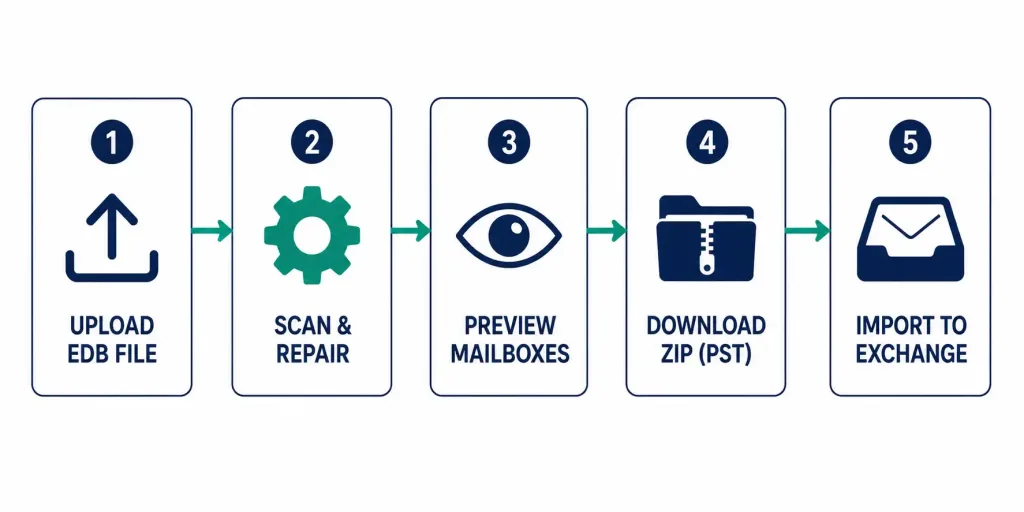
- Upload the corrupt EDB file through the browser.
- The tool scans and repairs it server-side.
- Preview the recovered mailboxes and folder structure directly in the browser before committing to anything.
- Download the results as a ZIP file containing individual mailboxes in PST format.
- Import the PST files into Live Exchange or Microsoft 365 to restore the mailboxes.
The preview-before-download step is worth calling out specifically — it means you can confirm the repair actually recovered what you needed before spending time on the import step, rather than finding out after the fact.
Our Hands-On Testing: Performance and Speed
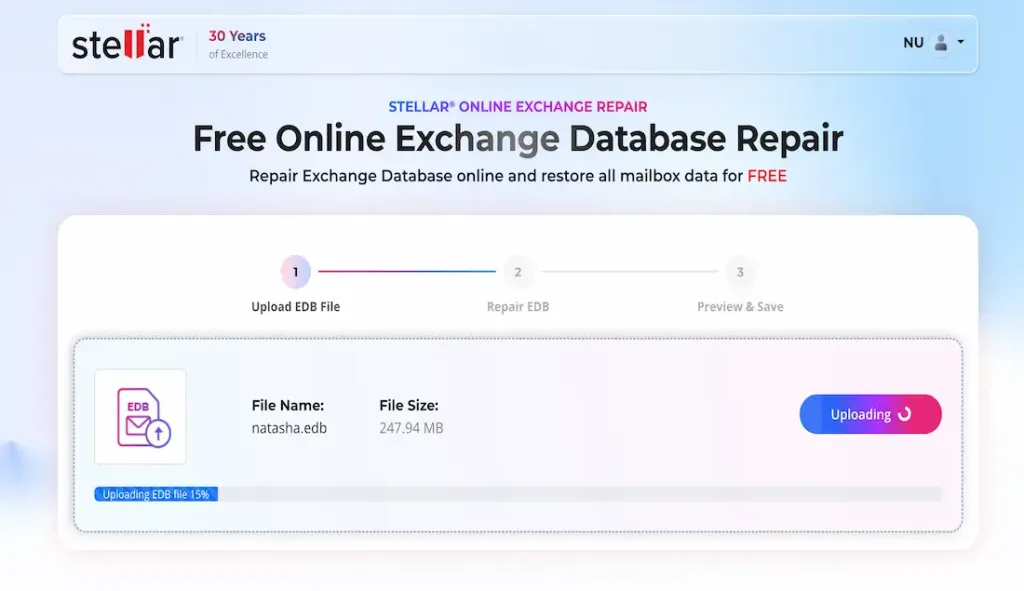
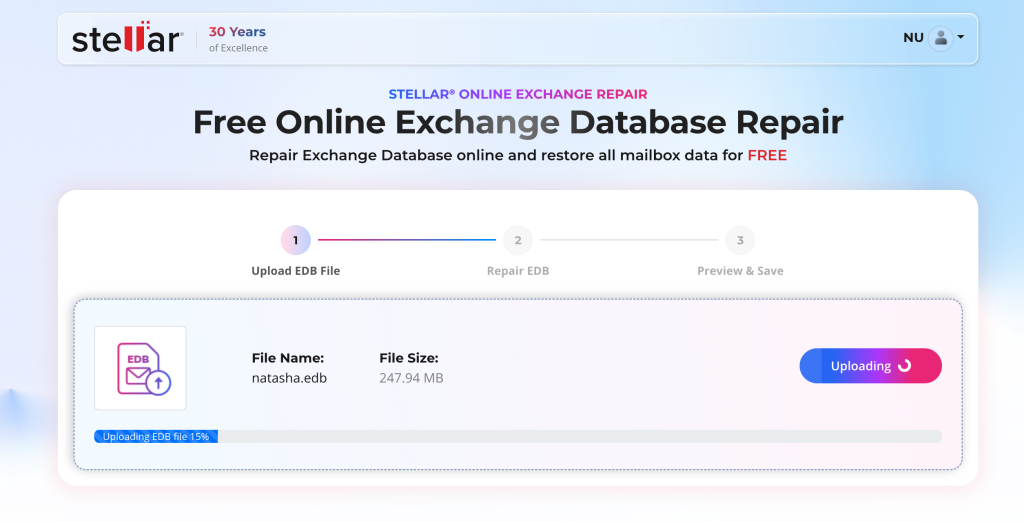
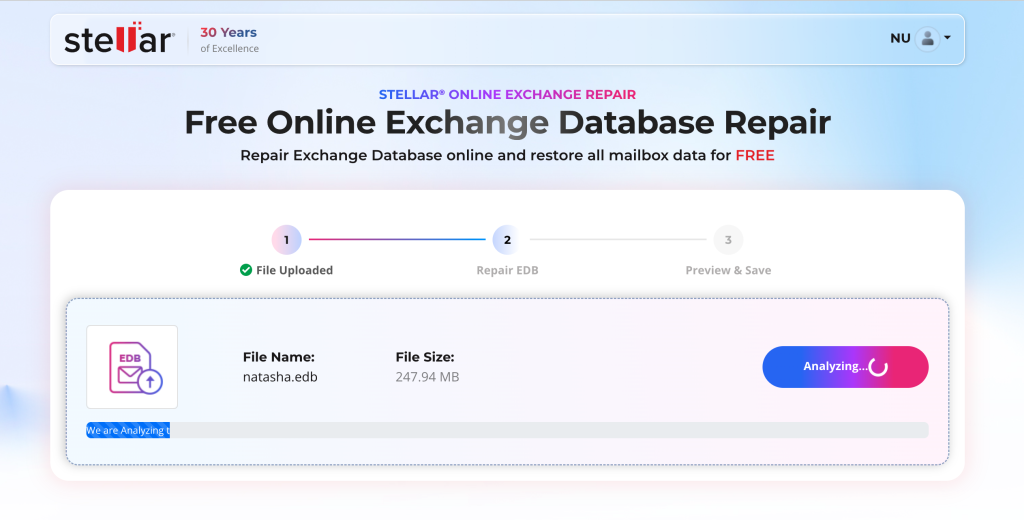
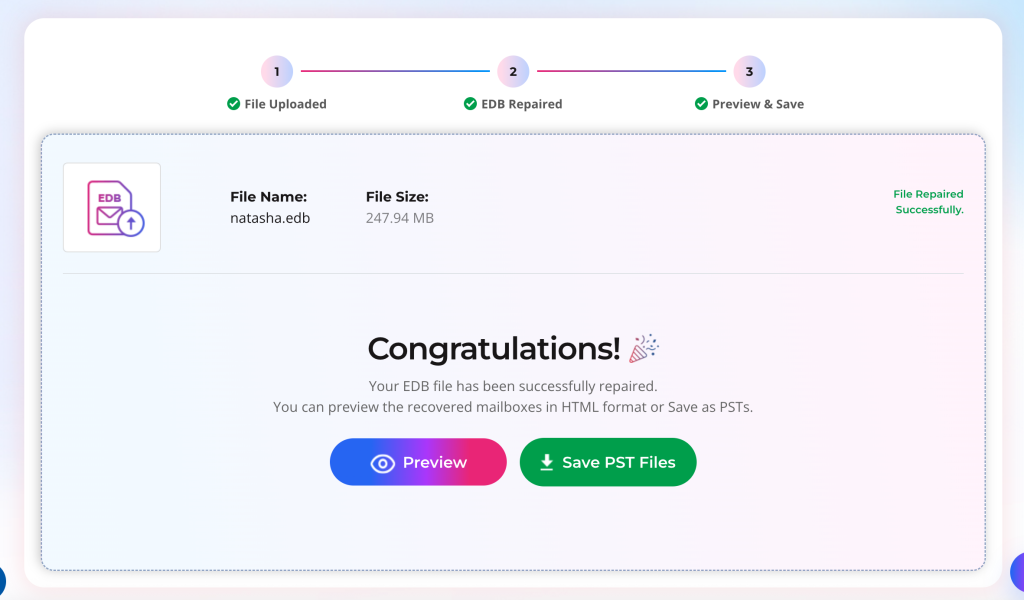
To verify the tool’s real-world performance, we subjected it to two completely corrupted EDB files of varying sizes. The first file, weighing in at 247.94 MB, was fully restored in approximately 5 minutes from start to finish, including the upload, server-side scanning, repair, and download preparation. The second, a larger 384 MB file, completed the entire process in roughly 17 minutes. These timings are impressive, especially considering the files were fully corrupted and required a complete rebuild of the mailbox structure. The processing speed scaled predictably with file size, and at no point did the browser interface lag or time out.
For context, repairing similarly sized files using native tools like Eseutil on a local machine often takes significantly longer and requires multiple command-line attempts. Stellar’s cloud-based processing handled both files efficiently, making the tool a genuinely time-saving option for urgent recoveries. The fact that both files—despite being completely corrupted—were recovered successfully in under 10 minutes each reinforces the tool’s reliability and positions it as a practical solution for IT professionals and small business owners who need quick, hassle-free EDB recovery without installing heavyweight desktop software. Here I have uploaded one test images for your convenience.
Free vs. Premium
| Free | Premium | |
|---|---|---|
| File size limit | Up to 500 MB | Up to 5 GB |
| Price | No cost | $99.99 Per file |
| Files covered | One EDB file up to 500 MB | One EDB file up to 5 GB |
| Recover File Availability for Download (After that period the file will be deleted from the server) | 24 hours | 48 Hours |
How the Browser Version Compares to the Desktop Version
| Online (Browser) | Desktop (Stellar Repair for Exchange) | |
|---|---|---|
| Installation | None — runs in browser | Windows application install required |
| Free tier file size | Up to 500 MB | Free preview/scan available; repair requires purchase |
| Max file size | 5 GB (premium) | No stated file size limit (paid, perpetual license) |
| Pricing model | Per-file ($99.99 for premium tier) | Perpetual license, reported in the $399–$999 range depending on edition |
| Best fit | A single, moderate-sized EDB, occasional use, no install wanted | Ongoing admin use, larger or more frequent recoveries, enterprise environments |
For a large enterprise EDB — tens of gigabytes, which is common for production Exchange databases — the 5 GB premium ceiling on the browser tool is a real limitation. That scenario is squarely the desktop tool’s territory instead.
Where This Fits
The browser tool’s appeal is speed of access, not raw capacity: no download, no install, usable from any device including one you don’t have admin rights on. That’s a genuinely different use case from the desktop tool — a small business with one dismounted mailbox database well under 5 GB is the realistic target, not an enterprise Exchange administrator managing multi-database production environments day to day.
Third-Party Review Scores — Desktop Product Only
Important: every score below is for the desktop Stellar Repair for Exchange, not the browser-based tool this piece covers. I found zero independent reviews or ratings anywhere for the browser tool — it’s too new (the wider Online File Repair platform launched around March 2026) to have accumulated any public feedback yet. These numbers are included for context on Stellar as a vendor, not as a stand-in rating for the product actually being described here.
| Source | Rating | Notes |
|---|---|---|
| Trustpilot | 4.8/5 (5505 reviews) | Reviews noted as of 21 Aug 2026 |
| G2 | 5/5 (1 reviews) | I found 1 review on G2 for Exchange Repaid which 5/5 |
| Stellar’s own MVP testimonials page | 4.8/5 | Self-published by Stellar — not an independent source |
Best For Who
A good fit for:
- Anyone with a single dismounted or corrupt EDB file under 5 GB who needs it back without installing software
- Small businesses or IT contractors handling a one-off recovery, not an ongoing admin workload
- Situations where the machine doing the recovery isn’t one you have install/admin rights on
- Someone who wants to preview recovered mailboxes before committing to download, rather than paying first and hoping
Probably not the right tool for:
- Enterprise Exchange administrators managing production databases that regularly exceed 5 GB — the desktop tool’s uncapped file size is the better fit there
- Anyone needing repeated, ongoing recovery work — per-file pricing at $99.99 adds up fast compared to the desktop tool’s one-time license
- A production mailbox with no backup, where getting a fully verified, established recovery path matters more than convenience.
+Pros
- No software installation — accessible from any browser/device
- No Exchange Server required to perform the repair
- Preserves mailbox hierarchy, so recovered structure should match the original
- Preview before download lets you confirm results before committing further steps
- Recovers a broad range of item types, not just email (contacts, calendar, tasks, notes, journals)
- Free tier available at no cost for files up to 500 MB
- Output format (PST) is broadly compatible with standard Exchange/365 import workflows
−Cons
- The 5 GB file-size limit remains in place even on the paid tier, which could be a limitation for organizations working with larger production Exchange databases.
- Free tier limited to one file up to 500 MB — anything larger requires payment