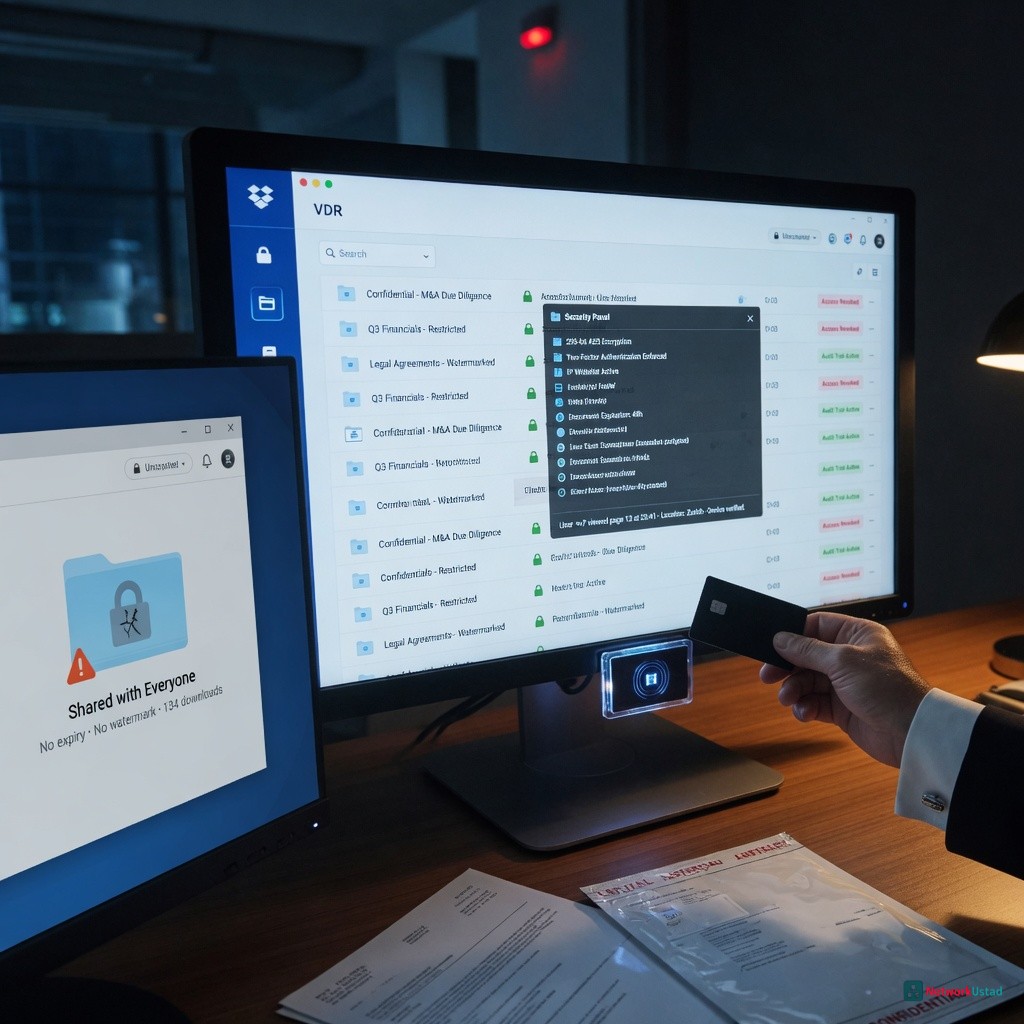
When sensitive business documents need to be shared across teams, borders, or organizations, the platform used to share them matters enormously. Many businesses default to consumer-grade file-sharing services simply because they’re familiar. But familiarity is not the same as security — and for high-stakes transactions or confidential data, the difference between a basic sharing tool and a purpose-built virtual data room can be the difference between a successful deal and a costly breach.
This article breaks down why virtual data rooms (VDRs) are built on a fundamentally different security model than general file-sharing platforms, and why that distinction is worth understanding before choosing one for sensitive work.
What Is a Virtual Data Room, Exactly?
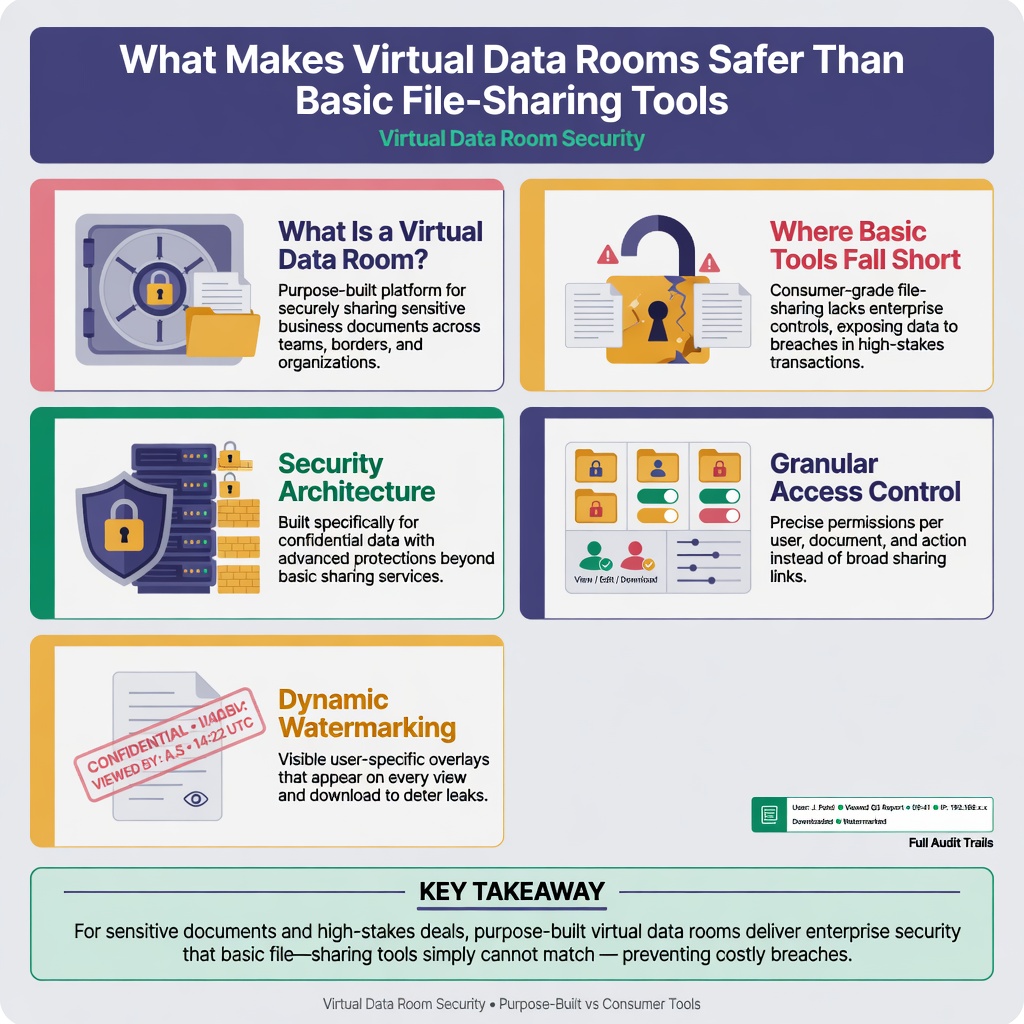
Think of a virtual data room as a fortified digital workspace — one built specifically for moments when the wrong person seeing the wrong document could derail a deal, trigger a lawsuit, or expose a company to regulatory scrutiny. Businesses turn to VDRs during mergers and acquisitions, legal due diligence, fundraising rounds, real estate closings, and regulatory audits, among other high-stakes scenarios.
The core distinction is one of intent. General cloud storage was built to make file access easier. Virtual data rooms were built to make unauthorized access harder. That difference in starting point shapes everything — from how permissions are structured to what happens when someone tries to forward a document they were never supposed to share.
Where Basic File-Sharing Tools Fall Short
Mainstream tools like shared cloud drives or consumer collaboration platforms were designed for productivity and ease of access. They make it simple to share a link, grant edit permissions, or sync a folder across devices. That simplicity, however, introduces several security gaps that are hard to close after the fact.
Link-based sharing is one of the most common vulnerabilities. When a document is shared via a link, anyone with that link — whether they were intended to receive it or not — may be able to access it. There is often no authentication requirement, no record of who accessed it, and no way to revoke access once the link is forwarded.
Permission controls in basic tools are typically coarse: view, comment, or edit. There is little ability to restrict what a user can do once they have access — whether that means printing, downloading, screenshotting, or forwarding the document to a third party.
Audit visibility is limited or nonexistent. If a sensitive document was accessed by the wrong person at 2 a.m., a standard file-sharing service usually cannot tell you that with any reliability.
For everyday collaboration, these limitations are acceptable trade-offs. For due diligence packages, investor data, or legal contracts, they are not.
The Security Architecture of a Virtual Data Room
VDRs are built on a layered security model that addresses each of the gaps described above. Understanding what that looks like in practice helps explain why they are so widely used in high-value transactions.
Granular Access Control
Rather than offering a simple view/edit toggle, a VDR allows administrators to define precisely what each user can do. Permissions can be set at the folder or individual document level, with options to disable downloading, printing, or even copying text. Some platforms allow administrators to set time-limited access that expires automatically after a specific date or following a number of views.
This kind of precision means that a due diligence team from one firm can be given access to financial summaries without ever being able to view legal exhibits in the same data room — unless that access is explicitly granted.
Dynamic Watermarking
Many VDRs automatically apply dynamic watermarks to documents when they are viewed. These watermarks embed the viewer’s name, email address, and timestamp directly onto the document. If a screenshot is taken or a printout is circulated without authorization, the source of the leak can typically be traced back to a specific user and session.
This feature alone has become one of the most valued in sectors like investment banking and legal services, where confidentiality agreements are not always enough to prevent information from spreading.
Full Audit Trails
Every meaningful action inside a VDR is logged. Who opened a file, how long they spent on each page, whether they tried and failed to download a restricted document — all of this is tracked and available to the administrator. These audit logs are not just useful for security monitoring; they can be critical evidence in legal disputes or regulatory investigations.
A community discussion on Quora highlights this as one of the defining factors that distinguishes VDRs from conventional storage: real-world users frequently note that the audit trail functionality is something they simply cannot replicate with standard tools.
Two-Factor Authentication and Single Sign-On
Access to a VDR typically requires more than a password. Two-factor authentication (2FA) is standard, and enterprise-grade platforms also support single sign-on (SSO) integration with existing corporate identity providers. This ensures that even if a user’s credentials are compromised, unauthorized parties still cannot access sensitive documents without passing a second layer of verification.
Fence View and Screen-Shield Features
Some advanced VDRs include screen-protection features that limit how much of a document is visible at any one time — a technique sometimes called “fence view.” This makes it significantly harder for a user to capture usable screenshots or record the screen to extract content. It is particularly useful when dealing with parties who have legitimate access to a document but should not be able to reproduce it in its entirety.
Encryption Standards That Match the Stakes
Basic file-sharing tools typically use encryption in transit (protecting data as it travels between a device and a server) and at rest (protecting data on the server itself). This is adequate for general use, but VDRs often go further.
Enterprise VDRs typically implement AES-256 encryption — the same standard used by financial institutions and government agencies — and some offer client-managed or zero-knowledge encryption models, where even the VDR provider cannot access the contents of the files stored on their infrastructure.
If you’re evaluating platforms and want a structured comparison of what to look for in terms of these security layers, data room vendor overview on dataroomproviders.ca offers a useful breakdown of how providers differ on these dimensions.
Compliance and Regulatory Alignment
One area where VDRs diverge sharply from general-purpose tools is their alignment with compliance frameworks. Depending on the industry and geography, organizations may be subject to requirements under regulations such as GDPR, HIPAA, SOC 2, or ISO 27001.
Most consumer file-sharing tools are not designed with these frameworks as a primary consideration. VDRs, by contrast, are frequently built and audited to meet multiple compliance standards simultaneously, and providers typically offer documentation to support customers’ own compliance obligations.
Encryption itself is foundational to this picture and provides useful background on why the specific cipher and key-management model a platform uses has direct implications for how well-protected data actually is — and why not all encryption implementations offer the same level of assurance.
The Human Factor: Reducing User Error
Even the best security architecture can be undermined by human error. VDRs address this by building guardrails directly into the workflow.
Administrators receive alerts when unusual behavior is detected — such as a user attempting to download a restricted file or accessing the data room outside of their normal hours. Role-based access ensures that users can only see what they are supposed to see, reducing the chance that someone navigates to a folder they were never meant to open.
Q&A modules built into many VDRs also keep sensitive conversations within the platform rather than sending them over email, where they could be forwarded, intercepted, or simply misaddressed.
Conclusion
The gap between a basic file-sharing tool and a virtual data room is not cosmetic. It reflects a fundamentally different design philosophy: one built for convenience, the other built for accountability and control.
For organizations handling sensitive transactions, confidential negotiations, or regulated data, the additional structure that a VDR provides is not overhead — it is the point. Granular permissions, dynamic watermarking, comprehensive audit logs, and compliance-grade encryption are not features that can be patched onto a general tool after the fact. They need to be built in from the ground up, which is exactly what VDRs are designed to do.
Choosing the right platform starts with understanding what risks you are actually managing. Once that is clear, the case for a purpose-built solution tends to make itself.