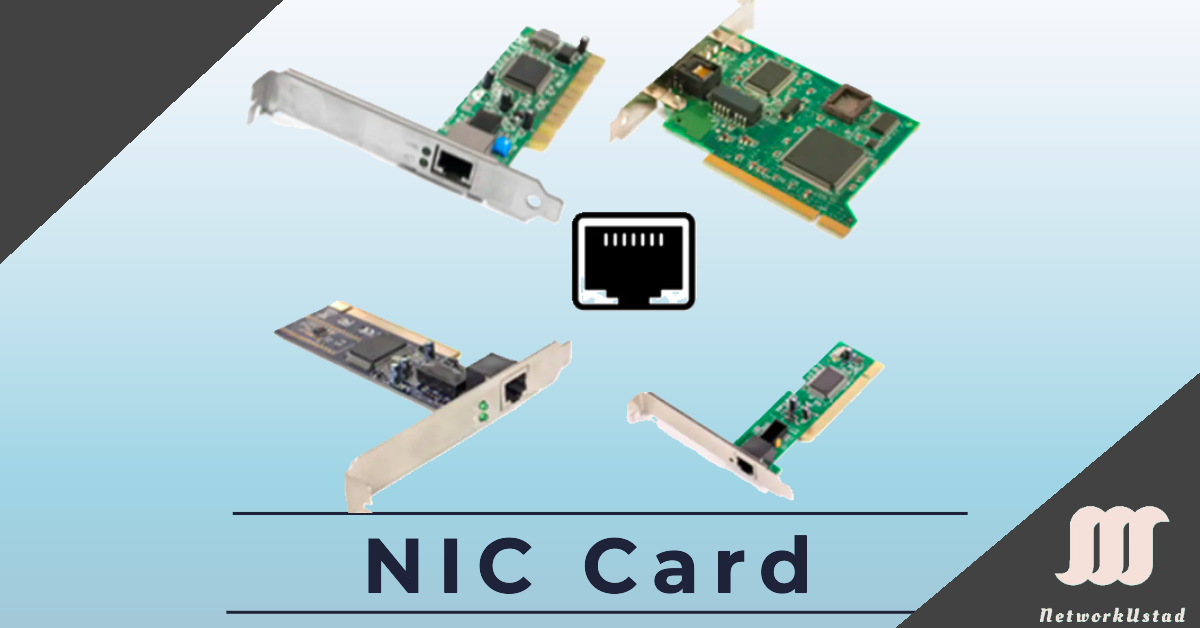
A Network Interface Card (NIC), also known as an Ethernet card, is a hardware component that enables a computer to connect to a network, such as a home network or the Internet, using an Ethernet cable with an RJ-45 connector or wireless technologies. Network Interface Cards provide a dedicated, full-time connection to a network, and most modern computers have a network interface built directly into the motherboard. Personal computers and workstations on a local area network (LAN) use Network Interface Cards designed for specific LAN transmission technologies, supporting high-speed and reliable connectivity.
Types of Network Interface
Types of Network Interface Cards
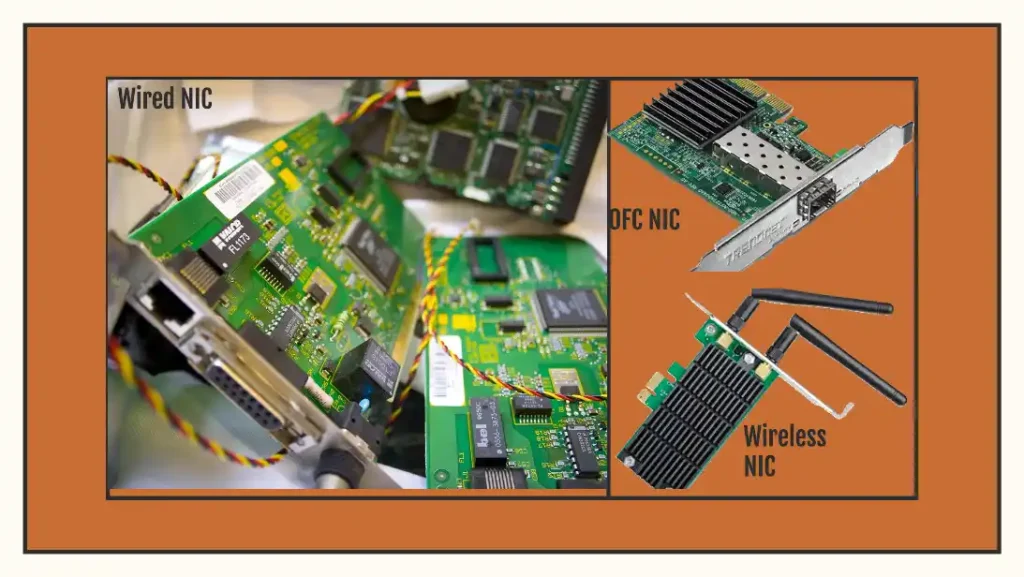
Network Interface Cards come in several forms, primarily wired, wireless, and fiber optic:
- Wired NICs: Use an RJ-45 port for Ethernet cables, offering stable connections for LANs and data centers.
- Wireless NICs: Employ antennas to connect via Wi-Fi, ideal for mobile devices and home networks.
- Fiber Optic NICs: Support high-speed fiber connections for enterprise and data center applications.
NIC Types Comparison
| Type | Connection Method | Use Case | Speed Range |
|---|---|---|---|
| Wired | RJ-45/Ethernet | LANs, data centers | 10 Mbps–100 Gbps |
| Wireless | Wi-Fi/Antennas | Home networks, IoT | 11 Mbps–9.6 Gbps |
| Fiber Optic | Fiber cables | Enterprise, high-speed networks | 1 Gbps–400 Gbps |
Network Interface Card Speed
Network Interface Cards support various speed ratings, such as 10 Mbps, 100 Mbps, 1 Gbps, 10 Gbps, and up to 100 Gbps in 2025. The Network Interface Card’s speed rating indicates its maximum performance, but actual internet speed depends on available bandwidth and service plans. For example, if your DSL speed is 16 Mbps and your Network Interface Card supports 100 Mbps, the NIC won’t increase your internet speed beyond 16 Mbps. However, a 10 Mbps NIC would limit a 16 Mbps connection to 10 Mbps.
Modern Network Interface Card Features (2025)
In 2025, Network Interface Cards will be critical for advanced networking. High-speed Network Interface Cards (10/25/100 Gbps) power 70% of data center traffic, supporting AI workloads and cloud computing. Wi-Fi 6/7 Network Interface Cards enable low-latency IoT and 5 G-integrated networks, with features like OFDMA for efficient channel access. SmartNICs, equipped with onboard processors, offload tasks like encryption and virtualization, enhancing performance in data centers. Ethernet 802.3bt (PoE) Network Interface Cards support IoT devices, delivering power and data over a single cable.
Network Interface Card Driver
Network Interface Cards require device drivers to interface with a computer’s operating system. If a Network Interface Card isn’t working, the driver may be missing, corrupted, or outdated. Modern operating systems like Windows 11 and Linux often update drivers automatically via online repositories. If manual updates are needed, drivers can be downloaded from the manufacturer’s website using another device and transferred via USB.
Ethernet
Ethernet, invented by Robert Metcalfe and D.R. Boggs in 1972, is a data link and physical layer protocol for LANs, defined by the IEEE 802.3 standard. It governs data transmission, specifying frame format, size, timing, and encoding. Ethernet supports various media and bandwidths, with a consistent frame format across all types.
Ethernet historically used Carrier Sense Multiple Access/Collision Detection (CSMA/CD) for half-duplex LANs to manage collisions. In 2025, full-duplex switches dominate, allowing simultaneous sending and receiving without collisions, supporting speeds up to 400 Gbps in enterprise networks.
FAQs
-
A Network Interface Card is a hardware component that allows a computer to connect to a network and communicate with other devices using Ethernet or other network protocols.