
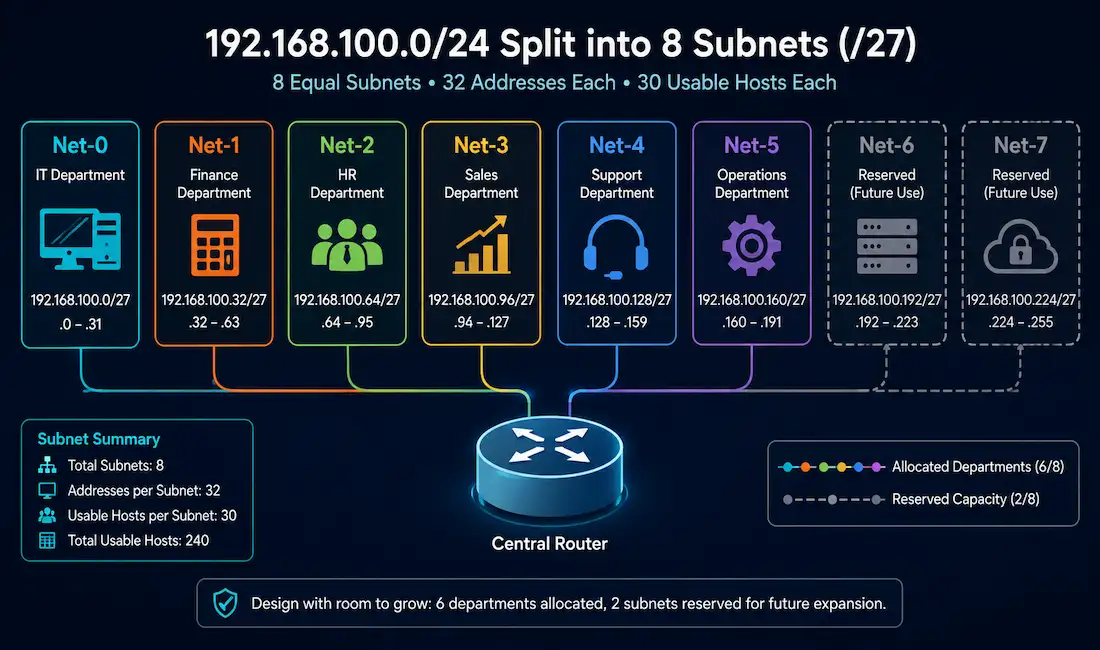
Sometimes the number of subnets an organization needs matters more than the number of hosts each one supports. A company separating traffic by department, for instance, cares primarily about ending up with enough distinct subnets, one per department, even if that means each subnet has more host capacity than strictly necessary. This guide works through a complete, verified example of exactly that scenario.
Setting Up the Problem
Given: A network address of 115.255.240.0/22.
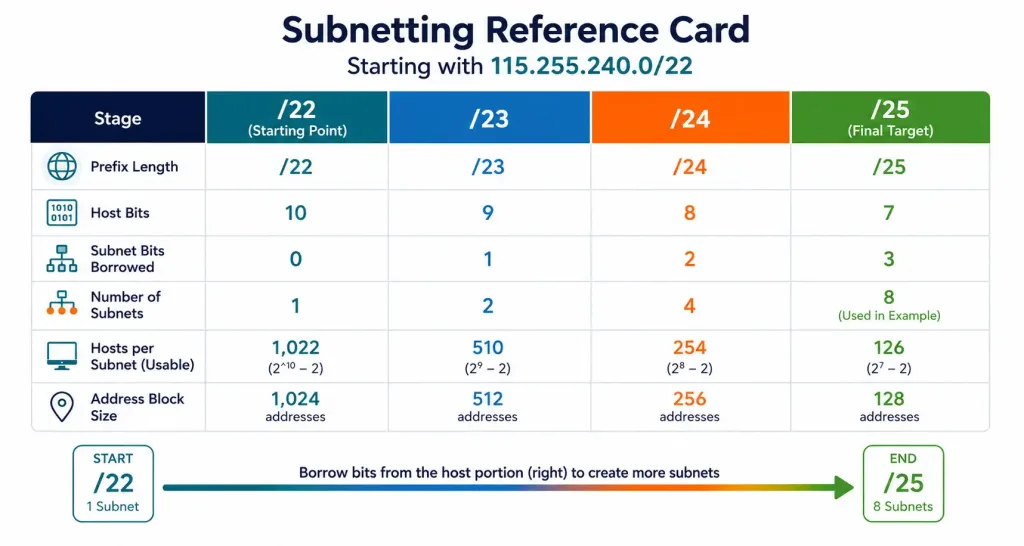
A /22 prefix leaves 32 − 22 = 10 host bits available. That gives 2¹⁰ − 2 = 1,022 usable host addresses across the entire unsubnetted block.
Requirement: The organization needs to isolate traffic across 6 departments, requiring 6 separate subnets. The largest department needs 120 hosts; the smallest needs 30.
Step 1: Size the Subnet to the Largest Requirement
Since every subnet in this design will be the same size (a uniform subnetting approach, not VLSM), the mask has to accommodate the largest department’s requirement, 120 hosts, even though smaller departments won’t need all of that capacity.
Testing host bit values against 2^h − 2: h = 7 gives 2⁷ − 2 = 126, which comfortably covers the 120-host requirement. So 7 host bits need to remain.
Step 2: Determine Bits to Borrow
With 10 original host bits and 7 needed to remain, 10 − 7 = 3 bits get borrowed for subnetting.
Step 3: Confirm Subnet Count
2³ = 8 subnets become available, more than the 6 actually required, leaving 2 spare subnets for future departmental growth.
Step 4: Determine the New Prefix and Mask
Extending the network portion from /22 by 3 borrowed bits gives a /25 prefix, with a subnet mask of 255.255.255.128.
Understanding Where the Borrowed Bits Actually Live
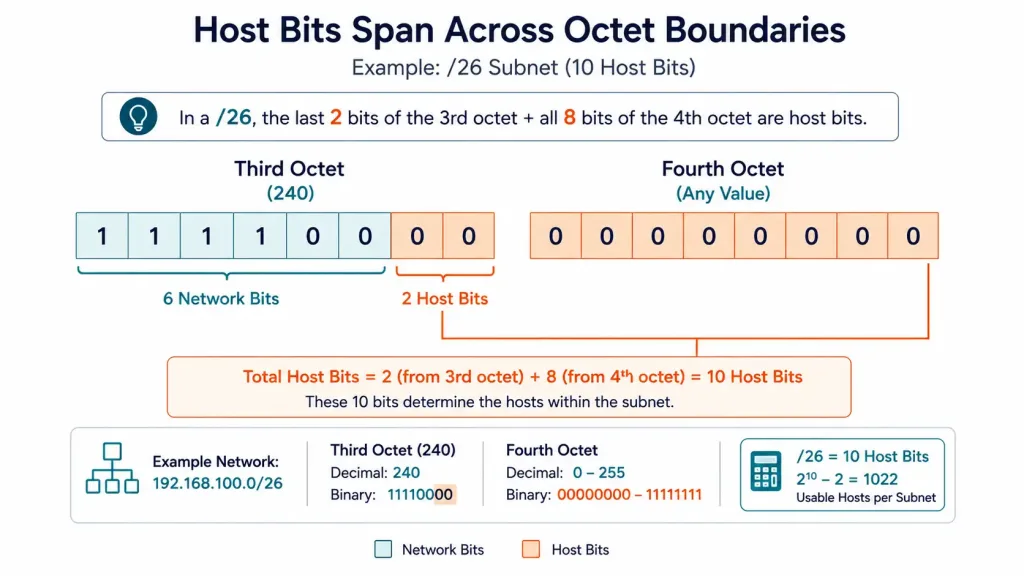
This is the part of the example that trips people up: because the original network is a /22, not a /24, the 10 host bits span across the boundary between the third and fourth octets, not neatly within a single octet. Specifically:
- The third octet’s base value, 240, is
11110000in binary. The top 6 bits (111100) are fixed, part of the original /22 network portion. The bottom 2 bits are host bits. - All 8 bits of the fourth octet are also host bits.
That gives 2 host bits in the third octet plus 8 in the fourth octet, 10 total, matching the /22’s host bit count. Borrowing 3 bits takes those bottom 2 bits of the third octet, plus the top (most significant) bit of the fourth octet, leaving 7 host bits: 0 remaining in the third octet, 7 remaining in the fourth.
The Full Eight-Subnet Table
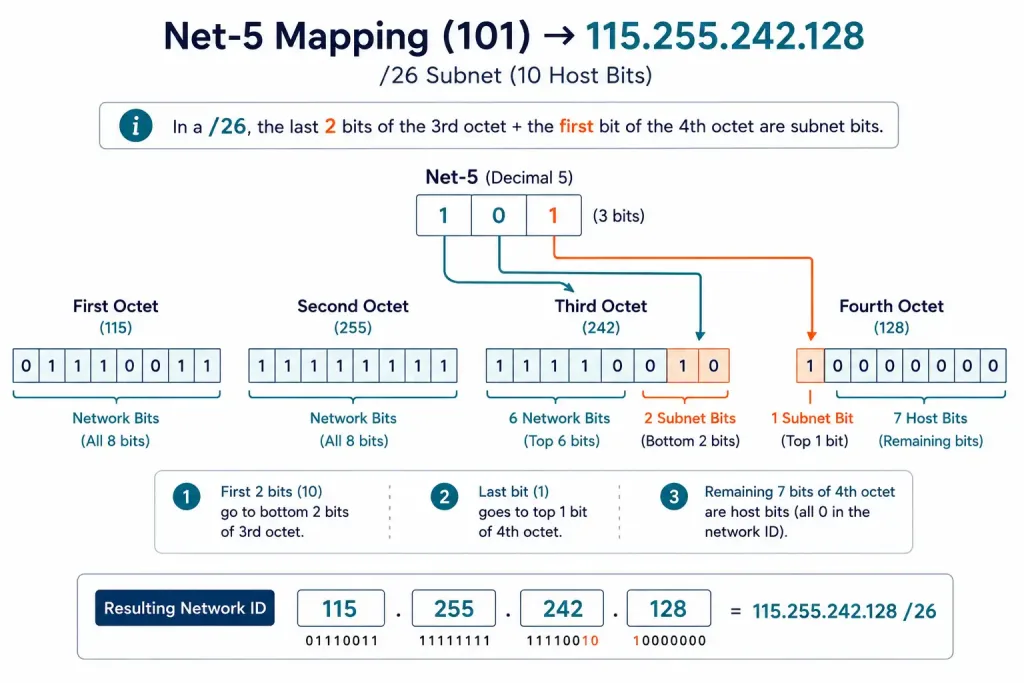
Each subnet number, 0 through 7, is represented by exactly 3 bits: the bottom 2 bits of the third octet, plus the top bit of the fourth octet.
| Subnet | 3-Bit Value | Network ID | First Usable | Last Usable | Broadcast |
|---|---|---|---|---|---|
| Net-0 | 000 | 115.255.240.0 | 115.255.240.1 | 115.255.240.126 | 115.255.240.127 |
| Net-1 | 001 | 115.255.240.128 | 115.255.240.129 | 115.255.240.254 | 115.255.240.255 |
| Net-2 | 010 | 115.255.241.0 | 115.255.241.1 | 115.255.241.126 | 115.255.241.127 |
| Net-3 | 011 | 115.255.241.128 | 115.255.241.129 | 115.255.241.254 | 115.255.241.255 |
| Net-4 | 100 | 115.255.242.0 | 115.255.242.1 | 115.255.242.126 | 115.255.242.127 |
| Net-5 | 101 | 115.255.242.128 | 115.255.242.129 | 115.255.242.254 | 115.255.242.255 |
| Net-6 | 110 | 115.255.243.0 | 115.255.243.1 | 115.255.243.126 | 115.255.243.127 |
| Net-7 | 111 | 115.255.243.128 | 115.255.243.129 | 115.255.243.254 | 115.255.243.255 |
Notice how the 3-bit subnet value maps directly to the address: Net-5’s binary value 101 is exactly why it lands at 115.255.242.128, the bottom 2 bits of that 3-bit value (10) set the third octet’s bottom 2 bits (giving 242), and the top bit (1) sets the fourth octet’s leading bit (giving 128). This is a genuinely useful cross-check to run on any subnet in the table: convert its subnet number to binary and confirm the bits land exactly where the resulting address implies they should.
Applying the Subnets
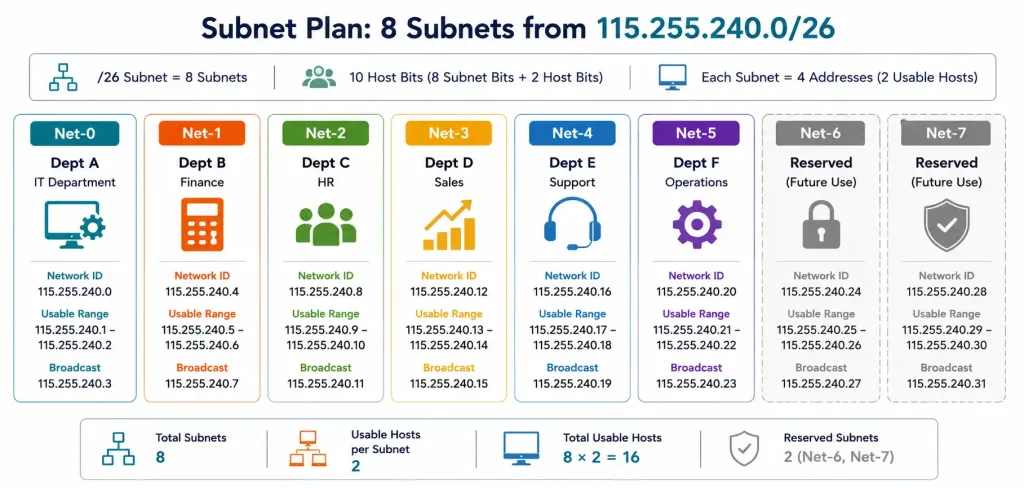
With 8 subnets available and only 6 departments needing one, Net-0 through Net-5 get allocated to the six departments (the largest department taking any one of these, since all 8 subnets are identically sized at 126 usable hosts each), while Net-6 and Net-7 remain unused, held in reserve for future departmental growth without requiring any renumbering of the six already in use.
Troubleshooting Network-Based Subnetting
Not enough subnets were created for the requirement. If a design produces 4 subnets when 6 are actually needed, the borrowed bit count was too low. Increase it by one more bit; in this example, that’s exactly why 3 bits (giving 8 subnets) were borrowed rather than settling for 2 bits (only 4 subnets).
A subnet mask doesn’t accommodate the largest host requirement. A /26 mask, for example, only provides 2⁶ − 2 = 62 usable hosts, well short of this example’s 120-host requirement. Recalculating from the largest host count first, rather than an arbitrary or convenient prefix length, prevents this exact class of error.
Verifying a specific subnet’s calculation. Convert the subnet number to binary and confirm it lines up with the resulting address exactly as demonstrated with Net-5 above. This cross-check catches transcription errors quickly, without needing to redo the entire calculation from scratch.
Confirming configuration on a live device. show ip route on a Cisco router or show ip interface brief for a quick per-interface summary both help confirm that a planned subnet design actually matches what’s configured and active.
A Second Worked Example: A Smaller Requirement
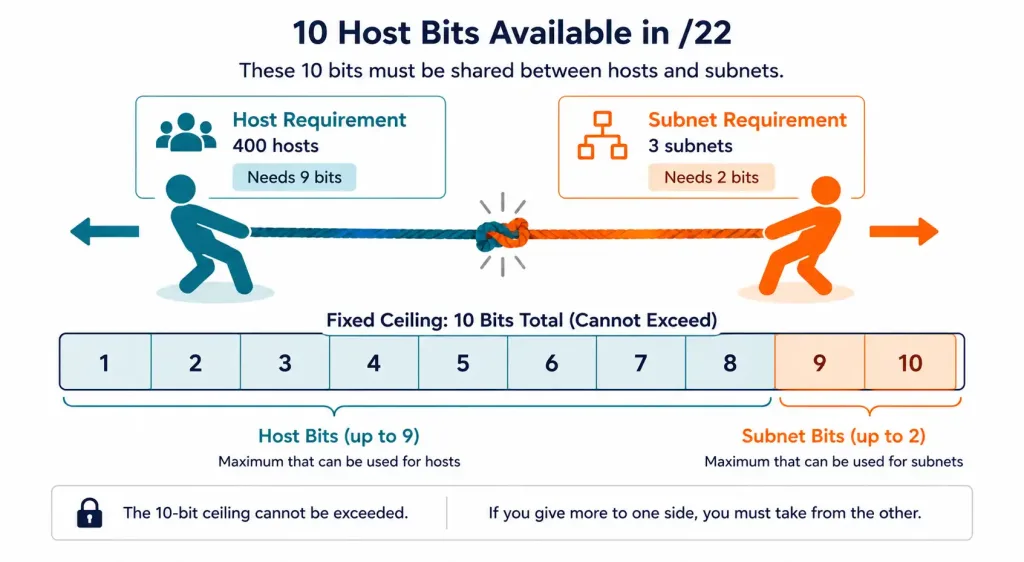
It helps to see this process applied to a different scenario. Say a different organization has the same 115.255.240.0/22 network but needs only 3 subnets, with the largest requiring 400 hosts.
Step 1: Testing host bits against 2^h − 2 for 400 hosts: h = 8 gives 2⁸ − 2 = 254, too small; h = 9 gives 2⁹ − 2 = 510, sufficient. So 9 host bits need to remain, a genuinely large share of the 10 total host bits this /22 provides.
Step 2: With 10 original host bits and 9 needed, only 1 bit gets borrowed.
Step 3: 2¹ = 2 subnets, which falls short of the 3 required. This means 1 borrowed bit isn’t actually enough, despite comfortably meeting the host requirement; the subnet count requirement forces borrowing an additional bit regardless.
Step 4 (corrected): Borrowing 2 bits instead gives 2² = 4 subnets, enough to cover the 3 needed with 1 spare, at the cost of reducing remaining host bits to 8, giving 2⁸ − 2 = 254 usable hosts per subnet, still comfortably above the 400…
Wait, that doesn’t actually work: 254 is less than 400. This is exactly the kind of conflict worth recognizing directly: the subnet-count requirement and the host-count requirement can pull in opposite directions, and when they do, the larger of the two bit requirements has to win. Since 400 hosts genuinely requires 9 host bits regardless of subnet count, and the network only has 10 total host bits to work with, only 1 bit is actually available to borrow, capping the design at 2 subnets no matter how many are “needed.” In a real scenario like this, the organization would need either a larger original address block, or would need to accept fewer, larger subnets than originally planned, since the math simply doesn’t support both requirements simultaneously within a /22. Recognizing this conflict early, rather than midway through a deployment, is exactly what a careful requirements review is supposed to catch.
This kind of conflict is exactly why checking both constraints early, host requirement and subnet requirement, before committing to a specific address block matters considerably more than working through the arithmetic and hoping both requirements land favorably. A five-minute check at the planning stage avoids a design that looks fine on paper but can’t actually be built as specified.
A Quick Design Checklist Before Committing to a Subnet Plan
Before finalizing any network-based subnetting design, a few checks catch most of the conflicts and mistakes covered above:
- Confirm the true host bit ceiling. Whatever original prefix you’re starting from sets a hard limit on how many bits are actually available to work with, and that limit doesn’t bend to accommodate an ambitious subnet count or an ambitious host count individually.
- Calculate both constraints independently first. Work out the minimum host bits needed for the largest subnet, and separately the minimum borrowed bits needed for the required subnet count, before trying to reconcile them into a single design.
- Check whether the two constraints actually fit together. If the host-bit requirement and the subnet-bit requirement together exceed the available bits, as in the second worked example above, no amount of clever bit allocation resolves that; either the address block or one of the two requirements needs to change.
- Build in reasonable headroom, not excessive headroom. Landing on exactly the right power-of-two subnet count with zero spare capacity leaves no room for a future seventh or eighth subnet; landing on far more spare capacity than realistically needed wastes address space that could serve another purpose.
Running through this checklist takes only a few minutes and reliably catches the kind of conflict that’s much more expensive to discover after a design has already been partially deployed. Building this habit early is genuinely worth the small upfront time cost, especially on any design involving multiple competing requirements at once.
Frequently Asked Questions
What’s the difference between network-based and host-based subnetting?
Network-based subnetting starts with a required number of subnets and sizes the mask to produce at least that many, typically at the cost of some unused host capacity in each subnet. Host-based subnetting instead starts with a required host count per subnet and derives the mask from that, which can produce a different number of subnets than actually needed.
Why does the largest subnet’s host requirement determine the mask for every subnet in this design?
Because this example uses uniform subnetting, one consistent mask applied across every subnet, the mask has to be large enough to accommodate the biggest single requirement, even though smaller subnets won’t use all of that capacity. VLSM is the alternative that avoids this specific inefficiency, letting each subnet use a differently-sized mask matched to its own actual requirement.
How do borrowed bits work when they span two different octets?
Borrowing simply continues from wherever the host portion’s bits actually are, regardless of octet boundaries; if the available host bits already span two octets before any borrowing happens, the borrowed bits will too. This example’s /22 starting point is exactly this situation, with host bits spanning the third and fourth octets from the very beginning.
Why leave 2 subnets unused instead of borrowing exactly enough bits for 6?
Since 2ⁿ subnets are only ever available in powers of two, 2² = 4 falls short of 6, forcing a jump to 2³ = 8 rather than landing exactly on 6. The 2 leftover subnets aren’t wasted; they’re genuinely useful reserve capacity for a future seventh or eighth department without requiring any redesign of the existing six.
How can I quickly verify a subnet address is correct?
Convert the subnet’s position number (0, 1, 2, and so on) to binary using the same number of bits that were borrowed, then confirm those bits appear in exactly the positions the borrowed-bit boundary implies. This is precisely how Net-5’s binary value of 101 confirms its address of 115.255.242.128 in the worked example above.
What Cisco commands help verify a network-based subnetting design once deployed?
show ip route displays the router’s actual routing table, useful for confirming configured subnets match the intended design, while show ip interface brief gives a fast per-interface summary of assigned addresses. Both are worth running after any subnetting change, rather than assuming a configuration was applied correctly without checking.



