
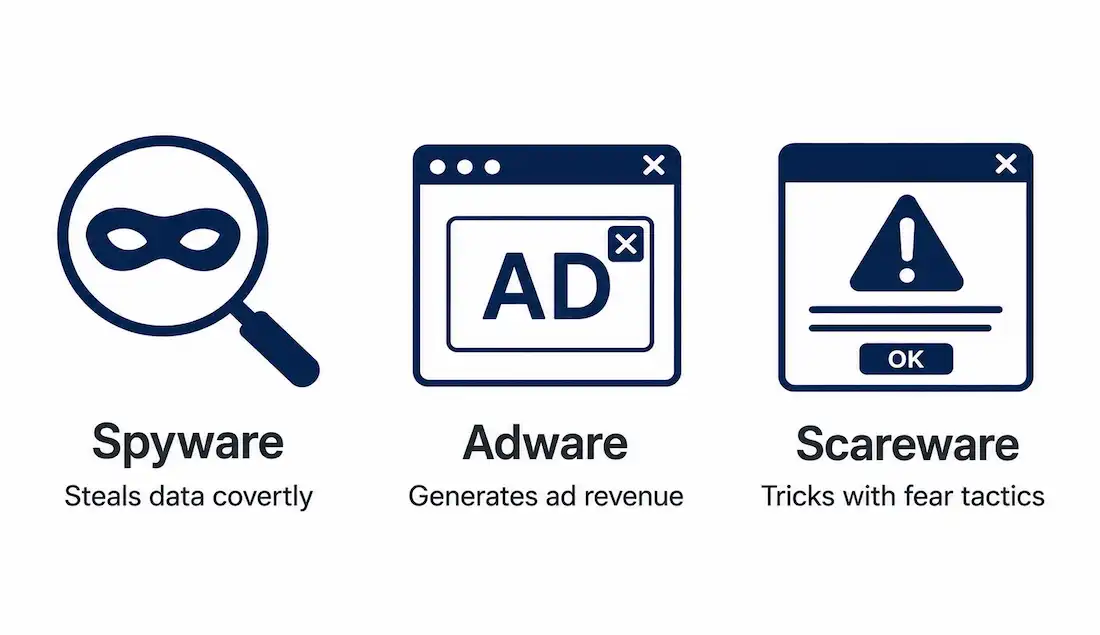
Beyond viruses, worms, and ransomware, three quieter but genuinely damaging malware categories deserve their own attention: spyware, which steals information covertly; adware, which monetizes intrusive advertising; and scareware, which manipulates fear to trick users into installing something harmful. Each behaves differently on a network, and recognizing that difference is what makes detection actually possible.
This guide covers how each threat works, its distinct network-level footprint, a verified real-world case study, and practical detection and prevention tools.
Spyware: The Silent Data Thief
Spyware installs on a device without the user’s knowledge, commonly through bundled installers, exploit kits, or drive-by downloads from compromised websites. Once installed, it gathers information about the user’s activity, typically including:
- Keystroke logging (keyloggers)
- Data harvesting — credentials, files, and similar sensitive content
- Activity tracking — browser history, application usage
- Screenshot capture and audio/video recording
Spyware usually integrates with legitimate-looking software or rides along with a Trojan horse, and shareware distribution sites remain a common source of infection.
Not all tracking software is spyware. Organizations using Data Loss Prevention (DLP) tools to monitor employee browsing, or parents using monitoring software with their own children’s devices, aren’t using spyware in the malicious sense — the defining line is consent and transparency, not the underlying technical capability. Advertising cookies work the same way: legitimate if disclosed and consented to, spyware if hidden.
Detection signs: spyware is genuinely hard to detect by design, but performance degradation is often the first visible clue — a noticeable drop in processor or network speed. On mobile devices, unexplained data usage and battery drain are common red flags.
Network Implications of Spyware
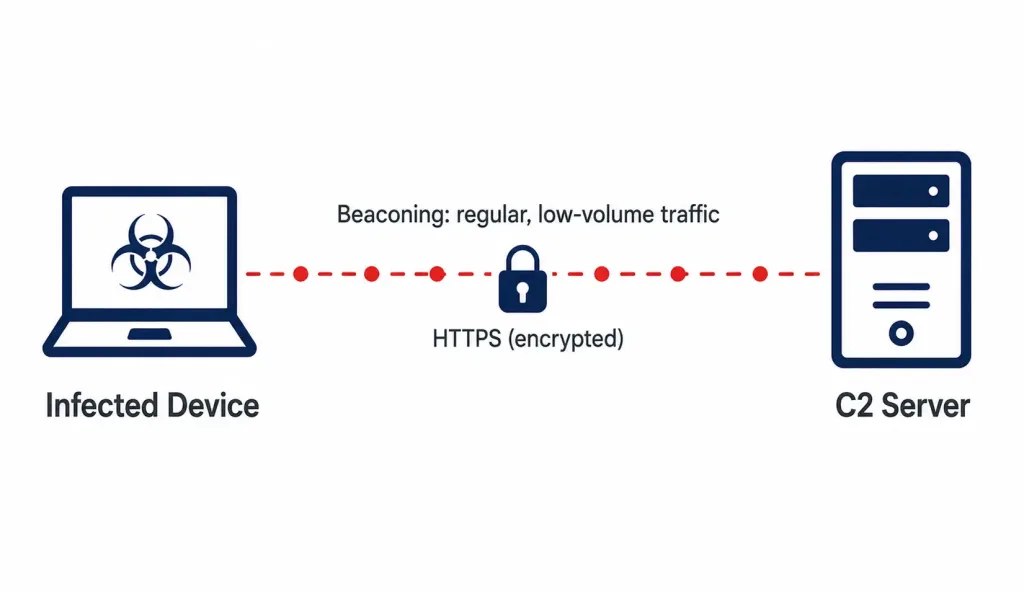
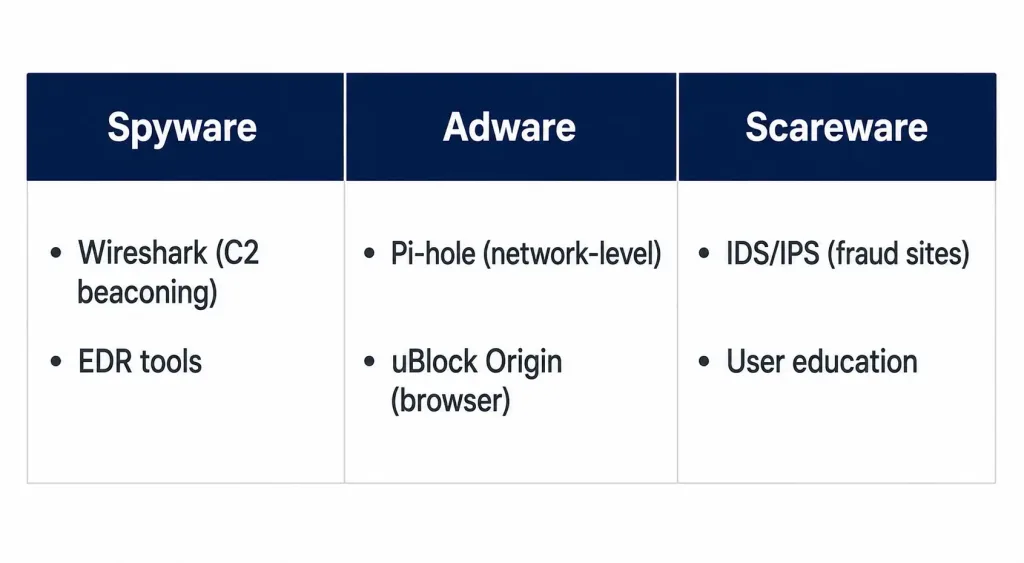
Spyware frequently maintains persistent connections to command-and-control (C2) servers, exfiltrating stolen data over encrypted channels like HTTPS — which makes it harder to distinguish from ordinary encrypted web traffic at a glance. Watch for anomalous outbound traffic patterns specifically: increased latency, and “beaconing” — regular, low-volume communication to an external server at consistent intervals, a classic C2 signature. Wireshark is a practical, widely-used tool for spotting these patterns directly.
A real, well-documented example: Pegasus, developed by the NSO Group, is a sophisticated spyware platform that has targeted journalists, activists, and political figures using zero-click exploits — meaning infection can occur without the target clicking anything at all. Its continued evolution and documented use against high-profile targets makes it one of the most cited examples of commercial spyware in security research.
Prevention Strategies
- Deploy endpoint detection and response (EDR) tools to catch behavior-based indicators that signature-based antivirus alone might miss.
- Configure firewalls to block known malicious IPs, and use VPNs to protect traffic in transit on untrusted networks.
- Regularly review DNS query logs and outbound connections for unusual or newly-registered domains.
Adware: The Intrusive Advertiser
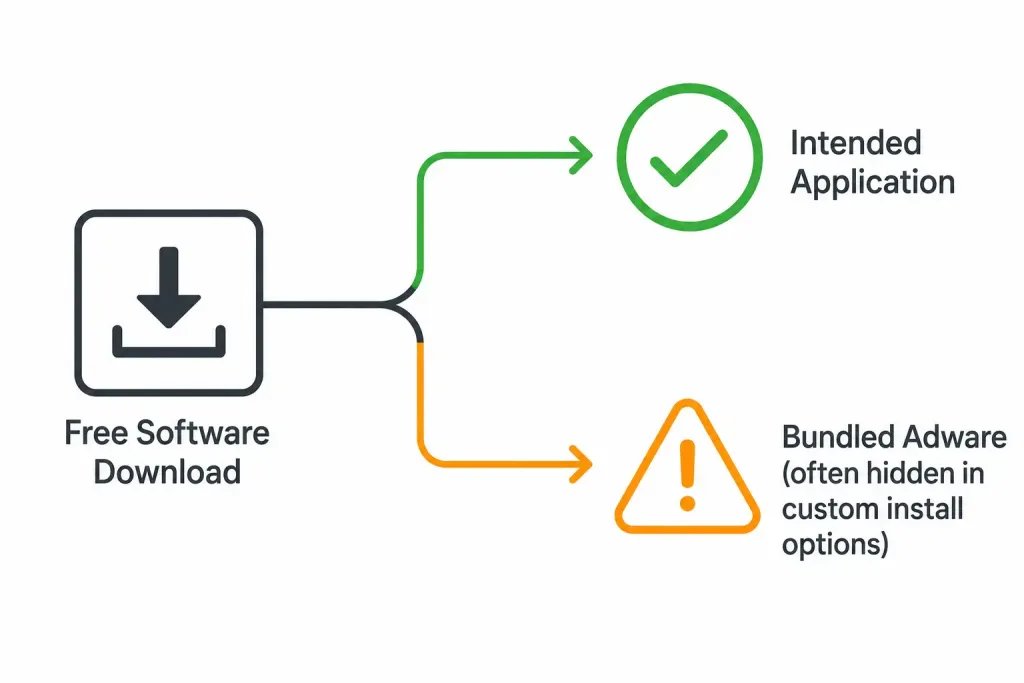
Adware displays unwanted advertising — banners, pop-ups, or redirects — generating revenue for its creators through pay-per-click or similar models. It commonly analyzes browsing behavior to serve more “relevant” (and more profitable) ads, and frequently installs bundled with free software the user actually intended to download.
Adware isn’t always purely an advertising nuisance — it’s common for it to bundle with genuine spyware components, meaningfully raising the overall risk beyond just intrusive ads. Its reach has also expanded well beyond desktop and mobile: smart TVs and other connected devices are increasingly viable targets too.
Network Implications of Adware
Adware measurably increases bandwidth consumption by continuously fetching ad content from remote ad-network servers, and it creates real exposure to malvertising — malicious content delivered through what looks like a legitimate ad network. This produces a distinctive pattern of frequent DNS queries to ad-serving domains, along with the associated latency and bandwidth impact.
Documented real-world examples: Fireball, a large-scale adware campaign, infected millions of systems globally by hijacking browsers and generating fraudulent ad revenue. HiddenAds is a well-documented malware family distributed through fake or copycat mobile apps, loading intrusive ads in the background even when the app itself isn’t actively open — a pattern security researchers have repeatedly found in copycat versions of popular game titles distributed outside official app stores, and occasionally slipping past review processes on official stores as well.
Mitigation Techniques
- Deploy network-level ad blocking through tools like Pi-hole, or enterprise-grade proxy filtering for organizational networks.
- Use browser-level ad-blocking extensions like uBlock Origin for individual device protection.
- Keep devices and browsers updated, since adware frequently exploits known, already-patched vulnerabilities in outdated software.
Scareware: Fear-Based Deception
Scareware manipulates victims into purchasing or downloading unnecessary — and often actively harmful — software through fear tactics, frequently as part of a broader social engineering campaign.
The classic scareware pattern: a deceptive pop-up, styled to mimic a legitimate operating system dialog, claims the system is infected or at critical risk and demands immediate installation of “security” software to fix it. In reality, there’s usually no actual problem — agreeing to the fake fix is what actually installs malware, sometimes including a ransomware payload delivered under the guise of the “solution.”
Network Implications of Scareware
Scareware typically results in connections to fraudulent payment processing pages or C2 infrastructure once a victim “purchases” the fake software. This produces anomalous HTTP request patterns that intrusion detection and prevention systems (IDS/IPS) can flag, along with increased traffic once any actually-delivered malware payload begins its own activity.
A Verified Real-World Case: Office Depot’s “PC Health Check” Scheme
This is genuinely one of the clearest documented examples of scareware-adjacent tactics used by a mainstream, legitimate retailer — worth understanding in detail rather than as a vague reference.
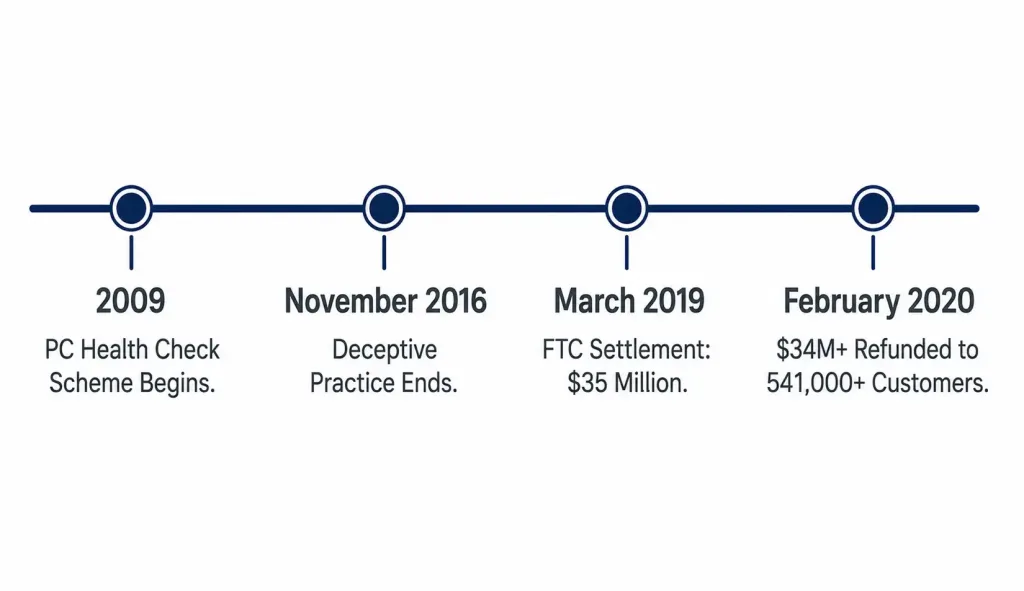
Between 2009 and November 2016, Office Depot and its technical support vendor, Support.com, used a diagnostic tool called “PC Health Check” in Office Depot and OfficeMax stores. The tool asked customers a handful of simple yes/no questions about their computer’s behavior — has it run slowly, has it crashed, has it shown virus warnings — and then generated a “malware detected” result regardless of the actual state of the machine, specifically whenever a customer answered “yes” to any of the questions. Customers shown this fabricated result were then sold computer repair services costing up to $300.
The FTC filed a formal complaint, and in March 2019, Office Depot and Support.com settled for a combined $35 million — $25 million from Office Depot, $10 million from Support.com — without admitting wrongdoing. The FTC subsequently distributed over $34 million in refunds to more than 541,000 affected customers.
This case is worth remembering precisely because it demonstrates that scareware-style deception isn’t limited to obviously sketchy pop-up ads from unknown websites — the same underlying tactic (manufacture a fake problem, then sell an unnecessary fix) was run by a mainstream national retailer for nearly a decade before facing consequences.
Comparing Spyware, Adware, and Scareware
| Aspect | Spyware | Adware | Scareware |
|---|---|---|---|
| Primary Goal | Steal data covertly | Generate ad revenue | Trick victims into buying fake software |
| Installation Method | Bundled software, exploits | Bundled with freeware | Deceptive pop-ups, fake alerts |
| Network Impact | Data exfiltration to C2 servers | Increased ad traffic, latency | Connections to fraudulent payment/scam sites |
| Detection Signs | Slow performance, battery drain | Pop-ups, redirects | Urgent, fear-based fake warnings |
| Well-Documented Example | Pegasus | Fireball, HiddenAds | Office Depot’s PC Health Check scheme |
Emerging Trends Worth Tracking
Rather than memorizing specific statistics that age quickly, a few durable trends are worth building ongoing awareness around: mobile-targeted threats, including banking trojans exploiting NFC relay techniques against contactless payment systems, continue to evolve as mobile payment adoption grows. Ransomware operators have well-documented histories of timing attacks for off-hours — nights, weekends — specifically to reduce the odds of a fast detection and response. AI-assisted malware development and AI-generated phishing content are active, ongoing areas of security research, though the specific capabilities and prevalence figures change quickly enough that checking current threat intelligence sources directly is more reliable than any single article’s snapshot.
Tools for Detection and Prevention
- Network analysis: Wireshark or Suricata for identifying anomalous traffic patterns and C2 beaconing.
- EDR solutions: platforms like ESET or Malwarebytes for behavior-based endpoint detection beyond traditional signature matching.
- User education: training on URL verification and recognizing social engineering pressure tactics, since scareware and phishing both exploit psychological pressure more than technical sophistication.
- DNS filtering and zero-trust principles: blocking known-malicious domains at the DNS level, and verifying every connection explicitly rather than trusting anything already inside the network perimeter.
Troubleshooting: Distinguishing These Threats from Legitimate Slowdowns
Not every slow computer or unexpected pop-up is spyware, adware, or scareware — a few checks help distinguish an actual infection from an unrelated performance or software issue.
Genuinely slow performance with no obvious cause: check running processes for anything unfamiliar consuming unusual CPU or network resources before assuming spyware specifically. A single resource-heavy but legitimate application can produce identical symptoms to a real infection, and it’s worth ruling this out first rather than immediately reaching for a full malware remediation process.
Unexpected pop-ups: distinguish between adware (persistent, appearing across multiple applications or even outside a browser entirely) and a single misbehaving website’s own aggressive advertising (limited to that specific site, gone once the tab is closed). The first pattern points toward an actual local infection; the second is simply an aggressively-monetized website, annoying but not evidence of compromise on your own device.
A pop-up claiming urgent system compromise: this is close to a defining signature of scareware specifically. Legitimate operating system and antivirus alerts virtually never demand an immediate purchase to resolve a claimed issue — genuine security software flags problems and offers to remediate them directly, without routing you through a payment page first. Any alert following that specific pattern — urgent threat claim immediately followed by a payment request — warrants strong suspicion regardless of how official it looks.
Conclusion
Spyware, adware, and scareware each exploit a different combination of technical and human weaknesses — covert data theft, monetized intrusion, and manufactured fear, respectively. Layered defenses — endpoint monitoring, network-level filtering, and genuine user education — address all three more effectively than any single tool alone, and staying current with legitimate threat intelligence sources matters more than memorizing any specific year’s statistics.
FAQs
What is spyware and how does it affect networks?
Spyware secretly installs on a device to steal information like keystrokes, credentials, and browsing activity, typically bundled with legitimate-looking software or delivered through exploits. On a network, it creates persistent, often encrypted connections to command-and-control servers, producing anomalous outbound traffic that tools like Wireshark can help identify through beaconing patterns.
How does adware impact devices and networks?
Adware displays unwanted ads or redirects to generate revenue, commonly bundling with free software and increasingly affecting smart TVs alongside computers and phones. On a network, it increases bandwidth consumption through constant ad-content fetching and creates exposure to malvertising, producing a distinctive pattern of frequent DNS queries to advertising domains.
What are common scareware tactics, and is there a real-world example beyond obvious pop-up scams?
Scareware uses fear-based deceptive pop-ups mimicking system alerts to convince victims to install unnecessary or harmful software. The Office Depot “PC Health Check” case is a well-documented example involving a mainstream retailer: from 2009 to 2016, a diagnostic tool generated fabricated malware results to sell unnecessary repair services, resulting in a $35 million FTC settlement in 2019.
How do spyware, adware, and scareware differ from each other?
Spyware steals data covertly through mechanisms like keyloggers; adware displays unwanted advertising for revenue; scareware uses fear-based deception to sell fake or harmful software. Their network signatures differ accordingly — data exfiltration to C2 servers for spyware, increased ad-related traffic for adware, and connections to fraudulent payment or scam infrastructure for scareware.
What tools help detect and prevent these threats?
Network analysis tools like Wireshark or Suricata help identify anomalous traffic patterns, while EDR solutions catch behavior-based indicators on individual endpoints. DNS filtering, zero-trust access principles, and genuine user education on social engineering tactics round out a layered defense that addresses the technical and human dimensions of all three threat types together.
Are mobile devices and smart TVs really at meaningful risk from these threats?
Yes — mobile devices are increasingly targeted by banking trojans exploiting techniques like NFC relay attacks against contactless payment systems, and adware has documented reach into smart TVs and other connected devices beyond traditional computers and phones. As more of daily activity moves to mobile and connected platforms, these threats have followed rather than staying confined to desktop computers.



