
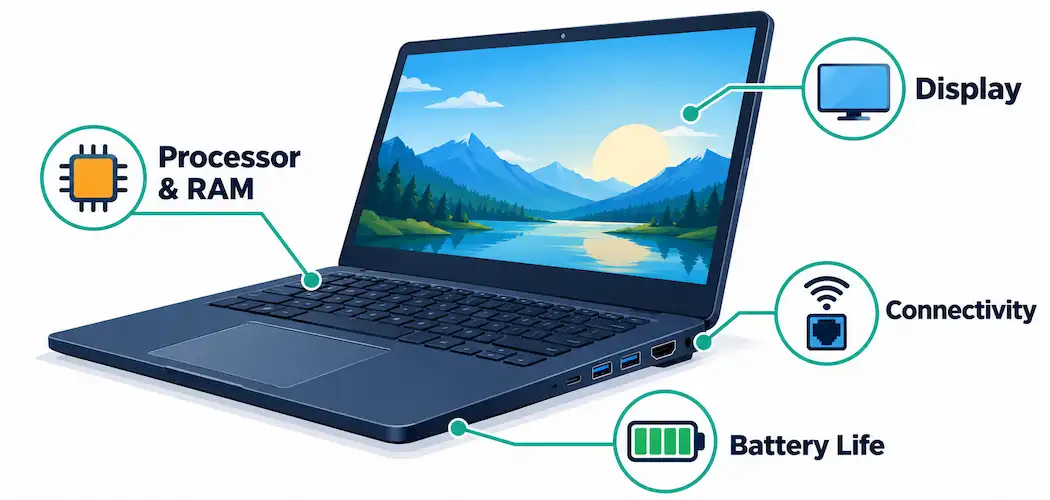
Choosing a laptop means balancing a handful of specs against how you’ll actually use the machine — gaming, everyday productivity, creative work, or something in between. Here’s what each major feature actually means in practice, and which ones deserve the most weight depending on what you’re buying the laptop for.
Display: Resolution, Refresh Rate, and Size
Screen resolution determines how sharp the image looks — 1080p (Full HD) remains common on budget and mid-range laptops, while 1440p and higher resolutions have become increasingly standard on mid-to-premium machines as panel costs have come down. For most everyday use, 1080p on a 14–15 inch screen still looks sharp; higher resolutions matter more on larger screens or for detailed creative work like photo and video editing.
Refresh rate — measured in Hz — determines how smoothly motion appears on screen. A standard 60Hz panel is fine for general productivity and media. Gaming laptops commonly offer 120Hz, 144Hz, or higher refresh rates, which make fast-moving content (competitive games, fast camera pans) noticeably smoother. If you’re not gaming or doing motion-sensitive creative work, a higher refresh rate is a nice-to-have rather than a necessity.
Screen size is a tradeoff between portability and workspace: 13–14 inch laptops are easier to carry and typically lighter, while 15–16 inch screens give more room for multitasking and are generally preferred for gaming or creative work where screen real estate matters.
Processor (CPU): Clock Speed and Core Count
The processor’s clock speed (measured in GHz) and core count both affect performance, but in different ways. Clock speed matters more for tasks that rely on single-core performance; core count matters more for tasks that can split work across multiple cores at once, like video encoding, streaming while gaming, or running several demanding applications simultaneously.
Current laptop processors from Intel (Core Ultra series) and AMD (Ryzen AI series) now commonly include a dedicated neural processing unit (NPU) alongside the traditional CPU cores, aimed at accelerating AI-related tasks like background blur in video calls, upscaling, and on-device AI features — a genuinely new consideration that wasn’t part of laptop shopping a few years ago. For general productivity, a current-generation mid-tier processor is usually sufficient; for streaming, heavy multitasking, or content creation, a higher core-count processor is worth the extra cost.
Graphics (GPU): Frame Rate and Resolution Targets
For gaming or GPU-accelerated creative work, the graphics processor determines how smoothly games render and at what resolution. A dedicated (discrete) GPU is generally necessary for serious gaming at 1440p or higher resolutions with high frame rates; integrated graphics (built into the CPU) have improved significantly in recent years and can handle lighter gaming and most everyday graphics tasks, but still trail dedicated GPUs for demanding titles. If gaming performance matters to you, check specific benchmark results for the GPU model in the laptop you’re considering rather than relying on the model name alone, since performance can vary meaningfully between generations.
RAM and Storage
16GB of RAM has become the practical baseline for most users in 2026, with 8GB now feeling constrained for modern multitasking, browser tab usage, and background applications. Content creators, heavy multitaskers, and anyone running demanding software should consider 32GB or more.
For storage, a solid-state drive (SSD) rather than a traditional hard drive is effectively standard now — SSDs are dramatically faster for boot times, application loading, and file transfers. 512GB is a reasonable baseline for general use; if you work with large media files, games, or extensive local storage needs, 1TB or more avoids running into space constraints later. Also check whether the laptop’s storage is user-upgradeable, since some thin-and-light models solder storage directly to the motherboard, removing that option entirely.
Battery Life
Battery life varies enormously between laptop models and depends heavily on what you’re doing — video playback and light productivity use far less power than gaming or video rendering. Manufacturer-stated battery life figures are measured under specific, often best-case conditions, so treat published numbers as an upper bound rather than a guarantee; real-world battery life, especially under gaming or heavy workloads, is typically meaningfully shorter. If you need genuine all-day battery life away from a charger, look specifically at independent review benchmarks for the model you’re considering rather than the manufacturer’s marketing figure alone.
Portability: Weight and Build
Portability comes down to weight and physical dimensions, which trade off directly against screen size and battery capacity in most designs. A laptop under about 1.5 kg (3.3 lbs) is genuinely easy to carry daily; gaming laptops and larger-screen machines commonly weigh 2–2.5 kg or more, reflecting their larger batteries, more powerful cooling systems, and bigger screens. Build quality — the materials used for the chassis (aluminum, magnesium alloy, or plastic) — affects both durability and how the laptop feels day to day, and is generally a better indicator of long-term reliability than spec sheets alone.
Connectivity: Ports and Wireless Standards
Check the physical port selection before buying, since thin-and-light laptops increasingly ship with fewer ports than older designs. USB-C (particularly Thunderbolt-capable USB-C ports) has become the standard for fast data transfer, charging, and external display connections; having at least one full-size USB-A port and an HDMI output remains genuinely useful for connecting older peripherals and monitors without needing a dongle. On the wireless side, Wi-Fi 6E or Wi-Fi 7 support is increasingly common on current-generation laptops and offers meaningfully better performance on a compatible router compared to older Wi-Fi standards, particularly in households with many connected devices.
Matching Features to How You’ll Actually Use the Laptop
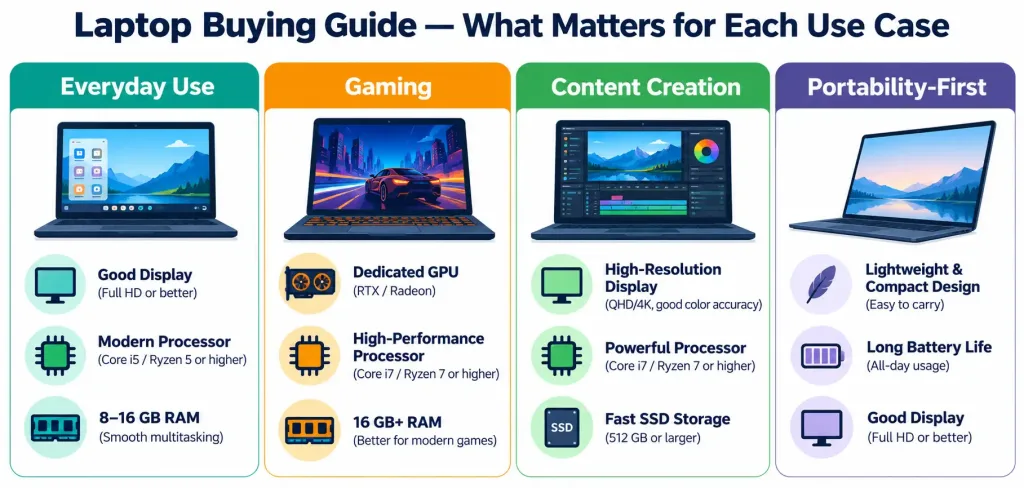
- General productivity and browsing: 1080p display, mid-tier current-generation CPU, 16GB RAM, 512GB SSD — this covers the large majority of everyday use comfortably.
- Gaming: prioritize the dedicated GPU and a higher refresh-rate display (120Hz+) above almost everything else; 16GB RAM is a reasonable baseline, with 32GB worth considering if you also stream or multitask heavily while playing.
- Content creation (video/photo editing): prioritize core count and RAM (32GB+), a color-accurate display, and fast, generous storage (1TB+ SSD).
- Portability-first use (frequent travel, commuting): prioritize weight and real-world battery life over raw performance, and confirm port selection matches what you’ll actually need on the go.
The Bottom Line
No single spec tells the whole story — the right laptop depends on matching the display, processor, graphics, memory, storage, battery, and portability tradeoffs to how you’ll actually use the machine, rather than chasing the highest number on any one spec. For most buyers, a current-generation mid-tier processor, 16GB of RAM, and a 512GB SSD covers real-world needs comfortably; gaming and content-creation use cases are where it’s worth spending more on the GPU, RAM, and storage specifically.
Frequently Asked Questions
How much RAM do I actually need in a laptop in 2026?
16GB is a practical baseline for most users. 8GB is increasingly constrained for modern multitasking. Content creators and heavy multitaskers should consider 32GB or more.
Is a dedicated GPU necessary for a laptop?
Only if you’re gaming at higher resolutions and frame rates, or doing GPU-accelerated creative work. Integrated graphics now handle most everyday tasks and lighter gaming reasonably well, but still trail dedicated GPUs for demanding titles.
Should I trust the manufacturer’s stated battery life figure?
Treat it as an upper bound rather than a guarantee — manufacturer figures are measured under specific, often best-case conditions. Real-world battery life, especially under gaming or heavy workloads, is typically shorter. Check independent review benchmarks for a more realistic figure.
What’s the difference between SSD and HDD storage, and does it matter?
Yes, significantly. SSDs are dramatically faster for boot times, application loading, and file transfers, and have effectively become the standard for laptops. A traditional hard drive (HDD) is now mainly found only in older or budget external storage, not as a laptop’s primary drive.



