
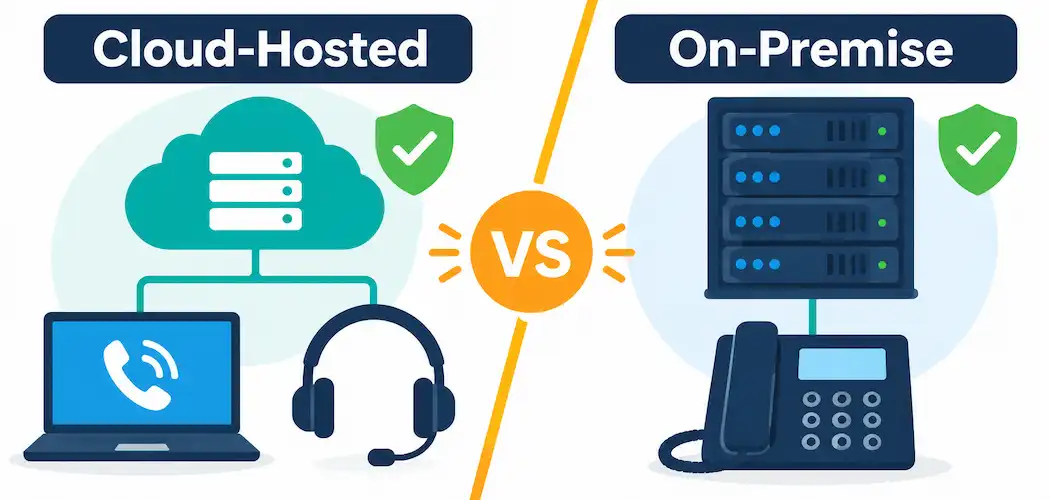
Replacing a legacy phone system is one of those decisions that’s easy to put off, because the existing setup technically still works — until the cost, inflexibility, or lack of features starts holding the business back. IP PBX systems route calls over your data network instead of traditional phone lines, and choosing the right one comes down to a handful of concrete technical and business tradeoffs. Here’s what actually matters when evaluating options, independent of any specific vendor.
What an IP PBX Actually Does
A traditional PBX (Private Branch Exchange) routes calls between extensions and the outside phone network using dedicated phone lines and specialized hardware. An IP PBX does the same job but routes calls as data over your existing network (and the internet) using the Session Initiation Protocol (SIP) or similar signaling standards, which is what makes features like softphones, call routing rules, and integration with other business software practical to add.
Cloud-Hosted vs. On-Premise: The First Real Decision
This is the first major fork in the decision, and it shapes almost everything else:
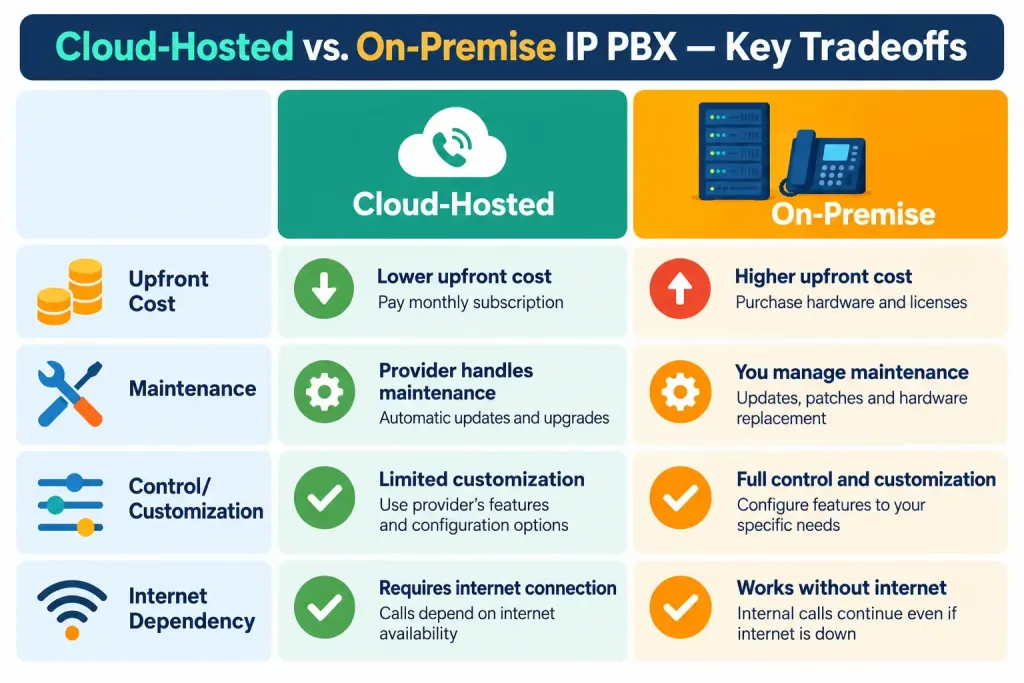
- Cloud-hosted (hosted PBX): the provider runs and maintains the PBX infrastructure; your business connects to it over the internet. Setup costs are typically low since there’s no dedicated server hardware to buy, and the provider handles software updates, redundancy, and uptime. The tradeoff is ongoing dependency on your internet connection’s reliability and the provider’s own uptime record.
- On-premise IP PBX: your business owns and runs the PBX server hardware and software, giving full control over configuration, data retention, and integration — at the cost of higher upfront investment and the need for in-house or contracted IT expertise to maintain it.
- Hybrid approaches exist too, where some functionality stays on-premise (for example, for sites with unreliable internet) while other functions run through a cloud provider.
For most small businesses without dedicated IT staff, cloud-hosted PBX removes a meaningful maintenance burden; businesses with strict data-residency requirements, existing on-premise infrastructure, or very poor local internet reliability may still have good reasons to consider on-premise or hybrid setups.
Features Worth Actually Evaluating
Beyond basic call routing, these are the features that tend to matter most in day-to-day use:
- Interactive Voice Response (IVR): automated call-routing menus (“press 1 for sales”) that direct callers without needing a human receptionist for every call.
- Call analytics and reporting: visibility into call volume, wait times, and missed calls — genuinely useful for staffing decisions and customer service quality, not just a nice-to-have dashboard.
- Softphone and mobile app support: letting employees make and receive business calls from a laptop or phone app rather than being tied to a physical desk phone — increasingly important for any business with remote or hybrid staff.
- Integration with existing business tools: CRM integration (so incoming calls can show customer history) and helpdesk integration are worth checking specifically against the tools your business already uses, rather than assuming generic compatibility.
- Call recording and compliance features: necessary for some industries (financial services, healthcare) and genuinely useful for quality assurance and dispute resolution in others — check what retention periods and access controls are actually offered, not just whether recording exists as a checkbox feature.
What to Actually Check Before Signing a Contract
- Internet reliability and bandwidth: a cloud-hosted or SIP-trunked phone system is only as reliable as the internet connection carrying it. Confirm your business connection has sufficient bandwidth and acceptable latency for voice traffic (voice quality degrades noticeably with latency and packet loss, even when raw bandwidth looks sufficient) — and consider whether a backup connection is worth the cost for a business that can’t tolerate phone outages.
- Total cost of ownership, not just the headline price: on-premise systems typically carry a real upfront hardware and installation cost, while cloud-hosted systems trade that for an ongoing per-user or per-line monthly fee — model out both over a 3–5 year horizon rather than comparing only the sticker price of month one.
- Scalability: confirm how easily you can add or remove lines/extensions as the business grows or contracts, and what that actually costs — some providers charge meaningfully more per additional seat beyond a certain tier.
- Security practices: ask specifically about call encryption (SIP over TLS, and SRTP for the media stream itself), how the provider handles authentication for remote/softphone access, and their track record on toll fraud prevention — unsecured SIP trunks are a real and well-documented target for automated fraud that can generate unexpected charges.
- Support and SLA terms: check what the actual guaranteed uptime commitment is (if any), what support hours are covered, and what compensation applies if the SLA isn’t met — a “we offer great support” claim without a contractual SLA number isn’t a commitment.
- Vendor independence and portability: confirm whether your phone numbers (via number portability) and call data can move to a different provider if you switch later, since vendor lock-in on phone numbers specifically can be a costly surprise.
The Bottom Line
Choosing IP PBX software for a small business comes down to a genuine tradeoff between cloud-hosted convenience and on-premise control, evaluated against your specific internet reliability, IT capacity, and compliance needs — not a single “best” answer that applies to every business. The features that actually matter day to day (IVR, analytics, mobile/softphone support, and real CRM integration) are worth weighing more heavily than headline marketing claims, and security practices (call encryption, toll fraud prevention) deserve the same scrutiny as price and features, since a compromised phone system can generate real financial damage quickly.
Frequently Asked Questions
Should a small business choose cloud-hosted or on-premise IP PBX?
For most small businesses without dedicated IT staff, cloud-hosted PBX removes a significant maintenance burden and lowers upfront cost. On-premise makes more sense for businesses with strict data-residency requirements, existing infrastructure, or internet reliability concerns.
What’s the difference between a traditional PBX and an IP PBX?
A traditional PBX routes calls over dedicated phone lines using specialized hardware. An IP PBX routes calls as data over your network using SIP or similar protocols, which enables features like softphones and CRM integration that are impractical on a traditional system.
How important is internet reliability for an IP PBX system?
Very — voice call quality is sensitive to latency and packet loss, not just raw bandwidth. A business relying on a cloud-hosted or SIP-trunked phone system should confirm its connection can handle voice traffic reliably, and consider a backup connection if phone outages would be costly.
What security risks are specific to IP PBX systems?
Toll fraud — unauthorized use of a compromised system to make expensive outbound calls — is a well-documented risk for unsecured SIP trunks. Ask any provider specifically about call encryption (SIP over TLS, SRTP) and their toll fraud prevention measures before signing a contract.



