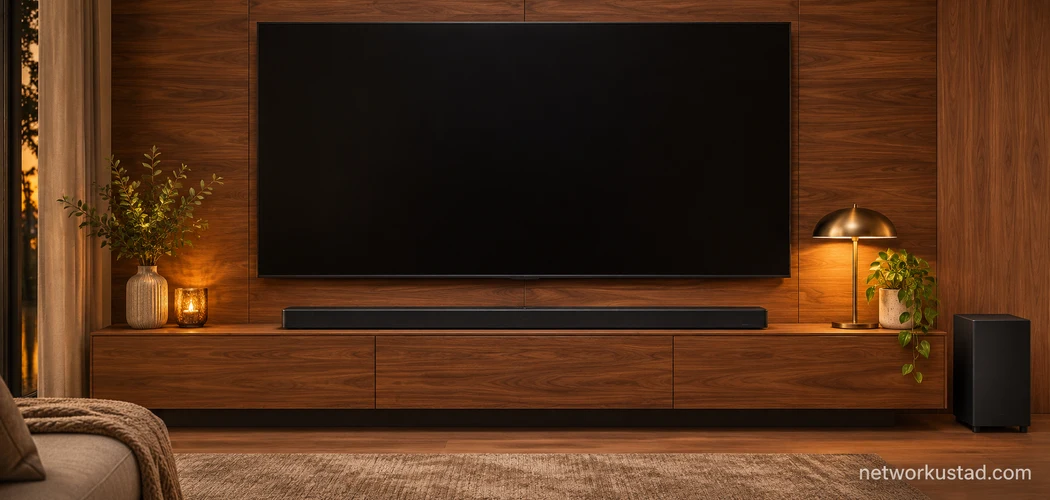
The LG GX soundbar makes the most sense if you want a slim speaker beneath a large TV and have room for a separate subwoofer. Its 3.1-channel layout gives dialogue a dedicated center channel, and its HDMI connections let you build the setup around either your TV or a compatible external player. If you’re looking at a used unit, the decision comes down to three things you can check before paying. Will it fit? Can your TV send it the audio you want? Does the listing include the hardware you’ll need to set it up?
Start with the TV model number, a tape measure, and a photo of the seller’s equipment labels. Those three checks can tell you more about whether the LG GX soundbar suits your room than a wattage figure or a surround-sound badge. If the seller can demonstrate it, ask to hear dialogue and bass at normal listening levels and see it working over HDMI with the subwoofer connected.
LG GX Soundbar specifications that matter
| Feature | What to check |
|---|---|
| Speaker layout | 3.1 channels with a separate wireless subwoofer |
| Soundbar dimensions | Approximately 1,446 × 150 × 32.5 mm (56.9 × 5.9 × 1.3 inches), measured width × height × depth |
| Rated amplifier output | 420 W RMS total, according to LG |
| TV connection | HDMI ARC or eARC, or optical digital audio |
| External source connection | A separate HDMI input for a compatible player or other source |
| Supported formats | Includes Dolby Atmos and DTS:X when the connection and source deliver a compatible signal |
| Other playback options | Bluetooth and USB, with supported media and formats covered in the manual |
The dimensions are particularly important here. The LG GX soundbar is shallow front to back, but its enclosure is nearly 57 inches wide and almost 6 inches tall. Measure the available space against all three dimensions. LG’s model support page provides the owner’s manual, including connection diagrams and installation instructions. LG GX owner’s manuals and support
What the 3.1-channel layout means for movies
The three main channels are left, center, and right. The separate subwoofer handles low frequencies. In a compatible multichannel mix, the dedicated center gives dialogue its own speaker channel. Stereo material and different sound modes can behave differently, so try a familiar scene before deciding whether you prefer the default settings or a different sound mode.
Dolby Atmos and DTS:X support describe the formats the LG GX soundbar can process with a compatible signal path. The standard 3.1 setup places its main speakers in front of you. If your priority is clearly locating effects behind your sofa or overhead, evaluate that separately from format compatibility. A format indicator can help diagnose what signal reached the soundbar. The effect you hear depends on the speaker layout, the mix, and your room.
For a useful listening test, start with a quiet conversation scene. Set the volume where you normally watch TV and listen for whether you can follow the dialogue comfortably. Then try a familiar action scene at a similar setting. Pay attention to how much the bass changes between your seat and the rest of the room. That difference can help you choose a subwoofer position and a level that suits everyday viewing.
LG’s 420 W RMS figure describes rated amplifier output. It provides little guidance on how clearly you’ll hear a quiet voice at your usual seating distance. A practical demonstration at a normal volume tells you more about whether the unit suits your room and whether the specific used unit has audible faults.
Measure the TV wall or cabinet before you buy
For a wall-mounted TV, measure the horizontal space below the screen and the vertical gap between the TV and the furniture beneath it. Hold a piece of cardboard against the wall at the soundbar’s approximate size. Look at it from your normal seat. This makes it easier to see whether the bar will interfere with the screen, leave enough room for the cables, or extend beyond a recessed wall panel.
If you want the LG GX soundbar on furniture, check where the TV legs sit and where its remote sensor is located. A wide bar can fit on the cabinet and still interfere with the TV legs or block the sensor. Ask a used seller to show the tabletop stands if your installation needs them. If you plan to wall-mount it, ask for photos of the included bracket and check the installation diagrams before assuming the hardware is complete.
Plan for two power connections. The wireless subwoofer receives its audio signal from the bar, but it needs its own power outlet. Start with a position you can easily change. Listen from the sofa with a familiar movie or piece of music, then try moving the subwoofer or lowering its level if the bass overwhelms voices or sounds uneven. Choose the permanent spot after you have heard it from the seat you use most often.
Connect the LG GX Soundbar to your TV
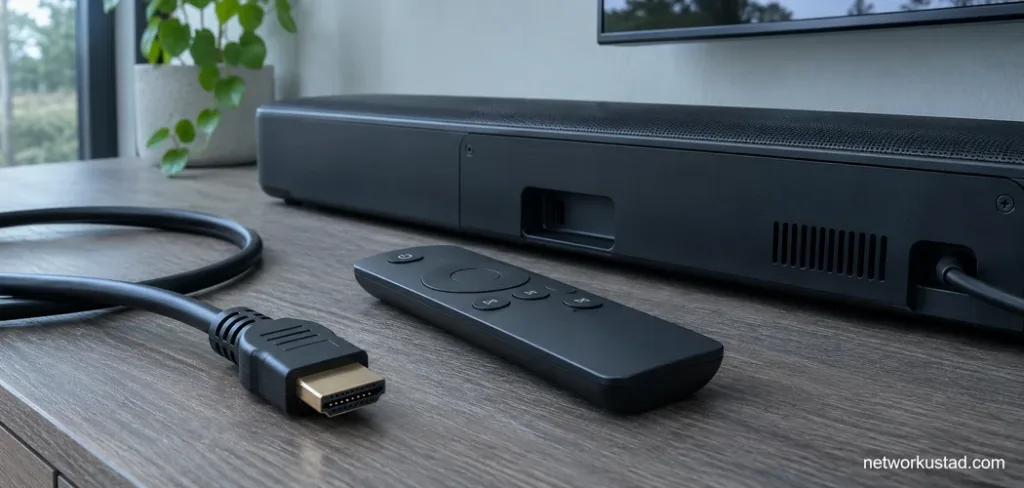
Start by finding the HDMI port marked ARC or eARC on the TV. Use that specific port. An ordinary HDMI input on the same TV may accept video perfectly well while offering no audio return connection. On the soundbar, use the HDMI output marked for TV ARC or eARC. The separate HDMI input is for an external source. LG shows both connections in its manual.
- Connect the soundbar’s TV ARC or eARC port to the matching TV port with a suitable HDMI cable.
- Power the soundbar and subwoofer, then select the TV audio input on the bar.
- In the TV’s sound settings, select HDMI audio output or the external audio system.
- Enable HDMI-CEC and ARC or eARC where your TV requires it. Menu names vary by TV brand and model.
- Play a familiar program from a built-in TV app. Once you have sound, test the external devices you use and verify whether the TV remote adjusts the volume as expected.
ARC and eARC can both carry TV audio, but the formats available depend on the TV, the source, and the return connection. eARC supports higher-bandwidth audio formats when the devices and settings support them. A streaming app can also use a different audio format from a Blu-ray player. Test each source you care about before buying equipment to solve a format problem.
If your TV lacks a working ARC connection, optical can be useful for basic TV audio. Start with material you know plays correctly through the TV speakers and select the matching optical output and soundbar input. Then check the TV’s audio settings for supported digital formats. If you’re deciding between a separate soundbar and a device that also handles streaming, see our Roku Streambar guide.
Set up consoles and media players around the features you use
For a game console, start with the video connection you already know works. If the console runs directly into the TV, try returning audio from the TV to the LG GX soundbar over ARC or eARC. This keeps the console’s video path simple. After connecting the bar, check that the console still reports the resolution, refresh rate, HDR, and variable refresh rate settings you use.
For a media player or disc player, you can also try the soundbar’s HDMI input and send video onward to the TV. This can help when the TV cannot pass through a particular audio format. Check the video features of the entire path before committing to this layout. A stable picture at one resolution or refresh rate tells you only that the devices work at that setting.
Test audio sync with familiar material. A close-up conversation works for movies, and a game with a clear sound linked to a button press works for gaming. If there is a visible or audible delay, compare a built-in TV app with the external source. If only one source shows the problem, start with that device’s audio settings. If every source behaves the same way, check the TV and soundbar settings first. Change one option at a time so you can tell which change helped.
What to inspect when buying a used LG GX Soundbar
Ask for clear pictures of the rear labels on the soundbar and the subwoofer. LG’s manual identifies the system as GX with the SPN5-W subwoofer. If the seller has combined equipment from different sets, ask them to demonstrate that the specific subwoofer in the listing pairs and plays with the bar. A photo showing the pieces together gives you less evidence than a short demonstration with both powered on.
| Inspect | What to ask the seller to show |
|---|---|
| Model labels | Legible photos of both components |
| Power equipment | The matching soundbar adapter and the subwoofer’s power connection |
| Remote | A working remote that changes input and volume |
| Subwoofer | A successful connection and audible bass during playback |
| HDMI | TV audio through ARC or eARC, plus the separate HDMI input if you plan to use it |
| Mounting hardware | The bracket or tabletop stands needed for your setup |
| Physical condition | Close-up photos of ports, grille, corners, and mounting points |
If you can inspect it in person, play something with voices, then something with sustained bass. Listen at a moderate level for rattling, dropouts, or obvious distortion. Pause and resume playback, then switch inputs and return to TV audio. Ask the seller to demonstrate volume control using the remote. These checks take only a few minutes and reveal issues that a photo of the display lighting up can miss.
For a shipped unit, work out the total cost before comparing listings. Include delivery, any missing compatible parts, and the hardware you need for your installation. Ask how the seller will protect the ends of the long enclosure and pack the subwoofer. If you can’t test the equipment before paying, the seller’s return terms matter more. A low asking price can stop looking attractive when an adapter, remote, or mount has to be sourced separately.
Troubleshoot common setup problems
There is no sound from the TV
Check the port labels on both devices and confirm the TV is set to output audio over HDMI. Start with a built-in TV app so you can test the TV-to-bar connection by itself. If audio works there, reconnect the external source and check its output settings.
The soundbar plays but the subwoofer seems silent
Check power and the subwoofer’s connection indicator, then try material with known low-frequency content at a moderate level. If it still appears disconnected, follow the pairing steps in the manual for the model on the label. For a used unit, test pairing before buying it.
The TV remote does not adjust the soundbar volume
Check whether HDMI-CEC is enabled and whether the TV has selected the external audio system. Use the soundbar remote to confirm that the bar itself responds to volume commands. That helps distinguish a control issue between devices from a problem with the bar.
The audio plays, but the expected format does not appear
Check the audio track in the app or disc menu, then the player’s output settings and the TV’s passthrough options. Make sure the devices are using the intended ARC, eARC, or direct HDMI connection. Try a known compatible source before changing several settings at once.
You want to control the bar from a phone
Check whether the relevant LG app is available for your phone and region and whether it lists your exact model. If you’re buying a used unit, test the physical remote for everyday control. Buy on the strength of the functions you can verify on the equipment you’ll receive.
Is the LG GX Soundbar worth buying used?
Consider it if the slim enclosure fits your TV wall, your TV has a suitable connection, and the seller can demonstrate a complete working set. It is a practical candidate for front-focused TV audio with a separate subwoofer. If you mostly watch TV apps, check that HDMI audio and volume control work with your TV. If you primarily game, prioritize keeping your preferred console video settings and test sound sync. If you play discs, verify the audio format along the connection path you intend to use.
For a used listing, make the final decision after three checks. Measure the space and confirm the mount or stands are included. Hear the exact bar and subwoofer play together. Compare the total price, including missing parts, with what you’d pay for a complete system you can test or return. If those checks come out in your favor, you have a clear reason to buy the GX that fits your room and equipment.