

A slideshow sounds like the simplest possible marketing format — a few images, maybe a caption, maybe some music — which is probably why most explanations of “why slideshows help small businesses” stop at vague claims like “they’re
more engaging” without saying what that actually means in practice. The honest version is more specific: a slideshow is a low-cost way to produce short-form visual content that performs measurably better than plain text for most small businesses, and the tools to make one have gotten good enough that the format is worth taking seriously rather than treating as a filler tactic. Here’s what a slideshow genuinely delivers, which tools are actually worth using, and what separates a slideshow that gets ignored from one that gets watched.
Why Visual, Short-Form Content Outperforms Text for Small Businesses
The underlying reason slideshows work isn’t vague “engagement” — it’s a measurable preference in how people want to receive information. According to Wyzowl’s Video Marketing Statistics 2026 survey, 63% of people say they’d most like to learn about a product or service by watching a short video, compared to just 12% for text-based articles, 7% for infographics, and 4% for ebooks or manuals. The same survey found that 82% of video marketers say video content keeps visitors on their site longer, and 85% of consumers say they’ve been convinced to buy something after watching a video about it.
A slideshow — essentially a lightweight, image-driven video format — captures a meaningful share of that same effect without requiring the production budget, scripting, or editing skill a full video demands. That’s the actual case for a small business using one: it’s the format that matches how people say they prefer to consume marketing content, at a cost point a business with no video-production experience can realistically produce in an afternoon.
What a Slideshow Genuinely Delivers
- Visual impact that holds attention longer than static text or a single image. Combining a sequence of images with motion (transitions, pans, zooms), short on-screen text, and optionally music or narration gives a viewer more to process and follow than a static post, which is part of why it holds attention longer — not because movement is inherently persuasive, but because it mimics the pacing of the short-video format people already say they prefer.
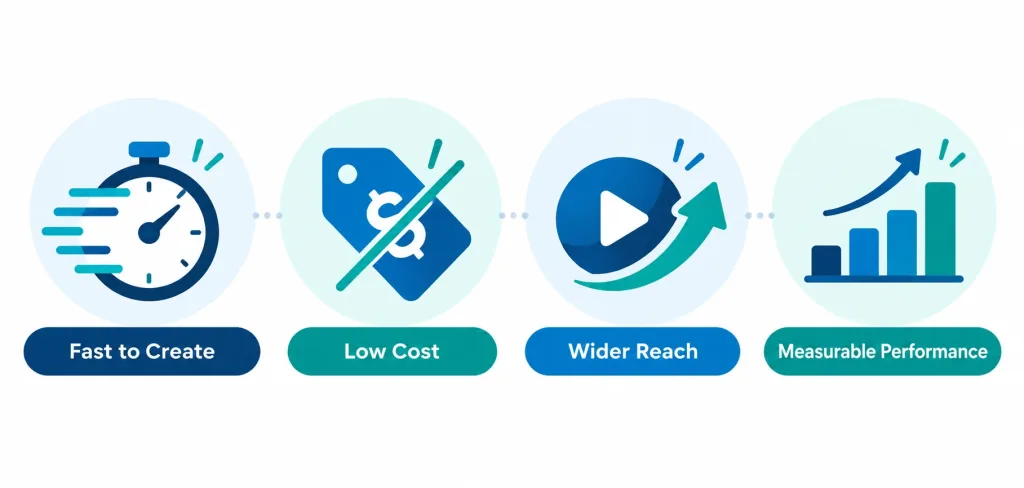
- Distribution reach beyond your own website. A slideshow exported as a video file can be posted natively to Instagram, Facebook, LinkedIn, TikTok, and YouTube Shorts — platforms with their own discovery algorithms that can put the content in front of people who’ve never visited your site, which a static blog post or PDF brochure can’t do on its own.
- Genuine engagement, measured correctly. “Engagement” isn’t just a feeling — on most platforms it’s a specific set of numbers: watch time, completion rate (what percentage of viewers watch to the end), and interaction rate (likes, shares, comments, saves). A slideshow’s short length works in its favor here: Wyzowl’s survey found 71% of video marketers believe videos between 30 seconds and 2 minutes are the most effective length, which happens to match almost exactly how long a well-paced 6-to-10-slide slideshow naturally runs.
- Brand customization that doesn’t require a designer. Modern slideshow tools ship with brand-kit features — upload your logo, set your brand colors and fonts once, and every slide you create afterward uses them automatically, which matters for a small business trying to look consistent across dozens of pieces of content without hiring someone to make each one individually.
- Low production cost and fast turnaround. This is the most practical benefit and the one worth being specific about: a small business can go from a folder of product photos to a finished, publishable slideshow in well under an hour using a free tool, with no video-editing background required — a genuinely different cost structure than commissioning even a short professional video.
- A single piece of content that can showcase an entire product or service line. Rather than one static image per product, a slideshow can walk through an entire catalog, a before-and-after transformation, or a multi-step service process in one continuous piece of content a viewer watches passively, rather than requiring them to click through a gallery themselves.
- SEO benefits that are real but specific, not generic. A slideshow uploaded as a video and embedded on a page can increase average time-on-page, which is a factor search engines weigh when assessing content quality; a video hosted on YouTube and embedded elsewhere also gets its own separate discovery surface through YouTube search; and each slide’s on-screen text and the video’s title, description, and file name are all additional places to include relevant keywords naturally, beyond what a text-only page offers.
- Performance data that lets you actually test what works. This is where slideshows genuinely separate from a printed flyer or a static social post: most platforms report view count, average watch time, and the point in the video where viewers drop off, letting a business see specifically whether people are watching the whole thing or losing interest at slide four — information that directly informs the next piece of content rather than guessing.
Which Tools Are Actually Worth Using
“Use a free online slideshow maker” undersells how different the options actually are. A few genuinely useful, widely used tools for small businesses, each with a different strength:
- Canva — the most commonly recommended starting point for small businesses with no design background; its free tier includes slideshow and short-video templates, brand-kit support, and a large stock-media library, though exporting longer or higher-resolution videos and unlocking its full template library sits behind a paid plan.
- Animoto — built specifically around turning photos and short clips into polished marketing videos with music and transitions, with templates aimed squarely at real-estate listings, product showcases, and event recaps rather than general design work.
- FlexClip — a straightforward browser-based video and slideshow editor with a reasonably generous free tier, useful for a business that wants a simple timeline-based editor without Canva’s broader design-tool complexity.
- Clipchamp (built into Windows and owned by Microsoft) — a free, no-signup-friction option for a business already in the Microsoft ecosystem, with basic slideshow, trimming, and text-overlay tools that cover the essentials without extra features to learn.
- Google Slides or PowerPoint, exported as a video — the least “slideshow-maker”-branded option but genuinely usable: both let you set per-slide timing and transitions and export the result as a standard video file, which is a reasonable choice for a business that already builds slides for other purposes and doesn’t want to learn a new tool.
The right choice depends mostly on how much editing control a business wants versus how fast it needs to move — Canva and Animoto trade some simplicity for better templates and branding tools, while FlexClip and Clipchamp favor speed and a shorter learning curve.
What Actually Makes a Slideshow Get Watched (Not Scrolled Past)
A slideshow made correctly and one made carelessly produce very different results, and the difference is specific:
- Keep individual slides on screen long enough to read, but not so long the pacing drags — roughly 3 to 5 seconds per slide is a reasonable default, adjusted for how much text or detail that particular slide carries.
- Lead with the most compelling image or claim, not a logo or introduction slide — most platforms show only the first second or two in a feed preview before someone decides whether to keep watching, so an opening slide that’s purely a brand intro wastes the one chance to earn attention.
- Add captions or on-screen text even if there’s narration or music, since a large share of social-platform viewing happens with sound off by default, and a slideshow that depends entirely on audio to make its point loses most of its audience immediately.
- Match the slideshow’s aspect ratio to where it’s actually going — vertical (9:16) for Instagram Reels, TikTok, and YouTube Shorts; square (1:1) or horizontal (16:9) for feed posts and YouTube proper — since a mismatched ratio gets cropped awkwardly or displayed with distracting black bars on most platforms.
- End with a specific next step, not just a logo — a slide directing the viewer to visit a specific page, call a number, or follow an account converts noticeably better than a slideshow that simply ends.
The Bottom Line
A slideshow isn’t a gimmick — it’s a short-form visual content format that happens to match how most people say they actually prefer to learn about a product or service, at a production cost a small business can realistically absorb without hiring outside help. The real value isn’t the format itself but what it enables: faster production than full video, wider distribution than a static image, and genuine performance data (watch time, completion rate, drop-off point) that a business can actually use to improve the next one — the same kind of iterative improvement that broader marketing strategy work depends on across every channel, not just this one.
Frequently Asked Questions
Do I need video-editing experience to make a good slideshow?
No — tools like Canva, Animoto, FlexClip, and Clipchamp are built specifically for people without editing backgrounds, using pre-built templates and drag-and-drop interfaces. The learning curve is closer to building a presentation than editing a film.
Is a slideshow actually as effective as a full marketing video?
Not identically, but it captures a meaningful share of the same effect for far less production effort. Since most of video’s advantage over text comes from being short, visual, and easy to consume quickly, a well-made slideshow delivers much of that benefit at a fraction of the time and cost of a scripted, professionally shot video.
Where should a small business actually post a slideshow?
Wherever the target audience already spends time — Instagram and Facebook for most consumer businesses, LinkedIn for B2B, TikTok and YouTube Shorts if the audience skews younger. Posting the same slideshow across several platforms, resized to each platform’s preferred aspect ratio, is standard practice and costs nothing extra once the content exists.
How do I know if a slideshow is actually working?
Check the platform’s own analytics: view count, average watch time or completion rate, and where in the video viewers tend to drop off. A slideshow with a steep drop-off at a specific slide usually means that slide is too text-heavy, too slow, or not compelling enough — information a static post or printed flyer never gives you.



