A project that starts without a clear scope of work almost always runs into the same problem eventually: someone assumed something the client didn’t, a deliverable gets added halfway through without anyone agreeing to the extra cost, or a deadline slips because nobody wrote down what “done” actually meant. A scope of work (SOW) document exists specifically to prevent that — a shared reference everyone can point back to when memory gets fuzzy or expectations drift.
This guide covers what actually belongs in a scope of work document, then walks through building one directly in ClickUp, step by step.
What a Scope of Work Document Actually Is
A scope of work document defines a project’s deliverables, timeline, resources, and boundaries in writing, so every stakeholder — client, team, and management — is working from the same understanding. It’s a best-practice tool, and in many client engagements it does become part of a formal contract or is referenced by one. But it’s worth being precise here: a scope of work document isn’t automatically a legally binding contract on its own, and there’s no general legal requirement mandating one for every project. Its real value is practical, not regulatory — it prevents the specific, common failure mode of scope creep and misaligned expectations.
A solid scope of work document generally covers:
- Project deliverables — what’s actually being produced or delivered
- Resources required — budget, time, and personnel needed
- Timeline and milestones — the stages the project will move through, and by when
What Often Gets Left Out
Even experienced project managers sometimes skip a few things worth including deliberately:
Specific, measurable deliverables. “Improve the website” isn’t a deliverable — “redesign the homepage and three product pages, delivered as responsive HTML/CSS” is. Vague language here is exactly what creates disputes later about whether something was actually “done.”
Visual context, not just text. Embedding mockups, diagrams, or reference images directly in the document gives stakeholders something concrete to react to, rather than interpreting a paragraph differently from each other.
A single source of truth. If your team uses a separate whiteboard tool for wireframes or a separate reporting system for breakdowns, link or embed that material directly into the scope document rather than leaving it scattered across tools — the whole point of a SOW is having one place everyone actually checks.
Building Your Scope of Work Document in ClickUp
Here’s a concrete walkthrough using ClickUp’s Docs feature, which is built specifically for this kind of collaborative, richly formatted document.
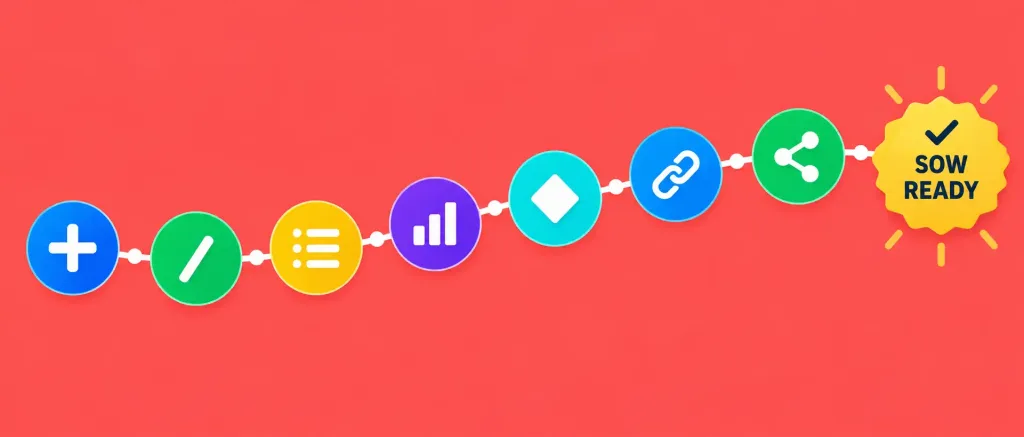
Step 1: Create a new Doc. From any Space, click “+” and select “Doc.” This gives you a blank canvas with rich formatting support — headings, tables, embedded media, and task links, all in one place.
Step 2: Use Slash Commands to build structure fast. Typing “/” in a ClickUp Doc brings up a menu of quick-insert options — headings, tables, task lists, banners — letting you build a structured document without manually formatting each section. This is genuinely one of ClickUp’s stronger features for this specific use case.
Step 3: Outline your core sections. At minimum: Project Overview, Deliverables, Timeline, Resources Required, and Stakeholders. Use the heading commands to create a clear, scannable structure.
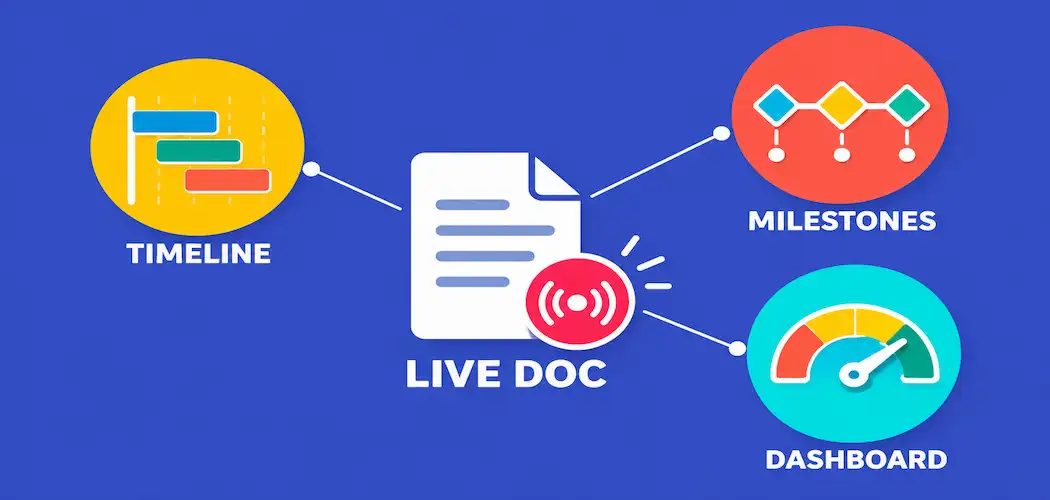
Step 4: Embed or link your project timeline. ClickUp’s Gantt chart view lets you build a visual timeline with drag-and-drop task dependencies, then link that view directly into your Doc so stakeholders see the live, up-to-date schedule rather than a static screenshot that goes stale.
Step 5: Set up Milestones for major checkpoints. Convert any task into a Milestone, which then displays as a diamond marker on your Gantt chart or timeline. Breaking a long project into milestones gives everyone natural checkpoints to review progress and catch misalignment early, rather than only discovering a problem at final delivery.
Step 6: Link tasks directly into the document. ClickUp lets you reference live tasks inside a Doc, so the scope of work stays connected to actual project execution — when a linked task’s status changes, that update reflects without manually editing the document.
Step 7: Share and set permissions. ClickUp Docs can be shared via a direct URL, with permission levels controlling who can view versus edit. For an external-facing scope of work shared with a client, view-only access with comment permissions is usually the right balance.
Keeping the Document Useful After Launch
A scope of work document isn’t a one-time deliverable — it’s a living reference the project keeps returning to.
Update it when the timeline or deliverables genuinely change. A SOW that drifts out of sync with reality stops being useful fast, and worse, becomes a source of disagreement rather than alignment.
Use Dashboards for ongoing status reporting. ClickUp Dashboards display visual widgets tracking metrics like task completion, time tracked, and resource allocation — useful for giving stakeholders a quick status check without making them read the full document every time.
Revisit milestones as checkpoints, not just markers. Each milestone is a natural moment to confirm the project is still tracking against the original scope, and to flag early if it isn’t.
Other ClickUp Features Worth Knowing About
Beyond Docs specifically, a few ClickUp capabilities are genuinely relevant to scope-of-work management:
Time tracking lets teams log hours against specific tasks, with exportable reports useful for client invoicing or internal resource planning — directly relevant if your scope of work includes hourly-billed work.
Automation handles repetitive process steps (status updates, task assignment, notifications) without manual intervention, reducing the administrative overhead of keeping a large project on track.
Integrations connect ClickUp to other tools your team already uses. For time-tracking specifically, some teams pair ClickUp with a dedicated tool like Harvest for more detailed invoicing workflows — worth evaluating against ClickUp’s built-in time tracking to see whether you actually need a separate tool or whether the native feature covers your needs.
Frequently Asked Questions
Is a scope of work document legally binding?
Not automatically. It’s a best-practice project management document that often gets incorporated into or referenced by a formal contract, but it isn’t a legal requirement on its own, and whether it carries contractual weight depends on how it’s actually used in your specific engagement.
What’s the difference between a scope of work and a project charter?
A project charter typically authorizes a project’s existence and names its sponsor; a scope of work defines the specific deliverables, timeline, and boundaries in more operational detail. Many projects use both.
Can I build a scope of work document without ClickUp?
Yes — the core principles (clear deliverables, defined timeline, specified resources) apply regardless of tool. ClickUp’s advantage is keeping the document connected to live project data (tasks, Gantt charts, dashboards) rather than existing as a static file that goes out of date.
How often should a scope of work document be updated?
Whenever deliverables, timeline, or resource requirements genuinely change — not on a fixed schedule, but reliably whenever reality shifts from what’s written.
Do I need a separate time-tracking tool if I’m already using ClickUp?
Not necessarily. ClickUp includes native time tracking with exportable reports. A dedicated tool like Harvest may add value for more complex invoicing workflows, but it’s worth confirming you actually need that before adding another subscription.
The Bottom Line
A scope of work document earns its value by being specific, visual, and kept current — not by existing as a one-time file nobody revisits. ClickUp’s Docs, Gantt charts, Milestones, and Dashboards give you a way to build a scope of work that stays connected to actual project execution rather than drifting into a forgotten PDF. Start with clear, measurable deliverables, build the structure with Slash Commands, link it to a live timeline, and revisit it at every milestone — that’s the difference between a scope of work document that prevents disputes and one that just sits in a folder.