
QR codes are nowadays essential for businesses in 2026. Restaurants use them to present their menus; retailers can share promotions or increase the visibility of their profiles on social media. QR codes bridge the gap between physical and digital experiences seamlessly.
However, how to know which QR code is best between dynamic and static ones? What are the differences between the two types? Understanding these differences is crucial for your campaign success, and you can create both types effortlessly with a QR code generator.
Difference Between Static and Dynamic QR Codes
There are real differences between static and dynamic QR codes that go beyond just the name. These differences affect everything from cost to what you can do with the code after you create it, and they’ll determine which type works for your specific situation.
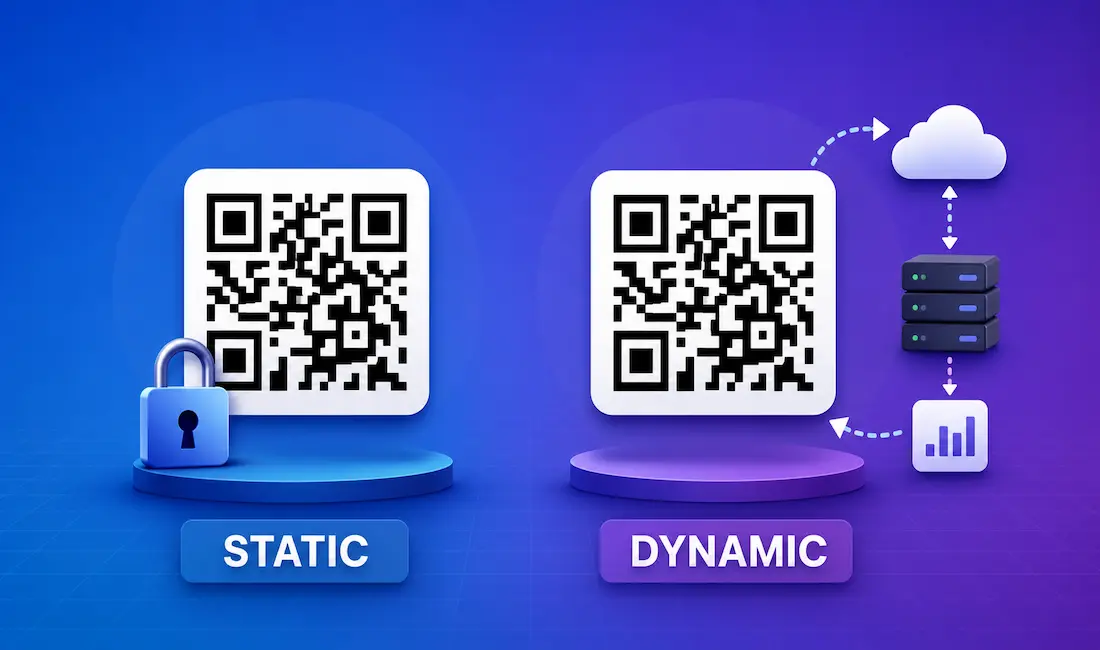
The main difference is pretty straightforward: static QR codes encode your data directly into the QR pattern itself, so once you create it, that data is locked in forever. Dynamic QR codes work differently: they store a short redirect URL in the QR code that points to a server, and that server holds your actual destination URL. This server-based system is what makes dynamic codes so flexible.
Here’s what that means in practice: static codes are free and never expire, but you can’t change the destination once created. Dynamic codes let you update the URL anytime, track every scan with detailed analytics, and even set expiration dates. However, they come with a premium price since they need server infrastructure to work.
So if you need something permanent and budget-friendly, static works great. If you need flexibility and want to track performance, dynamic is the better choice. Let’s dive deeper into each type to help you make the right decision.
What is a Dynamic QR Code?
A dynamic QR code is the more advanced option. Instead of hard-coding your destination URL into the QR pattern, it uses a redirect system. The QR code contains a short URL that points to a server, and that server stores your actual destination. When someone scans it, they’re redirected through the server to where you want them to go.
This setup might sound complicated, but it gives you powerful features that static codes simply can’t offer.
How do Dynamic QR Codes Work?
Dynamic QR codes work through a simple three-step process:
- You create the QR code with a destination URL in your generator
- The code stores a short redirect URL that points to the server
- When someone scans, the server catches the request, logs the scan data, then redirects them to your actual destination
The server tracks everything (when the scan happened, where it happened, what device was used) before sending the user to your page. Because your real destination lives on the server instead of in the QR code itself, you can update it anytime without touching the QR code.
What are the Benefits of Using Dynamic QR Codes?
The biggest benefit is that you keep using the same QR code even when you need to change what it points to. No reprinting, no redesigning, no hassle. Your businesses can update what they want to share in seconds.
This is perfect for situations where things change regularly:
- Restaurant menus that get updated seasonally or for special promotions
- Coupon QR codes for retailers where discount amounts or product links change
- Social media campaigns where you redirect to different landing pages over time
- Event registration QR codes that switch from registration to event details after the event starts
You also get full analytics on every scan. You’ll see how many people scanned, where they’re located, what devices they’re using, and when they’re scanning. This data helps you measure campaign performance and optimize your marketing based on actual results instead of guesses.
What is a Static QR Code?
A static QR code is the traditional type. It encodes your data directly into the QR pattern itself. When you enter a URL, text, or contact information, the generator converts it into that familiar black-and-white square pattern. That data is now permanently stored in the code.
Once created, that data doesn’t change. If you want to point to a different URL, you need to create a new QR code.
How do Static QR Codes Work?
Static QR codes work through direct encoding:
- You enter your data (like a website URL or WiFi password) into the generator
- The generator converts that data into a specific pattern using QR code standards
- The data lives directly in the QR pattern, there is no server involved
- When someone scans, their device reads the encoded data and acts on it immediately
Since there’s no server in the middle, static codes are simple and reliable. The device just reads what’s encoded and goes there.
What are the Benefits of Using Static QR Codes?
Static QR codes have several advantages that make them perfect for many situations. They’re especially great for sharing information that won’t change.
Here’s what you get:
- Completely free to create with no subscription needed
- Never expires: your code works forever without any payment
- Unlimited scans without extra costs
- Simple and reliable since there’s no server that could fail
- Works with any QR code generator, including free options
A WiFi password QR code is a perfect example. You put it in your office, restaurant, or home, and people scan it to connect without typing the password. Your WiFi password doesn’t change frequently, so a static QR code is the ideal, free solution. Same goes for business cards with fixed contact info, product labels with permanent details, or personal website links that won’t change.
How to Choose Between Static or Dynamic QR Codes
Now you know what makes each type different, so choosing comes down to your specific needs.
If you’re sharing something permanent that won’t change (WiFi password, business card contact details, personal website) go with static. It’s free, never expires, and works reliably without any server dependency.
But if you’re running marketing campaigns, managing restaurant menus that change, creating retailer coupons that need updates, or you want to track scans to measure how well something’s performing, dynamic is the better choice. You can update the destination anytime without reprinting, and the analytics help you optimize based on real data.
Ask yourself three questions: Will I need to change the URL later? Do I need to track how many people scan it? Is this temporary or permanent? If you answered yes to the first two, dynamic works for you. If you answered no and just need something permanent and free, static is the right choice.



