
In today’s digital landscape, virtualization has become an indispensable tool for businesses seeking to maximize their IT infrastructure’s efficiency and reduce hardware costs. Microsoft Hyper-V, a hypervisor-based virtualization technology, has gained significant popularity among organizations due to its robust features and seamless integration with the Windows ecosystem. As more critical data and applications are housed within virtual machines (VMs), the need for a reliable, dedicated backup solution has become paramount, since Hyper-V’s native backup capabilities alone are rarely sufficient for production environments.
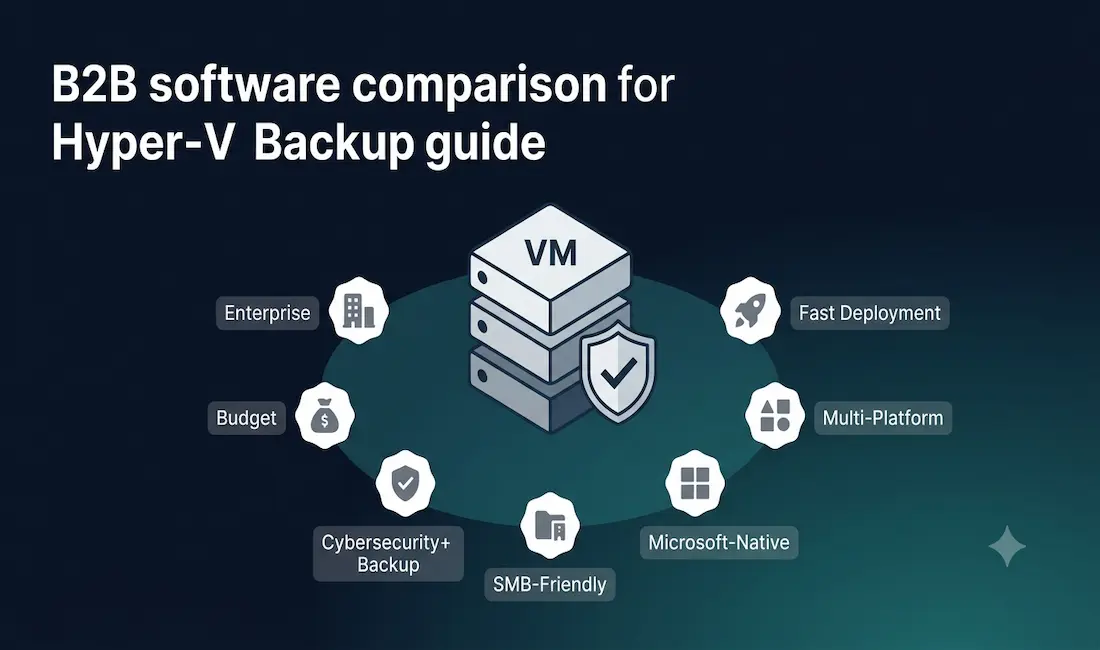
This guide compares seven established Hyper-V backup solutions, covering their key features, pricing where publicly available, and which type of organization each is best suited for.
Challenges in Native Hyper-V Backup
While Hyper-V offers built-in backup capabilities, they often fall short of meeting the diverse and demanding backup needs of production environments:
- Native tools typically lack advanced features like granular incremental backups, deduplication, and encryption, making them less efficient and less secure than dedicated third-party solutions
- Traditional, non-optimized backup methods can impose a meaningful performance impact on running VMs during backup operations, affecting production workloads
- Native backups often lead to longer recovery times during an actual disaster, directly hindering business continuity
- As the number of VMs grows, the ability to scale a backup solution efficiently becomes critical, and native options frequently fall short here
- Inadequate security measures in native backup tooling can expose sensitive backup data to potential threats, including ransomware targeting backup repositories specifically
Dedicated third-party backup software addresses these gaps with features like Change Block Tracking (CBT) for near-zero-impact incremental backups, application-consistent snapshots, offsite and cloud replication, and centralized management across growing VM estates.
Quick Comparison Table
| Solution | Best For | Hyper-V Support | Pricing Model | Notable Strength |
|---|---|---|---|---|
| Veeam Backup & Replication | Enterprises wanting the most comprehensive, widely adopted platform | Full agentless support | Per-VM/socket subscription or perpetual | Broadest feature depth, immutable backups, strong ransomware resilience |
| Nakivo Backup & Replication | Cost-conscious mid-market teams | Full support (VMware, Hyper-V, Nutanix) | Per-workload, competitively priced | Fast deployment, strong price-to-feature ratio |
| Altaro VM Backup | SMBs wanting simplicity | Full support (Hyper-V, VMware) | From ~$495/Hyper-V socket pair (perpetual) or ~$369/year (5 VMs, subscription); free tier for up to 2 VMs | Easiest to deploy and manage, budget-friendly |
| Acronis Cyber Protect | Organizations wanting backup + cybersecurity combined | Full support | Subscription, per-workload | Integrated anti-ransomware and endpoint protection alongside backup |
| BDRSuite (Vembu) | Budget-focused SMBs and service providers | Full support (Hyper-V, VMware, Proxmox) | Perpetual and subscription options; generally the most affordable tier | Cost-effective, agentless, cross-hypervisor |
| Microsoft DPM | Organizations fully standardized on Microsoft workloads | Native Microsoft integration | Per-workload licensing via Microsoft | Deep VSS integration with SQL Server, Exchange, SharePoint, Active Directory |
| Commvault Complete Backup & Recovery | Large enterprises with complex, multi-platform environments | Full support | Enterprise/custom licensing | Broadest workload coverage (VMs, databases, cloud, endpoints) in one platform |
Veeam Backup & Replication
Veeam is one of the most widely adopted and comprehensively featured backup platforms for virtualized environments, supporting both VMware and Hyper-V VMs, physical servers, and cloud-based workloads alongside more specialized recovery scenarios.
Key strengths:
- Agentless, image-level VM backups with efficient incremental backup support
- Instant VM Recovery, allowing a VM to run directly from its backup file while the full restore completes in the background
- Immutable backup repositories, a significant advantage for ransomware resilience specifically
- SureBackup and SureReplica automated recovery verification, testing that backups are actually restorable rather than just assuming they are
- Broad cloud storage integration for offsite/hybrid backup strategies
Independent reviewers consistently rank Veeam as the most feature-complete option in this category, making it a strong default choice for organizations that want the deepest capability set and are prepared to pay accordingly.
Nakivo Backup & Replication
Nakivo is frequently cited by independent reviewers and users as offering some of the strongest value for money in this category, with a particular reputation for fast deployment and competitive pricing relative to its feature set.
Key strengths:
- Agentless, image-based backup for VMware, Hyper-V, and Nutanix AHV
- Instant VM Recovery directly from backup storage
- Global deduplication and compression to reduce storage footprint
- Site-to-site replication for disaster recovery
- Built-in self-backup to protect the backup infrastructure’s own configuration
User reviews on independent platforms frequently highlight Nakivo’s lower total cost relative to Veeam while still covering the core feature set most mid-market organizations need.
Altaro VM Backup
Altaro (now part of Hornetsecurity) is specifically positioned for small and medium-sized businesses that prioritize ease of use and straightforward deployment over the deepest possible enterprise feature set.
Key strengths:
- Image-level VM backup for both Hyper-V and VMware
- Boot-from-backup capability, allowing a failed VM to run directly from its backup location during recovery
- Exchange item-level restore for recovering individual emails or mailbox items without a full VM restore
- A genuinely usable free tier (up to 2 VMs / 1 Hyper-V host)
Pricing: Perpetual licenses start from approximately $495 per Hyper-V socket pair, with subscription pricing available from around $369/year for five VMs; the optional Altaro Offsite add-on for secure remote replication runs approximately $295/year. Independent reviewers consistently rate Altaro highest on ease of use among the options in this category, though its feature depth trails Veeam and Nakivo at the higher end.
Acronis Cyber Protect
Acronis Cyber Protect (the current name for what was previously marketed as Acronis Cyber Backup) distinguishes itself by natively combining backup with cybersecurity capabilities in a single platform, rather than treating them as separate products.
Key strengths:
- Full, incremental, and differential backup of VMs, physical systems, and data, both locally and to Acronis Cloud
- Integrated anti-ransomware and anti-malware protection tied directly to the backup process, actively detecting and blocking unauthorized encryption attempts
- Bare-metal restore capability for full system recovery to new or dissimilar hardware
- Centralized management across multiple systems and locations
This integrated security angle is Acronis’s clearest differentiator; organizations that want backup and endpoint cybersecurity managed through one platform, rather than two separate tools, are the strongest fit here.
BDRSuite (Vembu)
BDRSuite is consistently positioned by independent reviewers as one of the most cost-effective options in this category, with support spanning Hyper-V, VMware, and Proxmox.
Key strengths:
- Agentless, image-based VM backup with incremental backup support via Change Block Tracking
- Both perpetual and subscription licensing options, with perpetual licensing appealing to organizations that prefer to avoid ongoing subscription costs
- Cross-hypervisor support extending beyond Hyper-V and VMware to Proxmox
- Application-consistent backup support to maintain data integrity for database and application workloads
BDRSuite’s core appeal is affordability without sacrificing the fundamental feature set most SMBs and service providers actually need; it is a strong fit for budget-conscious organizations, though enterprises with more complex requirements may find Veeam or Commvault offer greater depth.
Microsoft Data Protection Manager (DPM)
Microsoft DPM is designed for organizations heavily standardized on the Microsoft technology stack, offering particularly deep integration with Microsoft’s own application workloads.
Key strengths:
- Application-aware backup specifically tuned for SQL Server, Exchange Server, SharePoint, and Active Directory
- Volume Shadow Copy Service (VSS) integration for consistent, point-in-time application snapshots
- Both disk-to-disk and disk-to-tape backup support for long-term archival needs
- Centralized management through a native management console
DPM’s clearest advantage is depth of integration with Microsoft workloads specifically; organizations running a heavily Microsoft-centric environment often find this tighter application-level integration outweighs the broader hypervisor-agnostic flexibility offered by third-party alternatives.
Commvault Complete Backup & Recovery
Commvault targets large enterprises needing a single, unified platform covering the broadest possible range of workload types, not just virtual machines.
Key strengths:
- Centralized management across physical servers, virtual machines, databases, cloud infrastructure, and endpoints from one console
- IntelliSnap technology integrating with storage array hardware snapshots for very fast backup operations
- Global deduplication and compression to manage storage costs at scale
- Application-aware backups for Exchange, SharePoint, SQL Server, Oracle, and other enterprise applications
- Instant recovery capability for both VMs and physical servers
Commvault’s breadth is its primary differentiator: organizations with complex, heterogeneous environments spanning far beyond just Hyper-V VMs are the strongest fit, though this breadth typically comes with a higher price point and more complex deployment than SMB-focused alternatives like Altaro or BDRSuite.
How to Choose
| Your Situation | Consider |
|---|---|
| Want the deepest feature set and can afford enterprise pricing | Veeam Backup & Replication |
| Mid-market, cost-conscious, want strong features without Veeam’s price tag | Nakivo Backup & Replication |
| Small business, prioritize simplicity and ease of setup | Altaro VM Backup |
| Want backup and cybersecurity/anti-ransomware in one platform | Acronis Cyber Protect |
| Tight budget, want perpetual licensing option | BDRSuite (Vembu) |
| Heavily standardized on Microsoft SQL/Exchange/SharePoint/AD | Microsoft DPM |
| Large enterprise with complex, multi-platform workloads beyond just VMs | Commvault Complete Backup & Recovery |
Conclusion
Selecting the right Hyper-V backup software depends heavily on organization size, budget, and how deep a feature set is actually needed versus how much complexity a team can realistically manage. Veeam and Commvault sit at the enterprise, feature-maximalist end of the spectrum; Altaro and BDRSuite prioritize affordability and simplicity for smaller organizations; Nakivo occupies a strong middle ground on price-to-feature ratio; Acronis differentiates through integrated cybersecurity; and Microsoft DPM serves organizations specifically standardized on Microsoft’s own application stack. Evaluating free trials directly against your specific VM count, recovery time objectives, and budget is the most reliable way to confirm the right fit before committing.
Frequently Asked Questions
Why isn’t Hyper-V’s built-in backup capability sufficient for most businesses?
Hyper-V’s native backup tools generally lack the advanced features production environments need: efficient incremental backups using Change Block Tracking, deduplication to manage storage costs, strong encryption, and fast, granular recovery options. Native backups also tend to have a greater performance impact on running VMs during the backup window and typically result in longer recovery times during an actual disaster, both of which directly affect business continuity. Dedicated third-party backup software is built specifically to address these gaps at a level native tooling generally cannot match.
Which Hyper-V backup solution offers the best value for a small business?
Altaro VM Backup and BDRSuite are generally the strongest fits for small businesses prioritizing affordability and ease of deployment, with Altaro offering a genuinely usable free tier for very small environments (up to 2 VMs) and BDRSuite offering competitive perpetual licensing that avoids ongoing subscription costs. Nakivo is also worth evaluating for small-to-mid-market organizations that want a stronger feature set than Altaro or BDRSuite while still remaining meaningfully less expensive than Veeam.
What is the difference between Veeam and Nakivo?
Veeam is generally regarded as the more feature-complete platform, with the deepest ransomware resilience tooling (including immutable backups), the broadest ecosystem integrations, and the most mature enterprise support, but it typically carries a higher price point to match. Nakivo covers most of the same core capabilities, agentless backup, instant recovery, replication, at a lower price point, making it a frequently recommended choice for organizations that want strong functionality without Veeam’s full enterprise cost. The right choice depends on whether the specific advanced features Veeam offers beyond Nakivo’s core set are actually needed for your environment.
Does backup software protect against ransomware?
Modern backup solutions contribute meaningfully to ransomware resilience, primarily through immutable backup repositories (which cannot be altered or deleted even by an attacker with administrative access) and offline or air-gapped backup copies that are isolated from the production network entirely. Acronis Cyber Protect goes further by integrating active anti-ransomware detection directly into its backup process. However, backup software should be treated as one layer of a broader ransomware defense strategy, including endpoint protection, network segmentation, and access controls, rather than a complete standalone solution.
Should I choose per-VM or per-socket licensing?
Per-socket licensing is generally more cost-effective for Hyper-V hosts running a high density of VMs on a smaller number of physical hosts, since the cost is based on the physical CPU sockets in the host rather than the number of individual VMs running on it. Per-VM licensing tends to be more cost-effective for environments with fewer VMs per host or where VM count fluctuates significantly. Most vendors, including Altaro, offer both models, so it’s worth calculating the actual cost under each licensing structure against your specific VM density before committing to either option.



