
Disclaimer: This article is for informational and educational purposes only and does not constitute financial advice. Cryptocurrency storage and management carry significant risks. Always conduct your own research before choosing a wallet or managing digital assets.
When it comes to storing and managing Bitcoin securely, choosing the right wallet is crucial. With an abundance of options available, Guarda stands out as the best Bitcoin wallet and the best crypto wallet for users who want a non-custodial, multi-platform solution that combines secure self-custody with built-in tools for staking, swapping, and spending crypto.
This review covers what Guarda is, how its security model works, what features it offers in 2026, what it costs to use, where it falls short, and who it is best suited for.
What Is Guarda Wallet?
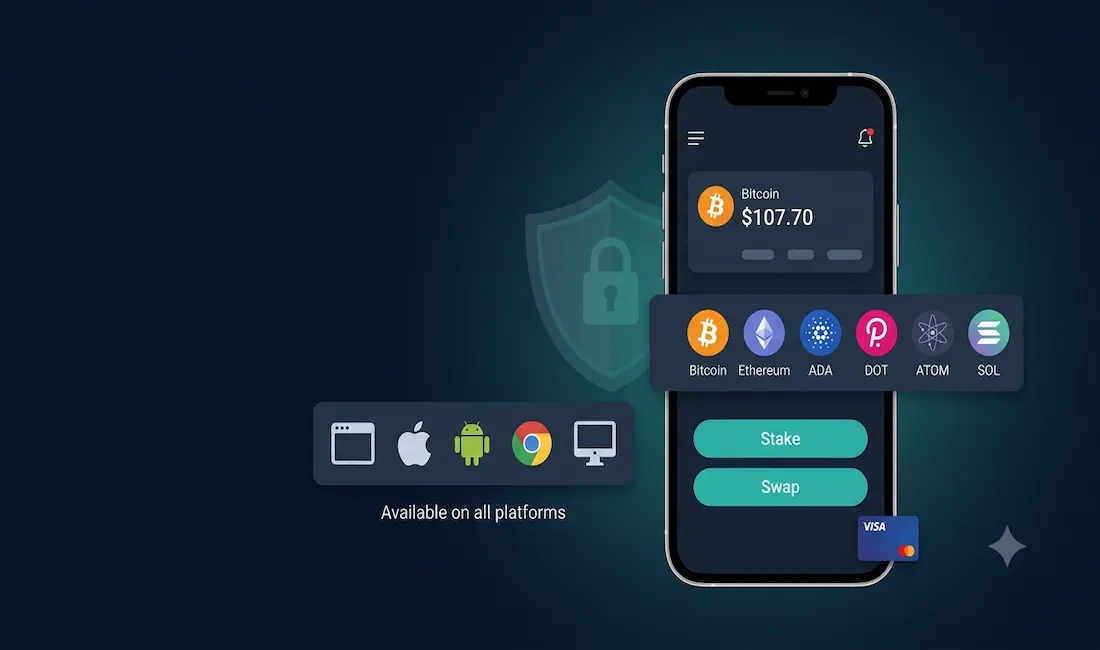
Guarda is a non-custodial, multi-currency cryptocurrency wallet launched in 2017. It supports 400+ digital assets across 60+ major blockchains — including Bitcoin, Ethereum, Solana, Cardano, Polkadot, Cosmos, XRP, Litecoin, Tezos, and thousands of ERC-20, BEP-20, and other standard tokens. It is available on every major platform: Web browser, iOS, Android, Chrome extension, and Desktop (Windows, macOS, Linux, Ubuntu, and Debian).
Non-custodial means Guarda never holds your private keys or funds. When you create a wallet, your keys are generated locally on your device, encrypted with AES, and you receive a 12-word recovery phrase that only you ever see. Guarda has no access to your funds — and no ability to recover them if you lose your recovery phrase.
No platform-level security breach of Guarda’s infrastructure has been publicly documented from 2017 through mid-2026. User-reported fund losses traced back to reported incidents have consistently been attributed to user-side issues — seed phrase compromise, phishing sites, or clone apps downloaded from unofficial sources — rather than any breach of Guarda’s own systems.
Security Architecture
Guarda’s security model rests on three pillars:
Non-custodial key storage: Private keys are generated locally on your device inside your browser or the desktop application, encrypted with AES, and never transmitted to Guarda’s servers. You hold the keys; Guarda holds nothing.
12-word recovery phrase: On wallet creation, you receive a 12-word BIP-39 seed phrase. This is the master key to your wallet. Store it offline, in a secure physical location. Anyone who obtains your seed phrase has full access to your funds — Guarda cannot revoke or freeze access.
Encrypted backup file: Guarda generates an encrypted backup file that you can export and store securely. Restoring your wallet on a new device requires importing this file or re-entering your seed phrase — a process that happens entirely locally without Guarda’s servers being involved.
Biometric authentication: The mobile app supports fingerprint and face authentication for app access, providing a second layer of convenience-security on top of the encryption.
Ledger hardware wallet integration: For users who want cold storage-level security, Guarda integrates with Ledger hardware wallets. This allows you to manage assets stored on a Ledger device through Guarda’s interface — combining Guarda’s UX with the offline key security of a hardware wallet.
What Guarda does not offer: Guarda is not a multi-signature wallet in the technical sense (requiring multiple private keys to authorize a transaction, as in Electrum or Gnosis Safe). Its security relies on the AES-encrypted single-key model standard for non-custodial software wallets. Security-maximalist users who need true multi-sig should evaluate dedicated solutions.
Platform Availability
Guarda is one of the most broadly available software wallets on the market:
- Web wallet — browser-based, no download required
- iOS app — available on the Apple App Store
- Android app — available on Google Play and Huawei Gallery
- Chrome browser extension — for Web3 and DeFi interactions
- Desktop app — Windows, macOS, Linux (Ubuntu and Debian supported)
Importantly, synchronization between devices does not rely on a centralized cloud account. To use Guarda on a second device, you import your encrypted backup file or seed phrase — a more secure approach than cloud-synced wallets, though it adds a small amount of setup friction.
Key Features in 2026
Multi-Currency and Multi-Chain Support
Guarda supports 400+ assets across 60+ blockchains. Beyond the major coins (Bitcoin, Ethereum, Solana, Cardano), it covers privacy coins (Monero, Zcash), a wide range of DeFi tokens, stablecoins (USDT, USDC, DAI), and thousands of ERC-20, BEP-20, SPL, and other standard tokens. Asset support is broader than most comparable non-custodial software wallets.
Built-In Token Swap
Guarda’s built-in exchange is powered by ChangeNOW integration, allowing users to swap between any two supported assets directly within the wallet without creating an account on an external exchange. This is convenient for occasional swaps, but the effective cost is higher than a dedicated exchange — typically 1–4% all-in depending on the trading pair and trade size, compared to 0.1–0.6% on a major centralized exchange. For frequent traders, dedicated exchange platforms are more cost-effective. For occasional, convenient swaps, the built-in feature is a meaningful time saver.
Staking
Guarda supports native in-wallet staking on 14–15 blockchains, including:
- Ethereum (G-ETH liquid staking)
- Cosmos (ATOM)
- Cardano (ADA)
- Polkadot (DOT)
- Tezos (XTZ)
- Harmony (ONE)
- Zilliqa (ZIL)
- VeChain (VET)
- Tron (TRX)
- EOS, Komodo, Callisto, and others
Reported APYs range from approximately 1% to 25.94% depending on the asset and current network conditions. Guarda runs its own validators for some assets (Ethereum, Cosmos, Cardano), simplifying the staking process to a single click without requiring users to navigate external dApp interfaces. Staking rewards vary by network and are subject to change — always verify current rates within the Guarda app before committing.
Fiat On-Ramp
Guarda integrates with third-party fiat on-ramp providers, allowing users to buy cryptocurrency directly within the wallet using a credit card or SEPA bank transfer. This is convenient for new users who want to fund their wallet without first creating an exchange account. Third-party processing fees apply and are displayed before confirmation.
Prepaid Visa Card
Guarda offers a prepaid Visa card for users in select European countries, allowing crypto to be spent at any Visa-accepting merchant. The card converts crypto to fiat at the point of sale. Availability is region-dependent — verify current availability for your country within the Guarda app.
WalletConnect and DeFi Access
The Chrome browser extension and web wallet support WalletConnect, enabling Guarda to connect to DeFi platforms, DEXes, and Web3 applications that support the WalletConnect protocol. This positions Guarda as a usable alternative to MetaMask for users who prefer a multi-chain wallet over MetaMask’s EVM-focused design.
Token Generator
Guarda offers a token creation tool that allows users to create their own cryptocurrency tokens on supported blockchains without needing to write smart contract code. This is primarily useful for developers and project founders in early-stage Web3 projects.
Fees
Guarda itself charges no subscription fee and no custody fee. All wallet creation, storage, and management features are free. Revenue is generated through:
- Built-in swap spread: 1–4% effective cost on in-wallet token swaps via ChangeNOW
- Fiat on-ramp markup: third-party processors charge fees for card and bank purchases
- Network fees (gas): standard blockchain transaction fees paid to miners/validators, not to Guarda
Users who only store and transfer assets, stake natively, and never use the in-wallet exchange pay no fees to Guarda directly beyond blockchain network costs.
Honest Assessment: Pros and Cons
What Guarda does well:
- Genuinely broad asset and blockchain support (400+ assets, 60+ chains)
- Clean, consistent interface across all platforms including desktop
- Native staking across 14–15 chains without needing external dApp connections
- No account registration required — fully anonymous setup
- No documented platform-level security breach in 8+ years of operation
- Ledger hardware wallet integration for cold storage users
- Visa card for European users adds real utility
Where Guarda falls short:
- Built-in swap fees (1–4% effective) are significantly higher than dedicated exchanges
- Not a true multi-sig wallet — single-key AES model standard for software wallets
- Desktop sync is manual (encrypted backup file import) rather than automatic cloud sync — adds friction for multi-device users
- No open-source code for all components — security-focused users who require fully auditable open-source code should consider alternatives
- Prepaid Visa card availability is limited to select European countries
- Staking APYs are variable and not guaranteed
Who Is Guarda Best For?
Ideal for:
- Multi-coin investors who want a single interface for assets across many different blockchains
- Users who want native staking without navigating external DeFi platforms
- New users who want a non-custodial wallet with an intuitive interface and no registration requirement
- European users who want to spend crypto with a linked Visa card
- Users who want occasional in-wallet swaps without opening an exchange account
Less ideal for:
- Frequent traders — swap fees are too high; use a dedicated exchange
- Users who need true multi-signature security — use Electrum (Bitcoin) or Gnosis Safe (EVM)
- Users who require fully open-source, audited code for all components
- US or non-European users who want crypto spending through a debit card — Visa card availability is limited
How Guarda Compares to Alternatives
| Feature | Guarda | Exodus | MetaMask | Trust Wallet |
|---|---|---|---|---|
| Chains supported | 60+ | 50+ | EVM + select | 100+ |
| Staking in-wallet | Yes (14–15 chains) | Yes (select) | Via dApps | Yes (select) |
| Built-in swap | Yes (1–4% fee) | Yes (1–5% fee) | Via DEXes | Yes |
| Hardware wallet | Ledger | Trezor | Ledger/Trezor | Ledger |
| Desktop app | Yes | Yes | No | No |
| Visa card | Yes (Europe) | No | No | No |
| Open source | Partial | Partial | Yes (core) | Partial |
| No registration | Yes | Yes | Yes | Yes |
Setting Up Guarda: What to Expect
Setup is straightforward and takes under five minutes. Visit guarda.com or download from an official app store, select “Create New Wallet,” generate your wallet (keys are created locally), and immediately write down and securely store your 12-word recovery phrase. That phrase is the only way to recover your wallet — Guarda cannot help you if it is lost.
Download only from official sources: guarda.com, the Apple App Store (developer: Guarda), Google Play (developer: Guarda), or the Chrome Web Store. Clone apps mimicking Guarda’s design have appeared on unofficial app stores and are a primary source of reported user fund losses. Always verify the developer name before installing.
Security Best Practices for Guarda Users
- Store your seed phrase offline — write it on paper and keep it in a physically secure location. Do not photograph it, store it in cloud notes, or email it to yourself.
- Export your encrypted backup file — save it to an external drive or a secure offline location as a secondary recovery option.
- Enable biometric authentication on mobile to protect against unauthorized app access.
- Pair with a Ledger hardware wallet for large holdings — this moves private key storage off your internet-connected device.
- Verify the website URL before entering any wallet credentials — always use guarda.com directly, not through search ads or third-party links.
Conclusion
For those seeking the best Bitcoin wallet and the best crypto wallet in a non-custodial software solution, Guarda is a strong and versatile option. Its breadth of asset and blockchain support, native staking across 14+ chains, clean cross-platform interface, and zero-registration setup make it one of the most capable multi-chain wallets available. The minimizing the risk of unauthorized access through its non-custodial model is a genuine and meaningful security advantage over custodial exchange wallets.
It is not, however, the right choice for everyone. Frequent traders will pay too much in swap fees. Security maximalists who need true multi-sig or fully open-source code have better alternatives. The Visa card is a notable real-world spending feature but remains limited to European markets.
For the majority of Bitcoin and multi-chain crypto holders who want self-custody, staking, and occasional swaps in a single clean interface across desktop and mobile, Guarda earns its place as a top-tier non-custodial wallet in 2026.
Frequently Asked Questions
Is Guarda Wallet safe to use?
Guarda is a non-custodial wallet, which means it never holds your private keys or funds — they are generated and stored locally on your device, encrypted with AES. No platform-level security breach of Guarda’s infrastructure has been publicly documented in its eight-year operating history from 2017 through mid-2026. Reported user fund losses have consistently traced to user-side issues such as phishing, seed phrase compromise, or downloading fake clone apps from unofficial sources. For the highest security on large holdings, pairing Guarda with a Ledger hardware wallet moves private key storage to an offline device and significantly reduces exposure.
How many cryptocurrencies does Guarda support?
Guarda supports 400+ digital assets across 60+ major blockchains including Bitcoin, Ethereum, Solana, Cardano, Polkadot, Cosmos, XRP, Litecoin, Tezos, Tron, privacy coins including Monero and Zcash, and thousands of ERC-20, BEP-20, and other standard tokens. Asset support is among the broadest available in any non-custodial software wallet.
What are Guarda’s fees?
Guarda charges no subscription fee and no custody fee — all wallet creation and storage is free. The main cost to be aware of is the built-in swap fee: in-wallet token exchanges are powered by ChangeNOW integration and carry an effective all-in cost of approximately 1–4% depending on the trading pair and trade size. This is higher than the 0.1–0.6% fees on major centralized exchanges, so frequent traders should use a dedicated exchange for cost-effective trading. Standard blockchain network fees (gas) also apply to all transactions and are paid to the network, not to Guarda.
What assets can I stake in Guarda?
Guarda supports native in-wallet staking on 14–15 blockchains including Ethereum (via G-ETH liquid staking), Cosmos (ATOM), Cardano (ADA), Polkadot (DOT), Tezos (XTZ), Harmony (ONE), VeChain (VET), Tron (TRX), Zilliqa (ZIL), and several others. Reported APYs range from approximately 1% to 25.94% depending on the asset and current network conditions. Staking is managed through Guarda’s own validators on some networks, simplifying the process to a single click without needing to navigate external DeFi platforms. Always verify current staking rates within the Guarda app before committing.
What platforms is Guarda available on?
Guarda is available on Web (browser-based), iOS (Apple App Store), Android (Google Play and Huawei Gallery), Chrome browser extension, and Desktop for Windows, macOS, Linux, Ubuntu, and Debian. It is one of the few non-custodial wallets with a full-featured desktop application across all major operating systems. Device synchronization is manual — you import your encrypted backup file or seed phrase on each new device rather than relying on automatic cloud sync, which is more secure but adds small setup friction.
How does Guarda compare to Exodus or MetaMask?
All three are non-custodial software wallets, but they have different strengths. Guarda has the broadest blockchain coverage (60+ chains vs Exodus’s 50+ and MetaMask’s EVM-focus), native staking on more chains, a desktop app across all major operating systems, and a Visa card for European users. Exodus has a similar feature set with arguably better design aesthetics and Trezor integration. MetaMask is the dominant wallet for Ethereum and EVM-compatible DeFi, with a larger dApp ecosystem and fully open-source code, but no desktop app and no native staking. The best choice depends on which blockchains you use most and whether staking or DeFi access is your primary need.



