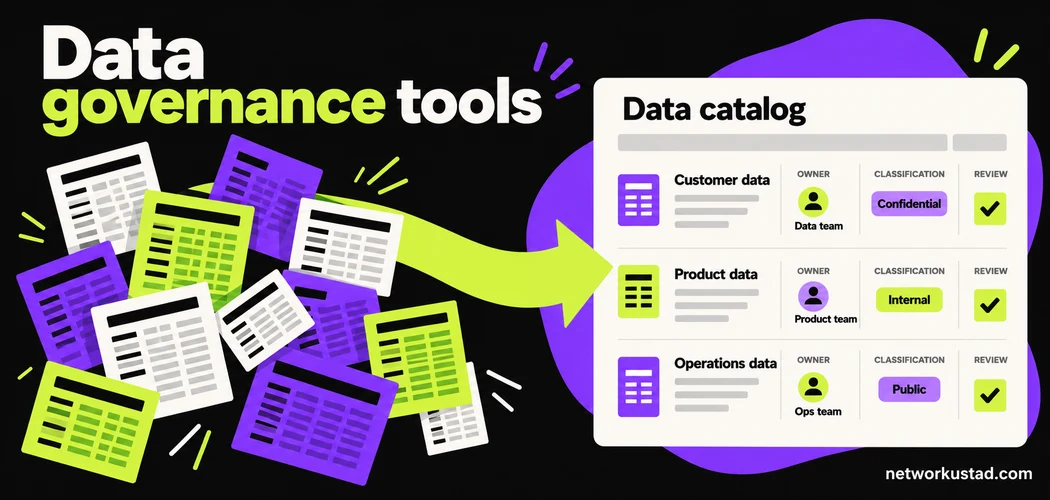
A company can buy a catalog and still struggle to answer a basic question: which customer table should an analyst use? The problem may involve conflicting definitions, missing ownership, outdated permissions or an undocumented transformation. Software can help make those problems visible, but someone still needs the authority and time to resolve them.
The useful way to evaluate data governance tools is to start with a decision your team cannot currently make reliably. Perhaps employees cannot identify an approved dataset, a report depends on unknown sources, or access requests disappear between departments. Define that problem before comparing feature lists. Otherwise, a polished demonstration can distract from the work your organization actually needs to perform.
This guide offers a practical selection method, not a universal product ranking. Its examples and proposed pilot activities are editorial guidance rather than measured industry results. Adapt them to your data estate, staffing, risk tolerance and applicable obligations.
What data governance tools can help you manage
Data governance establishes responsibilities and rules for using data. A supporting platform may organize metadata, record ownership, connect business definitions to technical assets, show dependencies, coordinate reviews or surface quality issues. These functions help people discover and assess information. They do not automatically settle disagreements over meaning or establish permission to use every dataset they reveal.
Separate the governance record from the system that executes a control. A catalog might display an access policy while a database, identity platform or storage service enforces it. A workflow might approve a request without provisioning access itself. Ask where the action occurs, which integration performs it and how a failure becomes visible.
Also distinguish an asset’s description from its underlying contents. Metadata can include names, schemas, classifications, owners and relationships. Depending on the feature and connector, a scan may inspect additional information or sample values. Establish exactly what the proposed configuration reads, stores and transmits before connecting it to sensitive systems.
Start with one business problem and a clear boundary
Before shortlisting data governance tools, write a short problem statement with a named sponsor. For example: “Finance analysts need to identify the approved monthly revenue dataset and its definition without asking several teams.” That is more testable than a broad ambition to make all company data trustworthy.
Define the boundary around the first use case. Identify the source systems, reports, business terms and groups involved. Include the person who can approve the definition and the person who operates the source. Record exclusions, such as archived systems or a business unit that will join later. A pilot can be useful without pretending to represent the whole enterprise.
Then describe success in observable terms. An analyst should be able to find the approved asset, understand its update schedule, identify its owner and follow the correct access route. If those tasks remain confusing after implementation, collecting more metadata will not necessarily solve the problem.
Assign ownership before configuring workflows
Ownership is a decision-making responsibility, not just a name attached to a table. Decide who can approve its business meaning, who handles routine metadata upkeep, who operates the infrastructure and who reviews security questions. One person may hold several roles in a small organization, but the responsibilities should still be explicit.
Plan for absence and staff changes. A catalog entry pointing to someone who left the business is not a durable governance arrangement. Use an accountable team, a responsible individual and a backup contact where appropriate. Define how ownership transfers and which unresolved decisions require escalation.
Microsoft’s documentation provides one concrete product example: its Unified Catalog setup separates governance domains, data products and assigned roles. That illustrates how a platform can represent accountability. It does not establish that buying a platform creates a functioning operating model. Teams still need agreed responsibilities and a process they can maintain.
Evaluate data governance tools against your actual sources
Ask vendors to demonstrate the connectors for the systems and versions you use. A logo on a compatibility slide is only a starting point. Establish whether the connector discovers schemas, reads classifications, captures lineage, supports quality checks or provisions access. Support for one function does not establish support for the others.
Test operational conditions as well. Your environment may use private endpoints, network restrictions, multiple tenants or a specific authentication method. Confirm required permissions and whether an agent or gateway must run in your network. Record who patches that component, monitors failures and renews credentials.
Request a written limitations list. Include unsupported objects, refresh behavior, API limits and how deletions or renamed assets are handled. A connector that works on a demonstration database can still require substantial adaptation in production. Treat missing coverage as an explicit cost and risk rather than assuming it will disappear after purchase.
Compare data governance tools by the capabilities that matter
Use the same test scenarios for each candidate. This makes it easier to compare data governance tools without rewarding whichever vendor presents the most impressive prepared environment.
| Capability | What to test | Evidence to retain |
|---|---|---|
| Discovery | Find the agreed in-scope assets | Scan results and documented exclusions |
| Ownership | Assign, transfer and escalate responsibility | Role records and completed review tasks |
| Glossary | Connect an approved term to a dataset | Definition, approver and change history |
| Classification | Review correct and incorrect labels | Validated examples and correction process |
| Lineage | Trace an important report to its sources | Verified paths and known gaps |
| Access | Complete approval, provisioning and revocation | Workflow history and source-system checks |
| Quality | Detect a known issue and route remediation | Rule result, assigned issue and resolution |
| Portability | Export useful governance records | Readable exports and migration limitations |
A failed test is useful information. Document whether the cause is configuration, unavailable licensing, an unsupported source or a missing organizational decision. Avoid allowing every gap to become an informal promise of future development.
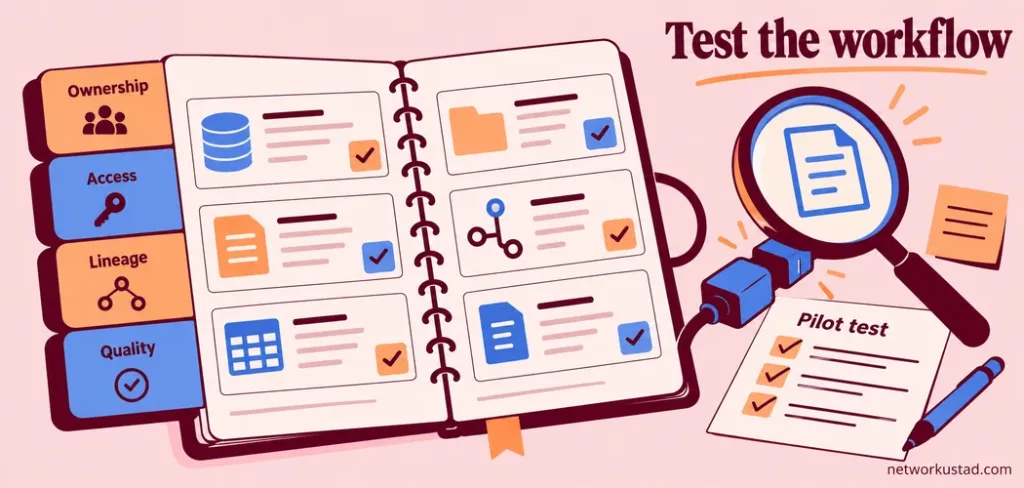
Keep discovery and sensitive-data classification separate
Finding an asset does not prove that its contents have been classified correctly. Evaluate the discovery coverage and the classification accuracy as separate tasks. An inventory can appear complete while important columns remain unlabelled, and a classifier can identify sensitive fields in only a fraction of the estate.
Build a small, authorized test set with known examples. Include ordinary identifiers, misleading column names and values that resemble sensitive information without actually being it. Use synthetic or otherwise approved data where possible. Check both missed detections and incorrect labels, because either can create operational problems.
Ask how reviewers correct classifications and how those changes survive a rescan. Establish whether labels propagate to related assets and whether propagation is automatic, configurable or unsupported. Do not assume that a catalog label automatically activates masking, retention or access restrictions in another system.
Verify lineage instead of admiring the diagram
Lineage can help explain where a report’s information came from and what might break when a source changes. However, data governance tools can only show relationships they have captured or been given. An attractive graph should not be treated as proof of complete visibility.
Choose a business-critical report with a path the team understands. Compare the displayed relationships with the actual transformations, scheduled jobs and manual steps. Include a spreadsheet handoff or custom script if it matters to the process. Record missing relationships and distinguish automatically collected links from manually entered ones.
Test change handling. Rename an approved test object or alter a transformation in a safe environment, then inspect how the catalog updates. Check whether stale relationships remain visible, how errors are reported and who investigates them. A partly complete map can still be useful if its limitations are clear and maintained.
Treat business definitions as reviewed decisions
A glossary becomes valuable when people agree on what a term means in a specific context. “Customer,” “active account” and “revenue” can have several legitimate definitions. Preserve the context, applicable period and approval authority rather than forcing different business uses into one ambiguous sentence.
Ask the platform to show the whole review process: drafting a definition, requesting approval, recording a revision and identifying affected assets. Atlan’s documentation, for example, describes organizing glossary terms and categories and assigning owners. Use documented capabilities like these as testable examples, not as evidence that one product is best for every organization.
Keep the glossary maintainable. A short set of actively used, reviewed definitions can serve a team better than thousands of copied descriptions. Give users a way to flag confusing terms and decide who resolves the disagreement. Search activity alone does not show that people understand the definition they found.
Check access from request through revocation
Access workflows deserve an end-to-end test when comparing data governance tools. Start with a user who needs an asset for a defined purpose. Follow the request through approval, provisioning, expiry and removal. Confirm the result in the source system rather than relying only on the workflow’s success message.
Include an unsuccessful case. What happens when an approver is unavailable, an integration fails or a user changes teams? Determine whether the request is retried, escalated or left in an uncertain state. Keep enough information for administrators to distinguish “approved” from “actually granted.”
Protect the catalog itself. Asset names, descriptions, sample values and relationships may reveal commercially sensitive information even when raw data stays elsewhere. Evaluate catalog permissions, privileged roles, service accounts and audit records. Give integrations only the permissions justified by their documented function, then review those permissions periodically.
Measure quality against a defined business use
A single quality score can hide important differences. An address field may be complete but incorrect. A dataset can satisfy format checks while arriving too late for the process that depends on it. Define the business requirement before deciding which rule and threshold matter.
Start with a few critical checks and an accountable responder. Examples include whether an identifier is present, a transaction total reconciles with an approved source, or a scheduled dataset arrives before a reporting deadline. Specify what happens after a failure: investigation, correction, warning users or temporarily restricting a particular use.
When evaluating data governance tools, inspect how quality results become operational work. A dashboard showing a problem is only the beginning. Check whether someone receives the issue, understands its impact, records a resolution and confirms that the next run behaves as expected. Adjust rules that create repeated noise without useful action.
Add AI requirements without assuming governance guarantees safety
AI use can introduce additional questions about source permissions, permitted purposes, provenance, retention and access to generated outputs. If a project uses retrieved documents, evaluate whether the application respects the intended access boundaries and handles document changes. Cataloging a source does not establish that every downstream AI use is authorized.
Ask what information an AI-enabled governance feature sends to a model provider. Clarify handling of prompts, metadata, sample data and generated descriptions. Establish the review required before generated classifications or definitions become authoritative. A plausible description can still be wrong, especially when the source lacks context.
The NIST AI Risk Management Framework offers voluntary guidance for managing AI risks. It can support a structured discussion, but it is not a compliance certificate. A data catalog alone cannot establish model fairness, eliminate information leakage or replace the testing appropriate to a particular AI system.
Build a total-cost estimate from a written scope
Published price bands are a weak substitute for a quotation covering your deployment. Compare data governance tools using the same sources, environments, user groups and required capabilities. Ask how each vendor measures usage and which functions require separate modules or services.
Include work outside the subscription. Budget for source preparation, connector configuration, identity integration, infrastructure, training, stewardship time and ongoing support. Ask about implementation partners, minimum commitments, renewal terms and how increased scanning or additional environments affect charges. Record assumptions rather than hiding them inside one annual figure.
Evaluate the cost of leaving as well. Request exports of business definitions, ownership assignments, classifications and available relationships. Check whether an export preserves useful identifiers and history, and identify functions that depend on proprietary workflows. Portability deserves attention before a long contract makes it difficult to change direction.
Run a pilot with a clear decision at the end
A practical pilot for data governance tools should produce evidence, not just a configured account. Use one business domain, a manageable collection of assets and real participants from the teams involved. Set the sequence according to your environment; a fixed timetable is not a promise of implementation speed.
Begin by recording the current process and its problems. Connect approved sources, assign ownership and document a small set of definitions. Then run the agreed discovery, access, lineage and quality tests. Ask an ordinary user to complete the original task without help from the vendor’s demonstration team.
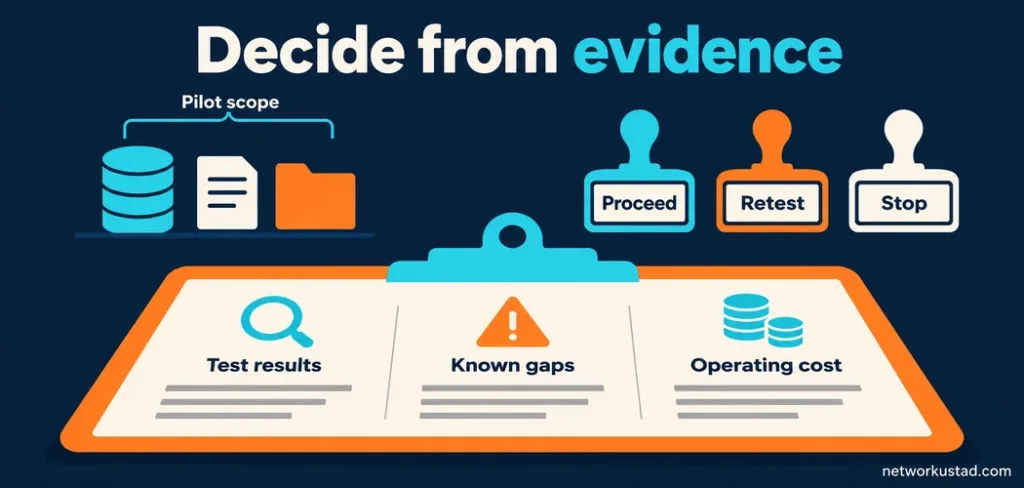
Finish with a written decision. Summarize successful tests, unresolved gaps, recurring administration work and the cost of expanding the scope. Decide whether to proceed, extend a specific test or stop. A decision to stop can be a successful pilot if it prevents an unsuitable purchase or exposes an operating problem that software cannot resolve.
Track outcomes from data governance tools your team can explain
Measure improvement using the same task and scope before and after the pilot. For discovery, record how long users take to identify the approved dataset and whether they choose correctly. For access, distinguish time spent waiting for approval from time spent provisioning. For ownership, track whether important questions reach someone able to decide.
Keep the denominator visible. “Assets with an owner” means little without defining the in-scope inventory and what counts as an active owner. Similarly, a falling issue count might reflect fewer scans rather than better data. Review the underlying process before presenting a dashboard as evidence of success.
Use observations to decide what to improve next. Avoid translating every operational gain into speculative revenue, avoided fines or investor confidence. A defensible account of reduced confusion, completed reviews and resolved issues is more useful than a dramatic return-on-investment claim without a reliable calculation.
Connect enterprise governance with everyday collaboration
Database governance and collaboration governance often meet in reports, exported files and shared documents. If an approved dataset is copied into a workspace with broad external sharing, the catalog record alone will not resolve the resulting permissions question. Identify where information moves and who remains responsible after that handoff.
Organizations using Microsoft 365 can connect this work with a SharePoint governance plan covering ownership, permissions and site lifecycle. Treat that as a related operational layer rather than assuming a database catalog governs every document library automatically.
For a documented product setup example, Microsoft’s data governance getting-started guide shows how its catalog concepts fit together. Compare such documentation with your actual requirements. A supported feature is a reason to test a candidate, not a reason to skip the evaluation.
Questions to settle before signing
Can a small organization start without a dedicated platform?
Yes. A maintained inventory, clear definitions and an access process may be a sensible starting point for a limited environment. Review where manual work becomes unreliable or too costly. Choose software to address an observed need rather than to imitate the tooling of a much larger organization.
Do data governance tools guarantee compliance?
No. Applicable obligations depend on jurisdiction, data, activities and organizational circumstances. Software can support controls and records, but legal interpretation, implementation and ongoing operation still matter. Obtain qualified advice for specific requirements and test the controls you plan to rely on.
Which platform is best?
The best fit is the candidate that meets your mandatory requirements with acceptable limitations, maintainable workflows and a clear cost model. Require evidence from your own scoped tests. Do not let an overall score conceal a failed mandatory control or an integration your team cannot operate.