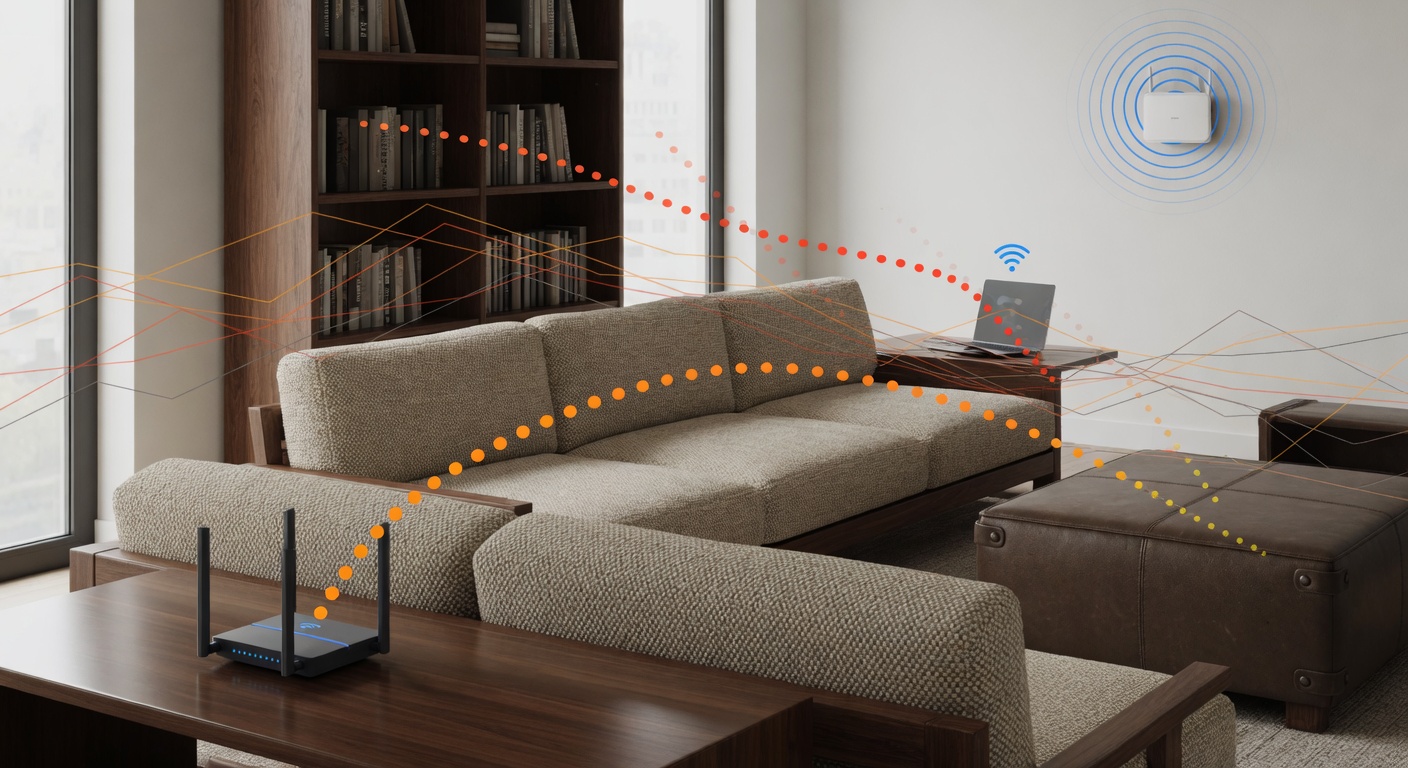
The living room has become the busiest wireless room in many homes. It holds the television, game console, streaming box, laptop, phones, tablets, smart speakers, video doorbell hub, robot vacuum dock, and sometimes the router itself. The room may look calm, but radio signals are crossing it every second. Wi-Fi does not move through a home like light in an empty hallway. It bends, weakens, reflects, scatters, and disappears into materials that were chosen for comfort or design, not wireless performance.
Furniture plays a bigger role than most people expect. People often blame the internet provider when a movie buffers or a video call freezes. Sometimes the problem is not the service line. It is the oak media cabinet surrounding the router. It is the metal-framed shelf between the access point and the couch. It is the mirrored wardrobe on the opposite wall bouncing the signal into strange directions. It is the leather sectional sitting directly between the router and the laptop.
Wi-Fi uses radio frequencies, mainly 2.4GHz, 5GHz, and 6GHz in modern homes. These bands behave differently. The 2.4GHz band travels farther and handles obstacles better, but it has limited bandwidth and only a small number of clean channels. Cisco’s wireless RF guidance notes that 2.4GHz has only three non-overlapping channels, while 5GHz and 6GHz provide more spectrum for faster networks. The 5GHz band can carry more data, but it loses strength faster when it passes through objects. The 6GHz band, used by Wi-Fi 6E and Wi-Fi 7 devices, gives modern networks cleaner space and wider channels, but it is even more sensitive to distance and blockage. Wi-Fi Alliance describes Wi-Fi 6E as the extension of Wi-Fi 6 into the 6GHz band, opening additional spectrum for compatible devices.
This creates a simple rule for the living room: the faster the band, the more the room matters. A small side table may not change much. A wall-sized bookcase, metal TV stand, mirrored closet door, or thick sectional can change the path completely. The router may still show signal bars, but signal bars do not explain the whole story. A device can show a connection while struggling with packet loss, retries, latency, and unstable speeds.
The living room should be treated as a radio maze. Every material in the signal path has a behavior. Some materials absorb. Some reflect. Some scatter. Some create shadow zones behind them. The goal is not to remove furniture. The goal is to understand which pieces harm Wi-Fi most, which bands suffer first, and how to place the router so the room works with the network instead of against it.
The Three Wi-Fi Bands and Why Furniture Affects Them Differently
The 2.4GHz band is the survivor of the home network. It reaches farther than higher bands and can pass through many household materials better than 5GHz or 6GHz. Smart bulbs, plugs, thermostats, sensors, and older devices often rely on it because they need range more than speed. A phone in the far corner may still connect to 2.4GHz when the 5GHz connection becomes weak.
The weakness of 2.4GHz is crowding. Many homes, apartments, Bluetooth devices, baby monitors, and neighboring routers use similar airspace. Because the band has limited clean channel space, a living room full of devices can feel slow even when the signal reaches every corner. Furniture may weaken the signal, but interference from nearby networks can make the problem worse.
The 5GHz band offers better speed and more channel room. It works well for streaming, gaming, video calls, and large downloads when the device is close enough to the router. A laptop on the sofa or a streaming box near the TV can perform very well on 5GHz if the signal path is clean. The problem starts when the router sits inside furniture or behind dense objects. A 5GHz signal may pass through one wooden shelf and still work, but add a TV, cabinet door, metal brackets, and several people on the couch, and performance can drop.
The 6GHz band is the cleanest but least forgiving in many living rooms. It can provide excellent performance for newer devices, especially in the same room or nearby open areas. It also avoids some of the congestion found on 2.4GHz and 5GHz. But 6GHz signals do not like barriers. A router hidden in a cabinet wastes much of the benefit of the band. A 6GHz-capable laptop may perform beautifully in the open, then fall back to another band when someone closes a thick cabinet door or moves behind a large sofa.
Frequency matters because higher frequencies usually have shorter wavelengths. Shorter wavelengths interact more strongly with edges, coatings, and dense surfaces. This does not mean 6GHz cannot work in a furnished room. It means the path needs more care. The router should be visible to the room, raised above heavy furniture, and kept away from large reflective or absorbent objects.
Furniture does not need to block the entire signal to cause trouble. A partial obstruction can reduce speed because Wi-Fi adapts. When the signal gets weaker or noisier, devices step down to slower modulation rates. The connection may remain active, but data moves less cleanly. The router and device may repeat packets. Streaming apps may reduce quality. A video call may stay connected but become choppy. These symptoms often look like internet problems, but the real issue may be the path between the router and the device.
Dense Hardwood and Built-In Furniture: The Quiet Absorbers
Wood feels harmless because it is natural, warm, and non-metallic. In many cases, thin wood is not a serious Wi-Fi blocker. A light pine table or open wood chair will rarely ruin a connection. The problem comes from density, thickness, layering, moisture, and placement. A router behind a thin wood panel may work. A router inside a solid hardwood media console, surrounded by electronics and closed doors, is a different situation.
Dense hardwoods such as oak, walnut, maple, and mahogany can weaken Wi-Fi when they sit directly in the signal path. The effect becomes stronger when wood is thick, stacked, or built into large surfaces. A solid bookcase full of books is not just wood. It is wood, paper, glue, air gaps, decorative objects, and sometimes metal brackets. A wall-length media unit may include shelves, doors, drawers, cable boxes, amplifiers, speakers, and a television. Each layer takes a small bite from the signal.
The 2.4GHz band usually handles wood better than 5GHz and 6GHz. A smart speaker behind a wood cabinet may still connect. A phone may show a steady signal. But a 5GHz connection used for high-definition streaming may suffer when the router sits deep inside the same cabinet. A 6GHz connection may lose much of its advantage if the device cannot see a cleaner path.
A common living-room mistake is placing the router inside the TV console. The decision makes visual sense. The router has wires, blinking lights, and antennas that may not match the room. The console hides the mess. But the cabinet also traps the radio source. If the doors are solid wood, the signal must pass through the door before it even enters the room. If the router sits low, the signal then crosses the coffee table, sofa, people, and other furniture. By the time it reaches a laptop on the far side, the connection may be weak or unstable.
Another common issue is the built-in media wall. Many apartments and homes now use custom wood panels behind the TV. These panels create a clean look, but they can place the router in a pocket. If the router sits in a recessed shelf behind a door, the wood around it reduces the signal in several directions. If the TV is mounted in front of it or near it, the television adds metal, electronics, and shielding. The result is often uneven Wi-Fi. The sofa directly in front may work. The side chair near the bookshelf may not.
Bookshelves add a second problem. Books are dense. Paper holds some moisture from the air, and tightly packed books form a thick wall. A router behind a bookcase or at the bottom of a filled shelf has to push through uneven layers. A few decorative books do not matter much. A floor-to-ceiling library between the router and the seating area can create a clear weak zone.
Wood furniture also changes with humidity. In a dry home, wood may have a smaller effect. In a humid climate or a room with poor ventilation, moisture content can rise. Water absorbs radio energy, so damp materials can weaken signals more than dry materials. This does not turn a cabinet into a concrete wall, but it can explain why performance changes between seasons or rooms.
The fix is not to remove hardwood furniture. The fix is to stop treating hardwood as invisible to Wi-Fi. Place the router outside the cabinet, not behind a closed door. Raise it above the top of the media console. Give it space on at least three sides. Keep it away from the back of the TV. If the living room has built-in shelves, place the router on an open shelf near the edge, not deep in the corner behind books.
A router should not look like a decorative object, but it should behave like a radio source. It needs air around it and a clear path into the room. A small visual compromise can prevent months of weak streaming, delayed smart-home response, and repeated router resets.
Metal Shelving and TV Furniture: The Reflectors and Shadow Makers
Metal is one of the most difficult furniture materials for Wi-Fi. It does not merely absorb the signal. It reflects it, redirects it, and can create dead spots behind it. Keenetic’s guidance on Wi-Fi attenuation lists metal, including iron doors, aluminum, and steel beams, among materials with a high negative impact on signal strength. That principle applies inside the living room too, even when the metal is part of furniture rather than a wall.
Metal-framed shelving looks light because it has open space. A black steel bookcase may seem less obstructive than a solid wood cabinet. For Wi-Fi, the frame can still matter. Metal bars, posts, grids, brackets, and shelves interact with radio waves. They can reflect part of the signal back toward the router, scatter it toward the ceiling, or create weaker areas behind the unit.
A metal TV stand can cause the same problem. Many media consoles use steel frames, wire mesh doors, aluminum handles, or metal ventilation panels. These pieces may not block every direction, but they can damage the clean path between router and device. A router placed behind a mesh door may look exposed because air can pass through, but radio energy sees the metal pattern. Depending on the size and spacing of the mesh, the door can behave like a partial shield.
Metal becomes more disruptive when it sits close to the router. A steel shelf across the room may reflect some energy. A steel shelf one inch from the router can distort the antenna pattern before the signal spreads. The router may send more energy in one direction than another, not by design, but because nearby metal changes how the antennas radiate.
Televisions add to this issue. A modern flat-screen TV contains metal backing, electronics, shielding, and cables. Mounting a router behind the TV is one of the worst living-room placements. The TV can block signal in one direction, and the wall behind it blocks another. The router may end up serving the room through narrow side paths. This can create a strong signal near the TV but poor performance behind the seating area.
Game consoles, AV receivers, speakers, and streaming boxes also matter. A router placed in a stack of electronics sits among power supplies, circuit boards, metal cases, and cables. These devices do not only obstruct radio waves. They can also create electrical noise. Good routers are designed to handle noisy homes, but poor placement adds avoidable stress.
Metal coffee tables and side tables usually matter less if they are low and not directly between the router and device. But a large metal shelving system, tall wine rack, display cabinet, or room divider can create a vertical barrier. Height matters because many devices sit at human level. Phones, laptops, tablets, and TV streaming devices usually operate between two and five feet above the floor. A tall metal object in that zone can affect the path more than a small metal table leg near the floor.
Metal also causes multipath. Multipath happens when radio signals reach a device by more than one route. Some energy travels directly. Some bounce off metal, glass, or walls and arrive later. Modern Wi-Fi can handle multipath better than older systems, but extreme reflections can still reduce stability. A living room with metal shelves, mirrored doors, and a TV wall may create several competing reflections. The device then receives a messy version of the signal.
The solution starts with distance. Keep the router at least a few feet from large metal furniture. Do not place it inside metal-framed shelving unless the shelf is open, the router sits near the front edge, and no metal panel blocks the main direction of use. Avoid wire mesh doors. Avoid hiding the router behind the TV. Keep antennas, if external, away from metal posts and brackets.
If the room needs metal shelving, use placement to your advantage. Put the router on the same side of the shelving as the main seating area. Do not force the signal to pass through the shelf to reach the couch. If the shelf divides the living room from a dining area, place the router where it can serve both sides with the fewest barriers. A small change in location can matter more than a new router.
Mirrors, Glass, and Decorative Surfaces: The Stylish Signal Splitters
Mirrors create confusion because they look thin. A wardrobe mirror, wall mirror, or mirrored cabinet door may appear less serious than a bookcase. For Wi-Fi, a mirror is not just glass. It usually has a metallic backing that reflects visible light and can also reflect radio energy. A mirrored wardrobe can behave more like a metal surface than a simple glass panel.
Ordinary clear glass is usually less harmful than metal, concrete, or thick brick. Still, glass is not always neutral. Tinted glass, coated glass, and mirrored glass can weaken or reflect Wi-Fi more strongly. Keenetic’s material guidance places ordinary glass among lower-absorption materials, while tinted glass and water-filled objects fall into a more disruptive category. In a living room, the difference between clear glass and mirrored glass matters.
A large mirror can bounce signal away from where it is needed. If a router faces a mirrored wardrobe, some energy may reflect back into the room at odd angles. This can create areas of strong signal near one wall and weak signal near another. The signal does not simply stop. It becomes uneven.
Mirrors are especially relevant in apartments where the living room doubles as a storage area or bedroom space. A mirrored closet door may cover an entire wall. If the router sits on the opposite side, the reflected energy can interfere with the direct path. If the router sits beside the wardrobe, the mirror may block signal from reaching the area behind it or around the corner.
Glass display cabinets create another pattern. A cabinet with glass doors, metal hinges, metal handles, and internal lighting is a mixed obstacle. The glass may not be severe, but the metal frame and contents can be. If the cabinet holds ceramics, books, electronics, or dense decorative objects, the total effect grows. A router placed behind or inside such a cabinet may perform worse than expected.
Mirrored coffee tables and decorative panels can also contribute to reflections, though their impact depends on size and position. A small mirror on one wall rarely ruins Wi-Fi. A wall-sized mirror, mirrored entertainment unit, or large mirrored wardrobe near the router can shape the signal path across the whole room.
The 2.4GHz band usually survives these reflections better. It can bend and penetrate more easily. The 5GHz band is more sensitive, especially when the reflected path competes with the direct path. The 6GHz band benefits most from a clean line across the room. If a 6GHz device sits behind a mirrored divider or around a corner from the router, it may lose speed quickly.
The best placement rule is simple: do not aim the router directly into a large mirror or mirrored wardrobe when better options exist. Put the router where the main seating area has a clearer path. If the living room has one mirrored wall, place the router on the same side as the main devices or at an angle where the mirror is not the main surface in front of it.
Decor matters, but radio paths matter too. A mirror can stay in the room. The router just needs to stop treating the mirror as the first major object in its path.
Leather Sofas, Recliners, People, and Water: The Soft Blockers
Soft furniture does not look technical, but it can weaken Wi-Fi in practical ways. A sofa is not a single material. It may include wood framing, metal springs, reclining hardware, foam, fabric, leather, glue, and several people. A large sectional can become a thick, uneven barrier across the room.
Leather itself is not the worst Wi-Fi blocker. A thin leather surface will not behave like a steel plate. The issue is the whole sofa. Leather sofas are often large, dense, and placed exactly where people use their devices. If the router sits low behind the sofa, the signal has to pass through the sofa before reaching phones, tablets, and laptops. If people are sitting there, the signal must also pass through water-rich bodies.
Human bodies matter because they contain a large amount of water. Water absorbs radio energy. This is why Wi-Fi performance can change when a room fills with people. A living room may test well when empty, then perform worse during a family movie night. The couch is full, phones are active, the TV is streaming, and several bodies sit between the router and devices.
Recliners add metal. Many reclining sofas and chairs include steel mechanisms, motors, springs, and power cables. A powered leather recliner near the router can combine dense padding, metal hardware, and electrical components. One chair may not destroy the network, but placing the router behind a row of recliners is poor design.
Aquariums are another major living-room obstacle. A fish tank is a box of water, glass, equipment, lighting, and sometimes metal framing. Since water can absorb Wi-Fi energy, an aquarium between the router and the seating area can create a weak zone. The effect grows with tank size. A small tabletop bowl matters little. A large aquarium beside the media console can behave like a water wall.
Plants can also contribute when they are large and water-rich. A few small plants will not matter much. A dense cluster of large indoor plants near the router, especially in wet soil, can weaken signals in that direction. The issue is not the leaves alone. It is the water content, soil, ceramic pots, and total mass.
Cafe chairs, bar stools, and lightweight accent seating usually have minor impact unless they use metal frames and sit directly in front of the router. The bigger concern is bulky seating with layered materials. A thick sectional, oversized recliner, or sofa bed can block more of the signal than people expect.
Height solves many soft-furniture problems. A router placed above sofa height has a cleaner path over people and cushions. A router placed on the floor behind a couch has one of the worst possible starting positions. It sends signal through fabric, foam, leather, bodies, and table legs before reaching devices. Raising the router to shelf height can improve coverage without changing any internet plan.
Placement also matters for streaming devices. A TV may connect by Wi-Fi from behind the screen. If the router sits behind the sofa and the TV is across the room, the signal crosses people, furniture, and electronics. A wired Ethernet connection to the TV or streaming box can remove one major traffic load from Wi-Fi. If wiring is not possible, placing the router closer to the TV but outside the media cabinet can help.
Soft blockers are sneaky because they move. People sit down. Recliners open. Doors close. Blankets pile up. The dog sleeps near the router. A living room that works in the morning may struggle at night because the room has changed. Wi-Fi planning should consider the occupied room, not the empty room.
The Living-Room Placement Audit
A good Wi-Fi setup begins with a walk through the room. Stand where the router is or where it might go. Look toward the sofa, TV, side chairs, gaming area, and desk corner. Count what the signal must cross. If the path includes a cabinet door, TV, metal shelf, mirror, sofa, and people, the router is in the wrong place.
The first audit question is simple: is the router hidden? If it sits inside a media console, behind a wooden door, under the TV, in a drawer, or behind books, move it. Routers need open space. They also need height. A router should usually sit on a shelf, console top, or wall-mounted position, not on the floor. A higher position reduces the number of sofas, tables, and bodies in the path.
The second question is whether metal is nearby. Look for steel shelving, wire baskets, metal TV frames, mesh cabinet doors, speaker stands, and metal room dividers. If the router is touching or nearly touching metal, move it away. Even a few feet can improve the antenna pattern. If the router must stay near a media area, place it at the front edge of an open shelf, not behind electronics.
The third question is whether the router faces a mirror or large glass surface. A mirrored wardrobe, mirrored wall, or reflective cabinet can redirect signal. The router does not need to avoid every mirror, but it should not be aimed directly into the largest reflective surface in the room when the main devices sit elsewhere. Change the angle or location so the cleanest path points toward the seating area.
The fourth question is whether water sits in the path. Aquariums, large plant clusters, and people all matter. Do not place the router behind a fish tank or beside a large water-filled object. Do not place it low behind the sofa. If the room has a large sectional, put the router on the same side as the main devices or above the sectional’s back height.
The fifth question is whether each device uses the right band. Distant smart plugs and sensors can stay on 2.4GHz because they need to reach more than speed. Streaming boxes, laptops, and phones near the router can use 5GHz. Newer devices in the same room can benefit from 6GHz if the path is open. Cisco notes that 6GHz offers new spectrum, but only Wi-Fi 6E or later devices can use it. That means older phones, laptops, and TVs will never use 6GHz, even if the router supports it.
Testing should happen where people actually use devices. Do not test only beside the router. Test on the sofa, behind the coffee table, near the TV, beside the bookshelf, and in the corner chair. Run the test with cabinet doors closed, people seated, and the TV on. A realistic test is more useful than a perfect empty-room test.
A simple phone speed test can reveal obvious weak spots, but latency and stability matter too. A room can show decent download speed and still have poor video calls because the signal drops or retries packets. Walk through the living room while on a video call or streaming a high-quality clip. Watch where the connection stutters. Those spots often align with furniture barriers.
Router antennas, when present, should not be treated as decoration. Many modern routers use internal antennas, but external antennas still need space. Do not press them against a wall, metal shelf, or TV. Do not fold them flat inside a cabinet. If the router has multiple antennas, set them in slightly different orientations, often one vertical and one angled, to help devices at different positions.
Mesh systems can help, but only if the nodes are placed correctly. A mesh node behind a metal shelf or inside a cabinet repeats the same mistake in a different location. Mesh nodes need clean paths too. Place them where they can communicate with the main router and serve the seating area without large obstacles. A mesh node on the far side of a mirrored wardrobe may receive a weak signal and repeat that weakness.
Wired connections remain the cleanest solution for fixed devices. A TV, gaming console, desktop computer, or streaming box that never moves does not need to compete for Wi-Fi airtime. Ethernet to one or two heavy-use devices can improve the whole room. If full Ethernet is not practical, a shorter cable from the router to the TV console may still reduce wireless load.
The best living-room network usually comes from small physical choices. Move the router from inside the cabinet to the top shelf. Shift it away from the TV. Keep it clear of metal frames. Avoid mirror-facing placement. Raise it above sofa height. Separate it from aquariums. Use the right band for the right device.
Furniture materials will always interact with Wi-Fi. Dense hardwood absorbs some energy. Metal reflects and scatters it. Mirrors redirect it. Leather sofas and people weaken paths through mass and water content. The room does not have to be redesigned around the router, but the router should not be buried in the worst part of the room.
A living room can be comfortable, attractive, and wireless-friendly at the same time. The key is to stop thinking of Wi-Fi as a service that magically fills the air. It is a radio system operating inside a furnished space. Once that becomes clear, many common problems become easier to fix. The router does not need a perfect room. It needs a fair path.