What a Cosmetic Box Actually Does at the Packet Level
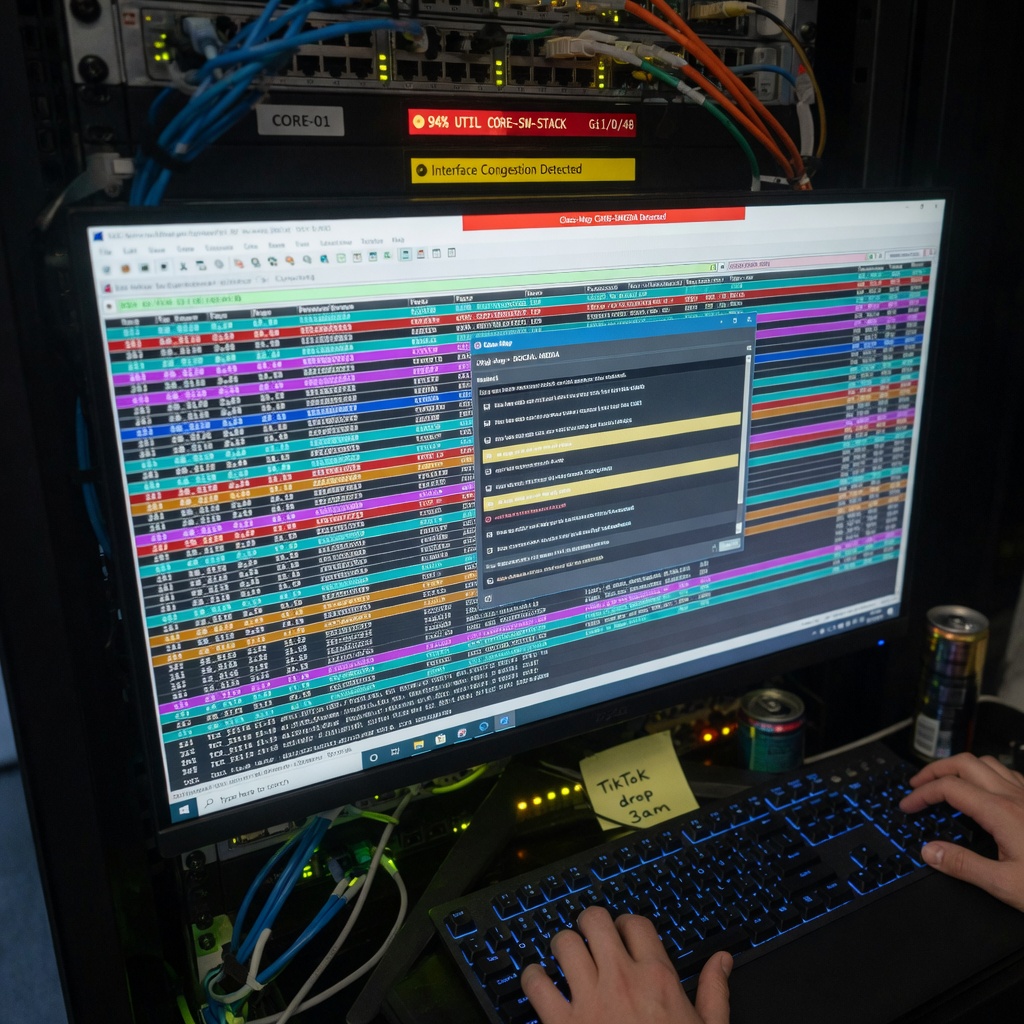
Picture a Tier 1 NOC engineer staring at a dashboard showing 94% interface utilization on a core switch stack. The immediate fix is a QoS policy that rate-limits Instagram and TikTok traffic to 2 Mbps per user. The executive team praises the “network optimization.” In reality, nothing has been optimized — the congestion has merely become less visible to the people who file complaints. This is the essence of a Cosmetic Box: a network device or policy configuration that improves the appearance of performance, security, or compliance without addressing the underlying infrastructure problem.
The term is widely used in service provider circles to describe configurations — often deployed at a single chokepoint — that produce better-looking metrics without any end-to-end engineering change. A classic early example involved DPI bypass appliances that masked bufferbloat from speed-test platforms: the numbers improved on the dashboard, but VoIP jitter remained unchanged for end users. Today, cosmetic box configurations appear in enterprise LANs, SD-WAN overlays, and cloud edge gateways. They are not always malicious; in some scenarios they provide necessary breathing room while the real fix is being designed and scheduled.
At the packet level, a Cosmetic Box typically sits inline or on a span port and modifies, drops, or re-marks traffic based on superficial criteria — most commonly L3/L4 header fields rather than true payload inspection. Unlike a next-generation firewall from Palo Alto Networks or a Cisco Firepower sensor that performs deep packet inspection and application identification, a cosmetic box configuration relies on stateless ACLs, basic NBAR2 protocol matching, or TOS byte rewriting. The goal is to produce metrics that satisfy a specific stakeholder: lower latency on a speed test, zero blocked connections on a compliance report, or a “fair” bandwidth distribution chart shown at a board meeting. Understanding how they work — and how to expose them — is now a practical skill for any engineer holding a CCNP or aiming for CCIE.
How Cosmetic Boxes Differ from Legitimate QoS and Policy Enforcement
The distinction between a cosmetic box policy and a legitimate QoS design matters both for production networks and for CCIE lab candidates. Legitimate QoS uses end-to-end trust boundaries, consistent Per-Hop Behavior (PHB) markings, and congestion management algorithms such as Low Latency Queuing (LLQ) with policers applied at ingress. A bandwidth metric that accurately reflects link capacity is the foundation on which valid QoS decisions are built. A cosmetic box, by contrast, rewrites DSCP values at a single chokepoint without propagating those markings upstream or downstream, and without signaling congestion to endpoints via ECN or TCP window adjustments.
Consider an enterprise with a 1 Gbps DIA circuit that experiences VoIP call drops during backup windows. Instead of fixing the backup software to use a separate VRF and an end-to-end QoS policy, the network team installs a cosmetic box configuration that marks all UDP traffic with EF (DSCP 46) and polices TCP traffic to an 800 Mbps aggregate. VoIP calls now complete, but the backup window stretches by 90 minutes. The visible problem is hidden; the infrastructure problem is not solved. Cisco’s Campus QoS design documentation describes this as applying policy at one hop without coordinating the downstream trust chain — a pattern that produces inconsistent treatment as packets cross devices that do not honour the re-marking.
A related pattern involves Fortinet traffic shaping policies applied after traffic has already been queued within the device. If a FortiOS shaping rule is configured to impose a bandwidth cap on social media categories but does not signal congestion back to the sender through ECN, the device silently drops packets. The sender’s TCP stack triggers retransmissions, which waste the very capacity the policy was meant to conserve. The dashboard shows reduced social media throughput; the utilization counter does not drop because retransmitted TCP segments fill the gap. Recognising this pattern is the first step toward replacing a cosmetic policy with a design that actually works.
Configuring a Cosmetic Box: ACLs and QoS on Cisco IOS
Understanding the configuration syntax is essential for spotting these policies during a network audit. The following example represents a typical cosmetic configuration on a Cisco Catalyst 9300 running IOS XE. This snippet re-marks all traffic from a guest Wi-Fi subnet to scavenger class (CS1) and polices it to 10 Mbps, regardless of application type.
ip access-list extended GUEST-COSMETIC
 permit ip 10.100.50.0 0.0.0.255 any
!
class-map match-all COSMETIC-TRAFFIC
 match access-group name GUEST-COSMETIC
!
policy-map COSMETIC-POLICY
 class COSMETIC-TRAFFIC
  set dscp cs1
  police 10000000 8000 exceed-action drop
!
interface GigabitEthernet1/0/1
 service-policy input COSMETIC-POLICY
This configuration performs no application inspection. It assumes that all traffic originating from that subnet is low-priority. If a user runs a Zoom call from the guest VLAN, that call is marked CS1 and policed to 10 Mbps, which will degrade quality during peak periods. A legitimate design would use NBAR2 to match real-time traffic and apply an appropriate treatment — or better yet, move guest users to a separate VRF with its own internet breakout. According to Cisco’s DSCP implementation guidance, routers at the edge of a Differentiated Services network should classify and mark packets based on application characteristics, not solely on source subnet. The cosmetic approach is faster to deploy, which explains why it proliferates in environments where the network team is understaffed or operating under a short-term deadline.
For auditors, the key verification command is show policy-map interface GigabitEthernet1/0/1. A cosmetic policy will show high match counters on the class, high conform counts in the policer, and a significant number of exceed-action drops — but the egress interface queue will show no corresponding increase in priority queue depth. The traffic is being dropped before it ever reaches a queue that could honour its priority, making the marking meaningless.
VLAN Tagging and Traffic Steering with Cosmetic Policies
Cosmetic box policies interact with VLAN structures and spanning tree topology in ways that can produce subtle, hard-to-diagnose failures. Consider a campus network using VRF-Lite at the core to isolate building management system (BMS) traffic from corporate data. A cosmetic policy on the distribution layer might re-mark BMS traffic as AF21 to “optimise” it, while the core switch’s VRF import map expects DSCP CS2 for BMS-sourced packets. The mismatch places BMS traffic in the wrong output queue at the core, increasing jitter during peak hours. For time-sensitive control systems — HVAC controllers, access control panels, industrial sensors — even a modest increase in jitter can trigger a timeout and force the device into a fail-safe mode.
This is not a hypothetical failure pattern. According to Uptime Institute’s Annual Outage Analysis 2025, networking and IT misconfigurations now account for 23% of impactful data centre outages, with misconfiguration identified as the leading subcategory within IT-related failures. The report found that 80% of operators believe their most recent downtime incident could have been prevented with better configuration management — a finding that applies directly to uncoordinated DSCP re-marking across multi-tier campus designs.
To verify end-to-end QoS trust, engineers should run show mls qos interface gigabitEthernet 1/0/1 statistics at each hop on Cisco IOS, and show class-of-service forwarding-table on Juniper EX Series switches. A cosmetic box will produce a high count of remarked packets with no corresponding increase in egress queue depth for the new DSCP class — the hallmark signature of a policy that re-labels traffic without actually treating it differently downstream. Correlating these counters across adjacent devices is the most reliable manual method for identifying the problem before it surfaces as a user complaint.
Cosmetic Boxes in SD-WAN and Cloud Edge Gateways
SD-WAN controllers from Cisco Catalyst SD-WAN and Broadcom (formerly VMware) make it straightforward to build cosmetic policies at scale. A centralised policy can re-mark all traffic from a branch site to a high-priority forwarding class based solely on source IP prefix, with no application-aware classification. The SD-WAN dashboard then reports that 100% of “critical business applications” are using the MPLS underlay with low latency — while YouTube traffic is also riding the MPLS circuit, disguised as business traffic by the re-marking. This directly undermines the application-aware routing value proposition that justifies the SD-WAN investment in the first place. For deeper context on network troubleshooting commands that help surface these discrepancies, the site has a dedicated reference guide covering CLI tools for Cisco, Juniper, and Linux environments.
Cloud edge gateways introduce a second layer of risk. A cosmetic policy applied at a VPC egress that rewrites all outbound DSCP values to EF causes on-premises QoS policies to treat cloud application traffic as real-time voice. When that traffic hits a congested WAN link, the on-premises router deprioritises actual contact centre voice traffic in favour of the cloud workload’s cosmetically elevated marking. The fix requires enforcing a trust boundary at the cloud edge — a configuration that remarks all incoming DSCP values to zero and reclassifies based on application signatures. This approach requires both cloud networking expertise and a solid understanding of QoS trust domains.
Cisco’s Catalyst Center addresses this problem through its Application Policy feature, which translates business intent — expressed as application sets and business relevance groups — into consistent DSCP markings applied across every device in scope. When a policy is deployed through Catalyst Center, compliance checks can flag any configuration deviation, including re-markings applied by intermediate devices that break the intended trust chain. This continuous validation loop is what separates intent-based networking from the manual, per-hop configuration model that allows cosmetic policies to persist undetected.
Detecting a Cosmetic Box During a Network Audit
Network auditors can use a combination of SNMP polling, NetFlow analysis, and targeted CLI verification to identify cosmetic box policies. Several indicators reliably signal their presence:
- A sudden drop in reported packet loss on a specific interface with no corresponding hardware upgrade or circuit change.
- Mismatched DSCP values between two adjacent routers on the same VLAN — verify with
show policy-map interfaceat each hop and compare the reported DSCP class of the same traffic flow. - ACL counters showing a high volume of matched and re-marked traffic, but no corresponding increase in priority queue depth on the egress interface.
- NetFlow records showing that a single application (such as HTTP) is exported with multiple different DSCP classes depending on which router generated the flow — a reliable indicator of inconsistent marking across the path.
- IP SLA probe results that report a different DSCP value at the receiving end than was configured at the source, confirming that an intermediate device is rewriting the header.
The IP SLA probe technique is particularly effective. Configure probes with a known DSCP value from the access layer to a loopback address on a core router. If the core reports receiving a different DSCP value, a policy somewhere in the path is rewriting the outer header. This technique is covered in the CCIE Enterprise Infrastructure troubleshooting module and is equally applicable in production audits. For engineers working on OSPF authentication configuration in mixed-vendor environments, the same systematic hop-by-hop verification mindset applies — trust boundaries must be confirmed at every device, not assumed.
When a Cosmetic Box Is Actually the Right Solution
Despite the operational risks, cosmetic box policies have legitimate uses in clearly defined scenarios. During a merger or acquisition, when two networks with incompatible QoS architectures must be interconnected within 48 hours to maintain business continuity, a temporary cosmetic re-marking policy can prevent immediate outages while the permanent design is engineered. Similarly, in a certification lab environment, deliberately building a cosmetic box policy and then troubleshooting its effects is one of the most effective ways to internalise how QoS trust boundaries work — a lesson that appears in the CCNP ENCOR curriculum under QoS mismatch scenarios.
The critical difference between responsible use and a ticking time bomb is documentation and explicit intent. A change ticket that states “temporary cosmetic re-marking applied to VLAN 200 pending permanent VRF migration — expires INC20260601” is responsible engineering with a defined exit. The identical configuration applied without a ticket, a timeline, or a remediation owner is a liability. In many environments, cosmetic policies accumulate over years of incident response, each one applied to solve a visible symptom, none of them removed once the underlying fix arrives. A periodic QoS audit — at minimum annually, or after any major topology change — should include a review of all service policies for re-marking logic that no longer has a corresponding permanent design decision.
Vendor-Specific Implementations and Gotchas
Each major vendor handles the interaction between cosmetic policies and traffic forwarding in ways that produce distinct failure modes. On Cisco IOS XE, a service policy applied in the input direction on a Switched Virtual Interface (SVI) re-marks traffic before it hits the routing table, meaning the new DSCP value influences the egress queue selection on the same switch. Engineers who expect the original DSCP to survive through to the routed egress interface will be surprised to find the cosmetic marking already in effect.
On Juniper Junos, a firewall filter with then forwarding-class expedited-forwarding applied to a loopback interface affects only locally generated traffic — not transit traffic passing through the device. This is a common source of confusion: engineers deploy what they believe is a cosmetic box policy on transit flows and then conclude the policy is working because the loopback-sourced probes show the expected forwarding class. Transit traffic is unaffected. On GRE tunnel endpoints, a policy applied to the tunnel source interface can re-mark encapsulated traffic, but the tunnel destination will receive the original inner DSCP unless the tunnel dscp copy command is also configured. The command combination of tunnel path-mtu-discovery and tunnel dscp copy ensures the outer header inherits the inner DSCP marking, which is essential for maintaining consistent QoS treatment end-to-end through GRE-encapsulated paths.
The long-term industry direction is toward intent-based networking platforms that make cosmetic policies harder to sustain. Cisco Catalyst Center’s compliance engine flags configuration deviations from the defined intent, including policies that re-mark traffic without downstream coordination. Juniper’s Apstra provides a similar closed-loop validation capability. However, as long as network teams are evaluated primarily on dashboard metrics rather than measured user experience, cosmetic box policies will continue to be deployed as the fastest path to a green status indicator. Engineers who understand how to build them accurately — and who know precisely when to tear them down — will be the ones who earn architect-level trust in their organisations.
Conclusion
A cosmetic box network policy is not fundamentally a technology problem — it is an incentive problem. When the metric a team is measured by can be satisfied through header rewriting rather than infrastructure improvement, the Cosmetic Box is the rational short-term choice. Understanding this dynamic is as important as understanding the CLI syntax, because it explains why these configurations accumulate even in well-staffed network teams.
The practical takeaway for engineers is a two-part discipline: build with intent documentation, and audit with hop-by-hop verification. Any service policy that re-marks traffic should have a documented business justification, an owner, and either a permanent design rationale or an explicit expiry condition. Any network audit that examines performance should include a cross-hop DSCP consistency check using IP SLA probes or NetFlow DSCP-class correlation — not just a review of interface error counters. These habits close the gap between what the dashboard reports and what the network actually delivers.
For those preparing for CCNP ENCOR or CCIE Enterprise Infrastructure, cosmetic box scenarios appear in QoS mismatch troubleshooting sections precisely because they expose the difference between policy configuration and policy effectiveness. The CLI commands covered here — show policy-map interface, show mls qos interface statistics, and IP SLA probe verification — are the correct tools for demonstrating that difference in a lab environment and in production. The network that looks healthy and the network that is healthy are not always the same network.
Sources: Cisco DSCP QoS Implementation Guide, Cisco Catalyst Center Application Policy Documentation, Cisco DNA Center Compliance Blog, Uptime Institute Annual Outage Analysis 2025 — August 2026