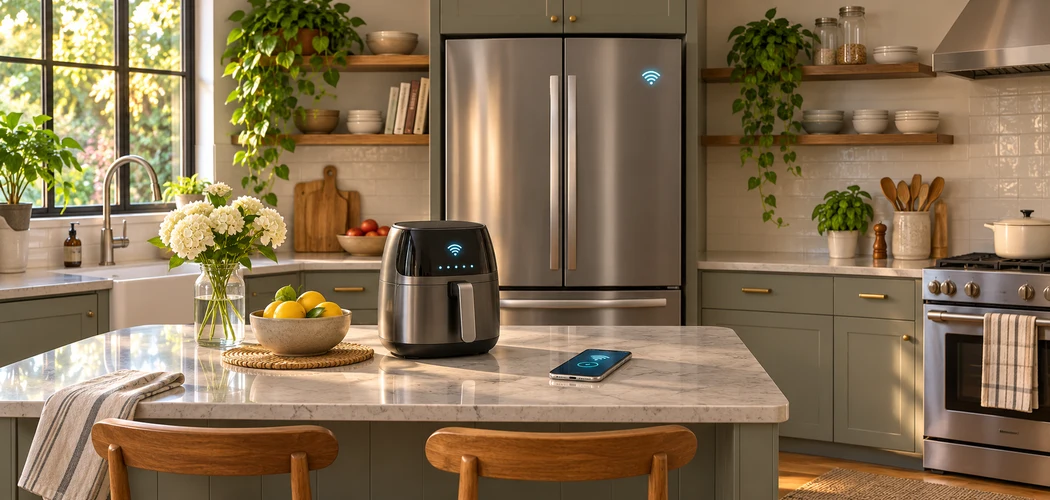
A washer that tells you when a load is finished can save a trip downstairs. A thermostat that follows your schedule can be useful if you regularly forget to change the temperature before leaving. Smart home appliances earn their place when a connected feature solves a problem you already have. Start there before comparing apps, automation, or product names.
Write down the task you want to make easier, who needs to use the appliance, and what should happen when the internet goes down. These questions apply to a fridge, a washer, a thermostat, or a countertop appliance. The answers can also tell you whether you need a new appliance at all. If your present washer works well and the only inconvenience is checking when it ends, decide how much a notification is worth before you replace it.
Smart Home Appliances at a Glance
| Device | A feature worth comparing | What to verify before paying |
|---|---|---|
| Washer or dryer | End-of-cycle alerts, status checks, or maintenance reminders | Which actions need the app and whether remote start requires approval at the machine |
| Refrigerator | Door alerts or temperature notifications | What the app records and whether notifications require an active internet connection |
| Thermostat | Schedules and remote temperature changes | Heating and cooling system compatibility, wiring, and offline controls |
| Robot vacuum | Room schedules, maps, and no-go zones | Which features need a cloud account and what happens to maps after a reset |
| Smart plug | Schedules or compatible energy readings | Load rating, manufacturer instructions, and whether switching power is suitable for the connected device |
Some of these products have long replacement cycles. Compare the ordinary specifications first, including capacity, dimensions, noise, service options, and warranty. Those features affect every use. A clear app may still be a poor reason to buy a washer that does not fit the laundry space or a fridge whose door cannot open fully beside a wall.
Check Compatibility by Model Number
Make a list of the app or platform you already use at home. If everyone uses the manufacturer’s app and that works for you, check the phone requirements and whether household members can have their own access. If you depend on a central platform such as Apple Home, Google Home, Alexa, or SmartThings, verify the exact commands and notifications that platform supports for your model.
Look at the full model code. A range may include regional variants or appliances with different supported features. Look in the manual for Wi-Fi band requirements and find out whether setup also uses Bluetooth. If a product requires a separate hub, include its cost and where it will sit. A device can pair successfully next to your router and still give unreliable notifications from a basement or utility room, so check connectivity where the appliance will actually be installed.
What Matter can tell you
Matter is a smart home interoperability standard. The Connectivity Standards Alliance introduced support for additional appliance categories and energy reporting in the Matter 1.3 specification. A feature appearing in the standard gives manufacturers and platforms a way to implement it. The next step is to check what your chosen model, firmware, and controller have implemented.
Ask whether you can see the appliance’s status, set a routine, receive an alert, or change a setting in your preferred platform. A platform can support one action while the manufacturer app handles others. Some devices also use Thread and require a compatible Thread border router. Use the setup instructions to confirm what hardware is needed before counting the feature as part of the purchase.
Test the Controls You Would Use Without the Internet
A temporary internet outage and a power failure are different events. During an internet outage, an appliance may still have power and its front panel may work while remote controls or cloud alerts stop. A power outage also affects the appliance itself. Check what happens when power returns, including whether the device resumes, pauses, or needs you to restart it.
Look up which features work from the panel, what requires the home network, and what requires the manufacturer’s service. For a washer, use the normal controls to verify you can choose a cycle and start it without opening the app. For a thermostat, confirm that someone in the home can change the temperature directly. If a cloud account is needed to set the appliance up, ask what happens after a factory reset or transfer to a new owner.
Test these scenarios during the return window where that makes sense. For example, leave a washer connected to power and check how it behaves when your home has no internet connection. Follow the manufacturer’s instructions, and avoid deliberately interrupting a device during a cycle, update, or safety-critical operation. Write down which parts of the setup another household member needs to know.
Compare Energy Use With and Without Smart Features
Energy monitoring can help you identify when a device runs and how much it uses, if the model measures energy. Compare annual consumption figures for products that perform the same job and have comparable capacity. A connected fridge may send a door-open alert, while the refrigeration system, cabinet design, and how you use it still drive much of its energy use.
ENERGY STAR’s smart thermostat guidance explains that certified models are evaluated using field data. What you save at home depends on the equipment, climate, schedule, and the settings you used before installing the thermostat. If your current programmable thermostat already follows an efficient schedule, the connected model may appeal mainly for alerts or remote control.
If an appliance reports electricity use, check whether it shows actual consumption, an estimate, or runtime. These measures answer different questions. Use consistent units and a comparable period when you look for changes. A hot month and a mild month are a poor comparison for air conditioning. For a plug-in energy monitor, use only equipment and loads allowed by the manufacturer. Large, heating, or motor-driven appliances may require different equipment.
Check Subscriptions, Privacy, and Support
Ask which functions are included after you buy the hardware. Some brands charge for remote features, extra reports, or other services after a trial. Save the plan details so you can check what changes if you stop paying. Include any ongoing fee when comparing two models, along with installation, replacement parts, and any hub or accessories you need.
Review what the app collects. A robot vacuum map, for example, contains a different kind of information from a washer’s end-of-cycle alert. Check whether you can decline optional data sharing and delete saved data. If more than one person needs access, set up individual accounts where the platform supports them. Use a unique password and turn on multifactor authentication where available.
Check whether the manufacturer publishes a support period or update policy for the exact model. A working appliance may be kept for years, so think about how you would use its physical controls if the app changed or was retired. Update the device and your router through their normal update settings. For related checks on connected devices and account access, see NetworkUstad’s home network privacy guide.
Plan for a move or a change of owner
If you rent out the property, share an appliance, or expect to move, check how to unlink the unit from your account. Look for instructions on transferring control and deleting personal information. Keep the pairing code and manual somewhere accessible. The next person should be able to set up the controls without needing your password or access to your phone.
Make a Shortlist and Verify Your First Routine
Write down the connected feature you expect to use most and how often you need it. Then list two things the appliance must do even when your phone is unavailable. Check dimensions, use the full model code to confirm compatibility, and find the actual delivered cost. If setup needs a new account, controller, or wiring change, include that before comparing prices.
When the appliance arrives, test ordinary operation first. Next, run one connected action from start to finish. If you bought a washer for completion alerts, run a normal load and check whether the notification reaches the people who need it. If you bought a thermostat for scheduling, confirm the schedule and try a manual override. If you bought an appliance that shares status with another platform, verify which settings still require the original app.
Give everyone who uses the appliance a simple way to do the essential jobs. A good purchase fits the space, works for the household, and answers the practical question you started with. The extra controls are worth paying for when they make that job easier often enough to matter.
Smart appliance buying disclaimer
Features, app support, and offline behaviour can vary by model, region, and firmware. Check the manufacturer’s instructions and appliance ratings before installation. Use a qualified installer when required for electrical or HVAC work.